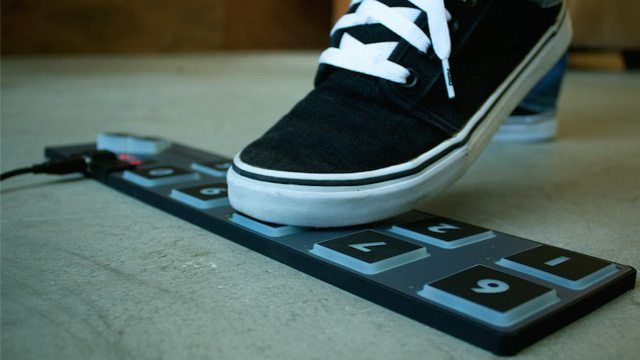
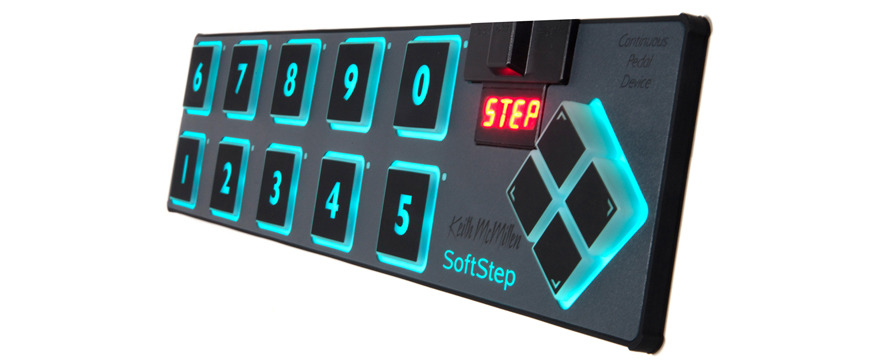
Many years ago, in our quest to try every possible MIDI controller on the planet, we tried out a variety of foot controllers because of a simple inescapable fact: We only have two hands (curse you, genetics!). To do more with controllers, one simply had to explore other “dimensions” of control, including putting something under your feet. The only problem was that there were only a few MIDI foot pedals, and they were very large, heavy and expensive- hardly something to put in a DJ bag. Fortunately, we’ve discovered a product on the market that provides MIDI foot control in a enjoyable and natural way while keeping the profile of its body thin and light.
- Product: Keith McMillen SoftStep Foot Controller
- Price: $259
- Communication: MIDI over USB
- Shipping: Available Now
- Ships with: Controller, Cable
- Weight: 1.3 Pounds
- Construction: Constructed from elastomeric and graphite composites with a carbon fiber backing
- Dimensions: 17.5″ x 4.2″ x 1″
Pros
- Detects aftertouch and pressure in a variety of directions
- Incredibly complete editor that allows you to customize the outputs with precision
- Light and strong construction
- Dual color backlighting
Cons
- Lacks a clear set of global functions on the device
- Very complex MIDI editor will require several hours of careful study
- Some bugs and strange behavior on the software
Bottom Line
This is easily the best choice on the market for light, portable and floor-based MIDI control with USB powered plug and play performance. Throw in the aftertouch functionality, and we can see people coming up with some very compelling mappings and controllerism ideas. The only problem? The crowd will never see it!
AFTER “PRESS”
What really makes the SoftStep powerful is not the run-of-the mill on/off foot toggles, but rather that each pad can send out multiple analogue control messages that respond to various forms of pressure including:
- Vertical pressure (press harder and the CC increases)
- X/Y (roll the foot and get a range of X/Y values)
- Velocity (really stomp and get a stronger note)
- Rotation (turn your foot in a circle)
and several more…
In theory, this means that you can turn an effect on by pressing your foot and then modulate the effect with further pressure. Now, even the soccer players amongst us don’t have that level of foot control, so can these features actually be used?
THE REAL TEST
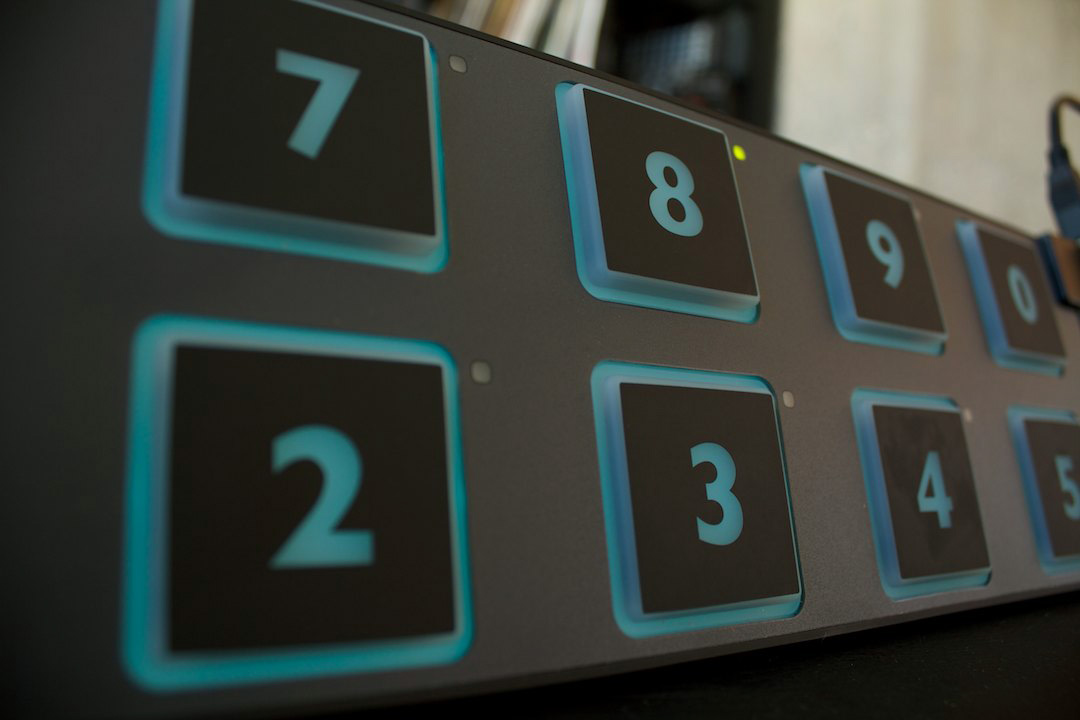
To see if we could get this thing rocking, we mapped several parameters to effects in Traktor in the following way:
- Foot on the button (turns on effect)
- Foot pressure (wet/dry control for the effect)
- Y-coordinate change (modulates the effect)
and the results..
Test One: After Touch (or pressure)
- Grade: A+
- The ability to modulate a value using the pressure is great and with a little sensitivity tuning, it can be used very accurately.
Test Two: X and Y
- Grade: B
- I could reliably control a range of CCs using the X/Y coordinates but the accuracy was much lower than pressure because the controllable distance is so small and your foot is well, so big. Y works a lot better (forward/back) because it is a natural motion for your foot, while X (left/right rocking) is a little awkward.
Test Three: Rotation
- Grade: D
- In theory, the SoftStep combines values to give you some sense of rotation as you point your toes in different directions. In practice, it was not accurate enough to provide a lot of useful information.
Accurately combining pressure (downward force) and rocking or turning was really difficult to manage and probably should not be expected. It’s much more realistic to choose one appropriate aftertouch effect and go with that one motion.
EDIT AT WILL
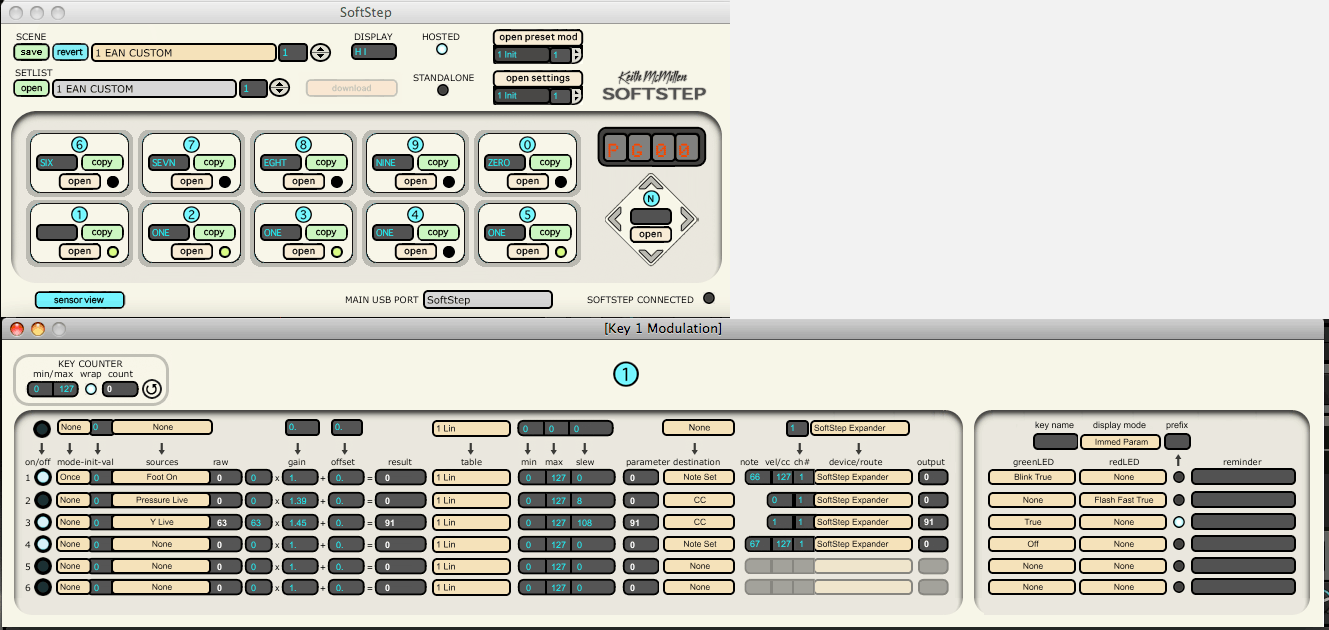
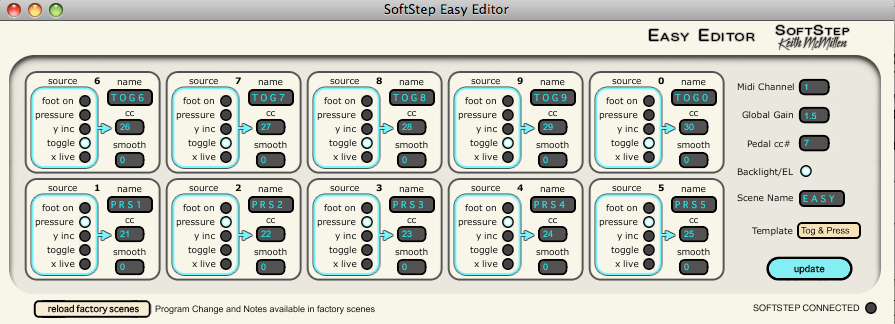
For those that want to dig in and customize exactly how their controller works, the SoftStep provides a very comprehensive editor equipped with a impressive range of options. Everything from the individual amplitude of each CC and the linear response curve can be customized. For the customer that just wants to change a few basic things like CC numbers or type of control, there is a basic editor as well for simple mods.
Our only complaint is that these two editors sit on wildy different ends of the spectrum. In the basic editor, you can’t layer controls. For example, combining a X/Y output with a note on and a pressure read out all on a single pad isn’t possible. To accomplish this with the advance editor requires some careful tuning which starts to look more like basic bomes programming than a MIDI editor. Powerful, but possibly overwhelming for the average DJ.
LIGHT AND STRONG
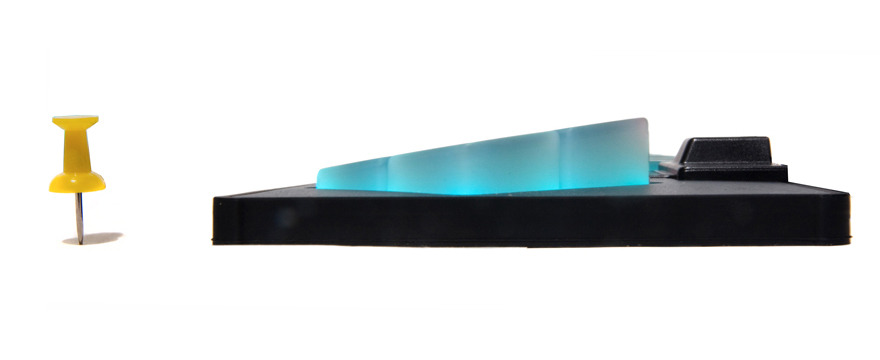
One impressive aspect of the controller is its light but strong chasis that is helped in part by a carbon fiber backing. We got the feeling that it would take a serious beating (like dropping it off the roof, a la our Midi Fighter Pro test) but go barely noticed in a backpack. The pad sensors on modern MIDI controllers can be finicky beasts, often failing and providing so-so results depending on how they are built. We have not had enough time to see if reliable pressure detection holds up after time but we certainly hope so!
SUMMARY
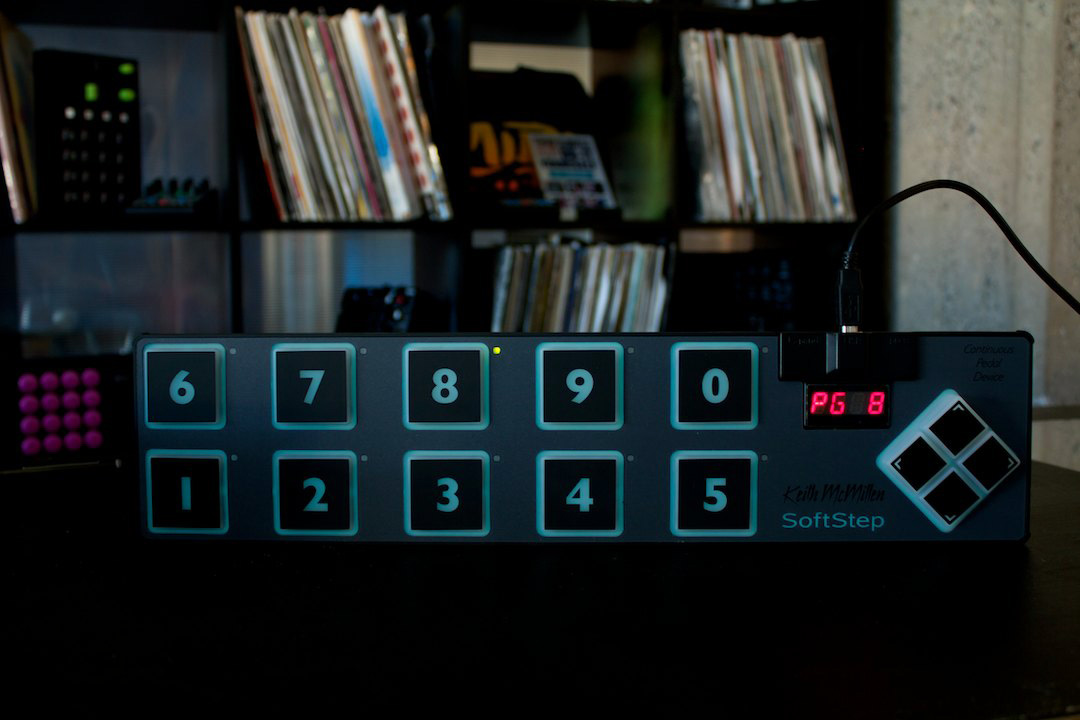
This is not your average MIDI controller for the average DJ. It is powerful and has massive potential, but hardly a “out of the box”, plug-it-in-and-rock solution. If we find the time, DJ TechTools is considering producing a mapping which does a lot of the hard work for you (if you’re interested, let us know in the comments!). The editor is very intricate, and support and set-up resources are what you would expect from from a small, boutique company. That means that early adopters with a strong desire to get in and “tinker” will love this device, but folks looking for a quick and fun toy will be less stoked on the amount of work involved in making it shine.
For those looking to expand their control beyond two hands – this really is the best choice on the market in terms of price, portability and function. We loved it so much I decided to stock them in our web store and give the SoftStep an official DJ TechTools Seal Of Approval!
Looking forward
This isn’t the only controller on the market that offers aftertouch-style functionality. On friday, our Tech Editor Chris Cartledge is going to show you some of the other devices worth mentioning, and explain some clever ways to map them in Traktor!
Video
(Edit: we asked the guys over at Keith MacMillen to send us a video of the SoftStep being demoed with Traktor Pro 2, and here it is!)