DJ TechTools
  • Blog
    • DJ Gear
      • DIY Projects
      • Gear Reviews
      • New Products
      • Controllerism
    • Techniques + Tips
      • Beginner DJ
      • Advanced DJ
      • Producer
      • Finger Drummer
    • News + Culture
      • Editorials + Opinions
      • Artist Interviews
      • Performances + Routines
      • How I Play
    • DJ Software Tutorials
      • Serato Tips
        • Traktor Tips
      • CDJ Tips
      • Ableton Live Tips
  • Store
    • Run by real DJs, not a corporation
    • DJ Controllers
      • Midi Fighter Twister
      • Midi Fighter Spectra
      • Midi Fighter 64
      • View All
    • Accessories
      • Chroma USB Drive for DJs
      • Chroma Caps
      • Chroma Cables Audio
      • Chroma Cables USB-A
      • Chroma Cables: USB-C
      • DJTT Gift Card
      • Midi Fighter T-Shirt
      • Keyboard Covers
      • Earplugs by V-Moda
    • Production Gear
    • Soundcards & Mixers
  • Community
    • Popular Forums
      • General Discussion
      • Buy & Sell
      • Reviews
      • Mixes
      • Music Production
      • Show Your Setup
      • Off Topic
    • Handy Links
      • New Posts
      • Private Messages
      • Register
      • Search
    • Midi Maps
      • Traktor
      • Ableton
      • Serato DJ
      • Midi Fighter 3D
      • Midi Fighter Twister
      • Midi Fighter Spectra
  • Midi Fighter
  • Chroma
No Result
View All Result
DJ TechTools
  • Blog
    • DJ Gear
      • DIY Projects
      • Gear Reviews
      • New Products
      • Controllerism
    • Techniques + Tips
      • Beginner DJ
      • Advanced DJ
      • Producer
      • Finger Drummer
    • News + Culture
      • Editorials + Opinions
      • Artist Interviews
      • Performances + Routines
      • How I Play
    • DJ Software Tutorials
      • Serato Tips
        • Traktor Tips
      • CDJ Tips
      • Ableton Live Tips
  • Store
    • Run by real DJs, not a corporation
    • DJ Controllers
      • Midi Fighter Twister
      • Midi Fighter Spectra
      • Midi Fighter 64
      • View All
    • Accessories
      • Chroma USB Drive for DJs
      • Chroma Caps
      • Chroma Cables Audio
      • Chroma Cables USB-A
      • Chroma Cables: USB-C
      • DJTT Gift Card
      • Midi Fighter T-Shirt
      • Keyboard Covers
      • Earplugs by V-Moda
    • Production Gear
    • Soundcards & Mixers
  • Community
    • Popular Forums
      • General Discussion
      • Buy & Sell
      • Reviews
      • Mixes
      • Music Production
      • Show Your Setup
      • Off Topic
    • Handy Links
      • New Posts
      • Private Messages
      • Register
      • Search
    • Midi Maps
      • Traktor
      • Ableton
      • Serato DJ
      • Midi Fighter 3D
      • Midi Fighter Twister
      • Midi Fighter Spectra
  • Midi Fighter
  • Chroma
No Result
View All Result
DJ TechTools

Building A Traktor Step Sequencer With Remix Decks

Dan White by Dan White
July 17, 2013
in Advanced DJ Tips, DIY Project Tutorials, DJ Techniques / Tips, Traktor Tips
Reading Time: 4 mins read
0
Building A Traktor Step Sequencer With Remix Decks
184
VIEWS
Post on FacebookTweet thisUpvote on Reddit

Today we’ve got a video from one of the DJTT community’s superstar mappers, Ghztomash, showing off how the new Traktor 2.6.2 update allows for some very advanced mappings. Syncing up his DIY controller with a hardcoded sequencer in the firmware, he’s managed to create a Remix Deck workflow that could be very appealing to artists like Richie Hawtin and Chris Liebing. Watch the video and learn more after the jump!

FORGET SYNCING  ABLETON/MASCHINE + TRAKTOR

I have a need to tinker with every little sound and introduce new elements into existing tracks – while Ableton Live is great for this but I find Traktor much more convenient for DJing. While Traktor’s Remix Deck loops are good, they’re nothing compared to the movement and pure fun that can be created by punching in percussion rhythms in real time. That’s why the initial idea was to sync Ableton to Traktor and get the best of the two worlds.

Unfortunately I failed to find a good way to use my self-built controller as a step sequencer in Ableton (there are some great M4L patches and VST devices out there, just not what I had in mind). I decided to build-in the sequencer functionality directly in my controller  – which worked out great, but I realized that I don’t need Ableton for this, I could utilize Traktor’s Remix Decks. See it in action below:

WHAT’S HAPPENING IN THE VIDEO

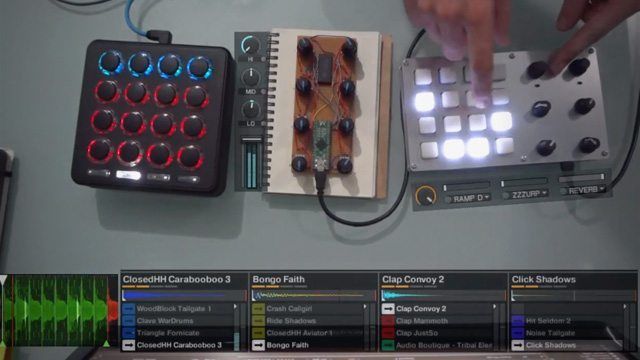
In the video above, the Midi Fighter 3D is used to trigger some filler samples I have loaded in my Remix Deck D. The device I’m using as a mixer is another controller I am currently working on.

Next we see Digital Warrior – the controller running the step sequencer on Remix Decks C – where I have loaded one-shot samples. I have  sync and quantization off on this deck, since the step sequencer is MIDI-synced with the master clock and we want the samples to trigger instantly.

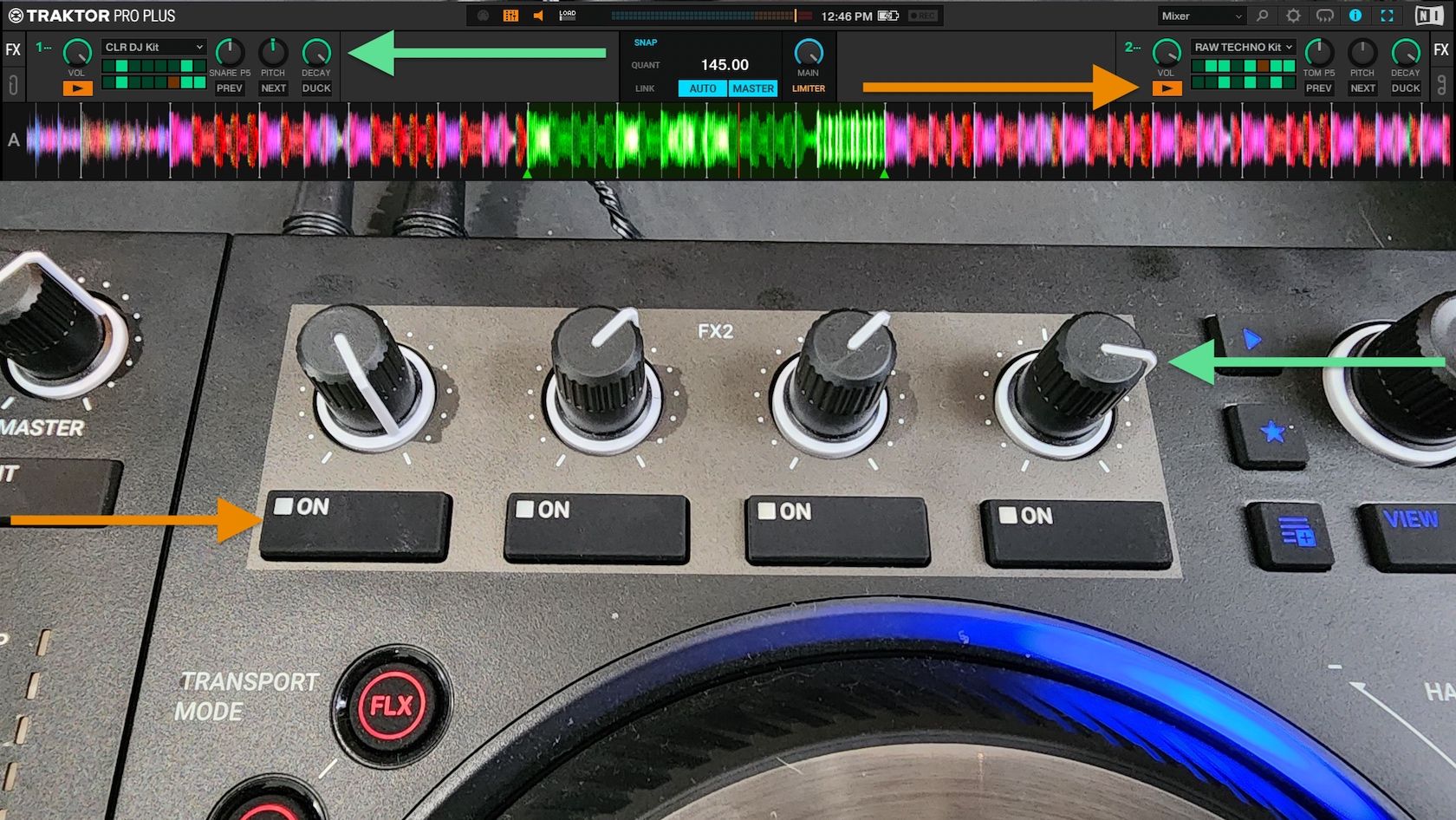
The knobs on Digital Warrior are mapped to the FX rack 3. You can see that three of buttons toggle the effects and one button instantly turns off all of the effects – this way I can create chains of effects for buildups and then disable them with just one finger, I also have mapped the slot FX enable buttons for each channel of the Remix Decks to choose which samples I want to leave dry.

DIGITAL WARRIOR?
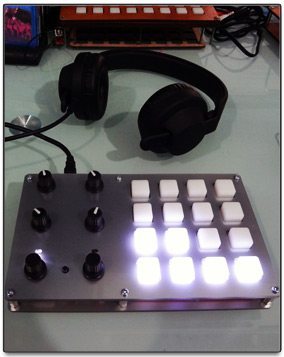
Digital Warrior is a DIY MIDI controller I’ve built. Inspired by the Midi Fighter, Push, Maschine and the monome, I wanted to create a complementary light and compact controller/instrument that could be used for anything from finger drumming, to triggering effects, or even controlling decks.

It is built with the Teensy++ microcontroller for brains and consists of a 4×4 monome like button grid from SparkFun with white LEDs (wiring RGB LEDs would have been slightly more challenging but much more functional). On the right side are four rotary potentiometers and two push-button endless encoders that display their values for a moment as a graph on the button pad when twisted.

There’s also the  pushbutton LED and a shift button that allows us to switch between 8 banks and enable/disable the step sequencer and features like secondary CC and Note On messages inspired by our so loved Midi Fighter.

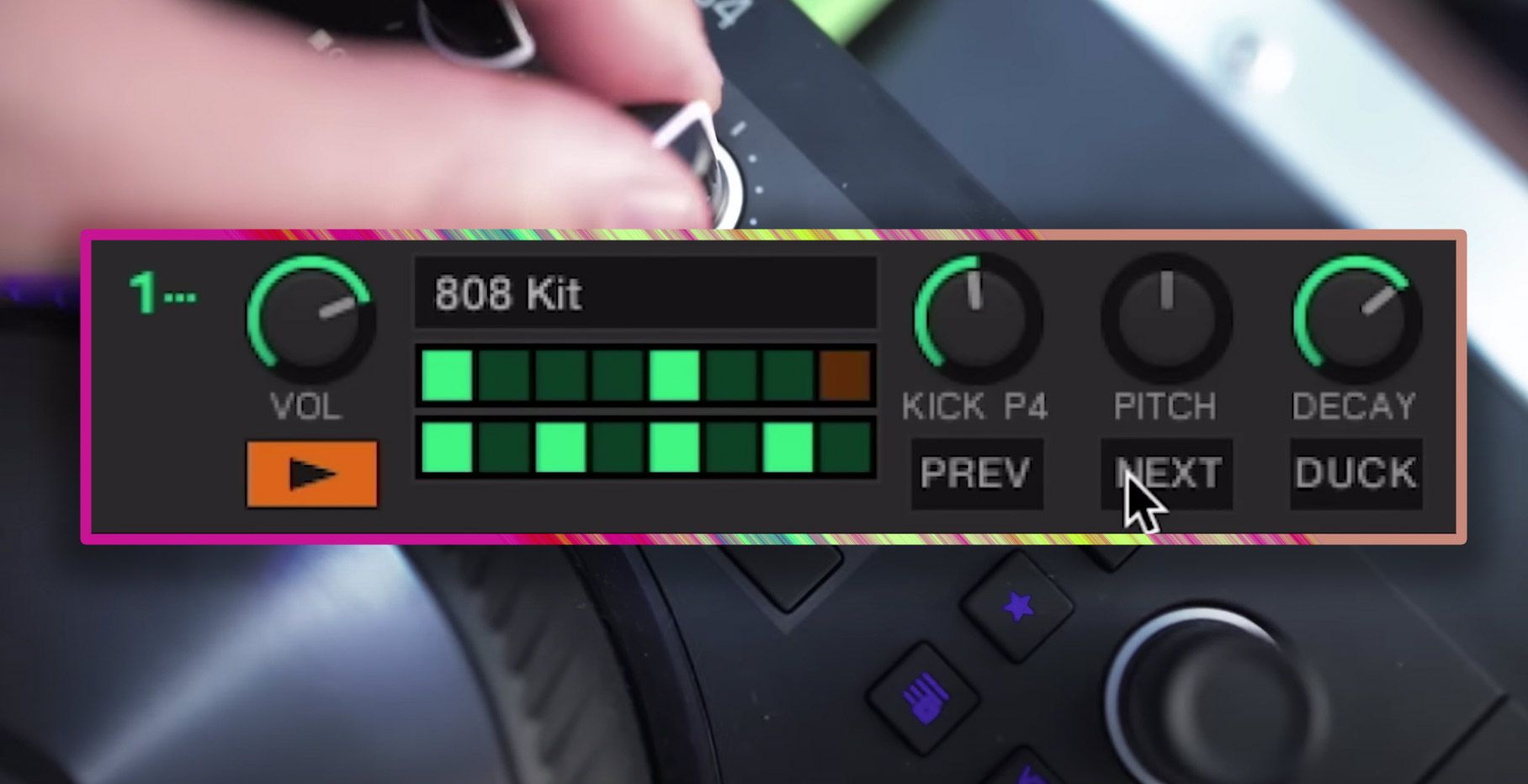
The step sequencer itself (when enabled) takes up two of the eight banks. One for the 16 channel selection, and one for the 16 steps of the selected channel. It’s a 16-channel 16-step sequencer, but that could be easily extended to 32 steps but using up one more bank. The sequencer is implemented by MIDI syncing the controller with the DAW. As it listens for clock MIDI messages, it counts them and determines the step, each new step it sends Note On messages for all of the 16 channels where they are enabled and Note Off messages for the previous step. Traktor was a bit capricious with my messaging system but it all worked out by inverting the controller range field. Also something fun I tried was to map the step sequencer to effects, so there is no limit to where this can be used.

Of course MIDI clock sync is not perfect and I have to press the MIDI sync button once in a while the step sequencer drifts off time. But I’m pretty sure we would all love to see this kind of features tightly integrated in Traktor, either if it’s Remix Decks and the F1, direct Maschine integration, or even better the ability to map our own favorite grid controllers.

Let me know what do you think below in the comments and what other features you would love to see in the next Traktor Update. Keep on hacking and experimenting!

Interested in the Digital Warrior? Keep an eye Ghztomash’s blog and DJTT – we’ll keep you updated and maybe have him do a complete build guide if folks are interested!
Tags: diy controllersremix decksstep sequencerTraktor Tips
Share2Tweet1Share
Previous Post

Richie Hawtin + Ean Golden Design A New DJ Controller [Video]

Next Post

Gemini Announces G4V Controller: Twitch meets DDJ?

Related Posts

traktor-pro plus 3.8 pattern player controls
Dj and Production Tutorials

Review: Traktor Pro Plus 3.8 – After 8 months, is the subscription worth it?

April 20, 2023
Traktor Pro 3.6 releases, as well as a feature roadmap…
Breaking News

Traktor Pro 3.6 releases, as well as a feature roadmap…

August 19, 2022
Traktor Pro 3.6 beta and iZotope's Ozone Maximizer side by side
NAMM 2022

Traktor’s new beta cycle has begun: 3.6 to include iZotope products, maybe NKS support?

May 30, 2022
Load More
Next Post
Gemini Announces G4V Controller: Twitch meets DDJ?

Gemini Announces G4V Controller: Twitch meets DDJ?

Want to reach DJTT's audience here?

Shoot an email to advertising@djtechtools.com

DJTT ads
DJTT newsletter
Midi Fighter
Chat with us
  • ABOUT DJTT
  • CONTACT
  • PRIVACY
  • MIDI FIGHTER HELP
  • ABOUT DJTT
  • JOBS
  • CONTACT US
  • ADVERTISE
  • PRIVACY POLICY
  • ACCESSIBILITY STATEMENT

© 2024 DJ Techtools all rights reserved by DJ TechTools on all content unless otherwise noted.

No Result
View All Result
  • Blog
    • DJ Gear
      • DIY Projects
      • Gear Reviews
      • New Products
      • Controllerism
    • Techniques + Tips
      • Beginner DJ
      • Advanced DJ
      • Producer
      • Finger Drummer
    • News + Culture
      • Editorials + Opinions
      • Artist Interviews
      • Performances + Routines
      • How I Play
    • DJ Software Tutorials
      • Serato Tips
      • CDJ Tips
      • Ableton Live Tips
  • Store
    • Run by real DJs, not a corporation
    • DJ Controllers
      • Midi Fighter Twister
      • Midi Fighter Spectra
      • Midi Fighter 64
      • View All
    • Accessories
      • Chroma USB Drive for DJs
      • Chroma Caps
      • Chroma Cables Audio
      • Chroma Cables USB-A
      • Chroma Cables: USB-C
      • DJTT Gift Card
      • Midi Fighter T-Shirt
      • Keyboard Covers
      • Earplugs by V-Moda
    • Production Gear
    • Soundcards & Mixers
  • Community
    • Popular Forums
      • General Discussion
      • Buy & Sell
      • Reviews
      • Mixes
      • Music Production
      • Show Your Setup
      • Off Topic
    • Handy Links
      • New Posts
      • Private Messages
      • Register
      • Search
    • Midi Maps
      • Traktor
      • Ableton
      • Serato DJ
      • Midi Fighter 3D
      • Midi Fighter Twister
      • Midi Fighter Spectra
  • Midi Fighter
  • Chroma

© 2024 DJ Techtools all rights reserved by DJ TechTools on all content unless otherwise noted.

This website uses cookies. By continuing to use this website you are giving consent to cookies being used. Visit our Privacy and Cookie Policy.