DJ TechTools
  • Blog
    • DJ Gear
      • DIY Projects
      • Gear Reviews
      • New Products
      • Controllerism
    • Techniques + Tips
      • Beginner DJ
      • Advanced DJ
      • Producer
      • Finger Drummer
    • News + Culture
      • Editorials + Opinions
      • Artist Interviews
      • Performances + Routines
      • How I Play
    • DJ Software Tutorials
      • Serato Tips
        • Traktor Tips
      • CDJ Tips
      • Ableton Live Tips
  • Store
    • Run by real DJs, not a corporation
    • DJ Controllers
      • Midi Fighter Twister
      • Midi Fighter Spectra
      • Midi Fighter 64
      • View All
    • Accessories
      • Chroma USB Drive for DJs
      • Chroma Caps
      • Chroma Cables Audio
      • Chroma Cables USB-A
      • Chroma Cables: USB-C
      • DJTT Gift Card
      • Midi Fighter T-Shirt
      • Keyboard Covers
      • Earplugs by V-Moda
    • Production Gear
    • Soundcards & Mixers
  • Community
    • Popular Forums
      • General Discussion
      • Buy & Sell
      • Reviews
      • Mixes
      • Music Production
      • Show Your Setup
      • Off Topic
    • Handy Links
      • New Posts
      • Private Messages
      • Register
      • Search
    • Midi Maps
      • Traktor
      • Ableton
      • Serato DJ
      • Midi Fighter 3D
      • Midi Fighter Twister
      • Midi Fighter Spectra
  • Midi Fighter
  • Chroma
No Result
View All Result
DJ TechTools
  • Blog
    • DJ Gear
      • DIY Projects
      • Gear Reviews
      • New Products
      • Controllerism
    • Techniques + Tips
      • Beginner DJ
      • Advanced DJ
      • Producer
      • Finger Drummer
    • News + Culture
      • Editorials + Opinions
      • Artist Interviews
      • Performances + Routines
      • How I Play
    • DJ Software Tutorials
      • Serato Tips
        • Traktor Tips
      • CDJ Tips
      • Ableton Live Tips
  • Store
    • Run by real DJs, not a corporation
    • DJ Controllers
      • Midi Fighter Twister
      • Midi Fighter Spectra
      • Midi Fighter 64
      • View All
    • Accessories
      • Chroma USB Drive for DJs
      • Chroma Caps
      • Chroma Cables Audio
      • Chroma Cables USB-A
      • Chroma Cables: USB-C
      • DJTT Gift Card
      • Midi Fighter T-Shirt
      • Keyboard Covers
      • Earplugs by V-Moda
    • Production Gear
    • Soundcards & Mixers
  • Community
    • Popular Forums
      • General Discussion
      • Buy & Sell
      • Reviews
      • Mixes
      • Music Production
      • Show Your Setup
      • Off Topic
    • Handy Links
      • New Posts
      • Private Messages
      • Register
      • Search
    • Midi Maps
      • Traktor
      • Ableton
      • Serato DJ
      • Midi Fighter 3D
      • Midi Fighter Twister
      • Midi Fighter Spectra
  • Midi Fighter
  • Chroma
No Result
View All Result
DJ TechTools

What You Need To Know About Protecting Your Hearing

Ean Golden by Ean Golden
January 25, 2015
in DJ Techniques / Tips, News + Culture
Reading Time: 5 mins read
0
What You Need To Know About Protecting Your Hearing
316
VIEWS
Post on FacebookTweet thisUpvote on Reddit

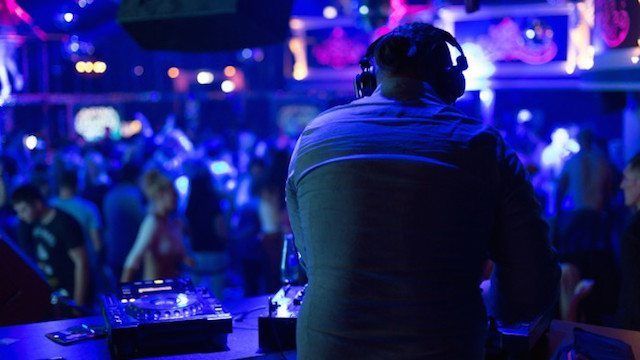
The most valuable tool a DJ has at their disposal is their ears. Unfortunately it’s also the tool that gets abused the most. This is no surprise given the environments DJ’s frequently find themselves in: nightclubs, music festivals, and DJ booths with loud monitors.

Prolonged exposure in these loud settings is very hard on the ears and if a DJ isn’t careful, they risk damaging the only set of ears they have. Today Ean Golden is going to share some valuable tips that DJ’s can follow to protect their hearing and continue DJing for years to come.


Hearing is one of our MOST important senses. For DJ’s to protect their hearing, there are a few important things that they need to be aware of.

  • Prolonged exposure is the problem. Continuous noise for 1-3 hours straight causes the issues.
  • We are most sensitive to mid range frequencies of 3-4 kHz, which is where a lot of hearing damage and loss can occur.
  • Our ears become de-sensitized over time in a club, so our perception of “loudness” goes down – which leads DJs to turn things up.

Knowing these fundamentals, there are a few things we can do as DJ’s to keep as much hearing as possible!

Break Up Your Exposure Time

Outside Nightclub
Getting outside of the nightclub after your set is great way to give your ears a break.

The ear can tolerate short bursts of loud noise in 10, 20 or even 30 minute increments (depending on how loud it is) so we need to break up the overall exposure to noise.

1. Before your set, throw in earplugs as soon as you enter the club. This is usually an extra 30 minutes to 1 hour of exposure that can be completely eliminated.

2. During your set, turn down the monitors between mixes. It’s really easy to just leave the monitors on throughout the set, but over time they will sound “less loud” and your instincts will be to turn them up. By introducing short 2-3 minute breaks, those ear hairs get the chance to reset and know what’s normal again.

3. After your set, go outside and take a break from the sound system entirely and let your ears recover. If you have a lot of ringing in your ears, then avoid another gig the next day. The ears can recover quickly from short term trauma but successive “impacts” just like a concussion can lead to permanent hearing loss or tinnitus.

Trust the EQ’s and The Master Meters.
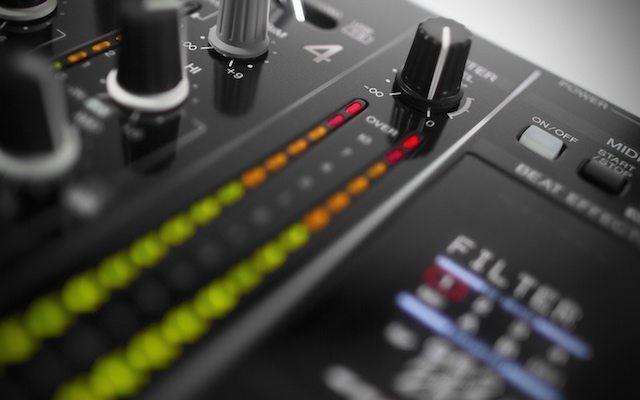
Learn to trust the levels so you can avoid “Total Redline”

As we are most sensitive to upper frequencies, our perception of their loudness deteriorates over time during the set. Mid way through you might start complaining, “This sound system sucks! There is no top end!” Usually at this time DJ’s will start to crank up the high and mid eq band to the 3 or 4 o’clock position. With modern dance music that is mastered and tightly processed this is unnecessary.

The same goes with the master meters. +2DB will sound REALLY loud at sound check but somehow when 2AM rolls around, that same level will seem really quiet. This leads to the other common mistake in DJing, which was also a bad sci-fi movie: Total Redline.

The solution? Trust the levels. Set an appropriate level in soundcheck and then don’t go above that. Ask someone else to monitor the dance floor levels when the room fills and turn up the system as needed.

Lower the overall DB levels while DJing.
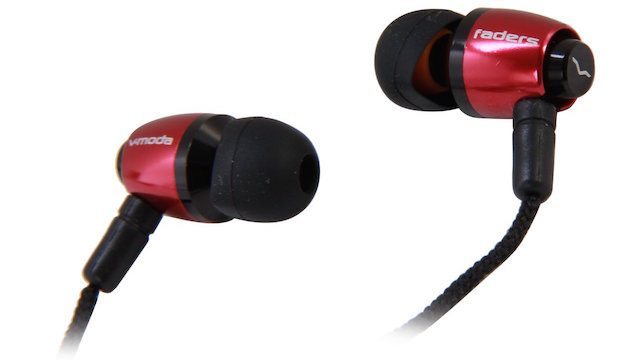
V Moda Faders
V Moda Faders are an affordable option to protecting your ears before, during, and after your set.

One of the main problems with being a DJ is that the room you are in is usually stupid loud. Everything else, including the monitors and headphones then needs to be turned up even more to overcome those levels. One trick to avoid fighting with the room volume is by lowering the room ambience levels for you – the DJ, but not the crowd.

1.  If you are setting up the system, put your DJ booth behind the stack and monitor the mix with your headphones.

2. Use noise reducing ear plugs that are designed to lower the overall volume levels without changing how the music sounds.

  • The custom molded variety, normally called “musicians ear plugs” are great but expensive and easily lost.
  • There are also a wide range of non-custom noise reducing earplugs such as the V-moda’s Faders. They have a string so they can rest on the neck and they’re also very affordable to replace.

3. Considering using in-ear monitors or over ear headphones. Both will reduce the levels of the room noise if you can fully mix in your headphones.

4. Limit the Drinks – Our ears get worse with alcohol. This doesn’t mean that DJ’s can’t ever drink again, but it’s a good thing to keep in mind that more shots equals more pain, now and later.
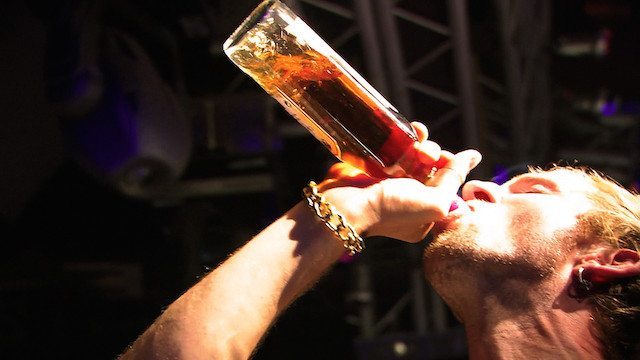
Frankie Wilde

The Science: While the concept of “cocktail deafness” has been around for some time, there’s a fair amount of medical evidence that supports the claim that the more inebriated you are, the more you lose your hearing, meaning that you’ll turn up the track to compensate. One such study (The Acute Effects of Alcohol on Auditory Thresholds) reports:

Our results showed that there was a positive association between increasing breath alcohol concentration and the magnitude of the increase in hearing threshold for most hearing frequencies. […] Alcohol specifically blunts lower frequencies affecting mostly 1000 Hz, which is the most crucial frequency for speech discrimination. In conclusion alcohol does appear to affect auditory thresholds with some frequencies being more affected than others. 

Stop Further Damage, Start Now

Imagine being able to go home at the end of the night without any ringing in your ears (or reducing the duration/intensity of it). By following the tips in this article you can make this a reality. Whether you have just started DJing or you’ve been DJing it for 20 years, make it a priority to start protecting your ears.

Next Actions:

How old are your Ears?

Learn more about custom in ear monitors

 Looking for in ear monitors? Check out the Westone UM Pro 20 in the DJTT Store
Tags: Dj Tipsdjttean goldenmusician earplugsprotect your hearingTinnitustrust levels
Share2Tweet2Share
Previous Post

NAMM 2015: Roland AIRA MX-1 Mixer With Step Sequenced Effects

Next Post

The DJ/Producer NAMMIes: Best of NAMM 2015

Related Posts

Traktor MX2: Native Instruments’ New 2-Channel Controller
DJ Gear Announcements

Traktor MX2: Native Instruments’ New 2-Channel Controller

October 8, 2025
CDJ-3000x player by AlphaTheta
Breaking News

The CDJ-3000X is here: an iterative upgrade of the media player for $3,000 / £2,399

September 9, 2025
Breaking writer’s block: A producer’s guide to sparking inspiration
DJ Techniques / Tips

Breaking writer’s block: A producer’s guide to sparking inspiration

October 9, 2023
Load More
Next Post
The DJ/Producer NAMMIes: Best of NAMM 2015

The DJ/Producer NAMMIes: Best of NAMM 2015

Want to reach DJTT's audience here?

Shoot an email to advertising@djtechtools.com

DJTT ads
DJTT newsletter
Midi Fighter
Chat with us
  • ABOUT DJTT
  • CONTACT
  • PRIVACY
  • MIDI FIGHTER HELP
  • ABOUT DJTT
  • JOBS
  • CONTACT US
  • ADVERTISE
  • PRIVACY POLICY
  • ACCESSIBILITY STATEMENT

© 2024 DJ Techtools all rights reserved by DJ TechTools on all content unless otherwise noted.

No Result
View All Result
  • Blog
    • DJ Gear
      • DIY Projects
      • Gear Reviews
      • New Products
      • Controllerism
    • Techniques + Tips
      • Beginner DJ
      • Advanced DJ
      • Producer
      • Finger Drummer
    • News + Culture
      • Editorials + Opinions
      • Artist Interviews
      • Performances + Routines
      • How I Play
    • DJ Software Tutorials
      • Serato Tips
      • CDJ Tips
      • Ableton Live Tips
  • Store
    • Run by real DJs, not a corporation
    • DJ Controllers
      • Midi Fighter Twister
      • Midi Fighter Spectra
      • Midi Fighter 64
      • View All
    • Accessories
      • Chroma USB Drive for DJs
      • Chroma Caps
      • Chroma Cables Audio
      • Chroma Cables USB-A
      • Chroma Cables: USB-C
      • DJTT Gift Card
      • Midi Fighter T-Shirt
      • Keyboard Covers
      • Earplugs by V-Moda
    • Production Gear
    • Soundcards & Mixers
  • Community
    • Popular Forums
      • General Discussion
      • Buy & Sell
      • Reviews
      • Mixes
      • Music Production
      • Show Your Setup
      • Off Topic
    • Handy Links
      • New Posts
      • Private Messages
      • Register
      • Search
    • Midi Maps
      • Traktor
      • Ableton
      • Serato DJ
      • Midi Fighter 3D
      • Midi Fighter Twister
      • Midi Fighter Spectra
  • Midi Fighter
  • Chroma

© 2024 DJ Techtools all rights reserved by DJ TechTools on all content unless otherwise noted.

This website uses cookies. By continuing to use this website you are giving consent to cookies being used. Visit our Privacy and Cookie Policy.