

DJ TechTools
  • Blog
    • DJ Gear
      • DIY Projects
      • Gear Reviews
      • New Products
      • Controllerism
    • Techniques + Tips
      • Beginner DJ
      • Advanced DJ
      • Producer
      • Finger Drummer
    • News + Culture
      • Editorials + Opinions
      • Artist Interviews
      • Performances + Routines
      • How I Play
    • DJ Software Tutorials
      • Serato Tips
        • Traktor Tips
      • CDJ Tips
      • Ableton Live Tips
  • Store
    • Run by real DJs, not a corporation
    • DJ Controllers
      • Midi Fighter Twister
      • Midi Fighter Spectra
      • Midi Fighter 64
      • View All
    • Accessories
      • Chroma USB Drive for DJs
      • Chroma Caps
      • Chroma Cables Audio
      • Chroma Cables USB-A
      • Chroma Cables: USB-C
      • DJTT Gift Card
      • Midi Fighter T-Shirt
      • Keyboard Covers
      • Earplugs by V-Moda
    • Production Gear
    • Soundcards & Mixers
  • Community
    • Popular Forums
      • General Discussion
      • Buy & Sell
      • Reviews
      • Mixes
      • Music Production
      • Show Your Setup
      • Off Topic
    • Handy Links
      • New Posts
      • Private Messages
      • Register
      • Search
    • Midi Maps
      • Traktor
      • Ableton
      • Serato DJ
      • Midi Fighter 3D
      • Midi Fighter Twister
      • Midi Fighter Spectra
  • Midi Fighter
  • Chroma
No Result
View All Result
DJ TechTools
  • Blog
    • DJ Gear
      • DIY Projects
      • Gear Reviews
      • New Products
      • Controllerism
    • Techniques + Tips
      • Beginner DJ
      • Advanced DJ
      • Producer
      • Finger Drummer
    • News + Culture
      • Editorials + Opinions
      • Artist Interviews
      • Performances + Routines
      • How I Play
    • DJ Software Tutorials
      • Serato Tips
        • Traktor Tips
      • CDJ Tips
      • Ableton Live Tips
  • Store
    • Run by real DJs, not a corporation
    • DJ Controllers
      • Midi Fighter Twister
      • Midi Fighter Spectra
      • Midi Fighter 64
      • View All
    • Accessories
      • Chroma USB Drive for DJs
      • Chroma Caps
      • Chroma Cables Audio
      • Chroma Cables USB-A
      • Chroma Cables: USB-C
      • DJTT Gift Card
      • Midi Fighter T-Shirt
      • Keyboard Covers
      • Earplugs by V-Moda
    • Production Gear
    • Soundcards & Mixers
  • Community
    • Popular Forums
      • General Discussion
      • Buy & Sell
      • Reviews
      • Mixes
      • Music Production
      • Show Your Setup
      • Off Topic
    • Handy Links
      • New Posts
      • Private Messages
      • Register
      • Search
    • Midi Maps
      • Traktor
      • Ableton
      • Serato DJ
      • Midi Fighter 3D
      • Midi Fighter Twister
      • Midi Fighter Spectra
  • Midi Fighter
  • Chroma
No Result
View All Result
DJ TechTools

Denon SC5000 Players Get Rekordbox Import in 1.0.3 Firmware

Post on FacebookTweet thisUpvote on Reddit

The Denon DJ SC5000 media player was one of the most important hardware releases of 2017 because it was a clear challenge to the Pioneer DJ domination of the industry. In our review, we lauded the many obvious-but-unmatched features that the hardware brought to the market. With a new firmware being launched today, the SC5000s will now be able to read rekordbox databases directly.

v1.0.3 Firmware for SC5000s
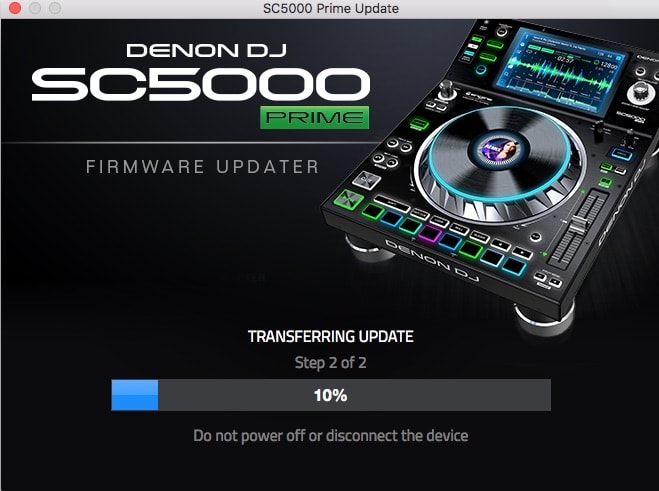
The SC5000 update underway

The official press release  for this firmware update contains two items in the change log:

  • Direct import of rekordbox® database — automatically and elegantly converts hot-cues, saved loops and playlists into Engine format, directly within the SC5000 player
  • Adjusted pitch resolution for more accurate BPM setting during DJ performance

Importing Rekordbox

Let’s be clear – this firmware update only applies to SC5000 players, so if you’re expecting to be able to do the same import on the Denon Engine desktop software side of things, you’re out of luck. It also mentions nothing about waveform creation and BPM detection, so that also might become prohibitive, slowing down the speed at which DJs are able to use their Rekordbox drives.

Our Test

We’re testing the firmware today and updating this article with our thoughts on how elegant the solution is:

So far, we’ve installed the new 1.0.3 firmware (takes about 3-5 minutes per unit). Upon plugging in a Rekordbox USB to the front of the SC5000, we get to this screen allowing us to start the import process.
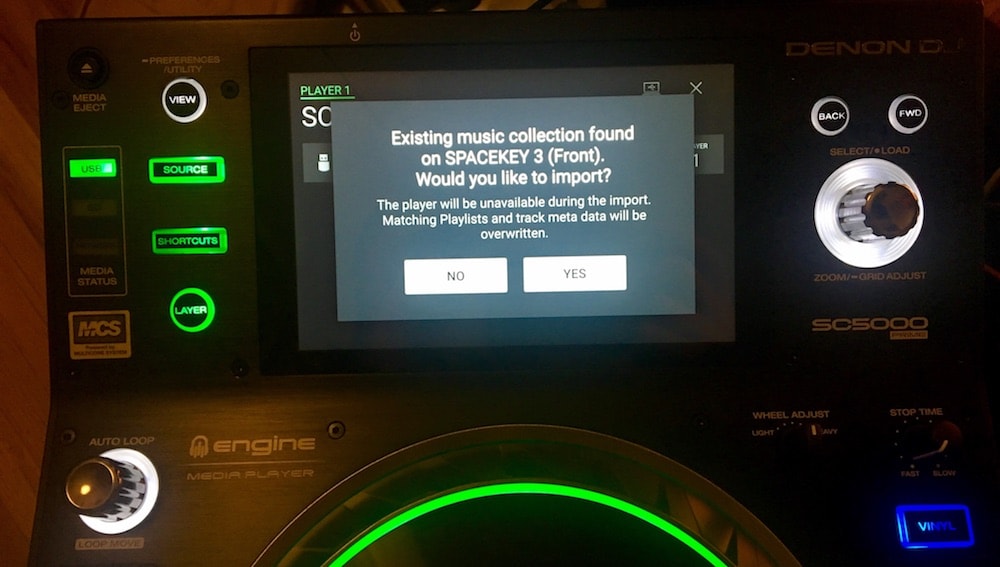
The import process is relatively fast – we did about 4,000 tracks in 40 minutes. We’re still waiting on the final import to finish up to test how the import actually performs. The import completed, and now we’re presented with a full set of playlists from Rekordbox:
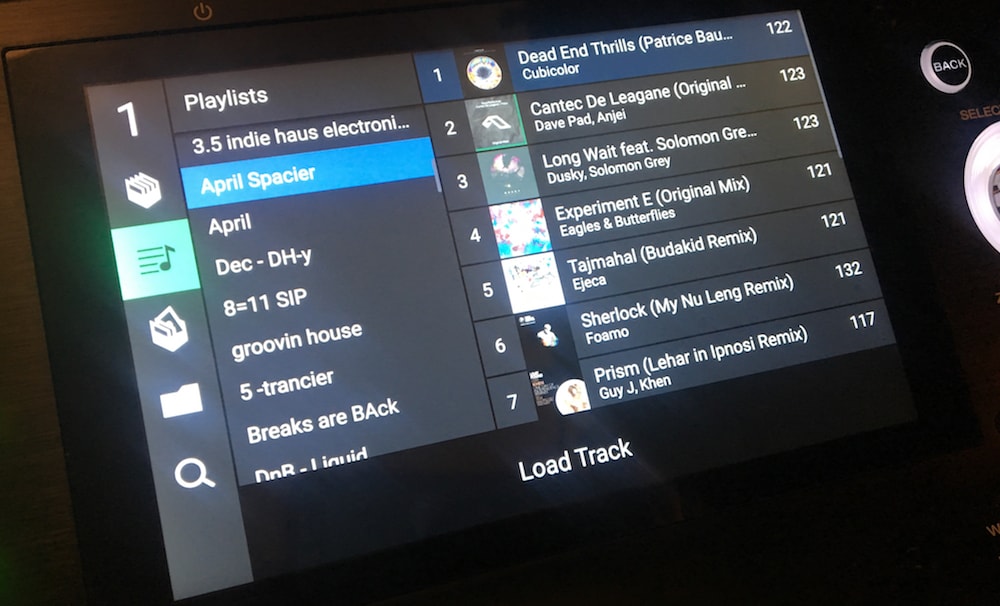
All of the Rekordbox playlists and tracks showing…

The import works just fine – but it is limited to just BPM, cue, and loop data. BPM gets instantly re-analyzed when you load a track (as the player needs to make its own waveform and beatgrid. It’s much easier to browse than by navigating the Contents folder on a Rekordbox USB.

The biggest issue is that all playlists are listed at an equal level. Almost every DJ I know uses folders to organize their playlists – so to see all 100+ playlists I have at an equal level is incredibly frustrating. Why wouldn’t Denon treat these as crates?

Overall, this feature still feels half-complete. We really hope that Denon DJ can make it polished in 1.0.4.

Ultimately, if Denon continues to improve this feature, it could convince many more DJs to invest in the #changeyourrider concept. Having to start fresh and prepare a whole new collection and sync it onto a new drive represents a massive inconvenience for any DJ – so eliminating that hurdle makes so much sense.

Want to reach DJTT's audience here?

Shoot an email to advertising@djtechtools.com

DJTT ads
DJTT newsletter
Midi Fighter
Chat with us
  • ABOUT DJTT
  • CONTACT
  • PRIVACY
  • MIDI FIGHTER HELP
  • ABOUT DJTT
  • JOBS
  • CONTACT US
  • ADVERTISE
  • PRIVACY POLICY
  • ACCESSIBILITY STATEMENT

© 2024 DJ Techtools all rights reserved by DJ TechTools on all content unless otherwise noted.

No Result
View All Result
  • Blog
    • DJ Gear
      • DIY Projects
      • Gear Reviews
      • New Products
      • Controllerism
    • Techniques + Tips
      • Beginner DJ
      • Advanced DJ
      • Producer
      • Finger Drummer
    • News + Culture
      • Editorials + Opinions
      • Artist Interviews
      • Performances + Routines
      • How I Play
    • DJ Software Tutorials
      • Serato Tips
      • CDJ Tips
      • Ableton Live Tips
  • Store
    • Run by real DJs, not a corporation
    • DJ Controllers
      • Midi Fighter Twister
      • Midi Fighter Spectra
      • Midi Fighter 64
      • View All
    • Accessories
      • Chroma USB Drive for DJs
      • Chroma Caps
      • Chroma Cables Audio
      • Chroma Cables USB-A
      • Chroma Cables: USB-C
      • DJTT Gift Card
      • Midi Fighter T-Shirt
      • Keyboard Covers
      • Earplugs by V-Moda
    • Production Gear
    • Soundcards & Mixers
  • Community
    • Popular Forums
      • General Discussion
      • Buy & Sell
      • Reviews
      • Mixes
      • Music Production
      • Show Your Setup
      • Off Topic
    • Handy Links
      • New Posts
      • Private Messages
      • Register
      • Search
    • Midi Maps
      • Traktor
      • Ableton
      • Serato DJ
      • Midi Fighter 3D
      • Midi Fighter Twister
      • Midi Fighter Spectra
  • Midi Fighter
  • Chroma

© 2024 DJ Techtools all rights reserved by DJ TechTools on all content unless otherwise noted.

This website uses cookies. By continuing to use this website you are giving consent to cookies being used. Visit our Privacy and Cookie Policy.
