

DJ TechTools
  • Blog
    • DJ Gear
      • DIY Projects
      • Gear Reviews
      • New Products
      • Controllerism
    • Techniques + Tips
      • Beginner DJ
      • Advanced DJ
      • Producer
      • Finger Drummer
    • News + Culture
      • Editorials + Opinions
      • Artist Interviews
      • Performances + Routines
      • How I Play
    • DJ Software Tutorials
      • Serato Tips
        • Traktor Tips
      • CDJ Tips
      • Ableton Live Tips
  • Store
    • Run by real DJs, not a corporation
    • DJ Controllers
      • Midi Fighter Twister
      • Midi Fighter Spectra
      • Midi Fighter 64
      • View All
    • Accessories
      • Chroma USB Drive for DJs
      • Chroma Caps
      • Chroma Cables Audio
      • Chroma Cables USB-A
      • Chroma Cables: USB-C
      • DJTT Gift Card
      • Midi Fighter T-Shirt
      • Keyboard Covers
      • Earplugs by V-Moda
    • Production Gear
    • Soundcards & Mixers
  • Community
    • Popular Forums
      • General Discussion
      • Buy & Sell
      • Reviews
      • Mixes
      • Music Production
      • Show Your Setup
      • Off Topic
    • Handy Links
      • New Posts
      • Private Messages
      • Register
      • Search
    • Midi Maps
      • Traktor
      • Ableton
      • Serato DJ
      • Midi Fighter 3D
      • Midi Fighter Twister
      • Midi Fighter Spectra
  • Midi Fighter
  • Chroma
No Result
View All Result
DJ TechTools
  • Blog
    • DJ Gear
      • DIY Projects
      • Gear Reviews
      • New Products
      • Controllerism
    • Techniques + Tips
      • Beginner DJ
      • Advanced DJ
      • Producer
      • Finger Drummer
    • News + Culture
      • Editorials + Opinions
      • Artist Interviews
      • Performances + Routines
      • How I Play
    • DJ Software Tutorials
      • Serato Tips
        • Traktor Tips
      • CDJ Tips
      • Ableton Live Tips
  • Store
    • Run by real DJs, not a corporation
    • DJ Controllers
      • Midi Fighter Twister
      • Midi Fighter Spectra
      • Midi Fighter 64
      • View All
    • Accessories
      • Chroma USB Drive for DJs
      • Chroma Caps
      • Chroma Cables Audio
      • Chroma Cables USB-A
      • Chroma Cables: USB-C
      • DJTT Gift Card
      • Midi Fighter T-Shirt
      • Keyboard Covers
      • Earplugs by V-Moda
    • Production Gear
    • Soundcards & Mixers
  • Community
    • Popular Forums
      • General Discussion
      • Buy & Sell
      • Reviews
      • Mixes
      • Music Production
      • Show Your Setup
      • Off Topic
    • Handy Links
      • New Posts
      • Private Messages
      • Register
      • Search
    • Midi Maps
      • Traktor
      • Ableton
      • Serato DJ
      • Midi Fighter 3D
      • Midi Fighter Twister
      • Midi Fighter Spectra
  • Midi Fighter
  • Chroma
No Result
View All Result
DJ TechTools

Create Vocal-Only Acapellas + Instrumentals Using PhonicMind’s AI

Post on FacebookTweet thisUpvote on Reddit

Spotted earlier this week on ProductHunt, PhonicMind is a new tool that could be incredibly useful for producers, beatmakers, DJs, and karaoke jockeys alike. It’s an AI-powered web tool that allows a user to quickly upload any track and quickly get two files: an instrumental and a vocals-only acapella.

  • Developer: Simanas Ven?kauskas
  • Service: PhonicMind
  • Pricing: $3.99 per song, bundle rates down to $1.50 per song

Can You Actually Pull Out Vocals With AI?

Yes, it does seem to do a decent job at extracting vocals from completely finished tracks. First, upload a song:
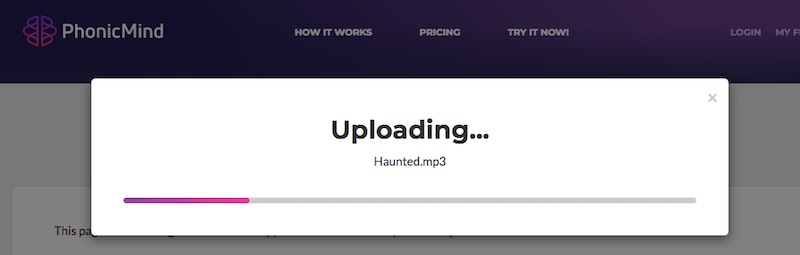
You quickly get samples of a karaoke (instrumental) and vocals (acapella) tracks – 30 seconds each, with free downloads:

If you like the samples, you can download them for free or pay to have the track processed in full (up to 7 minutes). It’s $3.99 per song, or you can buy “bundles” that get it down to $1.50 a song.

Does It Work Well?

You should try it yourself (for free) with your own collection. I’ve done a few tracks, and it’s worked really well on some tracks, and just alright on others. In my testing, PhonicMind is sometimes solid at building karaoke tracks if there’s enough secondary melody information in the track. When I upload a track that’s very vocals heavy (I tried Snoop Dogg’s “Bedtime Stories”), it replaced the rapping with a distorted, muffled version of the rap. The vocals-only side of things is generally amazing – but your mileage may vary

While it’s being marketed as a tool to make karaoke tracks for songs that don’t have official versions, it feels like an incredibly powerful tool for producers who want to make their own bootleg edits and remixes. Want to build your own vocal chopped version of a song you’d never get the stems for? Give this a try.

Want to build your own vocal chopped version of a song you'd never get the stems for? Give this a try.

Want just a specific line or section of a track? Cut it in your own editor and then upload that section to the service. If the site has a backlog, it could take up to 36 hours to process. As of now, the conversion is almost instant:

How The Heck Does It Work?

This automated audio processing will remind most producers of another service: LANDR, the automated mastering service that takes your finished track (or DJ mix) and produces a full-masted version of it. PhonicMind is similar – according to their website, here’s how it works:

All methods used up until now where based on phase differences of stereo track and some frequencies custom selection. Some academics even tried to figure out repeating patterns in the song and this way separate vocals, as vocals usually does not have repeating pattern. None of these methods really worked well enough.

PhonicMind’s vocal remover opens a door to the new era of sources separation.
PhonicMind’s vocal remover uses deep neural networks to do vocal elimination.

We can proudly say, that our artificial intelligence understands music. We are not sure if it can feel it, but it clearly understands it and basically knows what to eliminate and what to leave. No other vocal remover can compare to it in terms of separation quality. We are also continuously pushing it’s capabilities up to the new levels on daily basis. So it’s just getting better and better over time.

Essentially, they’ve built and trained a very complex algorithm that removes vocals from audio tracks – and opening it up to public processing will allow it to continue to get better at the process.

Is It Legal?

Interestingly, the service falls into a bit of a cutting-edge legal gray area – this tool is clearly creating processing and new variations of a work based on (potentially, and commonly) copy written works (read: the Beyonce track that you just tested it with). PhonicMind has a disclaimer that notes that they’re simply an audio processor:

PhonicMind.com is just an audio processor. We do not take any responsibility or authorship rights over what our users upload to our site. We do not review or republish audio tracks uploaded by our users. Uploaded tracks are only available for people who uploaded them. We do not publish and do not use these tracks anywhere except for giving back as a processed result back to our service users. Our users takes full responsibility for not breaching any copyright and authorship laws when using our service or end results of our service.


Want even more too-future craziness? DJTT contributor Markkus Rovito recently wrote an incredible roundup of how machine learning and AI could – and already is – dramatically changing the landscape of the music production world.


Want to reach DJTT's audience here?

Shoot an email to advertising@djtechtools.com

DJTT ads
DJTT newsletter
Midi Fighter
Chat with us
  • ABOUT DJTT
  • CONTACT
  • PRIVACY
  • MIDI FIGHTER HELP
  • ABOUT DJTT
  • JOBS
  • CONTACT US
  • ADVERTISE
  • PRIVACY POLICY
  • ACCESSIBILITY STATEMENT

© 2024 DJ Techtools all rights reserved by DJ TechTools on all content unless otherwise noted.

No Result
View All Result
  • Blog
    • DJ Gear
      • DIY Projects
      • Gear Reviews
      • New Products
      • Controllerism
    • Techniques + Tips
      • Beginner DJ
      • Advanced DJ
      • Producer
      • Finger Drummer
    • News + Culture
      • Editorials + Opinions
      • Artist Interviews
      • Performances + Routines
      • How I Play
    • DJ Software Tutorials
      • Serato Tips
      • CDJ Tips
      • Ableton Live Tips
  • Store
    • Run by real DJs, not a corporation
    • DJ Controllers
      • Midi Fighter Twister
      • Midi Fighter Spectra
      • Midi Fighter 64
      • View All
    • Accessories
      • Chroma USB Drive for DJs
      • Chroma Caps
      • Chroma Cables Audio
      • Chroma Cables USB-A
      • Chroma Cables: USB-C
      • DJTT Gift Card
      • Midi Fighter T-Shirt
      • Keyboard Covers
      • Earplugs by V-Moda
    • Production Gear
    • Soundcards & Mixers
  • Community
    • Popular Forums
      • General Discussion
      • Buy & Sell
      • Reviews
      • Mixes
      • Music Production
      • Show Your Setup
      • Off Topic
    • Handy Links
      • New Posts
      • Private Messages
      • Register
      • Search
    • Midi Maps
      • Traktor
      • Ableton
      • Serato DJ
      • Midi Fighter 3D
      • Midi Fighter Twister
      • Midi Fighter Spectra
  • Midi Fighter
  • Chroma

© 2024 DJ Techtools all rights reserved by DJ TechTools on all content unless otherwise noted.

This website uses cookies. By continuing to use this website you are giving consent to cookies being used. Visit our Privacy and Cookie Policy.