DJ TechTools
  • Blog
    • DJ Gear
      • DIY Projects
      • Gear Reviews
      • New Products
      • Controllerism
    • Techniques + Tips
      • Beginner DJ
      • Advanced DJ
      • Producer
      • Finger Drummer
    • News + Culture
      • Editorials + Opinions
      • Artist Interviews
      • Performances + Routines
      • How I Play
    • DJ Software Tutorials
      • Serato Tips
        • Traktor Tips
      • CDJ Tips
      • Ableton Live Tips
  • Store
    • Run by real DJs, not a corporation
    • DJ Controllers
      • Midi Fighter Twister
      • Midi Fighter Spectra
      • Midi Fighter 64
      • View All
    • Accessories
      • Chroma USB Drive for DJs
      • Chroma Caps
      • Chroma Cables Audio
      • Chroma Cables USB-A
      • Chroma Cables: USB-C
      • DJTT Gift Card
      • Midi Fighter T-Shirt
      • Keyboard Covers
      • Earplugs by V-Moda
    • Production Gear
    • Soundcards & Mixers
  • Community
    • Popular Forums
      • General Discussion
      • Buy & Sell
      • Reviews
      • Mixes
      • Music Production
      • Show Your Setup
      • Off Topic
    • Handy Links
      • New Posts
      • Private Messages
      • Register
      • Search
    • Midi Maps
      • Traktor
      • Ableton
      • Serato DJ
      • Midi Fighter 3D
      • Midi Fighter Twister
      • Midi Fighter Spectra
  • Midi Fighter
  • Chroma
No Result
View All Result
DJ TechTools
  • Blog
    • DJ Gear
      • DIY Projects
      • Gear Reviews
      • New Products
      • Controllerism
    • Techniques + Tips
      • Beginner DJ
      • Advanced DJ
      • Producer
      • Finger Drummer
    • News + Culture
      • Editorials + Opinions
      • Artist Interviews
      • Performances + Routines
      • How I Play
    • DJ Software Tutorials
      • Serato Tips
        • Traktor Tips
      • CDJ Tips
      • Ableton Live Tips
  • Store
    • Run by real DJs, not a corporation
    • DJ Controllers
      • Midi Fighter Twister
      • Midi Fighter Spectra
      • Midi Fighter 64
      • View All
    • Accessories
      • Chroma USB Drive for DJs
      • Chroma Caps
      • Chroma Cables Audio
      • Chroma Cables USB-A
      • Chroma Cables: USB-C
      • DJTT Gift Card
      • Midi Fighter T-Shirt
      • Keyboard Covers
      • Earplugs by V-Moda
    • Production Gear
    • Soundcards & Mixers
  • Community
    • Popular Forums
      • General Discussion
      • Buy & Sell
      • Reviews
      • Mixes
      • Music Production
      • Show Your Setup
      • Off Topic
    • Handy Links
      • New Posts
      • Private Messages
      • Register
      • Search
    • Midi Maps
      • Traktor
      • Ableton
      • Serato DJ
      • Midi Fighter 3D
      • Midi Fighter Twister
      • Midi Fighter Spectra
  • Midi Fighter
  • Chroma
No Result
View All Result
DJ TechTools

alter.audio’s Timetosser adds Loop, Slice modes in new firmware update

Post on FacebookTweet thisUpvote on Reddit

Timetosser – the playable audio resequencer from alter.audio – released a v. 1.1.0 firmware update earlier this week after first demoing it at Amsterdam Dance Event’s Gear Lab. If you’re unfamiliar with Timetosser, it’s a live performance tool that can be used either as a standalone device or with your computer, where you can link it to your DAW via the VST3 plugin (worth noting here, too: the standalone feature also works with vinyl).

Serving as a creative palette that allows you to loop, re-arrange, and reconstruct musical input of any kind in real time, it’s a potentially major addition to any artist’s live set that likes to create and spin off of variations of their loops on the fly.
Key features

A quick rundown at the update’s primary features and fixes:

  • Two new modes for playing: Looper and Slicer
  • New preset patterns
  • Apple silicon support for the VST3 plugin’s Mac version
  • Bug fixes, including improved Midi and Gate clock input stability, an update so that Midi and Gate input connections can be replugged without the need for resetting the power supply, crash fixes + more

New play modes: Loop and Slice

Loop and Slice modes have been added to Timetosser’s play mode options alongside the previously-standing Live mode.

Loop mode is as straightforward as it sounds, and it’s damn useful for DJ sets and live sets alike. It offers the ability to create a loop from incoming audio, and can also now record you playing while creating that loop. It’s a step further past the Timetosser’s pre-existing Live mode, as you can keep a new loop playing through a transition and then swap back over to Live mode to move into your next track.

Slice mode will take that loop and break it into 16 pieces that are accessible on that top row of buttons you’ll see on the Timetosser. From there, it basically turns into a pseudo-MPC device. As the alter.audio team describes with an example: “For instance: If you’ve set your step length to ¼ (1 beat), hitting the first slice button will trigger playback from the first beat in the loop. Hitting the third slice button will trigger the loop from the third beat etc. The difference here is that the loop will always play. You are not unexpectedly hit with silence when entering slice mode.”

Check out this video from @abeldebeermusic on Instagram demoing slicer mode in combination with the Elektron Digitakt:

View this post on Instagram

A post shared by Timetosser by alter.audio (@alter.audio)

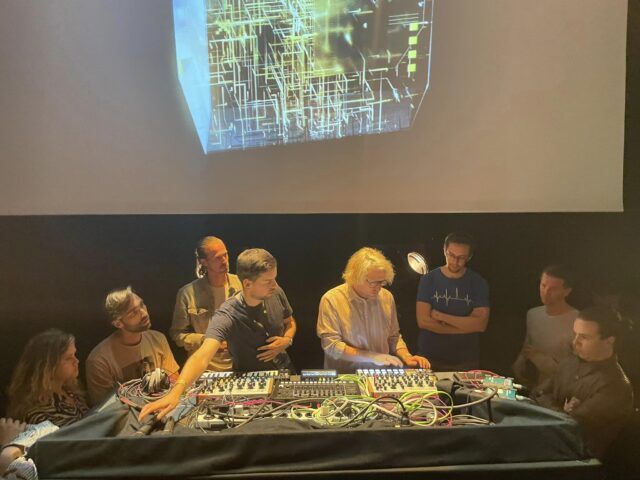
Real world demos: ADE Gear Lab

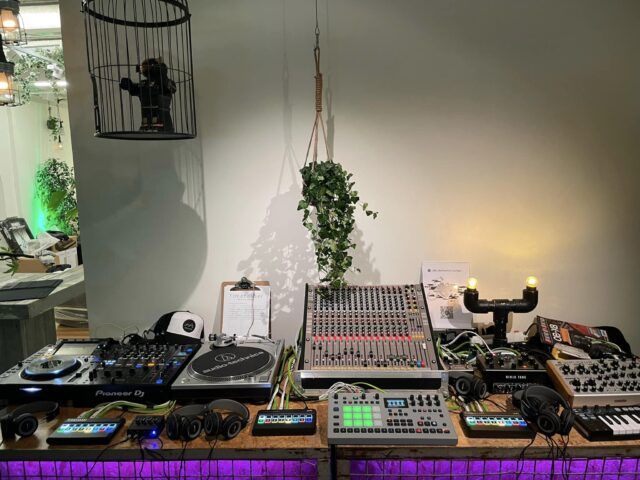
At this year’s Gear Lab during ADE, alter.audio’s booth ran interactive demos with attendees where they could test out the Timetosser in any of the four setups offered:

  • A classic DJ setup: CDJ, vinyl record player, DJ mixer, and the Timetosser on send/return
  • A live setup: Timetosser, drum machine and synth hooked up to a live mixing console (noteworthy: individuals were able to test out the hardware on different channels of the mixer, which theoretically could)
  • As a MIDI controller: Timetosser is plugged into a computer, running on Ableton with the audio plugin
  • As a partner to your phone or music player: users could plug in their phone or MP3 player, pick a track, and use the Timetosser as they’d like to loop, rearrange, and play with tunes available on their devices

Getting the update

Timetosser’s v. 1.1.0 firmware update is live to the public as of Monday, October 31st and can be installed either solo or with alter’s audio plugin installer. The new manual for this version is also worth a download and scroll as you start playing with the update, too – you can get it here.

View this post on Instagram

A post shared by Timetosser by alter.audio (@alter.audio)

You can download the new firmware update, available for both Mac and PC, from the alter.audio website. The Timetosser is also up for grabs in the DJTT shop for $379.


Want to reach DJTT's audience here?

Shoot an email to advertising@djtechtools.com

DJTT ads
DJTT newsletter
Midi Fighter
Chat with us
  • ABOUT DJTT
  • CONTACT
  • PRIVACY
  • MIDI FIGHTER HELP
  • ABOUT DJTT
  • JOBS
  • CONTACT US
  • ADVERTISE
  • PRIVACY POLICY
  • ACCESSIBILITY STATEMENT

© 2024 DJ Techtools all rights reserved by DJ TechTools on all content unless otherwise noted.

No Result
View All Result
  • Blog
    • DJ Gear
      • DIY Projects
      • Gear Reviews
      • New Products
      • Controllerism
    • Techniques + Tips
      • Beginner DJ
      • Advanced DJ
      • Producer
      • Finger Drummer
    • News + Culture
      • Editorials + Opinions
      • Artist Interviews
      • Performances + Routines
      • How I Play
    • DJ Software Tutorials
      • Serato Tips
      • CDJ Tips
      • Ableton Live Tips
  • Store
    • Run by real DJs, not a corporation
    • DJ Controllers
      • Midi Fighter Twister
      • Midi Fighter Spectra
      • Midi Fighter 64
      • View All
    • Accessories
      • Chroma USB Drive for DJs
      • Chroma Caps
      • Chroma Cables Audio
      • Chroma Cables USB-A
      • Chroma Cables: USB-C
      • DJTT Gift Card
      • Midi Fighter T-Shirt
      • Keyboard Covers
      • Earplugs by V-Moda
    • Production Gear
    • Soundcards & Mixers
  • Community
    • Popular Forums
      • General Discussion
      • Buy & Sell
      • Reviews
      • Mixes
      • Music Production
      • Show Your Setup
      • Off Topic
    • Handy Links
      • New Posts
      • Private Messages
      • Register
      • Search
    • Midi Maps
      • Traktor
      • Ableton
      • Serato DJ
      • Midi Fighter 3D
      • Midi Fighter Twister
      • Midi Fighter Spectra
  • Midi Fighter
  • Chroma

© 2024 DJ Techtools all rights reserved by DJ TechTools on all content unless otherwise noted.

This website uses cookies. By continuing to use this website you are giving consent to cookies being used. Visit our Privacy and Cookie Policy.