DJ TechTools
  • Blog
    • DJ Gear
      • DIY Projects
      • Gear Reviews
      • New Products
      • Controllerism
    • Techniques + Tips
      • Beginner DJ
      • Advanced DJ
      • Producer
      • Finger Drummer
    • News + Culture
      • Editorials + Opinions
      • Artist Interviews
      • Performances + Routines
      • How I Play
    • DJ Software Tutorials
      • Serato Tips
        • Traktor Tips
      • CDJ Tips
      • Ableton Live Tips
  • Store
    • Run by real DJs, not a corporation
    • DJ Controllers
      • Midi Fighter Twister
      • Midi Fighter Spectra
      • Midi Fighter 64
      • View All
    • Accessories
      • Chroma USB Drive for DJs
      • Chroma Caps
      • Chroma Cables Audio
      • Chroma Cables USB-A
      • Chroma Cables: USB-C
      • DJTT Gift Card
      • Midi Fighter T-Shirt
      • Keyboard Covers
      • Earplugs by V-Moda
    • Production Gear
    • Soundcards & Mixers
  • Community
    • Popular Forums
      • General Discussion
      • Buy & Sell
      • Reviews
      • Mixes
      • Music Production
      • Show Your Setup
      • Off Topic
    • Handy Links
      • New Posts
      • Private Messages
      • Register
      • Search
    • Midi Maps
      • Traktor
      • Ableton
      • Serato DJ
      • Midi Fighter 3D
      • Midi Fighter Twister
      • Midi Fighter Spectra
  • Midi Fighter
  • Chroma
No Result
View All Result
DJ TechTools
  • Blog
    • DJ Gear
      • DIY Projects
      • Gear Reviews
      • New Products
      • Controllerism
    • Techniques + Tips
      • Beginner DJ
      • Advanced DJ
      • Producer
      • Finger Drummer
    • News + Culture
      • Editorials + Opinions
      • Artist Interviews
      • Performances + Routines
      • How I Play
    • DJ Software Tutorials
      • Serato Tips
        • Traktor Tips
      • CDJ Tips
      • Ableton Live Tips
  • Store
    • Run by real DJs, not a corporation
    • DJ Controllers
      • Midi Fighter Twister
      • Midi Fighter Spectra
      • Midi Fighter 64
      • View All
    • Accessories
      • Chroma USB Drive for DJs
      • Chroma Caps
      • Chroma Cables Audio
      • Chroma Cables USB-A
      • Chroma Cables: USB-C
      • DJTT Gift Card
      • Midi Fighter T-Shirt
      • Keyboard Covers
      • Earplugs by V-Moda
    • Production Gear
    • Soundcards & Mixers
  • Community
    • Popular Forums
      • General Discussion
      • Buy & Sell
      • Reviews
      • Mixes
      • Music Production
      • Show Your Setup
      • Off Topic
    • Handy Links
      • New Posts
      • Private Messages
      • Register
      • Search
    • Midi Maps
      • Traktor
      • Ableton
      • Serato DJ
      • Midi Fighter 3D
      • Midi Fighter Twister
      • Midi Fighter Spectra
  • Midi Fighter
  • Chroma
No Result
View All Result
DJ TechTools

DIY Controller- 59 minutes, $99.

Ean Golden by Ean Golden
July 16, 2008
in Advanced DJ Tips, DIY Project Tutorials, DJ Controllers
Reading Time: 5 mins read
0
DIY Controller- 59 minutes, $99.
134
VIEWS
Post on FacebookTweet thisUpvote on Reddit

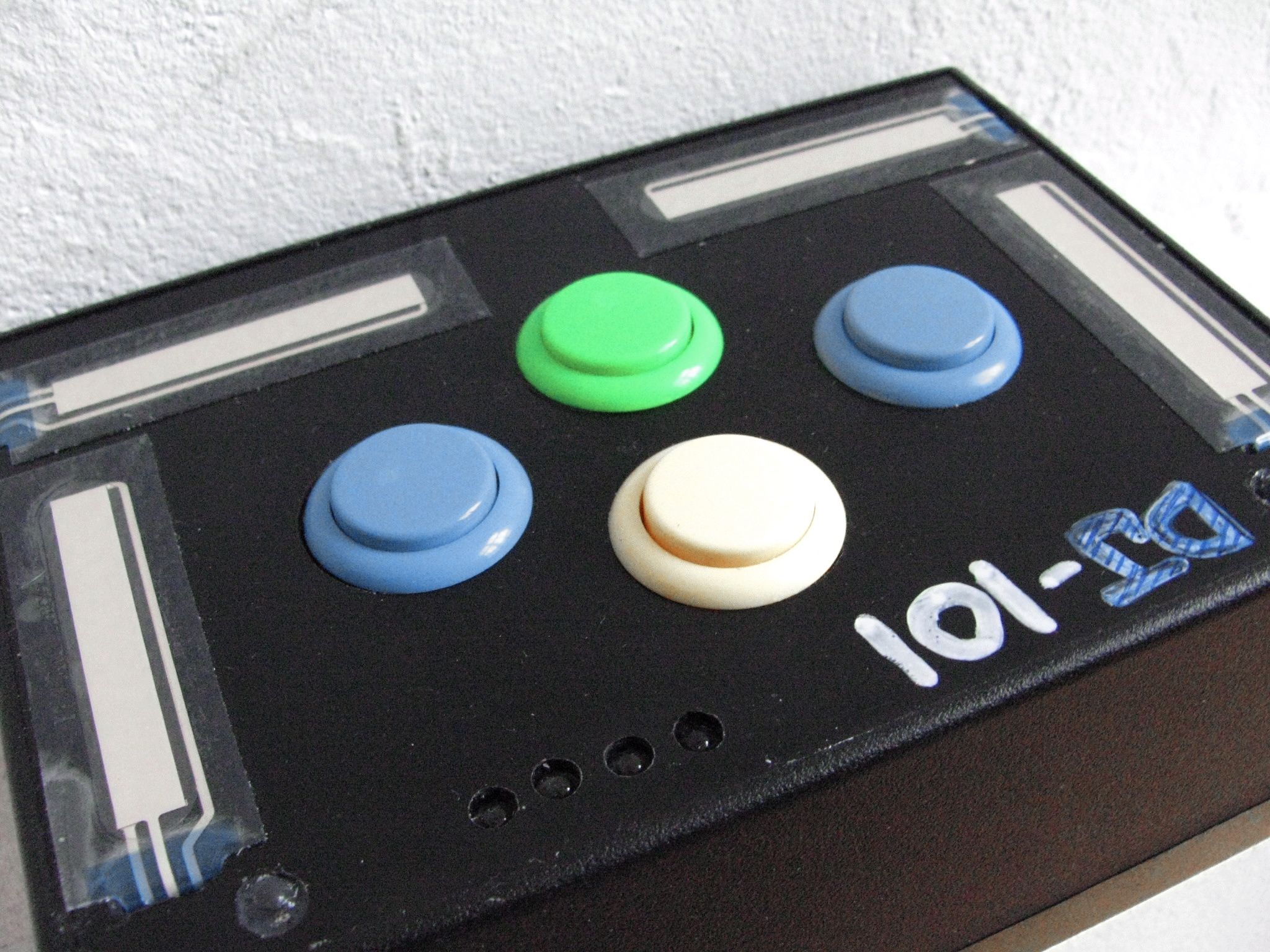
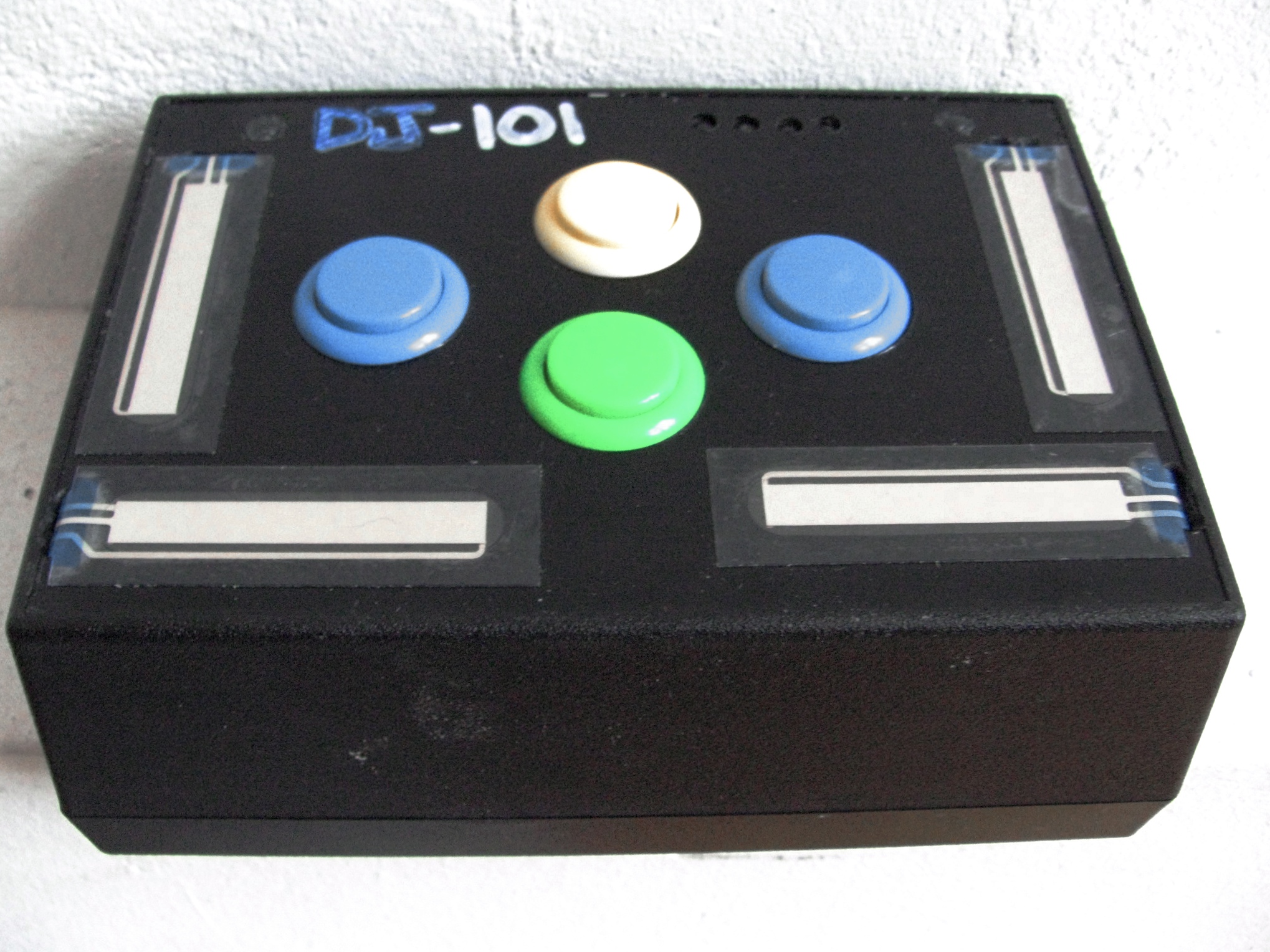
Do you need just a few more controls? Perhaps your wondering how hard it is to make your own controller? Then follow the steps in this 2 part series and build your first midi controller in about an hour for very little cash. Using only 8 electronics parts, a pre-made case and a DIY midi interface that is USB powered- you can build a controller and it wont require a degree in electrical engineering.

First, you need to get some controls. While any other electronics parts, like knobs and more buttons will work (and will actually cost a lot less). The following are the parts I used for the dj-101.

4 ARCADE BUTTONS
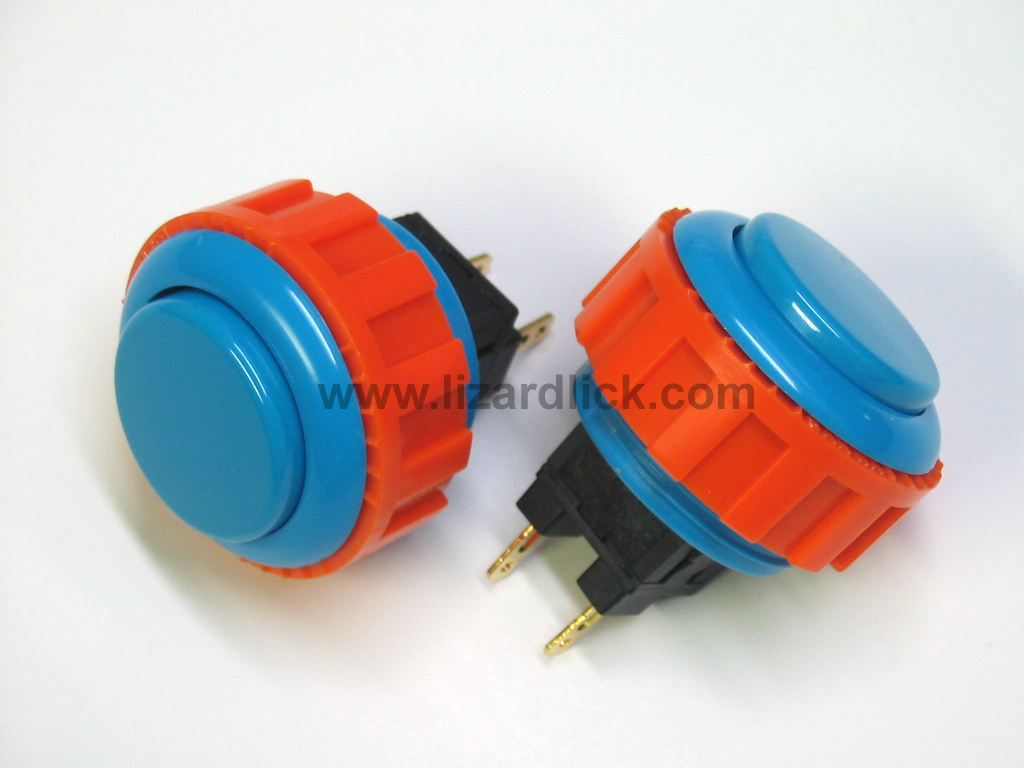
these can be found at the following websites:

Happ Controls

Lizard Lick

and these are the buttons we use in our current Midi Fighter controllers:

Sanwa Arcade Buttons, available now in the DJTT Store!

total cost of 4 buttons: about $8

TOUCH SENSITIVE STRIPS
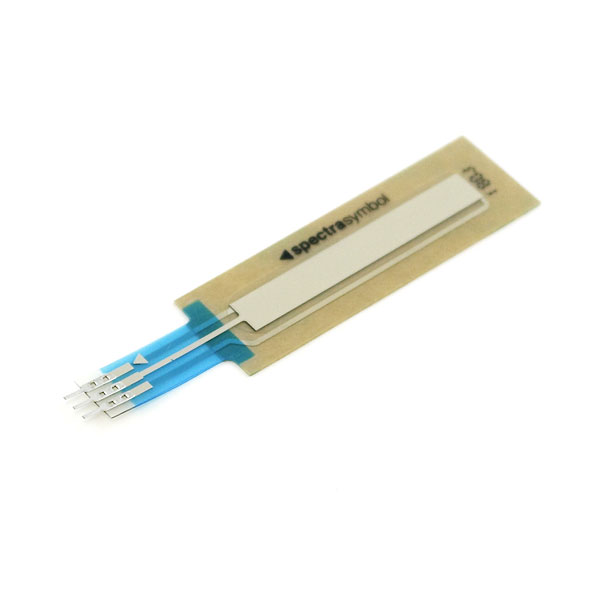
While its cool that these can be used as button triggers and sliders, I might have preferred to use sliders instead. These handy, but slightly expensive strips can be found allong with lots of other interesting electronics parts at:

Spark Fun Electronics

total cost of 4 x 50mm sliders: $51.80

REGULAR KNOBS
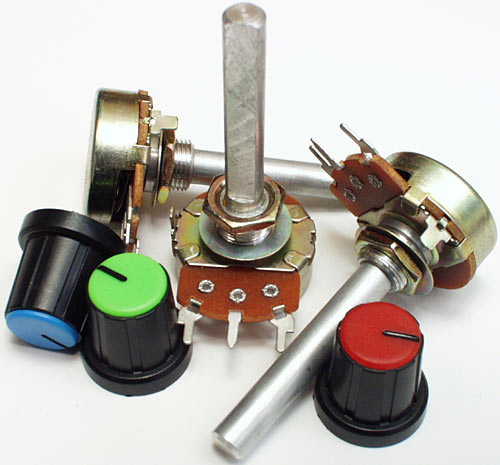
Even though touch sensitive sliders are sexy and cool- I could not get them to work for the life of me. Regular knobs give more precision + a tactile feel and cost significantly less. The only downside? They cant be used as drum triggers and knobs like the touch strips can. The knobs offered more breathing room for the arcade buttons too- which are meant to be played without any concern for accidentally hitting anything.

Any linear panel mount pots from Mouser will work.

total cost of 4 pots: $8

THE CASE
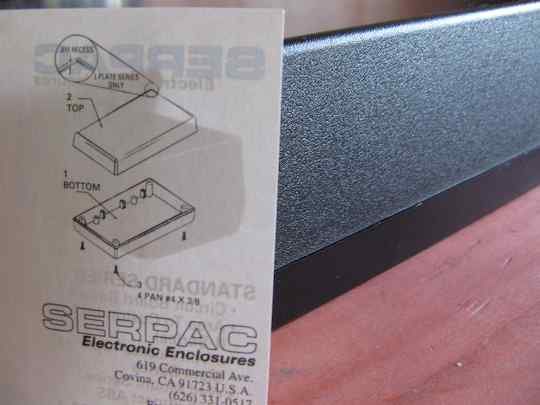
There are an insane amount of cases of all different varietys that you can purchase pre made for very little money. I chose a plastic case because its easier to make the cut outs and abs plastic has that quintessential Atari look. You can buy this one and about 10,000 others at:

Mouser

Total cost: $13.80

THE BRAIN

While there are several DIY midi options out there my criteria was quite narrow.

  • Plug and Play connection via USB
  • bellow $100
  • easy to connect

so that only left me with 2 choices.

Leo Bodnard HID
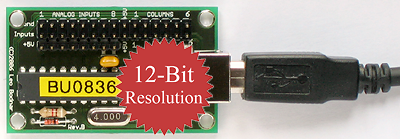
This guy runs a tiny operation, most likely out of his living room, somewhere in england where he makes HID chips designed for computer racing enthusiasts. They are small, inexpensive, high resolution and universally compatible. There is one catch, you will have to convert the HID to keystrokes or MIDI to get the signals working with your dj program.

A word of warning, I don’t think Leo is interested in helping out djs. He failed to return a single email and customer service is not in his vocabulary. So buy at your own risk.

Leo Bodnard

Cost: $34.99

U-HID
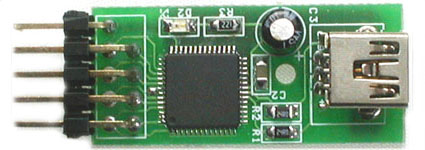
This outfit has 2 excellent HID interfaces. This one fits our criteria and comes in at a very reasonable $29. For more inputs and LED support try this one.

order here

I-CubeX

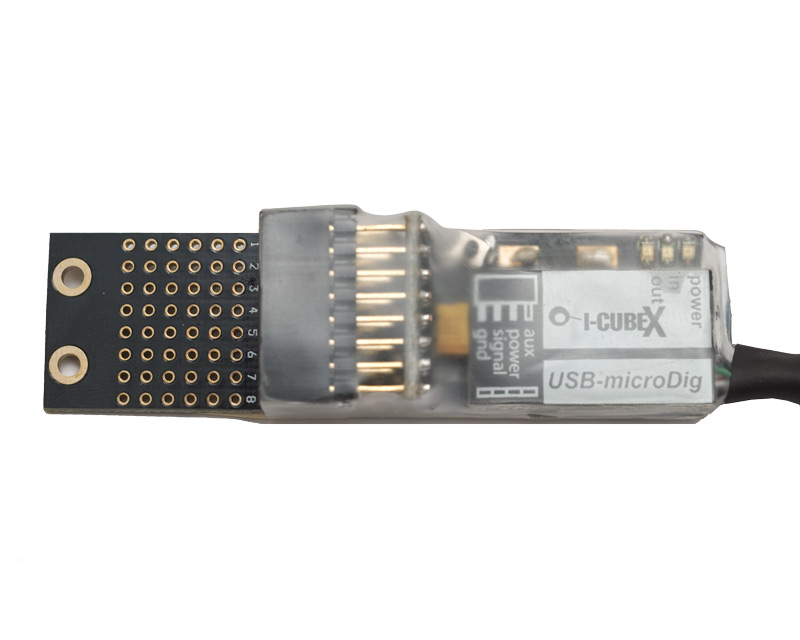
I-CubeX is a small Canadian outfit that specializes in creating out of this world sensors for really experimental midi projects and proto-typing. Unfortunately their sensors and kits also have out of this world prices. The small usb micro dig however, has a more reasonable $99 price tag. Its plug and play, self powered and easy to solder. The only downside? A limit of 8 analogue inputs. They advertise that you can use 8 inputs and 8 outputs (which is not true- its one or the other)

Another word of warning, there is precious little documentation from these guys on how to use the device. Drivers are hard to find as well, and the site is not terribly dj friendly. Then again their service team, including the owner- Axel mulder, were much more helpful over email- always answering questions when they came up.

Editors Note: After trying for weeks to get this product to work I simply gave up and went with the reliable HID interfaces bellow. The drivers, editors and documentation are scarce, scattered and hard to follow. If you have the patience- its the best value out there for a direct USB midi interface but I cant promise it will work.

IcubeX

Total Cost $99

TOTAL PROJECT PARTS COST:

$58.80 (with knobs and U-HID)

Read part 2 of this tutorial here

Tags: Arcade ButtonsControllerismDIY MidiHIDmidi controllerTips
Share1Tweet1Share
Previous Post

Midi Pipe Tutorial- EQ with a crossfader.

Next Post

Go Green- Become a Dj

Related Posts

Use your Midi Fighter Twister as an Audio-Reactive Visualizer
Ableton Live Tips

Use your Midi Fighter Twister as an Audio-Reactive Visualizer

June 23, 2025
Meet the Koala sampler app: a mobile production powerhouse, now with stems
DJ Gear

Meet the Koala sampler app: a mobile production powerhouse, now with stems

February 7, 2023
Tips for DJing in Extreme Cold: DJTT readers share their advice
DJ Techniques / Tips

Tips for DJing in Extreme Cold: DJTT readers share their advice

January 30, 2023
Load More
Next Post
Go Green- Become a Dj

Go Green- Become a Dj

Want to reach DJTT's audience here?

Shoot an email to advertising@djtechtools.com

DJTT ads
DJTT newsletter
Midi Fighter
Chat with us
  • ABOUT DJTT
  • CONTACT
  • PRIVACY
  • MIDI FIGHTER HELP
  • ABOUT DJTT
  • JOBS
  • CONTACT US
  • ADVERTISE
  • PRIVACY POLICY
  • ACCESSIBILITY STATEMENT

© 2024 DJ Techtools all rights reserved by DJ TechTools on all content unless otherwise noted.

No Result
View All Result
  • Blog
    • DJ Gear
      • DIY Projects
      • Gear Reviews
      • New Products
      • Controllerism
    • Techniques + Tips
      • Beginner DJ
      • Advanced DJ
      • Producer
      • Finger Drummer
    • News + Culture
      • Editorials + Opinions
      • Artist Interviews
      • Performances + Routines
      • How I Play
    • DJ Software Tutorials
      • Serato Tips
      • CDJ Tips
      • Ableton Live Tips
  • Store
    • Run by real DJs, not a corporation
    • DJ Controllers
      • Midi Fighter Twister
      • Midi Fighter Spectra
      • Midi Fighter 64
      • View All
    • Accessories
      • Chroma USB Drive for DJs
      • Chroma Caps
      • Chroma Cables Audio
      • Chroma Cables USB-A
      • Chroma Cables: USB-C
      • DJTT Gift Card
      • Midi Fighter T-Shirt
      • Keyboard Covers
      • Earplugs by V-Moda
    • Production Gear
    • Soundcards & Mixers
  • Community
    • Popular Forums
      • General Discussion
      • Buy & Sell
      • Reviews
      • Mixes
      • Music Production
      • Show Your Setup
      • Off Topic
    • Handy Links
      • New Posts
      • Private Messages
      • Register
      • Search
    • Midi Maps
      • Traktor
      • Ableton
      • Serato DJ
      • Midi Fighter 3D
      • Midi Fighter Twister
      • Midi Fighter Spectra
  • Midi Fighter
  • Chroma

© 2024 DJ Techtools all rights reserved by DJ TechTools on all content unless otherwise noted.

This website uses cookies. By continuing to use this website you are giving consent to cookies being used. Visit our Privacy and Cookie Policy.