DJ TechTools
  • Blog
    • DJ Gear
      • DIY Projects
      • Gear Reviews
      • New Products
      • Controllerism
    • Techniques + Tips
      • Beginner DJ
      • Advanced DJ
      • Producer
      • Finger Drummer
    • News + Culture
      • Editorials + Opinions
      • Artist Interviews
      • Performances + Routines
      • How I Play
    • DJ Software Tutorials
      • Serato Tips
        • Traktor Tips
      • CDJ Tips
      • Ableton Live Tips
  • Store
    • Run by real DJs, not a corporation
    • DJ Controllers
      • Midi Fighter Twister
      • Midi Fighter Spectra
      • Midi Fighter 64
      • View All
    • Accessories
      • Chroma USB Drive for DJs
      • Chroma Caps
      • Chroma Cables Audio
      • Chroma Cables USB-A
      • Chroma Cables: USB-C
      • DJTT Gift Card
      • Midi Fighter T-Shirt
      • Keyboard Covers
      • Earplugs by V-Moda
    • Production Gear
    • Soundcards & Mixers
  • Community
    • Popular Forums
      • General Discussion
      • Buy & Sell
      • Reviews
      • Mixes
      • Music Production
      • Show Your Setup
      • Off Topic
    • Handy Links
      • New Posts
      • Private Messages
      • Register
      • Search
    • Midi Maps
      • Traktor
      • Ableton
      • Serato DJ
      • Midi Fighter 3D
      • Midi Fighter Twister
      • Midi Fighter Spectra
  • Midi Fighter
  • Chroma
No Result
View All Result
DJ TechTools
  • Blog
    • DJ Gear
      • DIY Projects
      • Gear Reviews
      • New Products
      • Controllerism
    • Techniques + Tips
      • Beginner DJ
      • Advanced DJ
      • Producer
      • Finger Drummer
    • News + Culture
      • Editorials + Opinions
      • Artist Interviews
      • Performances + Routines
      • How I Play
    • DJ Software Tutorials
      • Serato Tips
        • Traktor Tips
      • CDJ Tips
      • Ableton Live Tips
  • Store
    • Run by real DJs, not a corporation
    • DJ Controllers
      • Midi Fighter Twister
      • Midi Fighter Spectra
      • Midi Fighter 64
      • View All
    • Accessories
      • Chroma USB Drive for DJs
      • Chroma Caps
      • Chroma Cables Audio
      • Chroma Cables USB-A
      • Chroma Cables: USB-C
      • DJTT Gift Card
      • Midi Fighter T-Shirt
      • Keyboard Covers
      • Earplugs by V-Moda
    • Production Gear
    • Soundcards & Mixers
  • Community
    • Popular Forums
      • General Discussion
      • Buy & Sell
      • Reviews
      • Mixes
      • Music Production
      • Show Your Setup
      • Off Topic
    • Handy Links
      • New Posts
      • Private Messages
      • Register
      • Search
    • Midi Maps
      • Traktor
      • Ableton
      • Serato DJ
      • Midi Fighter 3D
      • Midi Fighter Twister
      • Midi Fighter Spectra
  • Midi Fighter
  • Chroma
No Result
View All Result
DJ TechTools

Dont Crash the Plane- Follow these rules.

Ean Golden by Ean Golden
August 29, 2008
in Basic DJ Tips
Reading Time: 2 mins read
0
Dont Crash the Plane- Follow these rules.
25
VIEWS
Post on FacebookTweet thisUpvote on Reddit

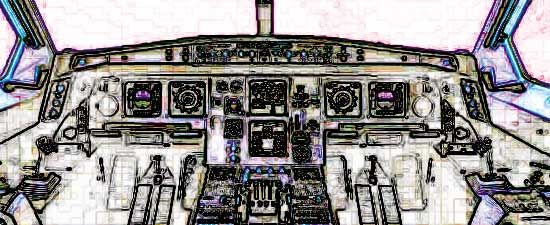
When djing, your essentially a pilot manning the helm of a plane. While there are many obvious things your in charge of during the flight, there is one that you may not think of. Its your job to make sure the sound coming out of the speakers is the best quality it can be. Lets look at a few basic rules you should follow to keep yourself out of the red.

#1 Check Your Gain Stages

A gain stage is a point in the chain of devices where you have the opportunity to turn the signal up or down. If you start at 100% volume and have 5 gain stages then you could potentially end up with a very distorted signal. As djs we all have the tendency to turn up the volume, its hardwired into our DNA after all, so its important to know where you can turn things up. Follow these simple rules and you should be safe:

  • If mixing inside the software never crank the channel gains, these are the easiest to distort.
  • Clipping or pushing the master output of your software is ok as long as you have a limiter or compressor on. Clipping too hard will cause “pumping and breathing” though and should be avoided.
  • Many people like to set the software master output at -3db or less, we recommend you pick one setting that sounds good and leave it for the night.
  • on the club mixer, keep your master and channel faders up all the way.
  • if you find yourself in the middle of a set needing more gain, use the channel fader gain pot on the clubs mixer. Don’t turn up Traktors master output.

#2 Set your monitor levels

  • the booth monitors should be just loud enough to drown out the main speakers, canceling any delay in the time it takes the sound to reach you.
  • Slowly turn your monitors up until they are just louder than the speakers and leave them there.
  • Take note of this position and if you find it turned up later, go to step 3.

#3 Turn your monitors down between mixes.

Over the course of a set, your ears will fatigue greatly and loudness perception decreases dramatically. Essentially, your concept of what is really loud in the middle of the set is completely off. Would you want your pilot’s vision failing over the course of a flight?

#4 Use your ears!

Turn the monitors off and listen to the club sound system. Go out and walk the floor, make EQ adjustments and set your levels based on what the dancers will hear- not your position in the room.

#5 Turn it down, not up

Contrary to popular belief and a certain epic rock movie, there is no 11! As mentioned before, you cant keep turning it up all night to create more excitement. So why not try turning it down, and then turning it up? Hmmmm, revolutionary. Lowering the volume will make everyone pay attention, and create tension. Then hit them upside the head with a massive song at full volume and baroomph! instant club nirvana.

Tags: Dj BasicsTipsTIPS FROM THE PROSTraktor Tips
ShareTweetShare
Previous Post

Interview with Dj Numark

Next Post

National Nintendo Week

Related Posts

traktor-pro plus 3.8 pattern player controls
Dj and Production Tutorials

Review: Traktor Pro Plus 3.8 – After 8 months, is the subscription worth it?

April 20, 2023
Meet the Koala sampler app: a mobile production powerhouse, now with stems
DJ Gear

Meet the Koala sampler app: a mobile production powerhouse, now with stems

February 7, 2023
Tips for DJing in Extreme Cold: DJTT readers share their advice
DJ Techniques / Tips

Tips for DJing in Extreme Cold: DJTT readers share their advice

January 30, 2023
Load More
Next Post
National Nintendo Week

National Nintendo Week

Want to reach DJTT's audience here?

Shoot an email to advertising@djtechtools.com

DJTT ads
DJTT newsletter
Midi Fighter
Chat with us
  • ABOUT DJTT
  • CONTACT
  • PRIVACY
  • MIDI FIGHTER HELP
  • ABOUT DJTT
  • JOBS
  • CONTACT US
  • ADVERTISE
  • PRIVACY POLICY
  • ACCESSIBILITY STATEMENT

© 2024 DJ Techtools all rights reserved by DJ TechTools on all content unless otherwise noted.

No Result
View All Result
  • Blog
    • DJ Gear
      • DIY Projects
      • Gear Reviews
      • New Products
      • Controllerism
    • Techniques + Tips
      • Beginner DJ
      • Advanced DJ
      • Producer
      • Finger Drummer
    • News + Culture
      • Editorials + Opinions
      • Artist Interviews
      • Performances + Routines
      • How I Play
    • DJ Software Tutorials
      • Serato Tips
      • CDJ Tips
      • Ableton Live Tips
  • Store
    • Run by real DJs, not a corporation
    • DJ Controllers
      • Midi Fighter Twister
      • Midi Fighter Spectra
      • Midi Fighter 64
      • View All
    • Accessories
      • Chroma USB Drive for DJs
      • Chroma Caps
      • Chroma Cables Audio
      • Chroma Cables USB-A
      • Chroma Cables: USB-C
      • DJTT Gift Card
      • Midi Fighter T-Shirt
      • Keyboard Covers
      • Earplugs by V-Moda
    • Production Gear
    • Soundcards & Mixers
  • Community
    • Popular Forums
      • General Discussion
      • Buy & Sell
      • Reviews
      • Mixes
      • Music Production
      • Show Your Setup
      • Off Topic
    • Handy Links
      • New Posts
      • Private Messages
      • Register
      • Search
    • Midi Maps
      • Traktor
      • Ableton
      • Serato DJ
      • Midi Fighter 3D
      • Midi Fighter Twister
      • Midi Fighter Spectra
  • Midi Fighter
  • Chroma

© 2024 DJ Techtools all rights reserved by DJ TechTools on all content unless otherwise noted.

This website uses cookies. By continuing to use this website you are giving consent to cookies being used. Visit our Privacy and Cookie Policy.