DJ TechTools
  • Blog
    • DJ Gear
      • DIY Projects
      • Gear Reviews
      • New Products
      • Controllerism
    • Techniques + Tips
      • Beginner DJ
      • Advanced DJ
      • Producer
      • Finger Drummer
    • News + Culture
      • Editorials + Opinions
      • Artist Interviews
      • Performances + Routines
      • How I Play
    • DJ Software Tutorials
      • Serato Tips
        • Traktor Tips
      • CDJ Tips
      • Ableton Live Tips
  • Store
    • Run by real DJs, not a corporation
    • DJ Controllers
      • Midi Fighter Twister
      • Midi Fighter Spectra
      • Midi Fighter 64
      • View All
    • Accessories
      • Chroma USB Drive for DJs
      • Chroma Caps
      • Chroma Cables Audio
      • Chroma Cables USB-A
      • Chroma Cables: USB-C
      • DJTT Gift Card
      • Midi Fighter T-Shirt
      • Keyboard Covers
      • Earplugs by V-Moda
    • Production Gear
    • Soundcards & Mixers
  • Community
    • Popular Forums
      • General Discussion
      • Buy & Sell
      • Reviews
      • Mixes
      • Music Production
      • Show Your Setup
      • Off Topic
    • Handy Links
      • New Posts
      • Private Messages
      • Register
      • Search
    • Midi Maps
      • Traktor
      • Ableton
      • Serato DJ
      • Midi Fighter 3D
      • Midi Fighter Twister
      • Midi Fighter Spectra
  • Midi Fighter
  • Chroma
No Result
View All Result
DJ TechTools
  • Blog
    • DJ Gear
      • DIY Projects
      • Gear Reviews
      • New Products
      • Controllerism
    • Techniques + Tips
      • Beginner DJ
      • Advanced DJ
      • Producer
      • Finger Drummer
    • News + Culture
      • Editorials + Opinions
      • Artist Interviews
      • Performances + Routines
      • How I Play
    • DJ Software Tutorials
      • Serato Tips
        • Traktor Tips
      • CDJ Tips
      • Ableton Live Tips
  • Store
    • Run by real DJs, not a corporation
    • DJ Controllers
      • Midi Fighter Twister
      • Midi Fighter Spectra
      • Midi Fighter 64
      • View All
    • Accessories
      • Chroma USB Drive for DJs
      • Chroma Caps
      • Chroma Cables Audio
      • Chroma Cables USB-A
      • Chroma Cables: USB-C
      • DJTT Gift Card
      • Midi Fighter T-Shirt
      • Keyboard Covers
      • Earplugs by V-Moda
    • Production Gear
    • Soundcards & Mixers
  • Community
    • Popular Forums
      • General Discussion
      • Buy & Sell
      • Reviews
      • Mixes
      • Music Production
      • Show Your Setup
      • Off Topic
    • Handy Links
      • New Posts
      • Private Messages
      • Register
      • Search
    • Midi Maps
      • Traktor
      • Ableton
      • Serato DJ
      • Midi Fighter 3D
      • Midi Fighter Twister
      • Midi Fighter Spectra
  • Midi Fighter
  • Chroma
No Result
View All Result
DJ TechTools

Ableton Push 2 + Ableton Live 9.5 First Look

Dan White by Dan White
November 2, 2015
in Ableton, Ableton Live Push, Live 9, News + Culture
Reading Time: 5 mins read
0
Ableton Push 2 + Ableton Live 9.5 First Look
378
VIEWS
Post on FacebookTweet thisUpvote on Reddit

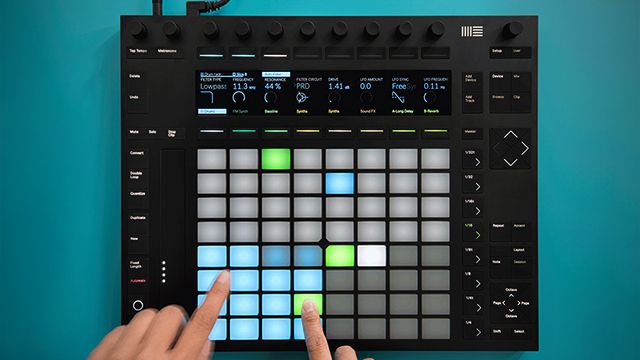
Ableton has announced a brand new update to their hardware and software platforms today – the Ableton Push 2 hardware and Ableton Live 9.5. In this new update, Ableton has improved a lot of the elements of the Push, adding a new multi-color screen, new sampling workflows, and smoother pads. Read on for the full details on the new instrument.

Product: Ableton Push 2
Available: In Stores Now (limited DJTT stock ships Nov 3rd)
Price: $799

What’s Different On The Push 2 Hardware
push-2-angle-closer

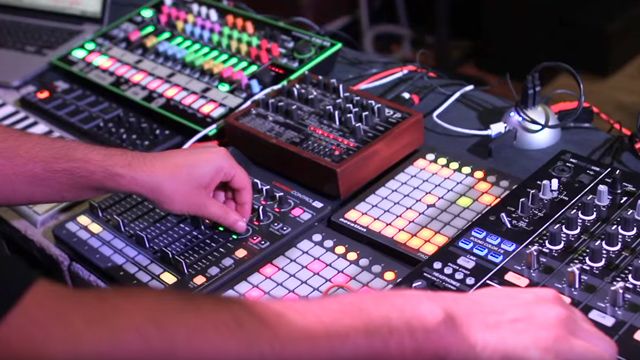
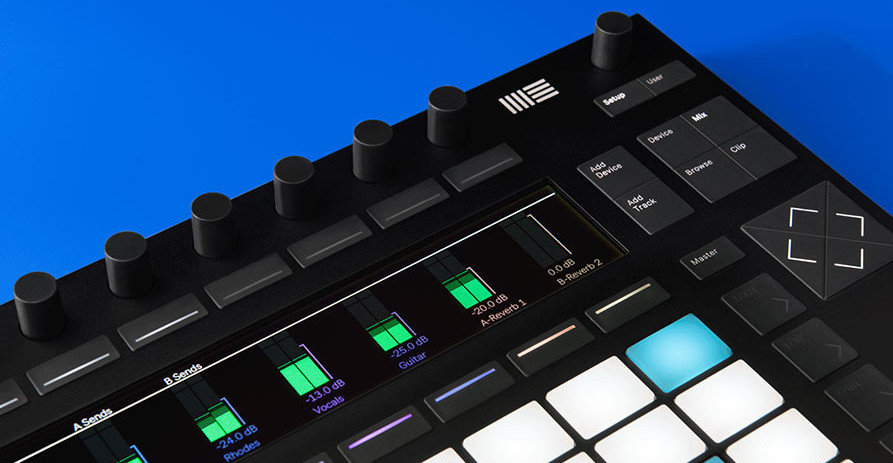
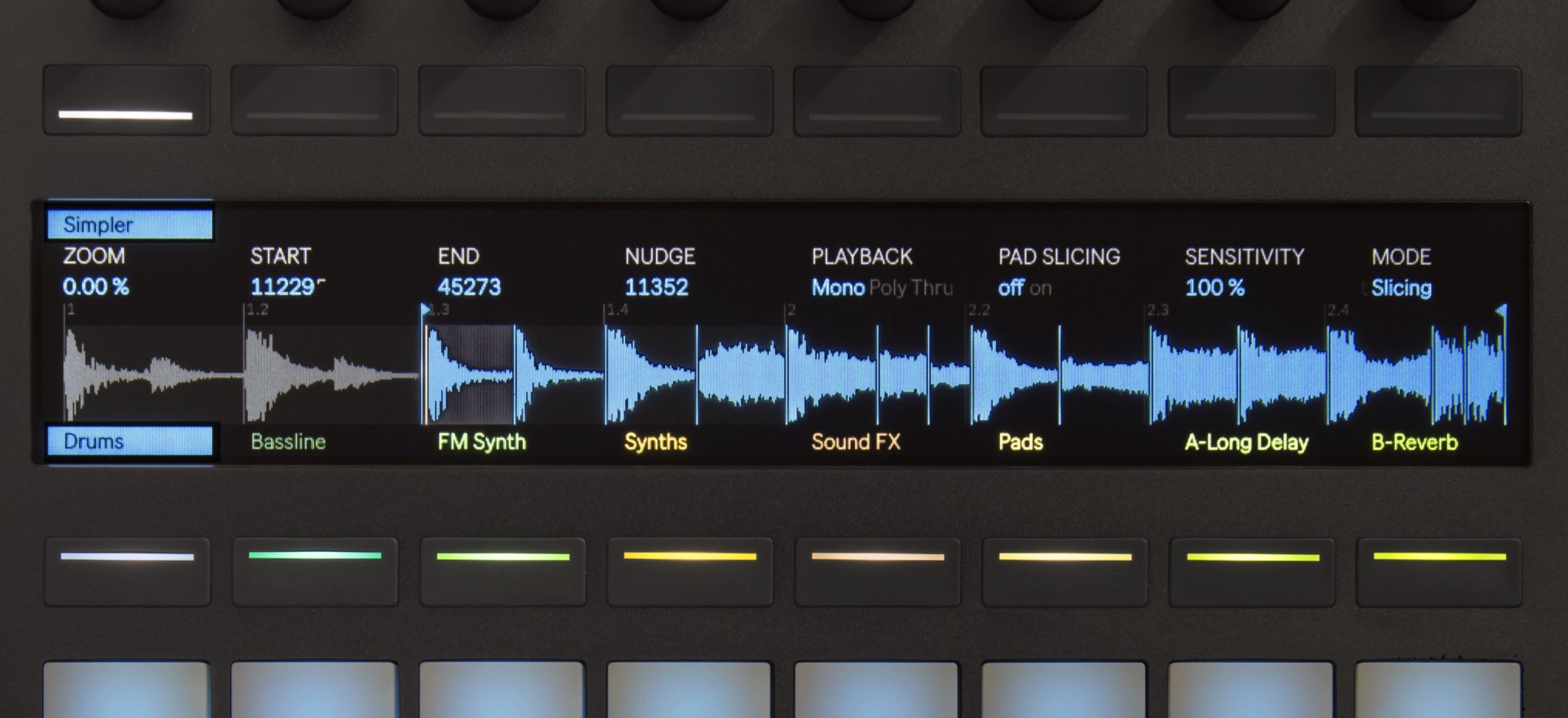
Push 2 sets to improve upon the foundation of the original Push by offering a new level of playability. The biggest hardware improvement is the large, color LCD screen to show users what is going on within the hardware without having to bury their face into a laptop. The screen displays library navigation, sample waveforms, effects parameters, and mixer levels which can be tweaked using the touch-sensitive encoders above each screen panel. Push 2 also offers sampling workflows across the redesigned pads which allow users to create looping instruments, chop up samples, or play longer, melodic samples all within the pads. Ableton carefully redesigned the pads to feel normal and intuitive to musicians. Users will find that new Push pads to be softer, smoother, and more responsive when playing live.

Additionally there’s now VST and AU support on the Push 2 – allowing tweaking of all of the virtual instruments you might have collected on your own.

New Push 2 Sampling Workflows
03_push2_top_view

The new sampling workflows intergrated into Push 2 give musicians the tools they need to easily work in and out of different Live devices to sample beats, loops, and notes. Push 2 offers three distinct workflows to give musicians creative ways to play.

  • Slicing Mode: This mode lets users chop up long samples and play each slice on a different pad, similar to the function of the Slice to New MIDI Track command. This is ideal for musicians who want to spontaneously rearrange loops or create drum kits from imported or recorded grooves.
  • Classic Mode: Here musicians can turn any melodic sample into a pitched instrument. The encoders at the top of the Push are used to edit start and end points as well as to modify attack, decay, sustain, and release parameters for each sample.
  • One Shot Mode: One Shot Mode is a monophonic workflow that plays back samples all the way through no matter how long the pad is held. This mode goes beyond finger drumming by allowing the user to also transpose a playing sample live, without having to retrigger it thus allowing the transformation of melodic phrases into completely new melodies.

Ableton 9.5
Simpler sampler overhauled pt 1
Simpler sampler overhauled pt 2
Track colors
VU Meters
New Waveforms
Filter Types

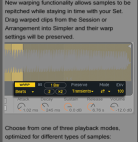
The new version of Ableton will primarily be to integrate support for the Push 2 instrument, but there are a few feature additions as well. As we noted above, the way Ableton’s Simpler sampling instrument has been improved significantly with a completely redesigned interface that introduces warping and slicing capabilities and new-analog-modeled filters. Users can now slice samples across the keyboard, play one shots, or warp longer samples even if they haven’t acquired the Push 2.

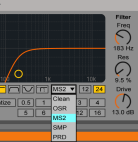
Speaking of analog, Ableton has listened to users wanting to hear more analog modeled synthesis in the program with new filters based on classic vintage hardware that self-resonate, produce feedback, and distort harmonically. These filters were engineered in collaboration with Cytomic and will be included in the Simple, Sampler, Operator, and Auto Filter devices. Listen to them in the video below:

There will also be new instruments coming with Live 9 Suite which includes three new Max for Live synthesizers. Bass is a monosynth that is designed for low frequency sounds and modulations; Poli compliments Bass as a polyphonic synth specializing in strings, pads, and stabs; and Multi is the synth that is designed for immediate tweakability from Push 2.

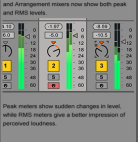
Ableton 9.5 also features newly improved meters and waveforms. The mixer volume meters now show both peak and RMS levels which allow producers to clearly see sudden changes in levels as well as perceived loudness; a must have for mixing and mastering. The waveforms show much more detail in audio samples and Ableton has also worked to smooth out the zooming and scrolling functions.

Ableton 9.5 is available to download now here, and is a free update to current users. 

Push 1 Trade-In Program
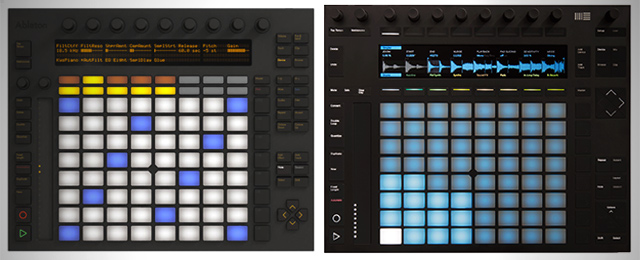
push-to-push2

An interesting element of the introduction of the new Push 2 is that Ableton has considered carefully how to make it possible for current Push owners to upgrade their gear without shelling out a full cost. Push 1 owners who send in their working Push 1 to participating retailers  will get 30% credit towards a Push 2.

Ableton will then donate the Push 1 units to music programs around the world starting in Q3 2016 – with the goal of bringing music making to more young people in schools.

Have a Push 1 and want to participate? Click here to fill out the form and we’ll be in touch shortly.

Want to buy a Push 1? The price has dropped $100 to $499 – only a few units left.

This is a pretty awesome move on Ableton’s part – and probably the first time a big company in the DJ space has done a trade in program of this magnitude!

Ableton Link

There’s one final cool update coming very soon from Ableton – wireless syncing of Ableton instances and iOS apps. The idea is that instead of running crazy MIDI cables or figuring out a way to sync things through soundcards, Ableton has built their own syncing system to allow everything to stay in time.

In addition to Live, Link will work with a host of iOS apps, including iKaossilator, Audiobus, Bassline, Loopy, Triqtraq, and more. They’re even opening up the SDK for the Link platform, meaning that developers will be able to build in the syncing capability into their own apps.

Link will be coming soon in a new update to Ableton 9 – not the current 9.5 release.

Tags: Abletonableton discountableton liveableton live 9.5basscolor LCDcolor screenDAW controllersDAW updateDJ gear 2015hardware updateLIve 9.5 suitemax for liveMidi ControllersMultinew hardwarenew producer gearPoliproduction gearPushpush 2push discountresamplingsamplessoftware updatesynthesizerstrade in programtrade-inwaveforms
Share3Tweet2Share
Previous Post

Pulselocker DJ Library Relaunched: Details and Prices

Next Post

KiNK Live Performance: Twenty Minutes Behind The Booth

Related Posts

Ableton launches Live 12 Suite rent-to-own plan – and it’s not a subscription
Ableton

Ableton launches Live 12 Suite rent-to-own plan – and it’s not a subscription

October 1, 2025
Use your Midi Fighter Twister as an Audio-Reactive Visualizer
Ableton Live Tips

Use your Midi Fighter Twister as an Audio-Reactive Visualizer

June 23, 2025
Control an entire studio with Midi Fighter Spectra (like Mad Zach)
Finger Drumming

Control an entire studio with Midi Fighter Spectra (like Mad Zach)

May 9, 2025
Load More
Next Post
KiNK Live Performance

KiNK Live Performance: Twenty Minutes Behind The Booth

Want to reach DJTT's audience here?

Shoot an email to advertising@djtechtools.com

DJTT ads
DJTT newsletter
Midi Fighter
Chat with us
  • ABOUT DJTT
  • CONTACT
  • PRIVACY
  • MIDI FIGHTER HELP
  • ABOUT DJTT
  • JOBS
  • CONTACT US
  • ADVERTISE
  • PRIVACY POLICY
  • ACCESSIBILITY STATEMENT

© 2024 DJ Techtools all rights reserved by DJ TechTools on all content unless otherwise noted.

No Result
View All Result
  • Blog
    • DJ Gear
      • DIY Projects
      • Gear Reviews
      • New Products
      • Controllerism
    • Techniques + Tips
      • Beginner DJ
      • Advanced DJ
      • Producer
      • Finger Drummer
    • News + Culture
      • Editorials + Opinions
      • Artist Interviews
      • Performances + Routines
      • How I Play
    • DJ Software Tutorials
      • Serato Tips
      • CDJ Tips
      • Ableton Live Tips
  • Store
    • Run by real DJs, not a corporation
    • DJ Controllers
      • Midi Fighter Twister
      • Midi Fighter Spectra
      • Midi Fighter 64
      • View All
    • Accessories
      • Chroma USB Drive for DJs
      • Chroma Caps
      • Chroma Cables Audio
      • Chroma Cables USB-A
      • Chroma Cables: USB-C
      • DJTT Gift Card
      • Midi Fighter T-Shirt
      • Keyboard Covers
      • Earplugs by V-Moda
    • Production Gear
    • Soundcards & Mixers
  • Community
    • Popular Forums
      • General Discussion
      • Buy & Sell
      • Reviews
      • Mixes
      • Music Production
      • Show Your Setup
      • Off Topic
    • Handy Links
      • New Posts
      • Private Messages
      • Register
      • Search
    • Midi Maps
      • Traktor
      • Ableton
      • Serato DJ
      • Midi Fighter 3D
      • Midi Fighter Twister
      • Midi Fighter Spectra
  • Midi Fighter
  • Chroma

© 2024 DJ Techtools all rights reserved by DJ TechTools on all content unless otherwise noted.

This website uses cookies. By continuing to use this website you are giving consent to cookies being used. Visit our Privacy and Cookie Policy.