DJ TechTools
  • Blog
    • DJ Gear
      • DIY Projects
      • Gear Reviews
      • New Products
      • Controllerism
    • Techniques + Tips
      • Beginner DJ
      • Advanced DJ
      • Producer
      • Finger Drummer
    • News + Culture
      • Editorials + Opinions
      • Artist Interviews
      • Performances + Routines
      • How I Play
    • DJ Software Tutorials
      • Serato Tips
        • Traktor Tips
      • CDJ Tips
      • Ableton Live Tips
  • Store
    • Run by real DJs, not a corporation
    • DJ Controllers
      • Midi Fighter Twister
      • Midi Fighter Spectra
      • Midi Fighter 64
      • View All
    • Accessories
      • Chroma USB Drive for DJs
      • Chroma Caps
      • Chroma Cables Audio
      • Chroma Cables USB-A
      • Chroma Cables: USB-C
      • DJTT Gift Card
      • Midi Fighter T-Shirt
      • Keyboard Covers
      • Earplugs by V-Moda
    • Production Gear
    • Soundcards & Mixers
  • Community
    • Popular Forums
      • General Discussion
      • Buy & Sell
      • Reviews
      • Mixes
      • Music Production
      • Show Your Setup
      • Off Topic
    • Handy Links
      • New Posts
      • Private Messages
      • Register
      • Search
    • Midi Maps
      • Traktor
      • Ableton
      • Serato DJ
      • Midi Fighter 3D
      • Midi Fighter Twister
      • Midi Fighter Spectra
  • Midi Fighter
  • Chroma
No Result
View All Result
DJ TechTools
  • Blog
    • DJ Gear
      • DIY Projects
      • Gear Reviews
      • New Products
      • Controllerism
    • Techniques + Tips
      • Beginner DJ
      • Advanced DJ
      • Producer
      • Finger Drummer
    • News + Culture
      • Editorials + Opinions
      • Artist Interviews
      • Performances + Routines
      • How I Play
    • DJ Software Tutorials
      • Serato Tips
        • Traktor Tips
      • CDJ Tips
      • Ableton Live Tips
  • Store
    • Run by real DJs, not a corporation
    • DJ Controllers
      • Midi Fighter Twister
      • Midi Fighter Spectra
      • Midi Fighter 64
      • View All
    • Accessories
      • Chroma USB Drive for DJs
      • Chroma Caps
      • Chroma Cables Audio
      • Chroma Cables USB-A
      • Chroma Cables: USB-C
      • DJTT Gift Card
      • Midi Fighter T-Shirt
      • Keyboard Covers
      • Earplugs by V-Moda
    • Production Gear
    • Soundcards & Mixers
  • Community
    • Popular Forums
      • General Discussion
      • Buy & Sell
      • Reviews
      • Mixes
      • Music Production
      • Show Your Setup
      • Off Topic
    • Handy Links
      • New Posts
      • Private Messages
      • Register
      • Search
    • Midi Maps
      • Traktor
      • Ableton
      • Serato DJ
      • Midi Fighter 3D
      • Midi Fighter Twister
      • Midi Fighter Spectra
  • Midi Fighter
  • Chroma
No Result
View All Result
DJ TechTools

Guide to Buying Secondhand / Used CDJs

Dan White by Dan White
February 8, 2016
in CDJ Tips, Pioneer
Reading Time: 4 mins read
0
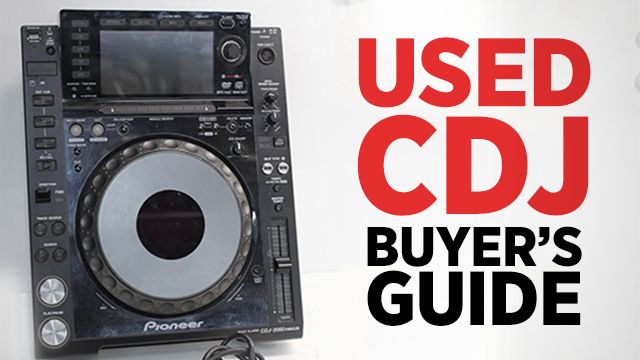
Guide To Buying Used CDJs
1.4k
VIEWS
Post on FacebookTweet thisUpvote on Reddit

The new CDJ-2000NXS2 media players are set to hit stores late February, but as with any new generation of product that comes out, it creates an influx of used gear on the market. Today we share our tips on buying used CDJs, what to look out for, what to test, and how to make sure you’re getting a good price. Read on to get the lowdown on secondhand CDJ purchases!

Deciding Which Used CDJ Model To Buy
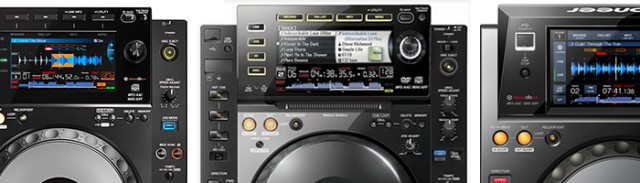
Used CDJ Comparison

For the sake of this article, we’re only going to compare the models that we’ve seen an influx of on used gear marketplaces: recent CDJ units that have an LCD display screen. There are tons of older, great models of Pioneer CDJs to pick up if you want a set, but for brevity we’re focusing only on a few selected models in this comparison – and specifically ignoring models like the CDJ-900, 350, and 850.

Why? Because most digital DJs will want to advantage of a lot of the features that you would expect to have an a DJ setup, like:

  • USB slots with MP3/WAV support
  • ProLink ethernet between players so you can load songs from any player
  • LCD for waveform, track browsing, and cue point display
  • HID/MIDI control

Like most used gear purchases, the most important first filter is price. Here’s what you can expect to spend for a working-but-used unit of each model based on the average sold prices on eBay for the past few weeks – (as of February, 2016):

  • CDJ-900NXS: ~$830.72 (still available new for $1397)
  • CDJ-2000: ~$936.64 (this model doesn’t have a detailed waveform view)
  • CDJ-2000NXS: ~$1,329.15 (just discontinued)
  • XDJ-1000: ~$779.99 (available new for $997)
  • CDJ-2000NXS2: $2,199 (soon to be released, reserve one here)

What To Look For In A Used CDJ Ad/Listing
looking-for-good-cdjs

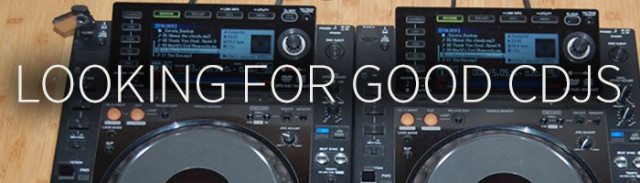
As we’ve seen an upswing in used units on eBay and Craigslist, it’s worth noting that not every listing for a used CDJ is made equal. Some postings have indications of how likely it is the gear is in good condition, and a few things that you can look for:

  • Real Photos: If the gear being sold is used and there’s just photos of the box, or generic Pioneer photos, be cautious. It’s one thing if it’s an Authorized Retailer selling it, but for private sellers, look for real photos in the ad.
  • Turned On: Often times pawn shops and other sellers who don’t know anything about DJ gear will just take a photo of the player without turning it on. If they didn’t turn it on for photos, there’s a chance they might not really know if the gear is functional or not. Try messaging the seller and asking for a video of it in use!
  • Appearance: Obviously every used unit will have some level of cosmetic wear. Is the seller upfront about this (notes where scratches or blemishes are)? Or is it just “like new” even though the photos say otherwise?
  • Cases + Manuals = Gear History: It’s hard to tell if any seller is telling the truth about the gear’s history, so instead look for secondary evidence. Are there cases included or in the photos? Good, that means the seller cared about protecting the gear! Is the seller including manuals and the original box? Also good, this means that the seller is more meticulous, and potentially more careful with their DJ gear.

Before You Buy It: Things To Check + Test On Used CDJs
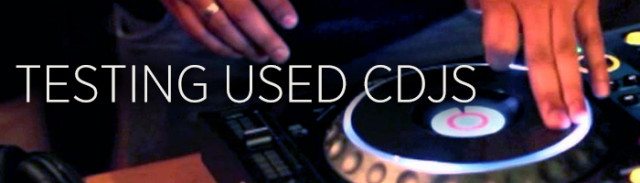
Testing Used CDJs

Once you get your hands on a unit, and before you exchange money for it, there’s a quick checklist of things to test on the unit. If it’s an eBay / shipped purchase, this will be after you buy, but you should still check these right away and return the unit if it isn’t as described.

  • USB port: bring a computer and USB cable with you to test and make sure the CDJ is detected
  • CD slot: Bring a CD! This is the only major moving part on a CDJ and as such is one of the most common things to die.
  • Playback + Jogwheel: Play a few tracks and spin the jogwheel forward and backward. Does it move oddly or are there any weird unexpected noises? Not a good sign. Move the jogwheel back and forth quickly and make sure it has the expected tight response.
  • Press every button (especially play/cue as they are the most used) to make sure they all respond as expected. If they take a harder press to get a response, this is a sign of wear. Make sure you do this with audio outputting as well, as sometimes the buttons might feel fine but the switch underneath is worn out.
  • Listen to the sound of the jogwheel: Oftentimes jogwheels slowly start to get worn out when dirt gets inside the rotating mechanism. Listen to what the jogwheel itself sounds like when you spin back – does it sound gritty or smooth? Any odd noises?
  • Smell the CDJ: This one is weird, but oftentimes DJ gear is in a place where people smoke cigarettes. That smell won’t go away easily – so if it isn’t advertised as smelling like smoke, bring it up. You also might smell beer or other liquids spilled on the gear, another sign to only buy with extreme caution.

Have used DJ gear that you want to sell?
Read our guide on getting more money for used DJ gear! 
Tags: buyingCDj-2000CDJ-2000NXSCDJ-900NXSsecondhandTipsusedused CDJs
Share27Tweet7Share
Previous Post

First Details Of PLAYDifferently: Allen & Heath / Richie Hawtin Project

Next Post

Trax & Wax: Monthly Vinyl Subscription Service For Dance Music

Related Posts

Meet the Koala sampler app: a mobile production powerhouse, now with stems
DJ Gear

Meet the Koala sampler app: a mobile production powerhouse, now with stems

February 7, 2023
Tips for DJing in Extreme Cold: DJTT readers share their advice
DJ Techniques / Tips

Tips for DJing in Extreme Cold: DJTT readers share their advice

January 30, 2023
DDJ to CDJs: Practicing For CDJs With A Pioneer DJ Controller
Basic DJ Tips

DDJ to CDJs: Practicing For CDJs With A Pioneer DJ Controller

July 23, 2017
Load More
Next Post
Trax & Wax

Trax & Wax: Monthly Vinyl Subscription Service For Dance Music

Want to reach DJTT's audience here?

Shoot an email to advertising@djtechtools.com

DJTT ads
DJTT newsletter
Midi Fighter
Chat with us
  • ABOUT DJTT
  • CONTACT
  • PRIVACY
  • MIDI FIGHTER HELP
  • ABOUT DJTT
  • JOBS
  • CONTACT US
  • ADVERTISE
  • PRIVACY POLICY
  • ACCESSIBILITY STATEMENT

© 2024 DJ Techtools all rights reserved by DJ TechTools on all content unless otherwise noted.

No Result
View All Result
  • Blog
    • DJ Gear
      • DIY Projects
      • Gear Reviews
      • New Products
      • Controllerism
    • Techniques + Tips
      • Beginner DJ
      • Advanced DJ
      • Producer
      • Finger Drummer
    • News + Culture
      • Editorials + Opinions
      • Artist Interviews
      • Performances + Routines
      • How I Play
    • DJ Software Tutorials
      • Serato Tips
      • CDJ Tips
      • Ableton Live Tips
  • Store
    • Run by real DJs, not a corporation
    • DJ Controllers
      • Midi Fighter Twister
      • Midi Fighter Spectra
      • Midi Fighter 64
      • View All
    • Accessories
      • Chroma USB Drive for DJs
      • Chroma Caps
      • Chroma Cables Audio
      • Chroma Cables USB-A
      • Chroma Cables: USB-C
      • DJTT Gift Card
      • Midi Fighter T-Shirt
      • Keyboard Covers
      • Earplugs by V-Moda
    • Production Gear
    • Soundcards & Mixers
  • Community
    • Popular Forums
      • General Discussion
      • Buy & Sell
      • Reviews
      • Mixes
      • Music Production
      • Show Your Setup
      • Off Topic
    • Handy Links
      • New Posts
      • Private Messages
      • Register
      • Search
    • Midi Maps
      • Traktor
      • Ableton
      • Serato DJ
      • Midi Fighter 3D
      • Midi Fighter Twister
      • Midi Fighter Spectra
  • Midi Fighter
  • Chroma

© 2024 DJ Techtools all rights reserved by DJ TechTools on all content unless otherwise noted.

This website uses cookies. By continuing to use this website you are giving consent to cookies being used. Visit our Privacy and Cookie Policy.