DJ TechTools
  • Blog
    • DJ Gear
      • DIY Projects
      • Gear Reviews
      • New Products
      • Controllerism
    • Techniques + Tips
      • Beginner DJ
      • Advanced DJ
      • Producer
      • Finger Drummer
    • News + Culture
      • Editorials + Opinions
      • Artist Interviews
      • Performances + Routines
      • How I Play
    • DJ Software Tutorials
      • Serato Tips
        • Traktor Tips
      • CDJ Tips
      • Ableton Live Tips
  • Store
    • Run by real DJs, not a corporation
    • DJ Controllers
      • Midi Fighter Twister
      • Midi Fighter Spectra
      • Midi Fighter 64
      • View All
    • Accessories
      • Chroma USB Drive for DJs
      • Chroma Caps
      • Chroma Cables Audio
      • Chroma Cables USB-A
      • Chroma Cables: USB-C
      • DJTT Gift Card
      • Midi Fighter T-Shirt
      • Keyboard Covers
      • Earplugs by V-Moda
    • Production Gear
    • Soundcards & Mixers
  • Community
    • Popular Forums
      • General Discussion
      • Buy & Sell
      • Reviews
      • Mixes
      • Music Production
      • Show Your Setup
      • Off Topic
    • Handy Links
      • New Posts
      • Private Messages
      • Register
      • Search
    • Midi Maps
      • Traktor
      • Ableton
      • Serato DJ
      • Midi Fighter 3D
      • Midi Fighter Twister
      • Midi Fighter Spectra
  • Midi Fighter
  • Chroma
No Result
View All Result
DJ TechTools
  • Blog
    • DJ Gear
      • DIY Projects
      • Gear Reviews
      • New Products
      • Controllerism
    • Techniques + Tips
      • Beginner DJ
      • Advanced DJ
      • Producer
      • Finger Drummer
    • News + Culture
      • Editorials + Opinions
      • Artist Interviews
      • Performances + Routines
      • How I Play
    • DJ Software Tutorials
      • Serato Tips
        • Traktor Tips
      • CDJ Tips
      • Ableton Live Tips
  • Store
    • Run by real DJs, not a corporation
    • DJ Controllers
      • Midi Fighter Twister
      • Midi Fighter Spectra
      • Midi Fighter 64
      • View All
    • Accessories
      • Chroma USB Drive for DJs
      • Chroma Caps
      • Chroma Cables Audio
      • Chroma Cables USB-A
      • Chroma Cables: USB-C
      • DJTT Gift Card
      • Midi Fighter T-Shirt
      • Keyboard Covers
      • Earplugs by V-Moda
    • Production Gear
    • Soundcards & Mixers
  • Community
    • Popular Forums
      • General Discussion
      • Buy & Sell
      • Reviews
      • Mixes
      • Music Production
      • Show Your Setup
      • Off Topic
    • Handy Links
      • New Posts
      • Private Messages
      • Register
      • Search
    • Midi Maps
      • Traktor
      • Ableton
      • Serato DJ
      • Midi Fighter 3D
      • Midi Fighter Twister
      • Midi Fighter Spectra
  • Midi Fighter
  • Chroma
No Result
View All Result
DJ TechTools

Virtual DJ 8.2: Custom Pad Controls, “Ask The DJ” Requests

Dan White by Dan White
June 6, 2016
in Breaking News, News
Reading Time: 3 mins read
0
Virtual DJ 8.2: Custom Pad Controls, “Ask The DJ” Requests
1.4k
VIEWS
Post on FacebookTweet thisUpvote on Reddit

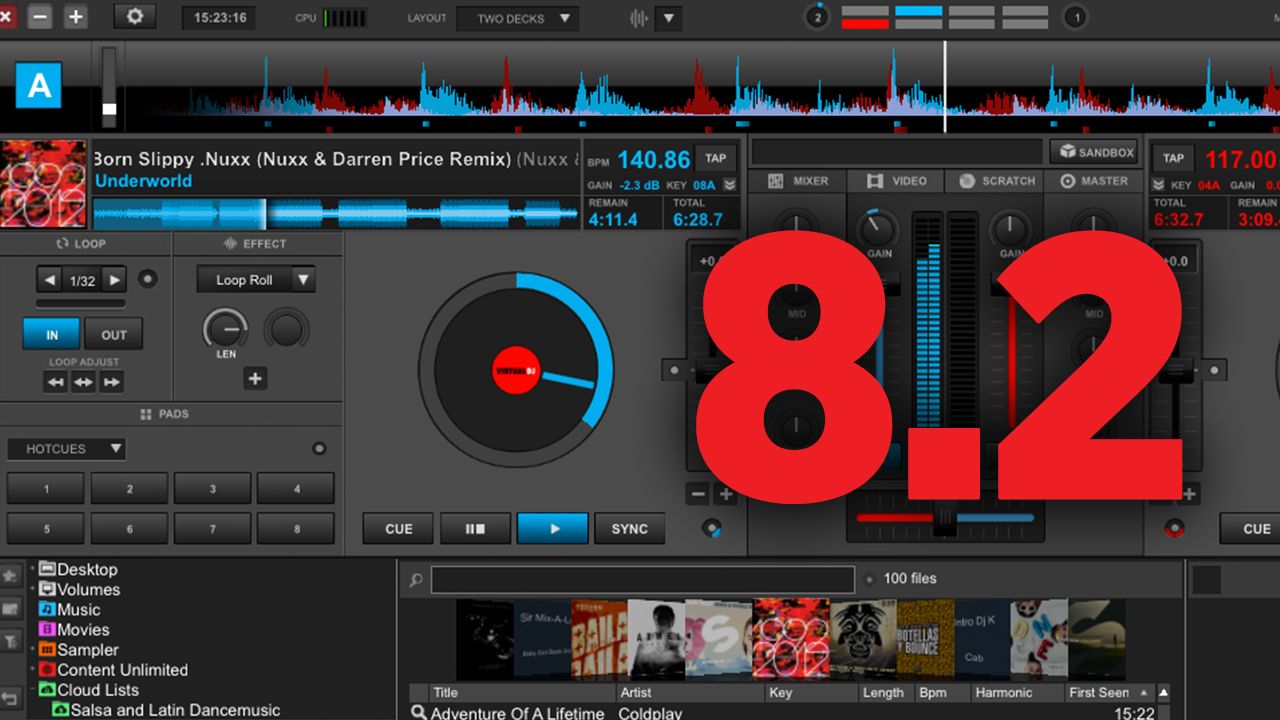
Atomix Productions has today released an “early access” version of Virtual DJ 8.2, designed to bring the DJ software to a more “controller-centric” state that allows quick mapping of pad sections. The new version also boasts a number of other improvements both usable by the DJ and performance-focused – keep reading to learn more.

Customizable Pad Pages For Controllers
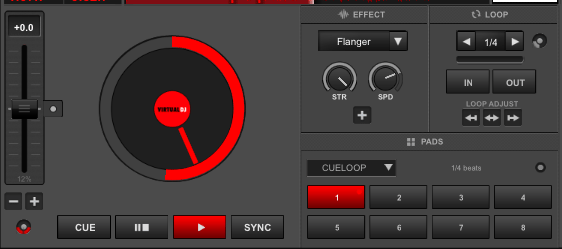
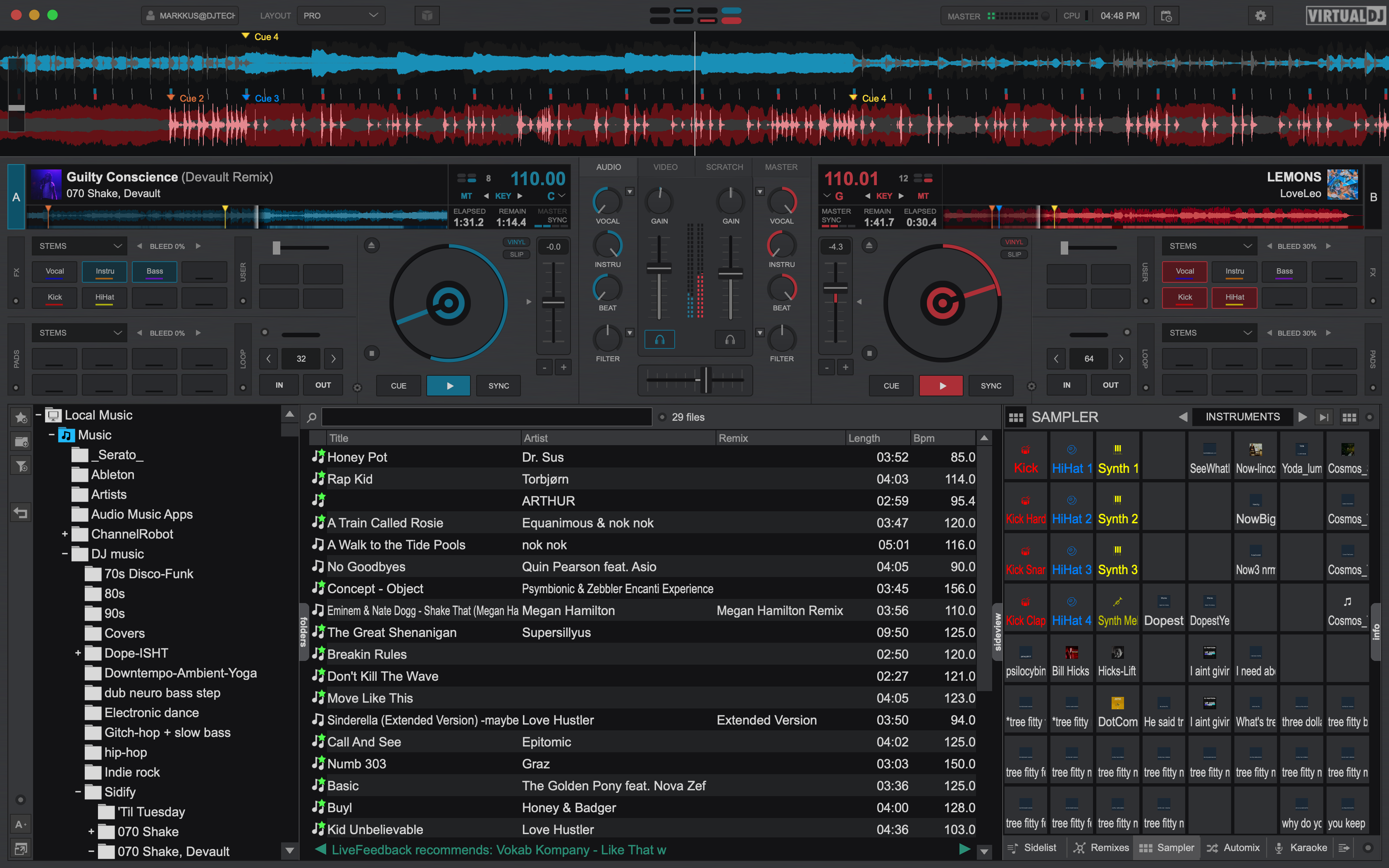
The Pad Section on a track deck

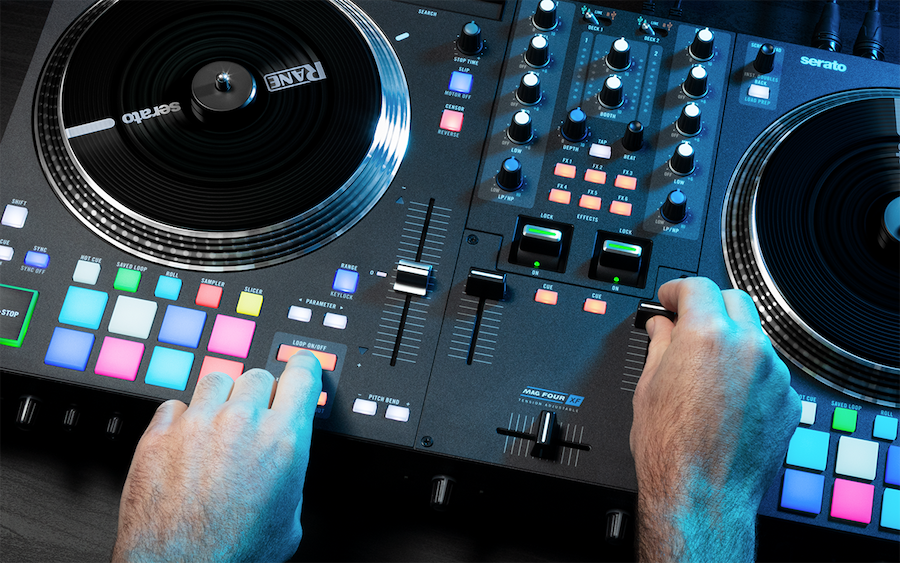
Part of making Virtual DJ 8.2 more controller friendly was the addition of a “Pads” section on each track deck, clearly designed to mirror the 8 buttons that have become industry standard on most digital DJ controllers like the DDJ-S series or the Kontrol S family. The expected functions are all there – cues, loops, loop roll, beat jump, sampler, slicer, and a few others.
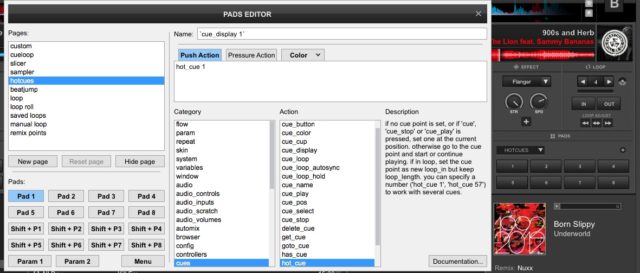
Customizing the Pads pages in Virtual DJ 8.2

But Virtual DJ has also made this section a very easily customized set of controls, allowing DJs to create their own pages of controls. Select “custom” from the drop down menu and a screen appears that allows the creation of new pages and complete control over what each pad does when you push it, or apply pressure. This is all based around VDJscript, the relatively easy-to-understand scripting language that Virtual DJ uses for MIDI mapping.

Ask.The.DJ Request Engine
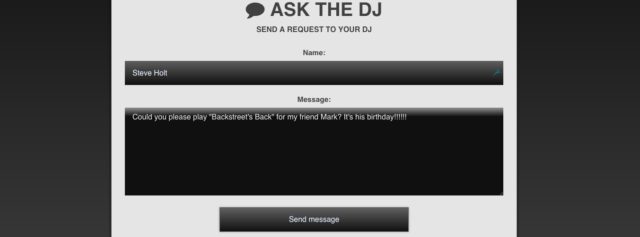
What it looks like when audience members go to your Ask.The.DJ URL

This is a pretty exciting development – Virtual DJ has built their very own request-taking engine, which functions as an intermediary between DJs and the crowd. Instead of having someone yell their request at you over the din of a club, they go to a simple URL – http://ask.the.dj/*yourusername* – and input their request message.

Alternately, they can post a request to Twitter with your username as a hashtag in the tweet and it will also show up here if you enable it. Yes, you can change it from your username to a different keyword if you like, by right-clicking the Ask The DJ folder in VDJ.

Ask.The.DJ Requests
How the requests from Ask.The.DJ appear in Virtual DJ

You’ll have to have an internet connection on your DJing laptop for this to work – but the requests show up right in the Virtual DJ browser under their own folder. Interestingly, if you have a subscription to Virtual DJ’s Content Unlimited streaming service, you can immediately click the request and search the database for the track if you don’t already have it. This obviously works best with actual song titles and not long-winded messages.

Here’s a video from Virtual DJ explaining the system:

We can easily see a lot of mobile DJs using this type of service, especially in situations with large crowds or inaccessible DJ booths. Would you use it at your gigs?

Other Improvements

Virtual DJ 8.2 has a number of other major behind-the-scenes improvements that won’t be as immediately noticeable when simply opening the software. They’ve upgraded their BeatGrid detection engine for improved accuracy when analyzing tracks, added hardware acceleration for video recording and playback, and a number of other smaller but still substantial items. Here’s the full change log, aside from what we’ve already covered above:

  • New windowing engine, getting look and feel closer together on windows and mac
  • Improved action editor with colors and highlighting of if-then-else parts
  • Improved touch screen support
  • Tag Editor keyboard shortcuts: ALT+LEFT/RIGHT, ALT+SPACE, ALT+ENTER, ALT+W
  • Hardware Accelerated video recording (mp4, windows and nvidia only)
  • Hardware Accelerated video playback on mac
  • Link video to audio file and play linked video without interrupting audio track
  • Improved video decoding for sampler and slideshow
  • Smarter usage of hardware acceleration for video scratching and looping
  • Improved support for WASAPI Exclusive mode
  • Improved tag reading: WMA composer tag, MP4 key tag, ID3v2.2 cover art, loop/key info for acid wav
  • VST Instrument support: Right-click on midi device (keyboard) in controller options to pass it to VST of a specific deck
  • Support for transparent video samples (HAP format)
  • Record samples directly to Recordings Bank using ‘sampler_rec x’ (x is slot number)
  • Fix changing existing vdjsample files
  • Colored cue points
  • Allow silence between mixes in automix by using negative automix fade length
  • mix_selected action to mix to selected song in automix
  • Fix cracks in automix dualdeck mode
  • Karaoke on-screen singer display options
  • Export browser view to CSV or HTML
  • browser_zoom support for skins, and implemented in default 2-deck skin
  • New audio effect ‘Noise’
  • More skin options for cue/beatgrid on scratch wave
  • Improve quality, memory use and performance of images in video edits
  • Improved loopback recording quality

Virtual DJ 8.2 is a free download for Virtual DJ users with an active current license – but it’s still pre-release. To get the new version, go in the options in Virtual DJ, search for “EarlyAccessUpdates” and enable it to download the new update.
Tags: ask.the.djatomix productionscontrollerspadsvirtual dj
Share11Tweet7Share
Previous Post

Getting The Most From Working With A Mastering Engineer

Next Post

Electrical Engineering For DJs Part 1: Analog/Digital Audio, Bit and Sample Rates

Related Posts

Virtual DJ, djay Pro AI now compatible with Rane ONE
News + Culture

Virtual DJ, djay Pro AI now compatible with Rane ONE

February 25, 2021
The VirtualDJ2021 default skin showing Stems assigned to the deck pads and the EZRemix mode assigned to the channel EQ knobs.
DJ Software

Review: VirtualDJ 2021’s Real-Time, 5-Stem Track Separation

August 25, 2020
Denon’s Engine OS now integrates with Virtual DJ directly on hardware
DJ Gear

Denon’s Engine OS now integrates with Virtual DJ directly on hardware

August 18, 2020
Load More
Next Post
Electrical Engineering For DJs Part 1: Analog/Digital Audio, Bit and Sample Rates

Electrical Engineering For DJs Part 1: Analog/Digital Audio, Bit and Sample Rates

Want to reach DJTT's audience here?

Shoot an email to advertising@djtechtools.com

DJTT ads
DJTT newsletter
Midi Fighter
Chat with us
  • ABOUT DJTT
  • CONTACT
  • PRIVACY
  • MIDI FIGHTER HELP
  • ABOUT DJTT
  • JOBS
  • CONTACT US
  • ADVERTISE
  • PRIVACY POLICY
  • ACCESSIBILITY STATEMENT

© 2024 DJ Techtools all rights reserved by DJ TechTools on all content unless otherwise noted.

No Result
View All Result
  • Blog
    • DJ Gear
      • DIY Projects
      • Gear Reviews
      • New Products
      • Controllerism
    • Techniques + Tips
      • Beginner DJ
      • Advanced DJ
      • Producer
      • Finger Drummer
    • News + Culture
      • Editorials + Opinions
      • Artist Interviews
      • Performances + Routines
      • How I Play
    • DJ Software Tutorials
      • Serato Tips
      • CDJ Tips
      • Ableton Live Tips
  • Store
    • Run by real DJs, not a corporation
    • DJ Controllers
      • Midi Fighter Twister
      • Midi Fighter Spectra
      • Midi Fighter 64
      • View All
    • Accessories
      • Chroma USB Drive for DJs
      • Chroma Caps
      • Chroma Cables Audio
      • Chroma Cables USB-A
      • Chroma Cables: USB-C
      • DJTT Gift Card
      • Midi Fighter T-Shirt
      • Keyboard Covers
      • Earplugs by V-Moda
    • Production Gear
    • Soundcards & Mixers
  • Community
    • Popular Forums
      • General Discussion
      • Buy & Sell
      • Reviews
      • Mixes
      • Music Production
      • Show Your Setup
      • Off Topic
    • Handy Links
      • New Posts
      • Private Messages
      • Register
      • Search
    • Midi Maps
      • Traktor
      • Ableton
      • Serato DJ
      • Midi Fighter 3D
      • Midi Fighter Twister
      • Midi Fighter Spectra
  • Midi Fighter
  • Chroma

© 2024 DJ Techtools all rights reserved by DJ TechTools on all content unless otherwise noted.

This website uses cookies. By continuing to use this website you are giving consent to cookies being used. Visit our Privacy and Cookie Policy.