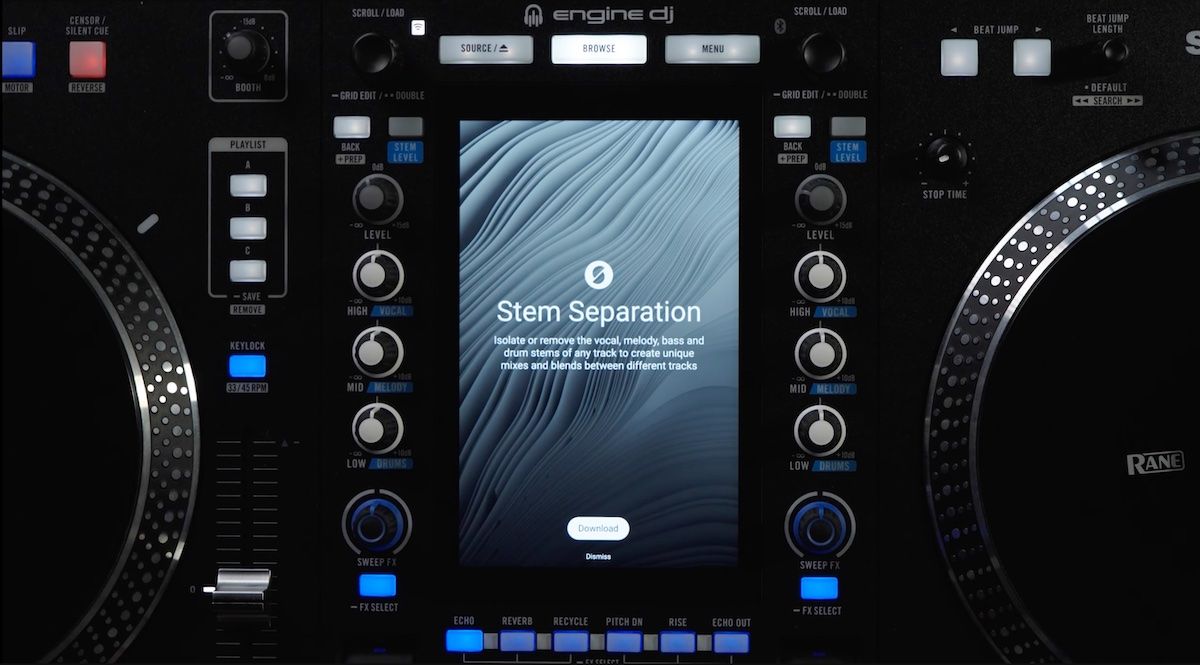
Engine DJ 5.0 from Denon DJ went live today. The headline feature: on-board stems rendering. It’s exclusive to the Rane System 1, which now becomes the first piece of standalone DJ hardware that can split a track into 4-part stems without an external computer in the chain.
If you don’t own a System 1, the update still has plenty for you. Every Engine DJ device going back to the original SC5000 (released 2017, which means that’s a hefty and awesome nine-year support window) gets RGB waveforms as an option, track star ratings settable directly on the hardware, new 32-beat Reverb Rise and Reverb Drop FX (for devices with mixers/FX), and a redesigned source menu. There’s also a new import assistant for users coming over from Rekordbox or Serato, plus an under-the-hood database overhaul that should mean snappier browsing on older players.
This is the kind of continued support that DJs notice, especially set against Pioneer DJ’s approach to updating older CDJs over similar timeframes. Particularly interesting is that many of the devices this update covers are somewhat out-of-manufacture – (you can’t, for instance, buy a SC6000 new in the US right now).
This is praise worthy – ecosystems are worth more to DJs when they hold value and get better over time as opposed to quickly aging out. Compare this to quite odd reality that AlphaTheta still sells the XDJ-RR/XDJ-700/XDJ-1000MK2 as new devices – but without any major features added to them since their launches in 2018, 2015, and 2016 respectively(!).
How on-board stems actually work
Denon DJ isn’t calling this real-time stems – for good reason. As Phil at Digital DJ Tips and Mojaxx on Beatport Tech both confirmed in their hands-on videos, rendering takes roughly as long as the track itself. A 4-minute file lands somewhere around 3 to 3.5 minutes. So this isn’t the load-and-instantly-stem experience you get in DJ software (there’s simply less processing power).
What it is is usable. Rendering runs in the background while you keep mixing, you can queue up entire playlists ahead of time, and the stem quality matches what Engine Desktop produces (so, fine, not class-leading). Crossfader’s walkthrough flagged a useful detail: once a track is rendered, the stems save to your drive and reload instantly the next time you cue it. Drop your incoming track into the queue when there’s a minute or two left on the playing deck, and the stems will usually be ready by the time you reach for them.
Three caveats about onboard stems
- Stems save permanently to your drive. Render thousands of tracks and you’ll add hundreds of gigabytes to your USB, as Mojaxx hammered home in his Beatport Tech review. There’s no temp-file mode. Render on the fly through a long gig and you can watch your performance drive fill up in real time. In an era where storage prices are through the roof, this feels a potentially costly update.
- Stems rendered on the device don’t sync back to your main library cleanly yet. Phil walked through this one in detail: using the desktop Sync Manager in its default state will wipe them. A new checkbox prevents that, and the Engine team has told reviewers they’ll improve this behavior in a future update. The current workaround is to drag tracks over manually instead of using Sync Manager.
- It doesn’t work with streaming. Because the stems files are permanent and unencrypted, no streaming service will allow on-device rendering from streamed audio. So Beatport, Tidal, and SoundCloud streaming users are out of luck on this feature, which ties back to Engine’s long-running lack of an offline locker for streaming (as he notes in his video, that’s something Mojaxx has been hassling them about since 2019).
For context: no other standalone DJ system supports stems at all. Engine is still well out ahead. But there’s a cleaner version of this feature waiting in the wings, and the team knows it.
Availability
Engine DJ 5.0 OS and Desktop are free downloads as of today. Supported hardware (Numark, Denon DJ, and Rane) can pull the update directly via Wi-Fi or wired connection. Full release notes are at enginedj.com.