DJ TechTools
  • Blog
    • DJ Gear
      • DIY Projects
      • Gear Reviews
      • New Products
      • Controllerism
    • Techniques + Tips
      • Beginner DJ
      • Advanced DJ
      • Producer
      • Finger Drummer
    • News + Culture
      • Editorials + Opinions
      • Artist Interviews
      • Performances + Routines
      • How I Play
    • DJ Software Tutorials
      • Serato Tips
        • Traktor Tips
      • CDJ Tips
      • Ableton Live Tips
  • Store
    • Run by real DJs, not a corporation
    • DJ Controllers
      • Midi Fighter Twister
      • Midi Fighter Spectra
      • Midi Fighter 64
      • View All
    • Accessories
      • Chroma USB Drive for DJs
      • Chroma Caps
      • Chroma Cables Audio
      • Chroma Cables USB-A
      • Chroma Cables: USB-C
      • DJTT Gift Card
      • Midi Fighter T-Shirt
      • Keyboard Covers
      • Earplugs by V-Moda
    • Production Gear
    • Soundcards & Mixers
  • Community
    • Popular Forums
      • General Discussion
      • Buy & Sell
      • Reviews
      • Mixes
      • Music Production
      • Show Your Setup
      • Off Topic
    • Handy Links
      • New Posts
      • Private Messages
      • Register
      • Search
    • Midi Maps
      • Traktor
      • Ableton
      • Serato DJ
      • Midi Fighter 3D
      • Midi Fighter Twister
      • Midi Fighter Spectra
  • Midi Fighter
  • Chroma
No Result
View All Result
DJ TechTools
  • Blog
    • DJ Gear
      • DIY Projects
      • Gear Reviews
      • New Products
      • Controllerism
    • Techniques + Tips
      • Beginner DJ
      • Advanced DJ
      • Producer
      • Finger Drummer
    • News + Culture
      • Editorials + Opinions
      • Artist Interviews
      • Performances + Routines
      • How I Play
    • DJ Software Tutorials
      • Serato Tips
        • Traktor Tips
      • CDJ Tips
      • Ableton Live Tips
  • Store
    • Run by real DJs, not a corporation
    • DJ Controllers
      • Midi Fighter Twister
      • Midi Fighter Spectra
      • Midi Fighter 64
      • View All
    • Accessories
      • Chroma USB Drive for DJs
      • Chroma Caps
      • Chroma Cables Audio
      • Chroma Cables USB-A
      • Chroma Cables: USB-C
      • DJTT Gift Card
      • Midi Fighter T-Shirt
      • Keyboard Covers
      • Earplugs by V-Moda
    • Production Gear
    • Soundcards & Mixers
  • Community
    • Popular Forums
      • General Discussion
      • Buy & Sell
      • Reviews
      • Mixes
      • Music Production
      • Show Your Setup
      • Off Topic
    • Handy Links
      • New Posts
      • Private Messages
      • Register
      • Search
    • Midi Maps
      • Traktor
      • Ableton
      • Serato DJ
      • Midi Fighter 3D
      • Midi Fighter Twister
      • Midi Fighter Spectra
  • Midi Fighter
  • Chroma
No Result
View All Result
DJ TechTools

How To Make Remix Deck Sets With Traktor’s Loop Recorder

Mad Zach by Mad Zach
November 19, 2012
in Advanced DJ Tips, DJ Software Tips, DJ Techniques / Tips, Traktor Kontrol F1, Traktor Tips, Traktor Videos, Video Posts, Videos
Reading Time: 2 mins read
0
How To Make Remix Deck Sets With Traktor’s Loop Recorder
543
VIEWS
Post on FacebookTweet thisUpvote on Reddit

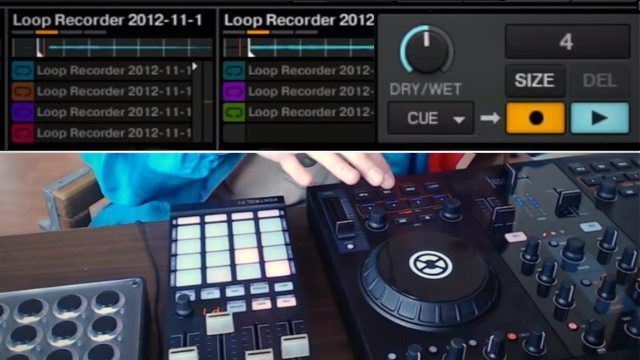
Last week Mad Zach showed off how to build remix routines in Maschine, but with our Traktor users in mind, he made this new tutorial for a different style of remixing. Watch and learn how to use the Loop Recorder as the main tool to build quick and powerful Remix Deck Sets. Check out the video inside, and grab a free download of the Remix Set!

MAD ZACH’S TRAKTOR PREFERENCES

For this to work well, there are a few tweaks that I recommend making to Traktor’s preferences to get everything dialed:

  • Audio Setup>Latency: as low as you can go without overloading your CPU (mine’s at 192)
  • Transport>Loops: Set Auto Detect Size @ 0 seconds
  • Transport>Cue Play Mode: Instant
  • Loop Recorder>Record Latency: 3ms, or as low as possible without CPU overload

ADDITIONAL TIPS TO MAKE YOUR REMIX SETS ROCK!

Although you probably don’t want to turn Quantize on when you’re recording into the loop recorder, it helps to have it on when you launch the loop recording. This will help make sure your loop recording starts precisely on the first beat. My solution was to map a button right below my “start loop” button to momentarily turn on Quantize. I would press it just before I start the loop recorder, and then let go once I start recording my cue point juggling. Use the EQ and effects to make your loops sit well together in the mix. For example, I cut the bass out of hihats, acapellas, etc. You can also use trailing effects like Delay to extend the length on short blips. Tune your loops and samples to fit together in the same key by using your tempo pitch bend. Remember, you can also resample multiple tracks from the Remix Decks down to one clip/remix deck slot using this same loop recorder technique.

Check out Ean’s tutorial on how to use the Midi Fighter 3D to create and perform with Remix Decks.

FREE DOWNLOADS!

Download the Remix Deck yourself and play with it: Mad Zach “Sandman Murder Pyramid” Remix Set
(if you haven’t already, you’ll need to make a quick and painless myDJTT username to download)

Tags: Kontrol F1kontrol s2loop recordermidi fighter classicremix deck setsremixing in traktortraktor pro 2.6
Share4Tweet3Share
Previous Post

Review: Serato DJ 1.0 software

Next Post

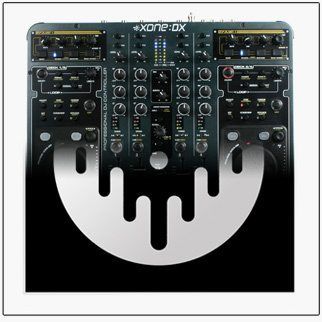
Xone:DX Users Petition For Serato DJ Support

Related Posts

Traktor Trutorials: Quick, High-Quality Traktor Tutorials
DJ Software Tips

Traktor Trutorials: Quick, High-Quality Traktor Tutorials

August 28, 2017
Routine: Asian Hawk + Turntable Soul
Routines

Routine: Asian Hawk + Turntable Soul

March 23, 2017
Best All-In-One Traktor Controller
DJ Controllers

What’s The Best All-In-One Traktor Controller? Kontrol S2 vs S4 vs S5 vs S8

February 13, 2017
Load More
Next Post
Xone:DX Users Petition For Serato DJ Support

Xone:DX Users Petition For Serato DJ Support

Want to reach DJTT's audience here?

Shoot an email to advertising@djtechtools.com

DJTT ads
DJTT newsletter
Midi Fighter
Chat with us
  • ABOUT DJTT
  • CONTACT
  • PRIVACY
  • MIDI FIGHTER HELP
  • ABOUT DJTT
  • JOBS
  • CONTACT US
  • ADVERTISE
  • PRIVACY POLICY
  • ACCESSIBILITY STATEMENT

© 2024 DJ Techtools all rights reserved by DJ TechTools on all content unless otherwise noted.

No Result
View All Result
  • Blog
    • DJ Gear
      • DIY Projects
      • Gear Reviews
      • New Products
      • Controllerism
    • Techniques + Tips
      • Beginner DJ
      • Advanced DJ
      • Producer
      • Finger Drummer
    • News + Culture
      • Editorials + Opinions
      • Artist Interviews
      • Performances + Routines
      • How I Play
    • DJ Software Tutorials
      • Serato Tips
      • CDJ Tips
      • Ableton Live Tips
  • Store
    • Run by real DJs, not a corporation
    • DJ Controllers
      • Midi Fighter Twister
      • Midi Fighter Spectra
      • Midi Fighter 64
      • View All
    • Accessories
      • Chroma USB Drive for DJs
      • Chroma Caps
      • Chroma Cables Audio
      • Chroma Cables USB-A
      • Chroma Cables: USB-C
      • DJTT Gift Card
      • Midi Fighter T-Shirt
      • Keyboard Covers
      • Earplugs by V-Moda
    • Production Gear
    • Soundcards & Mixers
  • Community
    • Popular Forums
      • General Discussion
      • Buy & Sell
      • Reviews
      • Mixes
      • Music Production
      • Show Your Setup
      • Off Topic
    • Handy Links
      • New Posts
      • Private Messages
      • Register
      • Search
    • Midi Maps
      • Traktor
      • Ableton
      • Serato DJ
      • Midi Fighter 3D
      • Midi Fighter Twister
      • Midi Fighter Spectra
  • Midi Fighter
  • Chroma

© 2024 DJ Techtools all rights reserved by DJ TechTools on all content unless otherwise noted.

This website uses cookies. By continuing to use this website you are giving consent to cookies being used. Visit our Privacy and Cookie Policy.