DJ TechTools
  • Blog
    • DJ Gear
      • DIY Projects
      • Gear Reviews
      • New Products
      • Controllerism
    • Techniques + Tips
      • Beginner DJ
      • Advanced DJ
      • Producer
      • Finger Drummer
    • News + Culture
      • Editorials + Opinions
      • Artist Interviews
      • Performances + Routines
      • How I Play
    • DJ Software Tutorials
      • Serato Tips
        • Traktor Tips
      • CDJ Tips
      • Ableton Live Tips
  • Store
    • Run by real DJs, not a corporation
    • DJ Controllers
      • Midi Fighter Twister
      • Midi Fighter Spectra
      • Midi Fighter 64
      • View All
    • Accessories
      • Chroma USB Drive for DJs
      • Chroma Caps
      • Chroma Cables Audio
      • Chroma Cables USB-A
      • Chroma Cables: USB-C
      • DJTT Gift Card
      • Midi Fighter T-Shirt
      • Keyboard Covers
      • Earplugs by V-Moda
    • Production Gear
    • Soundcards & Mixers
  • Community
    • Popular Forums
      • General Discussion
      • Buy & Sell
      • Reviews
      • Mixes
      • Music Production
      • Show Your Setup
      • Off Topic
    • Handy Links
      • New Posts
      • Private Messages
      • Register
      • Search
    • Midi Maps
      • Traktor
      • Ableton
      • Serato DJ
      • Midi Fighter 3D
      • Midi Fighter Twister
      • Midi Fighter Spectra
  • Midi Fighter
  • Chroma
No Result
View All Result
DJ TechTools
  • Blog
    • DJ Gear
      • DIY Projects
      • Gear Reviews
      • New Products
      • Controllerism
    • Techniques + Tips
      • Beginner DJ
      • Advanced DJ
      • Producer
      • Finger Drummer
    • News + Culture
      • Editorials + Opinions
      • Artist Interviews
      • Performances + Routines
      • How I Play
    • DJ Software Tutorials
      • Serato Tips
        • Traktor Tips
      • CDJ Tips
      • Ableton Live Tips
  • Store
    • Run by real DJs, not a corporation
    • DJ Controllers
      • Midi Fighter Twister
      • Midi Fighter Spectra
      • Midi Fighter 64
      • View All
    • Accessories
      • Chroma USB Drive for DJs
      • Chroma Caps
      • Chroma Cables Audio
      • Chroma Cables USB-A
      • Chroma Cables: USB-C
      • DJTT Gift Card
      • Midi Fighter T-Shirt
      • Keyboard Covers
      • Earplugs by V-Moda
    • Production Gear
    • Soundcards & Mixers
  • Community
    • Popular Forums
      • General Discussion
      • Buy & Sell
      • Reviews
      • Mixes
      • Music Production
      • Show Your Setup
      • Off Topic
    • Handy Links
      • New Posts
      • Private Messages
      • Register
      • Search
    • Midi Maps
      • Traktor
      • Ableton
      • Serato DJ
      • Midi Fighter 3D
      • Midi Fighter Twister
      • Midi Fighter Spectra
  • Midi Fighter
  • Chroma
No Result
View All Result
DJ TechTools

FL Studio 12 Coming to Mac OS X

Chris Lee by Chris Lee
December 8, 2014
in Breaking News, News
Reading Time: 3 mins read
0
FL Studio 12 Coming to Mac OS X
108
VIEWS
Post on FacebookTweet thisUpvote on Reddit

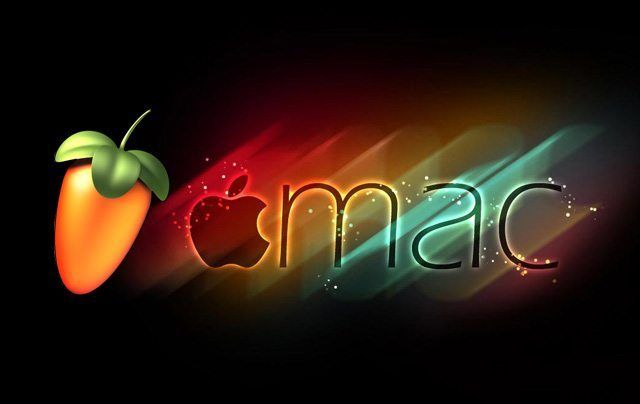
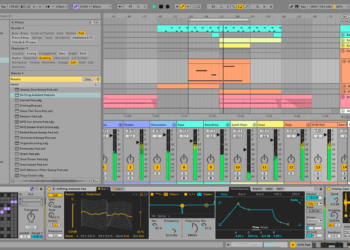
Image-line, the developers of the widely known FL Studios, has confirmed that the software will be released as a native DAW for Mac OS X. Because of the lack of support given during the CrossOver Beta released last year, the current solution for Mac users is insufficient. Instead, Image-line focused on creating VST’s for their popular plugins. Now, they are in the works of creating the entire DAW.

FL Studio Native OS X Compatibility

Recently, the FAQ section has been changed to address developments into FL12 and the Mac software:

Will there ever be a native Mac OS X release of FL Studio?

A while back we started by testing a FL Studio Mac OS X BETA (Crossover Wrapped) version, with direct installation on Mac OS X. This was promising but it was still just a Windows program, wrapped by Crossover, running on OS X. The interest in the wrapped beta, and the problems we faced supporting 3rd party VST plugins in it, lead the team to start work on porting our Windows-only VST plugins – Edison, Gross Beat, Harmless, Harmor, Maximus, Ogun, Slicex, Sytrus, Vocodex to OS X native VST format. You can get these plugins here.

The OS X VST plugin testing, was in fact, the stealthy beginnings of FL Studio native OS X compatibility development. These VST plugins use the exact same code-base as FL Studio itself, and if we could get these working to spec on OS X, then FL Studio would likely follow soon after.

Well, the plugin testing is progressing nicely, and so the team has turned their attention to FL Studio 12 itself. It’s a long and slow process and we can’t make any promises yet, since we may come across unexpected and or unsolvable technical problems. But work is indeed under way. Below are some of the issues we face porting FL Studio to native Mac OS X and explains why this is taking ‘so long’:

Delphi – FL Studio is written in Delphi with in-line assembly for much of the DSP (yes hard-core assembly, not for babies). This is one reason why FL Studio and its graphics are so fluid.??Delphi only recently got the ability to compile to OS X. So while this is great, it’s a 1st-generation OS X compiler, it’s cranky and sometimes causes problems of its own. But, before this came along, we needed to port well over 1 million lines of code to another language. We never thought that was a good idea, and it’s why we never did it before. But, things have changed, so let’s call this progress.

Windows API – FL Studio is tightly bound to the Windows API that takes care of moving, minimizing, maximizing windows, detecting cursor position, drag & drop, opening windows dialogs, clipboard functions, decoding MP3s, … so a port requires all operating system dependent calls to be isolated & replaced by bi-platform dependent functions. That’s a major part of what the team are doing now.  ??FYI, just getting all this system dependent code from Deckadance (which was created more or less with porting in mind) and replacing it with bi-platform versions took almost 6 months. FL Studio is many times the size of Deckadance, so please be patient.

Will this impact on the development of FL Studio for Windows?

No, the team working on the conversion to OS X is completely separate from the Windows development team. They talk, but don’t share any bodies that we know of, so it’s business as usual on the Microsoft side of things.  Bill Gates sends his regards BTW.

The FL studio Support Team


What DAW are you using for OS X? Would you consider trying FL Studio?

Let us know in the comments section!
Tags: dawfl studiofruity loopsImage-lineMac OS XnativeProductionwindows
Share1Tweet1Share
Previous Post

Breaking: Serato DJ 1.7.2 Released; Yosemite Support, MIDI LED Output

Next Post

touchAble 3: Turn iOS Devices into USB Controllers

Related Posts

Ableton Live 12 is here: new Performance Packs, sounds, MIDI tools + a refreshed workflow and more
Ableton

Ableton Live 12 is here: new Performance Packs, sounds, MIDI tools + a refreshed workflow and more

March 8, 2024
Serato Studio 2.0 on a laptop computer in purple room with a hand in the foreground triggering a cuepoint on a MIDI controller
Production Tips

Serato’s Stems added to their DAW in Serato Studio 2.0

January 18, 2023
We Tested 3 Online Music Creation Tools You Can Try In 2023: Soundful, Soundtrap + Soundation
Production Tips

We Tested 3 Online Music Creation Tools You Can Try In 2023: Soundful, Soundtrap + Soundation

December 28, 2022
Load More
Next Post
touchAble 3: Turn iOS Devices into USB Controllers

touchAble 3: Turn iOS Devices into USB Controllers

Want to reach DJTT's audience here?

Shoot an email to advertising@djtechtools.com

DJTT ads
DJTT newsletter
Midi Fighter
Chat with us
  • ABOUT DJTT
  • CONTACT
  • PRIVACY
  • MIDI FIGHTER HELP
  • ABOUT DJTT
  • JOBS
  • CONTACT US
  • ADVERTISE
  • PRIVACY POLICY
  • ACCESSIBILITY STATEMENT

© 2024 DJ Techtools all rights reserved by DJ TechTools on all content unless otherwise noted.

No Result
View All Result
  • Blog
    • DJ Gear
      • DIY Projects
      • Gear Reviews
      • New Products
      • Controllerism
    • Techniques + Tips
      • Beginner DJ
      • Advanced DJ
      • Producer
      • Finger Drummer
    • News + Culture
      • Editorials + Opinions
      • Artist Interviews
      • Performances + Routines
      • How I Play
    • DJ Software Tutorials
      • Serato Tips
      • CDJ Tips
      • Ableton Live Tips
  • Store
    • Run by real DJs, not a corporation
    • DJ Controllers
      • Midi Fighter Twister
      • Midi Fighter Spectra
      • Midi Fighter 64
      • View All
    • Accessories
      • Chroma USB Drive for DJs
      • Chroma Caps
      • Chroma Cables Audio
      • Chroma Cables USB-A
      • Chroma Cables: USB-C
      • DJTT Gift Card
      • Midi Fighter T-Shirt
      • Keyboard Covers
      • Earplugs by V-Moda
    • Production Gear
    • Soundcards & Mixers
  • Community
    • Popular Forums
      • General Discussion
      • Buy & Sell
      • Reviews
      • Mixes
      • Music Production
      • Show Your Setup
      • Off Topic
    • Handy Links
      • New Posts
      • Private Messages
      • Register
      • Search
    • Midi Maps
      • Traktor
      • Ableton
      • Serato DJ
      • Midi Fighter 3D
      • Midi Fighter Twister
      • Midi Fighter Spectra
  • Midi Fighter
  • Chroma

© 2024 DJ Techtools all rights reserved by DJ TechTools on all content unless otherwise noted.

This website uses cookies. By continuing to use this website you are giving consent to cookies being used. Visit our Privacy and Cookie Policy.