DJ TechTools
  • Blog
    • DJ Gear
      • DIY Projects
      • Gear Reviews
      • New Products
      • Controllerism
    • Techniques + Tips
      • Beginner DJ
      • Advanced DJ
      • Producer
      • Finger Drummer
    • News + Culture
      • Editorials + Opinions
      • Artist Interviews
      • Performances + Routines
      • How I Play
    • DJ Software Tutorials
      • Serato Tips
        • Traktor Tips
      • CDJ Tips
      • Ableton Live Tips
  • Store
    • Run by real DJs, not a corporation
    • DJ Controllers
      • Midi Fighter Twister
      • Midi Fighter Spectra
      • Midi Fighter 64
      • View All
    • Accessories
      • Chroma USB Drive for DJs
      • Chroma Caps
      • Chroma Cables Audio
      • Chroma Cables USB-A
      • Chroma Cables: USB-C
      • DJTT Gift Card
      • Midi Fighter T-Shirt
      • Keyboard Covers
      • Earplugs by V-Moda
    • Production Gear
    • Soundcards & Mixers
  • Community
    • Popular Forums
      • General Discussion
      • Buy & Sell
      • Reviews
      • Mixes
      • Music Production
      • Show Your Setup
      • Off Topic
    • Handy Links
      • New Posts
      • Private Messages
      • Register
      • Search
    • Midi Maps
      • Traktor
      • Ableton
      • Serato DJ
      • Midi Fighter 3D
      • Midi Fighter Twister
      • Midi Fighter Spectra
  • Midi Fighter
  • Chroma
No Result
View All Result
DJ TechTools
  • Blog
    • DJ Gear
      • DIY Projects
      • Gear Reviews
      • New Products
      • Controllerism
    • Techniques + Tips
      • Beginner DJ
      • Advanced DJ
      • Producer
      • Finger Drummer
    • News + Culture
      • Editorials + Opinions
      • Artist Interviews
      • Performances + Routines
      • How I Play
    • DJ Software Tutorials
      • Serato Tips
        • Traktor Tips
      • CDJ Tips
      • Ableton Live Tips
  • Store
    • Run by real DJs, not a corporation
    • DJ Controllers
      • Midi Fighter Twister
      • Midi Fighter Spectra
      • Midi Fighter 64
      • View All
    • Accessories
      • Chroma USB Drive for DJs
      • Chroma Caps
      • Chroma Cables Audio
      • Chroma Cables USB-A
      • Chroma Cables: USB-C
      • DJTT Gift Card
      • Midi Fighter T-Shirt
      • Keyboard Covers
      • Earplugs by V-Moda
    • Production Gear
    • Soundcards & Mixers
  • Community
    • Popular Forums
      • General Discussion
      • Buy & Sell
      • Reviews
      • Mixes
      • Music Production
      • Show Your Setup
      • Off Topic
    • Handy Links
      • New Posts
      • Private Messages
      • Register
      • Search
    • Midi Maps
      • Traktor
      • Ableton
      • Serato DJ
      • Midi Fighter 3D
      • Midi Fighter Twister
      • Midi Fighter Spectra
  • Midi Fighter
  • Chroma
No Result
View All Result
DJ TechTools

Bored with Serato? Well don’t be.

DJfreshstep by DJfreshstep
February 11, 2010
in Basic DJ Tips, DJ Software, Serato Tips
Reading Time: 3 mins read
0
Bored with Serato? Well don’t be.
114
VIEWS
Post on FacebookTweet thisUpvote on Reddit

For those who can’t wait to try out some new stuff in Serato Scratch Live, the 2.0 release (which is now in public beta) may seem like it’s taking forever. Fortunately, there are a lot of semi-hidden functions in SSL  1.9 that will keep you entertained in the mean time. They include MIDI-controlled instant loop roll, Transfer stutter, AM mode, and of course the classic Pong trick.

Loop Roll
looproll1

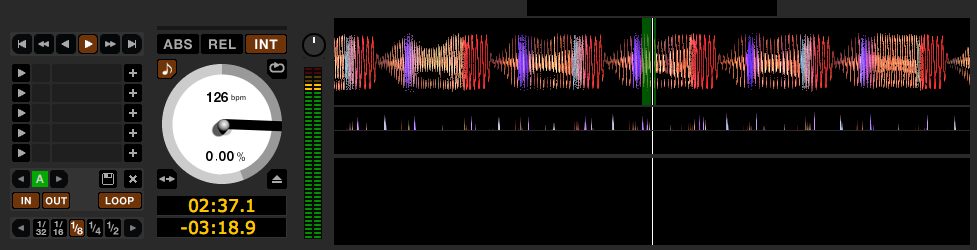
Loop roll is an often over-looked feature that can be described as a beat-repeat trick. You temporarily loop a part of the song, and when the loop is released, the playhead jumps back to its normal position as if a loop had never been set. In order for this to work, the BPM must be set in the BPM column.

Loop Roll Key Commands
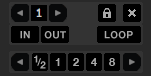
loop Roll

To try this out right away, use keyboard commands to access the loop roll feature by holding ctrl + alt + 1-5 for the left deck and alt + 6-0 for the right.  There are 16 looping increments available but you can only access the 5 that are currently shown in the loop window. Simply use arrows in the auto looping group to change which increments you have access to.

Loop Roll MIDI Control
4230237818_1688f0f6cd_b

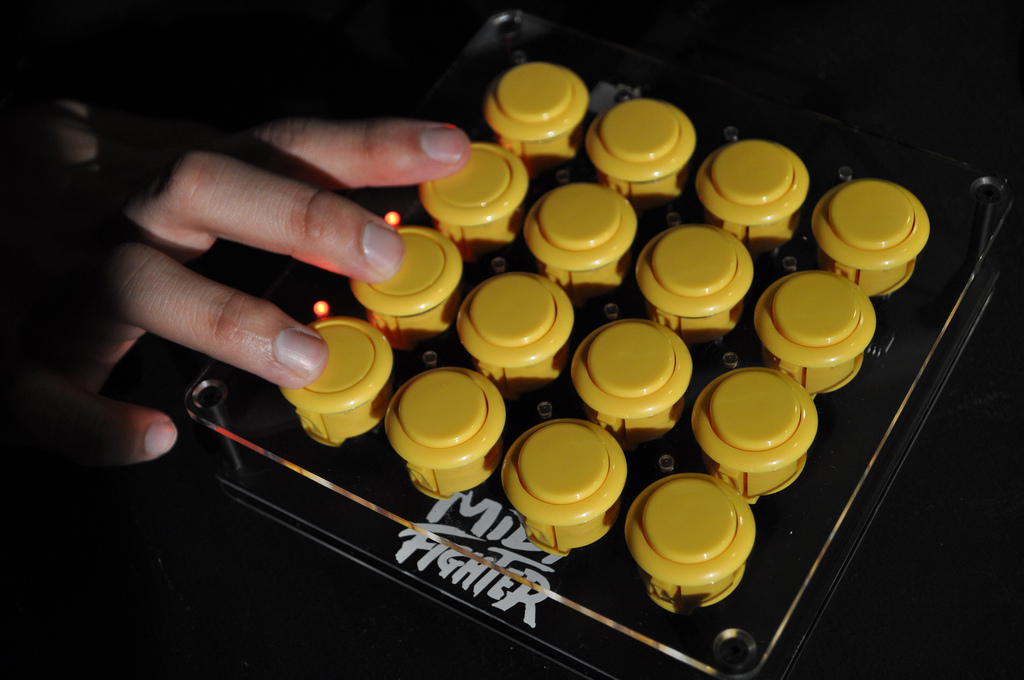
If you want a little more control and a hands-on experience, you can map these functions out on any MIDI controller with a little hidden MIDI trick. A row of 4-8 buttons is perfect because you can directly access any of the loop roll values (not just those shown in the screen) and glitch out a song in Serato.

  • Step 1. Make sure your MIDI controller is hooked up to your computer before you start SSL.
  • Step 2. Click the MIDI tap on the right side of the screen.
  • Step 3. Hold down CTRL + ALT and click each loop value that you want to assign.
  • Step 4. Now press the MIDI button you want to assign to that unique loop roll value.
  • We recommend using 1,  1/2, 1/4, 1/8, 1/16, and 1/32 plus a reverse for good measure.

test

“Transfer” Stutter Loop

This is a loop that automatically divides itself in half after every cycle down to the smallest size. When used sparingly, this effect makes the dance floor go crazy. In order to make this function a little easier:

  • Press the Setup tab.
  • Then press the Playback tab.
  • Uncheck “Playback Keys use Shift”.
  • Now simply Press alt + t to effect the left deck and alt + g for the right.

DJ AM Mode
AMmode

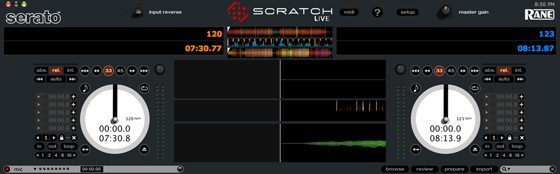
Don’t you hate when you’re DJing and someone is trying to trainspot your tracks over your shoulder for their own personal gain!? Well, this mode is for you. By pressing either BPM tap button and then typing “am” it simply blacks out your track titles on any and all decks.  You can reverse this by typing “am” again, or if you click either deck, it will display the title briefly before disappearing into the night.

Pong Mode
Pong

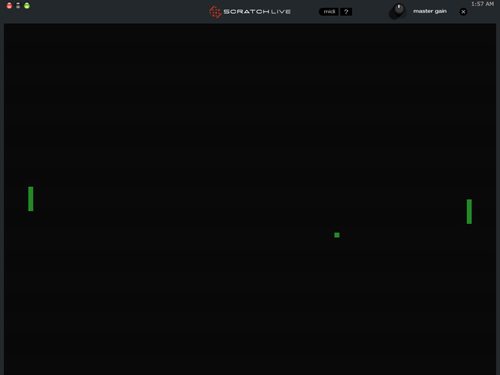
This is an oldy but a goody, as well as something to do to burn some minutes. In order to play Pong, first make sure both decks have tracks loaded up on them. Then by pressing control + shift at the same time followed by clicking the setup tab, you should be able to entertain yourself like your parents used to.

Hopefully some of these suggestions will tide you over till 2.0’s release date!

Tags: HIdden TricksSerato 1.9TipsTutorial
Share1Tweet1Share
Previous Post

Please, Remember the Turntables Too…

Next Post

Live @ Dj TechTools

Related Posts

Meet the Koala sampler app: a mobile production powerhouse, now with stems
DJ Gear

Meet the Koala sampler app: a mobile production powerhouse, now with stems

February 7, 2023
Tips for DJing in Extreme Cold: DJTT readers share their advice
DJ Techniques / Tips

Tips for DJing in Extreme Cold: DJTT readers share their advice

January 30, 2023
A quick way to add stutter/cut FX in Ableton Live
Ableton Live Tips

A quick way to add stutter/cut FX in Ableton Live

August 13, 2020
Load More
Next Post
Live @ Dj TechTools

Live @ Dj TechTools

Want to reach DJTT's audience here?

Shoot an email to advertising@djtechtools.com

DJTT ads
DJTT newsletter
Midi Fighter
Chat with us
  • ABOUT DJTT
  • CONTACT
  • PRIVACY
  • MIDI FIGHTER HELP
  • ABOUT DJTT
  • JOBS
  • CONTACT US
  • ADVERTISE
  • PRIVACY POLICY
  • ACCESSIBILITY STATEMENT

© 2024 DJ Techtools all rights reserved by DJ TechTools on all content unless otherwise noted.

No Result
View All Result
  • Blog
    • DJ Gear
      • DIY Projects
      • Gear Reviews
      • New Products
      • Controllerism
    • Techniques + Tips
      • Beginner DJ
      • Advanced DJ
      • Producer
      • Finger Drummer
    • News + Culture
      • Editorials + Opinions
      • Artist Interviews
      • Performances + Routines
      • How I Play
    • DJ Software Tutorials
      • Serato Tips
      • CDJ Tips
      • Ableton Live Tips
  • Store
    • Run by real DJs, not a corporation
    • DJ Controllers
      • Midi Fighter Twister
      • Midi Fighter Spectra
      • Midi Fighter 64
      • View All
    • Accessories
      • Chroma USB Drive for DJs
      • Chroma Caps
      • Chroma Cables Audio
      • Chroma Cables USB-A
      • Chroma Cables: USB-C
      • DJTT Gift Card
      • Midi Fighter T-Shirt
      • Keyboard Covers
      • Earplugs by V-Moda
    • Production Gear
    • Soundcards & Mixers
  • Community
    • Popular Forums
      • General Discussion
      • Buy & Sell
      • Reviews
      • Mixes
      • Music Production
      • Show Your Setup
      • Off Topic
    • Handy Links
      • New Posts
      • Private Messages
      • Register
      • Search
    • Midi Maps
      • Traktor
      • Ableton
      • Serato DJ
      • Midi Fighter 3D
      • Midi Fighter Twister
      • Midi Fighter Spectra
  • Midi Fighter
  • Chroma

© 2024 DJ Techtools all rights reserved by DJ TechTools on all content unless otherwise noted.

This website uses cookies. By continuing to use this website you are giving consent to cookies being used. Visit our Privacy and Cookie Policy.