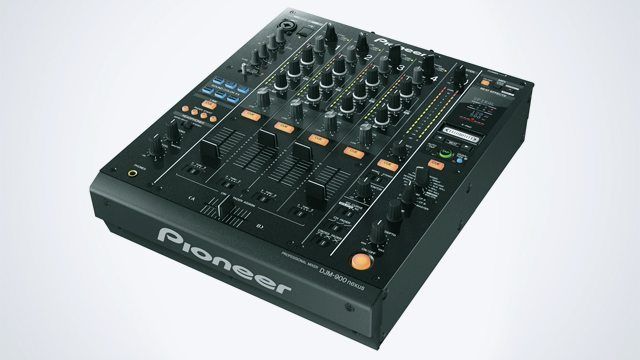
Pioneer is the club standard with both their CDJs and DJM mixers. A ‘proper’ club is likely to have a DJM800, or at least a 600 if they’re not the updating type, sandwiched between a pair of CDJ900/1000/2000s. The 800 had so much going for it that many tried and failed to even get a foothold in the DJ booth. The DJM 900 Nexus looks, certainly at first glance, pretty similar to the 800, so what exactly have Pioneer added to make sure they stay ahead of the competition?
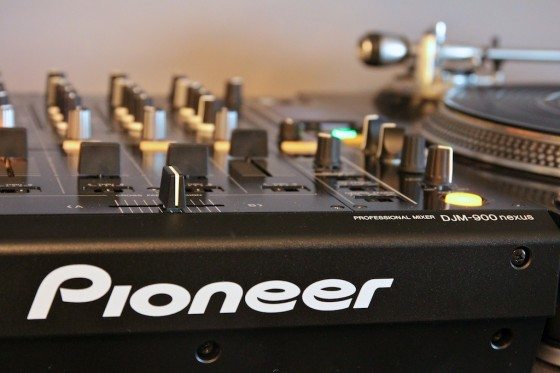
Reviewed: Pioneer DJM900 Nexus
Price: $1999/£1599 (street)
Available: Now
Weight: 15.7lb/7.2kg
Dimensions: 13.0″ x 16.1″ x 4.2″
THE GOOD:
- Traktor Certified
- Improved sounding, post fader effects
- MIDI connectivity
THE BAD:
- Single USB slot could lead to DJ switchover complications
- Faders are less than awe inspiring
- Serious price tag
THE BOTTOM LINE:
Price wise, the DJM900 Nexus is pretty much in a league of its own. However it’s extremely powerful, Traktor Certified, has great sounding effects and sounds cleaner than its predecessor. The faders aren’t perfect but you won’t be disappointed to find a DJM900 in the next booth you arrive in.
THE BASICS
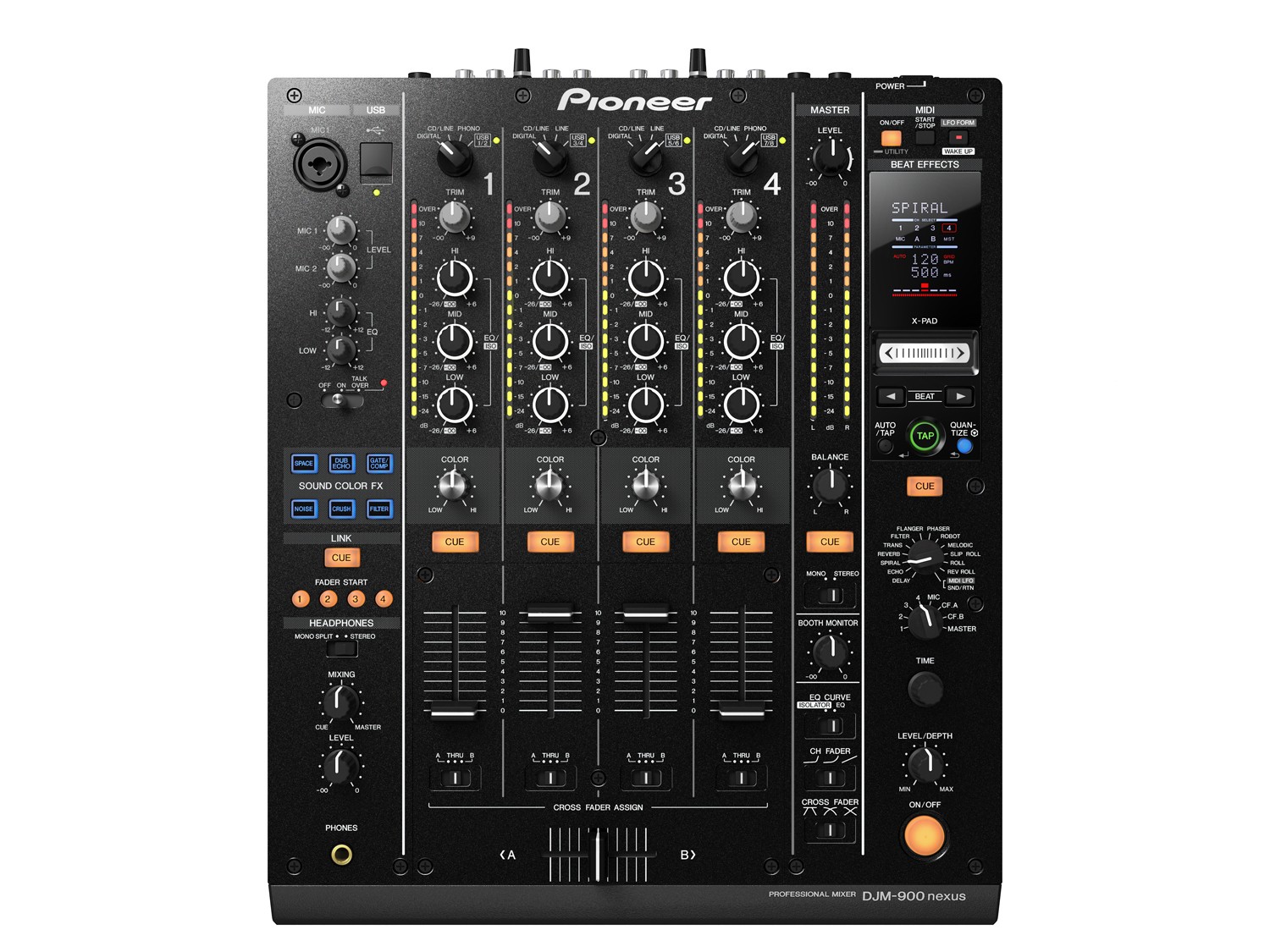
The Nexus is a four channel, Traktor Certified mixer with three band EQ on each channel, two mic inputs – one combi and one ¼” – that share a channel (separate gains, same high/low EQ) and feature an auto ducking talk over function, and two types of effects – a main effects bus that can be set to any individual channel, any crossfader side, or the master, and a separate effect that is dialed in to any channel individually. There are line, phono and digital ins per channel, a digital out, XLR and RCA master out, ¼” booth out, separate RCA record out, and stereo ¼” send and return. There’s fader start and not just DIN MIDI but USB too, and an ethernet connection for linking to Pioneer CDJs.
UPDATED EFFECTS
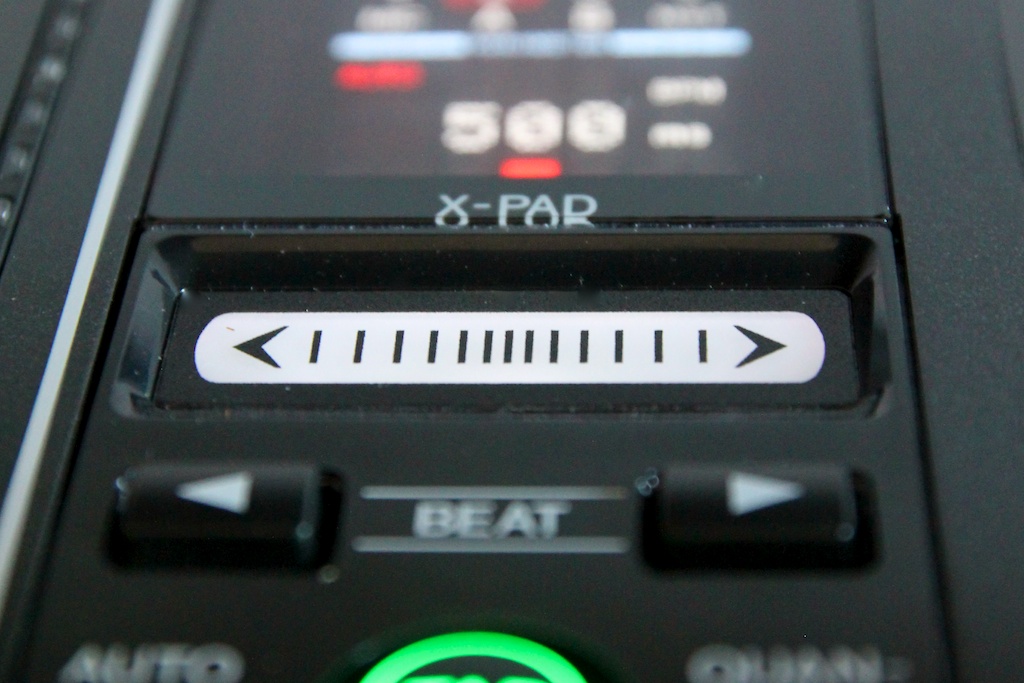 There are a few subtle layout evolutions from the 800 that hint at the fact the Nexus has had a rework, but one of the more obvious ones is the addition of the touch strip beneath its screen. A handy shortcut both to activating the effect and controlling its time parameter, it’s way more than a gimmick; rhythmical beat roll effects, intuitively smooth reverb swells and perhaps most importantly, the ability to activate, manipulate, and deactivate an effect in a fluid motion with one finger opens up all sorts of new opportunities. Now, adjusting effects whilst using the faders to mix or combining them with the sound colour effects doesn’t require a third hand – a definite improvement.
The effects section itself has had a real refurb. Many of the options were present in the 800 but have had a sound quality or feature upgrade, and there are some completely new ones too.

*Echo, Delay, Transform, Filter, Flanger and Phaser all return, and benefit from the X Pad’s ability to change their settings and on/off status in one motion.
*Reverb seems to have learned some lessons from Traktor’s implementation, and now features a space and a frequency setting, which lets you push the pitch of the reverb tail up or down as you grow or shrink it.
*As well as Loop Roll and Rev Roll, Slip Roll takes a new snapshot of the incoming audio when you change the timing, and whilst it’s not tough to achieve this effect with standard roll, simply switching the effect on and off when you change the timing, slip roll lends itself perfectly to sliding your finger across the X Pad.
*Chorus has made way for Melodic, and puts the power of the harmonising in your hands. When the effect is turned on it captures audio much like the beat roll, and then the time dial changes the pitch that the captured audio plays all whilst still keeping time. Pitch is independent of repeat time, too, so you can mess with the two to create a whole new melody line with a little practice. Here a vocal sample is grabbed and its timing and pitch are played with to create a new melody. Gate is used at the end to improvise a breakdown and create an on the fly remix: [audio:https://s11234.pcdn.co/wp-content/uploads/2011/04/melodic.mp3|titles=Melodic]
*Rev Delay has disappeared to make room for Spiral, which is a very forthright effect that sounds a little like a tape delay that feeds back infinitely. Changing the time allows you to change the tape speed, the sound folding over itself as it goes on and the pitch moving up and down with the effect – it’s one of the Nexus’s best new effects. Here’s a subtle example, increasing the level of the effect smoothly and then reducing the time value to shorten the delay and increase its pitch, with some audio fades to demonstrate its post fader nature: [audio:https://s11234.pcdn.co/wp-content/uploads/2011/04/spiral.mp3|titles=Spiral]
*Pan has been removed – a rarely used effect for many, even useless in clubs where the output is summed to mono. Everything is more or less in the same place on the dial, except *Reverb which has moved to perhaps the more logical position of beside the delay effects. The post fader implementation of the effects has been much improved too, and ‘wet’ effects such as reverbs and delays all tail out post fader and feed the colour effects. The Send and Return loop, of course, makes an appearance, as does the mysterious new MIDI LFO – more on that later.
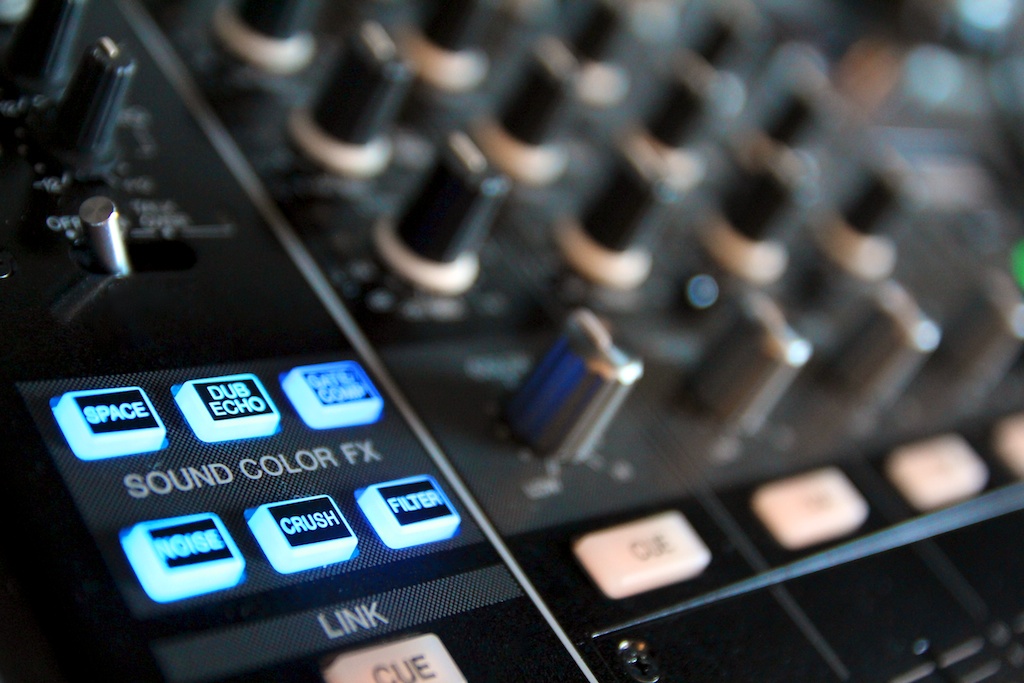 The Sound Colour effects, simple effects that are activated by a knob on each channel, have been given a refresh too. Filter and crush remain, whilst sweep and harmonic have been given the push to make room for four new effects:
- Noise, which overlays a noise signal whose pitch is adjustable by the dial position[audio:https://s11234.pcdn.co/wp-content/uploads/2011/04/noise.mp3|titles=Noise]
- Space, which is a splashy reverb that accentuates low frequencies in one direction, high in another[audio:https://s11234.pcdn.co/wp-content/uploads/2011/04/Space-High.mp3|titles=Space High][audio:https://s11234.pcdn.co/wp-content/uploads/2011/04/Space-Low.mp3|titles=Space Low]
- Dub Echo, an echo that feeds back more and more as the dial is turned, and like Space affects different frequencies in each direction [audio:https://s11234.pcdn.co/wp-content/uploads/2011/04/Dub-Low.mp3|titles=Dub Echo Low][audio:https://s11234.pcdn.co/wp-content/uploads/2011/04/Dub-High.mp3|titles=Dub Echo High]
- Gate/comp, which is a flattening compressor with an auto gain when turned one way, and a gating compressor when turned the other.[audio:https://s11234.pcdn.co/wp-content/uploads/2011/04/Gate.mp3|titles=Gate]
The loss of Harmonic might be an issue for some, but considering that key adjustment is a feature in most DVS systems, digital DJ software, and many CD decks, it’s easy to see why Pioneer did away with it.
SOUND AND CONNECTIVITY
 Audio quality’s gained a boost, taking the 32 bit DAC technology Pioneer, ehm.., pioneered in their DJM2000 mixer, and direct connection to the CDJ2000 and 900 preserves pristine fidelity. Being Traktor Certified means the Nexus is a USB cable away from automatically being a laptop running Traktor’s best friend, including happily providing not just timecode support but MIDI capability, enabling you to seamlessly control software effects with the Nexus effects controls as well as assign MIDI messages to the majority of what you can get your hands on on the mixer.
The Nexus has also been furnished with what Pioneer calls MIDI LFO. It’s as it sounds, and automates a MIDI signal with an adjustable LFO – so for instance, Traktor’s filter can be automatically modulated by the Nexus. There are seven different shapes to the LFO, and it’s just as easy to integrate it as the rest of the effects.

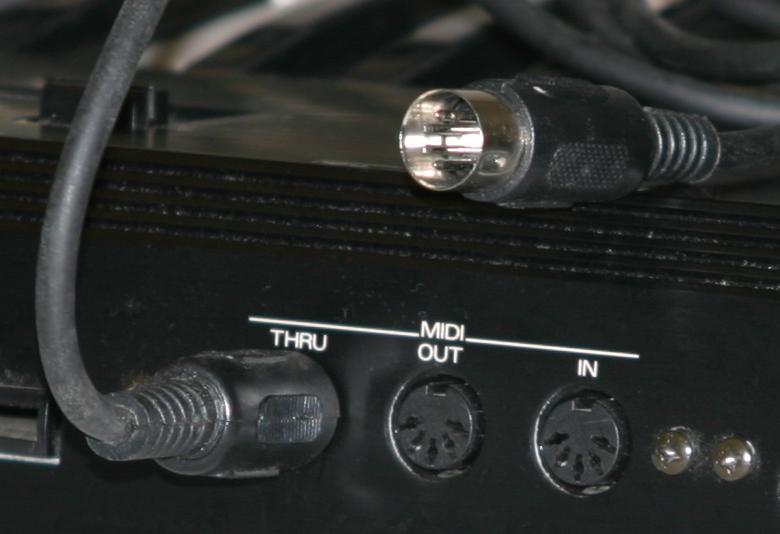
The built in audio interface isn’t locked to Traktor, of course, and the MIDI capability is given a boost by including an actual 5 pin DIN output on the back of the mixer for connecting MIDI capable effects units like Pioneer’s EFX1000.
A full complement of a DJM900, a pair of CDJ2000s and a computer with Rekordbox can all be synced via ethernet and quantised, so that effects triggered on the mixer respond to deck changes instantly and vice versa. There’s also a host of Pioneer specific pairings that really increase the value of the equipment when used as a whole, such as visual feedback on the CDJs when functions such as fader start and arm are activated on the Nexus.
SUBTLE CHANGES
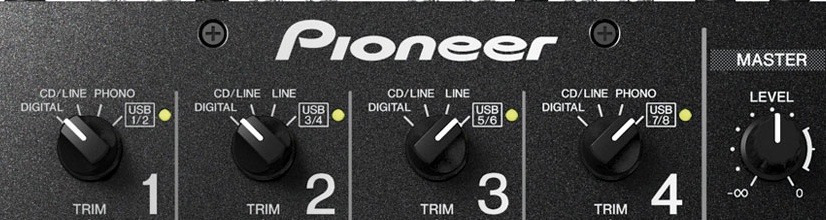
To facilitate the new inputs, the input select switch has turned into a dial, but other than that there’s almost no layout difference between the Nexus and its predecessor, discounting the changes to the effects. Two features have been added and gained a spot on the faceplate though, and that’s a Link Cue button, which allows cueing from Rekordbox, and a switch to allow you to set new dual mode EQs – either ‘classic’ Pioneer EQ or a new full kill fucntionality, to your preference. Newcomers can rest assured that the Nexus is a very comfortable and ergonomic mixer in use, and Pioneer veterans will find the switch a non issue.
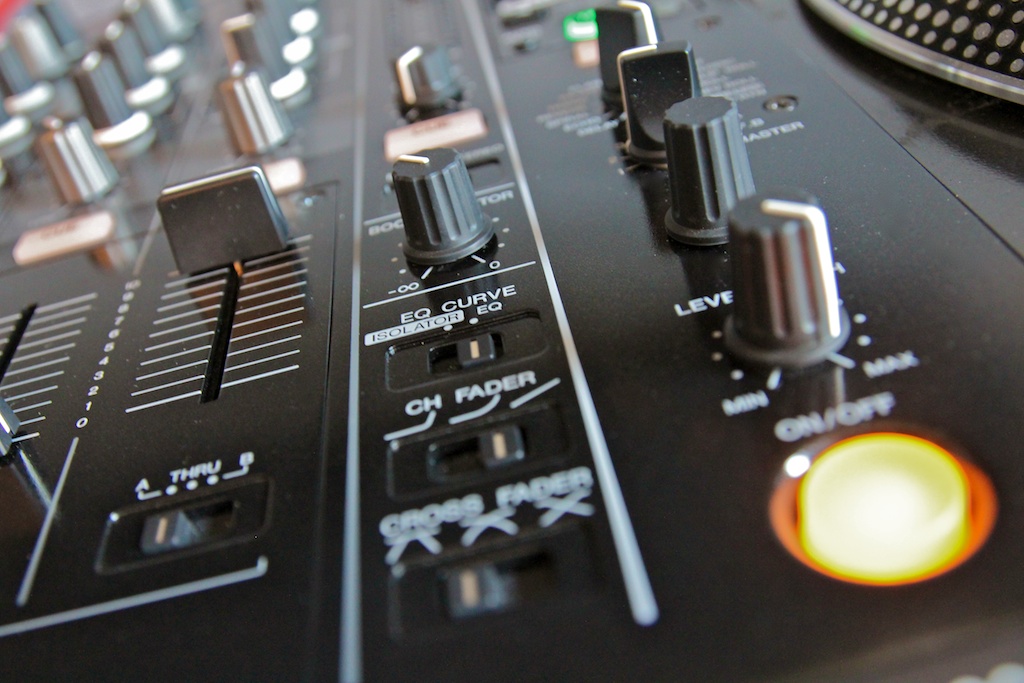
One area that would have been nice to see an upgrade is the faders. Feeling much the same as the majority of Pioneer mixers, the upfaders are a little stiff, the crossfader is slightly plasticy, and the cut in point is a little far from the edges of the fader travel to be comfortable for super quick cuts. That said, they are created more for longevity in harsh club environments than fine scratch control. To further preserve their life, or maybe more accurately your sanity when rocking up in an abused DJ booth, not only do the faders now feature a guard that prevents foreign materials entering the fader electronics through the faceplate but the fader caps feature Pioneer’s ‘P-Lock’ system which makes it impossible for the unscrupulous DJ who came before you to yank one off to replace the one they lost on their home mixer (you know who you are!).
While on the surface the DJM 900 Nexus might appear to be an 800 with a touch strip, it’s much, much more. The effects have really brought it into the midst of current DJing expectations, and the MIDI implementation gives it massive scope; Pioneer have created another beast that will be hard to topple.
Take a look at our article on the 900’s release announcement for all the specifications! You can also see and hear it in action in the following video:
[youtube]http://www.youtube.com/watch?v=lThb-k8O2os[/youtube]
Track used in the demonstrations: Panther God – Touch n Feel