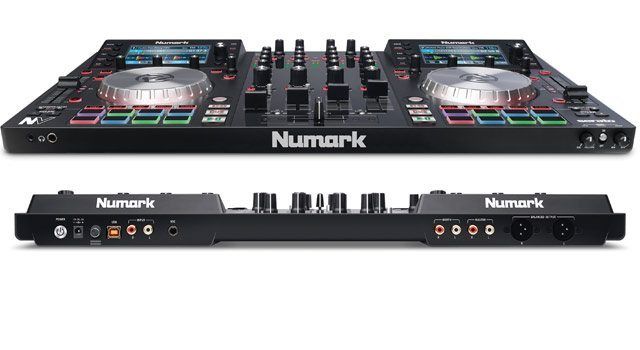
It’s easy to scoff at the hyperbole that companies spout when presenting their new products. Writing this during the Apple keynote, I’m bombarded with lines like “the best phone ever made” and “revolutionary product”. Meanwhile in the DJ world, Numark boldly claim that their new NV is the Serato DJ controller that “changes everything”. Marketing hype, or justified? Watch the full video review inside where we spent some time putting the new controller through its paces.
Want your own Numark NV controller? It’s available in the DJTT store here.
What’s Good?
- The onboard screens are high quality and add a new dimension
- Overall build and functionality is excellent
- Split cue
Not So Good?
- Lacks standalone mixer/DVS functionality
- A few more features would really enable users to shut their laptop screens
- It’s hard to differentiate between active decks
Summary
The NV really is the game-changer Numark have advertised it as. Whilst this particular hardware might not suit everyone’s needs, it’s also a glimpse into a very exciting future for all controller users.
Manufacturer: Numark
Price: $699
Ships with: Serato DJ, Serato Flip license, power + USB cables
Release Date: October 1st
Dimensions: 21.6″ x 13.4″ x 2.1″ (54.9 cm x 34 cm x 5.4 cm)
Weight: 7 pounds (3.2 kg)
THE NUMARK NV HARDWARE
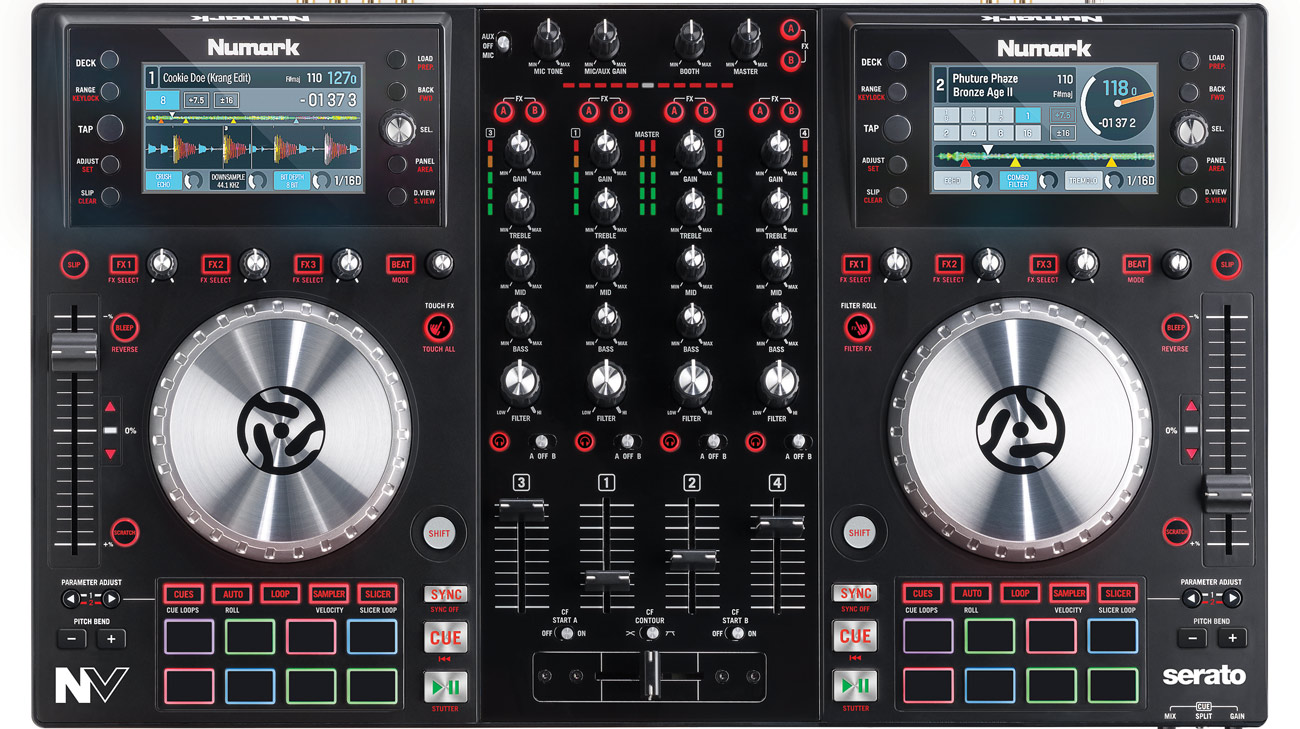
Despite having such an interesting innovation on it (the screens), the NV is actually quite straightforward in many respects. It’s a 4-deck controller for Serato DJ. Simple, and equipped with almost all the ‘standard’ features one would hope to find on a new SDJ controller in 2014;
- RGB performance pads.
- The now default FX panel arrangement of four knobs and four buttons.
- Slip mode. Slicer. SP-6 control.
- All working great, as expected.
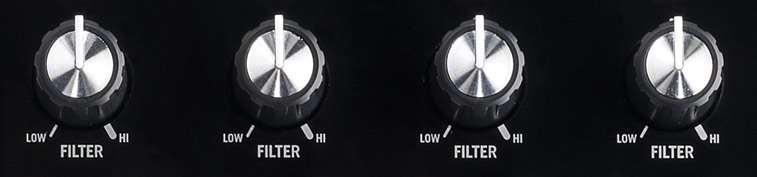
The NV also has a few cool features that Numark brought to the table with the NS7 II (read our review here) – the touch-sensitive knobs, which allow for instant, momentary activation of EQ and FX controls, and the filter roll/filter FX. There’s more familiarity in the performance pads, which are based on the traditional Akai MPC pads, and whilst a little smaller than some, are very comfortable to use.
What the NV doesn’t have, is any kind of hardware mixer element; there’s a AUX input, switchable to Mic, which bypasses all of the internal software mixing and goes straight to to the main outputs, ideal for emergency back-up purposes, but don’t go looking for phono inputs for DVS use, or anything like that. That’s not really a negative, of course – not everyone needs, or wants, that kind of functionality, and foregoing it means that more of the budget can go into the screens, and other areas of the controller.

Build quality is good; as with most controllers, the bulk of the build is plastic, but it feels well put together (no creaks as you carry it around), and the jogs and controls feel solid and robust. In terms of dimensions, the NV sits firmly in the mid-size category, being roughly the same size as the NI Kontrol S4 and the Pioneer DDJ-SR. That makes it a very portable unit, much more so than monsters like the DDJ-SX or the NS7 II, but it isn’t so small that the controls feel cramped, even with four channels on board.
The jog wheels feel very similar to those previously found on the NS6 (although a little smaller), with a smooth action, and the tight control we’ve come to expect from native Serato DJ controllers. I’m not normally a big fan of jogs without any kind of cue/position indicators, but in the case of the NV I can absolutely live without that, as the screens do a very similar, if not better, job of showing how your hand movements translate to playhead movement.
The sound quality proved to be very good, both through my studio monitors and on sound systems at the couple of gigs I tried the NV at. There are balanced XLRs for the main output, plus a booth output, and the cue system is very comprehensive, including the often elusive split-cue feature which so many people consider a deal-breaker.
SERATO FLIP, FLIP, FLIPADELPHIA INCLUDED
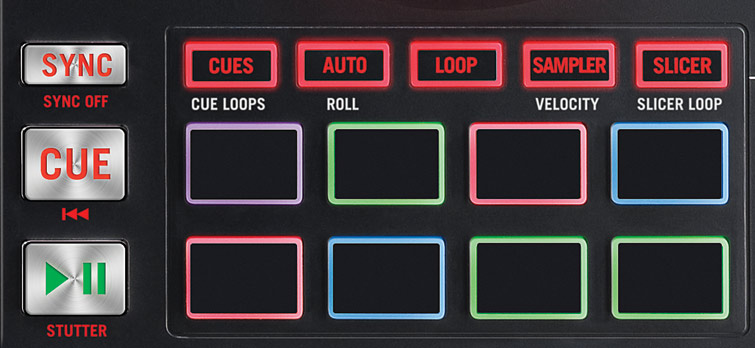
The NV is the first all-in-one controller to ship with Serato’s new Flip functionality (and a licence for it) baked in. What this means is that there is an extra mode for the performance pads, and the parameter buttons to the left of the pads also serve as controls for recording your Flips.
It’s very intuitive once you’re used to how it works (and have got your head around Flip in general). Other controllers are being ‘retro-fitted’ with Flip, of course, but having that licence included is a nice bonus, and being able to see which flip is currently active via the onboard screens helps with usability.
NUMARK NV’S ON BOARD SCREEN TIME

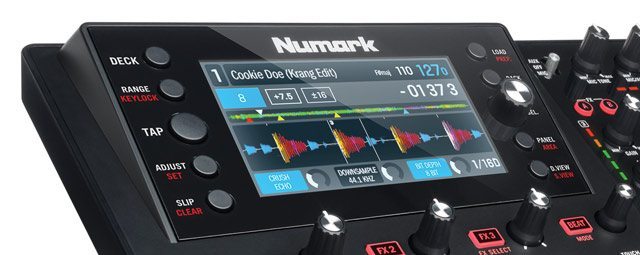
Naturally, the main focus of the NV will be on it’s pair of 4.3 inch screens – in every sense. Numark call them ‘high resolution’, and whilst they aren’t being forthcoming about the actual resolution, they’re easily up there with screens found on products like the CDJ-2000 Nexus. The resolution is certainly not approaching that on the likes of the latest iPhones or Samsung Galaxy phones, but the NV is not intended to be held 8 inches from your face, either, so it’s kind of moot.
In use, the screens are clear and bright. There is no way to adjust the brightness or contrast, but in environments ranging from a club, to video studio lighting, I never once had a issue with seeing the info displayed. The refresh rate is very fast, with everything onscreen updating instantly, and the range of viewing angles is very impressive indeed, and that’s a very important aspect for a device which will be used in many different situations.
The screens don’t seem to really ‘pop’ in quite the same way as those on my Nexus decks (even after I removed the protective film), but I suspect that has a much to do with the rather muted color scheme of Serato DJ, as it does with anything else.
So in terms of quality, there’s not much bad to say about the NV screens; but how about functionally?
Well, that’s very good too. It’s watching the above video review for an overview of exactly what they show, and how they work – but suffice to say there is a lot of information available to you right there ‘on deck’. It’s a great experience to have it all in front of you in such a way. While I do have reservations about being able to completely shut your laptop screen (as Numark suggest is feasible), it certainly means you can put your laptop off to the side and only refer to the monitor, or use the keyboard, occasionally.
One word of warning – if you are the kind of person who relies on Serato’s stacked waveforms for beatmatching, then you’ll miss that on the NV. That being said, the Beatkeeper LEDs that Numark provide, combined with the info on the screens, will be plenty for most.
The only real issue I can call out with the screens (and the NV in general), is the lack of differentiation between the two decks on each side of the controller, when switching between decks 1 & 3, or 2 & 4. There’s no jogwheel illumination to change color, the deck switch buttons don’t illuminate, and the only real way to tell which deck is being controlled, at a glance, is by the small number in the top left of the screen. That’s not enough, really, and I’d like to see a future software or firmware update address that by having the color scheme onscreen completely change according to which deck is selected, so it is really obvious.
CONTROLLER WRAP UP – NUMARK ENVY?
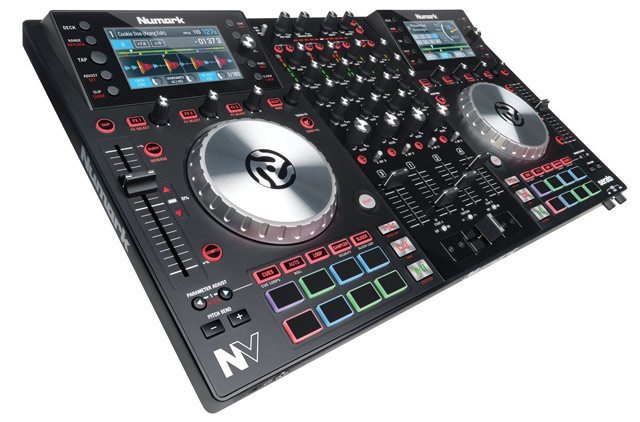
Much of my time spent with the NV has left me scratching my head at exactly how Numark have managed to produce a controller of this quality, AND get those screens in there, for $700. The device feels as nice to use, and as well built, as anything else I’ve tried in that price range, for sure. As a pure controller experience, it’s up there with the best of the competition.
Then we have to factor those screens into the equation, too. They are remarkably high quality, especially considering the cost of the NV, and add a new dimension to DJing with a controller which I’m certain will be impossible for other manufactures to ignore.
So does the Numark NV ‘change everything’, as promised? I suspect it does. This particular device might not be for everyone, but I guarantee that in a year’s time, any all-in-one device beyond the most budget, starter devices, which doesn’t have screens (of at least the quality of the NV’s), will be an outlier. Some might be for onboard processing, some might be for software control, but you’re definitely looking at the future right here. Exciting times.