DJ TechTools
  • Blog
    • DJ Gear
      • DIY Projects
      • Gear Reviews
      • New Products
      • Controllerism
    • Techniques + Tips
      • Beginner DJ
      • Advanced DJ
      • Producer
      • Finger Drummer
    • News + Culture
      • Editorials + Opinions
      • Artist Interviews
      • Performances + Routines
      • How I Play
    • DJ Software Tutorials
      • Serato Tips
        • Traktor Tips
      • CDJ Tips
      • Ableton Live Tips
  • Store
    • Run by real DJs, not a corporation
    • DJ Controllers
      • Midi Fighter Twister
      • Midi Fighter Spectra
      • Midi Fighter 64
      • View All
    • Accessories
      • Chroma USB Drive for DJs
      • Chroma Caps
      • Chroma Cables Audio
      • Chroma Cables USB-A
      • Chroma Cables: USB-C
      • DJTT Gift Card
      • Midi Fighter T-Shirt
      • Keyboard Covers
      • Earplugs by V-Moda
    • Production Gear
    • Soundcards & Mixers
  • Community
    • Popular Forums
      • General Discussion
      • Buy & Sell
      • Reviews
      • Mixes
      • Music Production
      • Show Your Setup
      • Off Topic
    • Handy Links
      • New Posts
      • Private Messages
      • Register
      • Search
    • Midi Maps
      • Traktor
      • Ableton
      • Serato DJ
      • Midi Fighter 3D
      • Midi Fighter Twister
      • Midi Fighter Spectra
  • Midi Fighter
  • Chroma
No Result
View All Result
DJ TechTools
  • Blog
    • DJ Gear
      • DIY Projects
      • Gear Reviews
      • New Products
      • Controllerism
    • Techniques + Tips
      • Beginner DJ
      • Advanced DJ
      • Producer
      • Finger Drummer
    • News + Culture
      • Editorials + Opinions
      • Artist Interviews
      • Performances + Routines
      • How I Play
    • DJ Software Tutorials
      • Serato Tips
        • Traktor Tips
      • CDJ Tips
      • Ableton Live Tips
  • Store
    • Run by real DJs, not a corporation
    • DJ Controllers
      • Midi Fighter Twister
      • Midi Fighter Spectra
      • Midi Fighter 64
      • View All
    • Accessories
      • Chroma USB Drive for DJs
      • Chroma Caps
      • Chroma Cables Audio
      • Chroma Cables USB-A
      • Chroma Cables: USB-C
      • DJTT Gift Card
      • Midi Fighter T-Shirt
      • Keyboard Covers
      • Earplugs by V-Moda
    • Production Gear
    • Soundcards & Mixers
  • Community
    • Popular Forums
      • General Discussion
      • Buy & Sell
      • Reviews
      • Mixes
      • Music Production
      • Show Your Setup
      • Off Topic
    • Handy Links
      • New Posts
      • Private Messages
      • Register
      • Search
    • Midi Maps
      • Traktor
      • Ableton
      • Serato DJ
      • Midi Fighter 3D
      • Midi Fighter Twister
      • Midi Fighter Spectra
  • Midi Fighter
  • Chroma
No Result
View All Result
DJ TechTools

Creative Ways to Use Traktor Remix Decks Or Samples In A Real DJ Set

Ean Golden by Ean Golden
November 9, 2014
in Advanced DJ Tips, Basic DJ Tips, Controllerism, DJ Software Tips, DJ Techniques / Tips, Native Instruments, Traktor Tips
Reading Time: 2 mins read
0
Creative Ways to Use Traktor Remix Decks Or Samples In A Real DJ Set
602
VIEWS
Post on FacebookTweet thisUpvote on Reddit

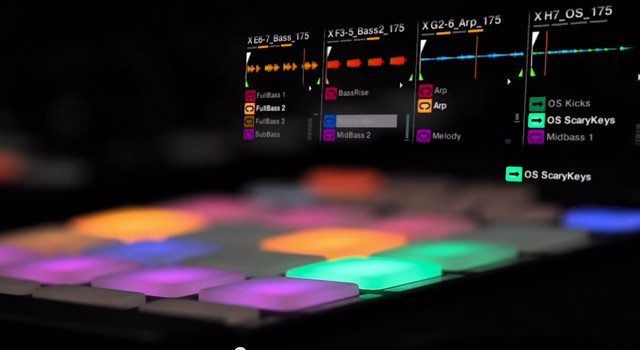
At its core, DJing is about playing great songs and transitioning between them smoothly. DJ software makers invent new features to set themselves apart, but sometimes it’s hard to tell how you would even use them! The Remix Decks are a prime example: great in concept, but practically speaking, most DJs don’t end up utilizing their potential in real sets. Today we will share six real ways that you can use the Remix Decks or the SP-6 sampler in Serato to spice up the mix without just adding fluff.

Here are 6 of my favorite ways to use samples or remix cells to add creativity in a real DJ set:


Kick, Snare Fills

  • It’s very hand to have a few punchy snares and kicks ready for break downs. I like to use these to drop in a quick break beat or create some improvised build up finesse.
  • By quantizing the remix cells and adding a little reverb or delay you can serve up a real tasty filler.

Hi Hat backing tracks

  • House music can almost always fit another hat groove, and  it’s nice to have a consistent part going over several tracks to make them consistent.
  • The back beat hat, and steady 909 ride are some of my favorite staples to bring in and out of the mix.

Low end support

  • Many great songs simply don’t have enough low-end for a big club, and turning up the bass is not a sufficient replacement for real frequencies.
  • In this case take a short kick loop from a song that you know works and keep it ready to layer under weaker tracks.

Keep a loop Going

  • No one actually plays 3 or 4 full songs at the same time – we just like to keep certain loops going. instead of looping a full deck, just copy that loop into a remix cell and bring it back in later.
  • It’s a waste of a good deck to just run a single loop – and this saves them for later use.

Effects Splash

  • We all like to add beat-masher builds and reverb swells to the mix. It adds dynamics, originality and more importantly – they are fun!
  • Put the final cherry on top by dropping a splash or white noise sample on the one after your effects build.

Extra Credit Bonus

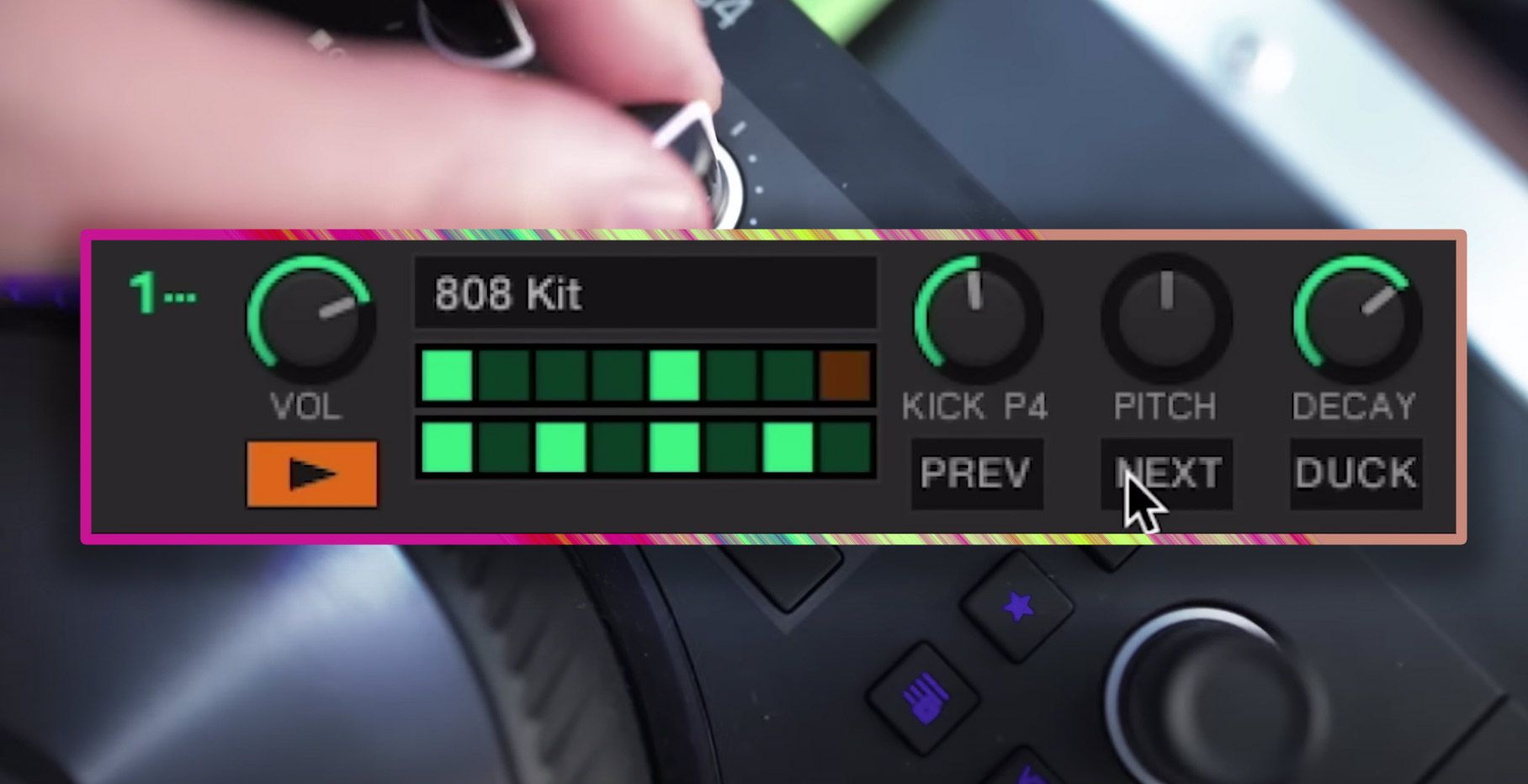
  • Of course it would be remix not to mention the Midi Fighter Twister, which features an amazing Remix Deck sequencer.
  • This replaces running machine in the background and allows you to sequence drum patterns right inside of a remix deck.


Additional Reading and Resources

  • Download the Remix Deck Sequencer including free drum samples used in the video
  • Free remix sets can be found here!
  • Interested in some of the music from the tutorial? Here is a free download of the main track.  
Tags: F1how toNative Intrumentsremix decksTraktor TipsTutorialX1
Share5Tweet3Share
Previous Post

Facebook Bans Like to Download, 5 good Alternatives

Next Post

Routine: Rheyne’s Live Jam #107: Live Looping With Ableton, Twister, iOS Instruments

Related Posts

Make your own DIY finger drumming routine with Midi Fighter 64 and Ableton
Ableton Live Tips

Make your own DIY finger drumming routine with Midi Fighter 64 and Ableton

July 11, 2024
traktor-pro plus 3.8 pattern player controls
Dj and Production Tutorials

Review: Traktor Pro Plus 3.8 – After 8 months, is the subscription worth it?

April 20, 2023
Traktor Pro 3.6 releases, as well as a feature roadmap…
Breaking News

Traktor Pro 3.6 releases, as well as a feature roadmap…

August 19, 2022
Load More
Next Post
Routine: Rheyne’s Live Jam #107: Live Looping With Ableton, Twister, iOS Instruments

Routine: Rheyne's Live Jam #107: Live Looping With Ableton, Twister, iOS Instruments

Want to reach DJTT's audience here?

Shoot an email to advertising@djtechtools.com

DJTT ads
DJTT newsletter
Midi Fighter
Chat with us
  • ABOUT DJTT
  • CONTACT
  • PRIVACY
  • MIDI FIGHTER HELP
  • ABOUT DJTT
  • JOBS
  • CONTACT US
  • ADVERTISE
  • PRIVACY POLICY
  • ACCESSIBILITY STATEMENT

© 2024 DJ Techtools all rights reserved by DJ TechTools on all content unless otherwise noted.

No Result
View All Result
  • Blog
    • DJ Gear
      • DIY Projects
      • Gear Reviews
      • New Products
      • Controllerism
    • Techniques + Tips
      • Beginner DJ
      • Advanced DJ
      • Producer
      • Finger Drummer
    • News + Culture
      • Editorials + Opinions
      • Artist Interviews
      • Performances + Routines
      • How I Play
    • DJ Software Tutorials
      • Serato Tips
      • CDJ Tips
      • Ableton Live Tips
  • Store
    • Run by real DJs, not a corporation
    • DJ Controllers
      • Midi Fighter Twister
      • Midi Fighter Spectra
      • Midi Fighter 64
      • View All
    • Accessories
      • Chroma USB Drive for DJs
      • Chroma Caps
      • Chroma Cables Audio
      • Chroma Cables USB-A
      • Chroma Cables: USB-C
      • DJTT Gift Card
      • Midi Fighter T-Shirt
      • Keyboard Covers
      • Earplugs by V-Moda
    • Production Gear
    • Soundcards & Mixers
  • Community
    • Popular Forums
      • General Discussion
      • Buy & Sell
      • Reviews
      • Mixes
      • Music Production
      • Show Your Setup
      • Off Topic
    • Handy Links
      • New Posts
      • Private Messages
      • Register
      • Search
    • Midi Maps
      • Traktor
      • Ableton
      • Serato DJ
      • Midi Fighter 3D
      • Midi Fighter Twister
      • Midi Fighter Spectra
  • Midi Fighter
  • Chroma

© 2024 DJ Techtools all rights reserved by DJ TechTools on all content unless otherwise noted.

This website uses cookies. By continuing to use this website you are giving consent to cookies being used. Visit our Privacy and Cookie Policy.