DJ TechTools
  • Blog
    • DJ Gear
      • DIY Projects
      • Gear Reviews
      • New Products
      • Controllerism
    • Techniques + Tips
      • Beginner DJ
      • Advanced DJ
      • Producer
      • Finger Drummer
    • News + Culture
      • Editorials + Opinions
      • Artist Interviews
      • Performances + Routines
      • How I Play
    • DJ Software Tutorials
      • Serato Tips
        • Traktor Tips
      • CDJ Tips
      • Ableton Live Tips
  • Store
    • Run by real DJs, not a corporation
    • DJ Controllers
      • Midi Fighter Twister
      • Midi Fighter Spectra
      • Midi Fighter 64
      • View All
    • Accessories
      • Chroma USB Drive for DJs
      • Chroma Caps
      • Chroma Cables Audio
      • Chroma Cables USB-A
      • Chroma Cables: USB-C
      • DJTT Gift Card
      • Midi Fighter T-Shirt
      • Keyboard Covers
      • Earplugs by V-Moda
    • Production Gear
    • Soundcards & Mixers
  • Community
    • Popular Forums
      • General Discussion
      • Buy & Sell
      • Reviews
      • Mixes
      • Music Production
      • Show Your Setup
      • Off Topic
    • Handy Links
      • New Posts
      • Private Messages
      • Register
      • Search
    • Midi Maps
      • Traktor
      • Ableton
      • Serato DJ
      • Midi Fighter 3D
      • Midi Fighter Twister
      • Midi Fighter Spectra
  • Midi Fighter
  • Chroma
No Result
View All Result
DJ TechTools
  • Blog
    • DJ Gear
      • DIY Projects
      • Gear Reviews
      • New Products
      • Controllerism
    • Techniques + Tips
      • Beginner DJ
      • Advanced DJ
      • Producer
      • Finger Drummer
    • News + Culture
      • Editorials + Opinions
      • Artist Interviews
      • Performances + Routines
      • How I Play
    • DJ Software Tutorials
      • Serato Tips
        • Traktor Tips
      • CDJ Tips
      • Ableton Live Tips
  • Store
    • Run by real DJs, not a corporation
    • DJ Controllers
      • Midi Fighter Twister
      • Midi Fighter Spectra
      • Midi Fighter 64
      • View All
    • Accessories
      • Chroma USB Drive for DJs
      • Chroma Caps
      • Chroma Cables Audio
      • Chroma Cables USB-A
      • Chroma Cables: USB-C
      • DJTT Gift Card
      • Midi Fighter T-Shirt
      • Keyboard Covers
      • Earplugs by V-Moda
    • Production Gear
    • Soundcards & Mixers
  • Community
    • Popular Forums
      • General Discussion
      • Buy & Sell
      • Reviews
      • Mixes
      • Music Production
      • Show Your Setup
      • Off Topic
    • Handy Links
      • New Posts
      • Private Messages
      • Register
      • Search
    • Midi Maps
      • Traktor
      • Ableton
      • Serato DJ
      • Midi Fighter 3D
      • Midi Fighter Twister
      • Midi Fighter Spectra
  • Midi Fighter
  • Chroma
No Result
View All Result
DJ TechTools

How to DJ 101: Why You Must Understand Phrasing

Ryan Dejaegher by Ryan Dejaegher
November 16, 2014
in DJ Techniques / Tips
Reading Time: 3 mins read
0
How to DJ 101: Why You Must Understand Phrasing
1.1k
VIEWS
Post on FacebookTweet thisUpvote on Reddit

Even though most of our audience is made up of advanced or intermediate DJs, we get a lot of aspiring talent on the site every month who are hungry to learn. The fundamentals never get stale, so we will be rolling out a new “how to DJ” article every month for those that are just joining the ranks. Phrasing is one of the most important musical fundamentals out there, so let’s get started there.

Ever wonder how your favorite DJs are able to craft a seamless mix where the tracks seems to start/end at just the right time? It’s not luck,  but understanding the concept of good phrasing. Most Western music, especially electronic and pop music, is built using phrases of 16 and 32 counts. As you learn how to DJ, you’ll start to see that all forms of music follow a familiar structure. By recognizing this structure, you can take two totally different songs and make them sound as if they were designed to fit together.

If you’re looking for more intermediate tips on how to DJ, I’d recommend checking out the following articles first:

  • How to Mix Pop Music 
  • Digital DJ Fundamentals – Sonic Mixing
  • EQ Mixing: Critical Mixing Techniques and Theory

Recognizing Phrases


Waveform

Every song introduces audible change to the music that clue in the audience to the start/end of a phrase. Most people are affected by this sub consciously but you can learn how to read those clues like a pro.  Normally these changes would be a new instrument, a drum fill, or crash and it typically occurs every 32 counts. Before the days of DJ software, the only way to find the start/end of a phrase was to listen to the track and pay attention to these clues.

With DJ software we have a visual overview of the entire track thanks to the waveform. This makes it really easy to recognize the start/end of phrases such as breakdowns and buildups as pictured above. There are a couple other things in Traktor that we can use to find the start/end of phrases and part of the phrase we’re in. The first one is enabling “Beats” in the deck header. You can do this through Traktor’s Preferences:
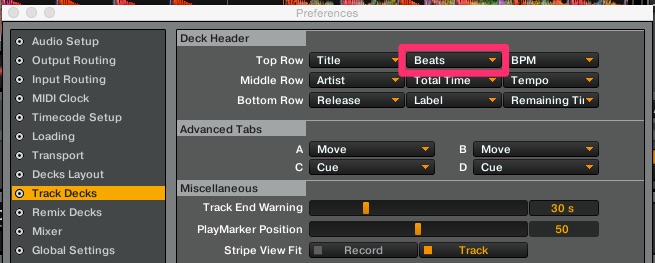
Beats

The second thing we’ll do is set the “Bars Per Phase” to “8 Bars”:
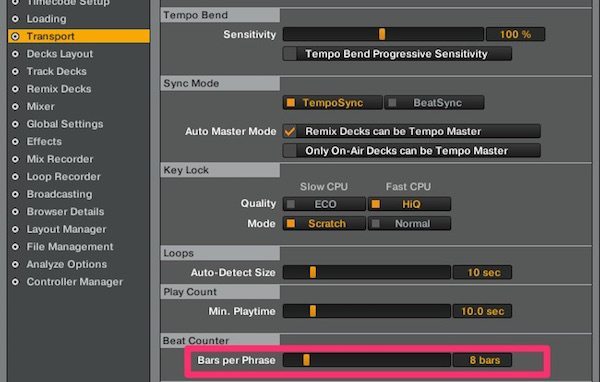
Bars

Now that we’ve made these changes, you will see 3 numbers being displayed in you deck header:

Beats 2

These numbers indicate the phrase, bar, and beat (phrase . bar . beat). There are 4 beats in a bar, so the bar will increase by 1 every 4 beats. Since we set our “Bars per Phrase” to 8 bars, the phrase will increase by 1 every 8 bars. As discussed earlier, audible changes typically occur every 32 beats. Using this counter, you’re likely to hear an audible change every time the phrase increases by 1. This makes it really easy to stay on top of the tracks structure even while you’re browsing for the next track or if you’re distracted by someone making a request. Now that we can quickly identify the phrases of the track, we can create a seamless mix by lining up our tracks so that the phrases are in sync.

Next Steps

  • Experienced DJ? Please share your techniques for phrasing a perfect mix in the comments. 
  • Brand New DJ? Check out our selection of beginner-friendly DJ controllers

Tags: barsbeatselectronic musichow to djhow To mixphrasingpop musicTraktor Tips
Share9Tweet6Share
Previous Post

Pioneer XDJ-1000 $999 All-Digital Player Ditches The CDs

Next Post

Review: Pioneer PLX-1000 Turntable

Related Posts

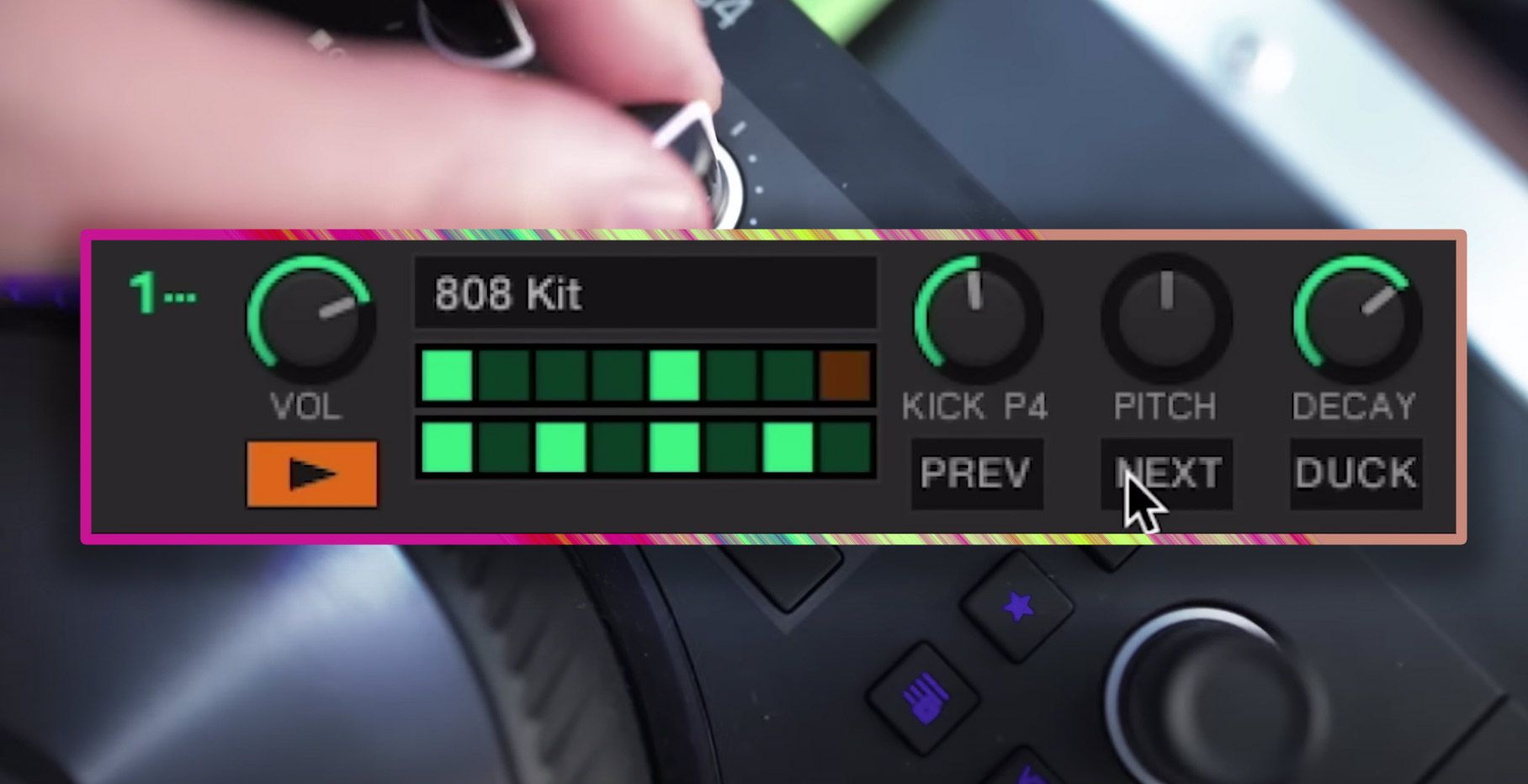
traktor-pro plus 3.8 pattern player controls
Dj and Production Tutorials

Review: Traktor Pro Plus 3.8 – After 8 months, is the subscription worth it?

April 20, 2023
Traktor Pro 3.6 releases, as well as a feature roadmap…
Breaking News

Traktor Pro 3.6 releases, as well as a feature roadmap…

August 19, 2022
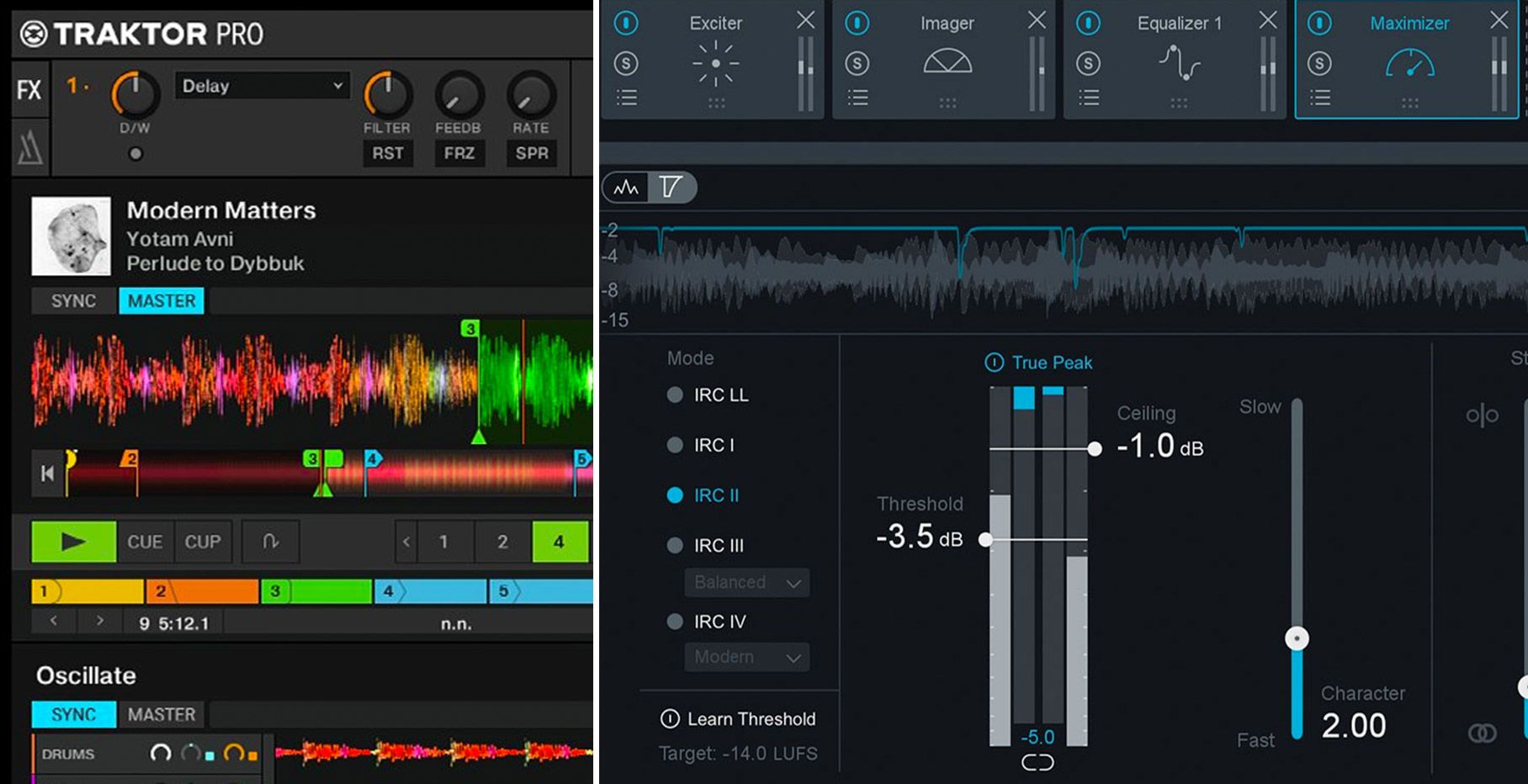
Traktor Pro 3.6 beta and iZotope's Ozone Maximizer side by side
NAMM 2022

Traktor’s new beta cycle has begun: 3.6 to include iZotope products, maybe NKS support?

May 30, 2022
Load More
Next Post
Review: Pioneer PLX-1000 Turntable

Review: Pioneer PLX-1000 Turntable

Want to reach DJTT's audience here?

Shoot an email to advertising@djtechtools.com

DJTT ads
DJTT newsletter
Midi Fighter
Chat with us
  • ABOUT DJTT
  • CONTACT
  • PRIVACY
  • MIDI FIGHTER HELP
  • ABOUT DJTT
  • JOBS
  • CONTACT US
  • ADVERTISE
  • PRIVACY POLICY
  • ACCESSIBILITY STATEMENT

© 2024 DJ Techtools all rights reserved by DJ TechTools on all content unless otherwise noted.

No Result
View All Result
  • Blog
    • DJ Gear
      • DIY Projects
      • Gear Reviews
      • New Products
      • Controllerism
    • Techniques + Tips
      • Beginner DJ
      • Advanced DJ
      • Producer
      • Finger Drummer
    • News + Culture
      • Editorials + Opinions
      • Artist Interviews
      • Performances + Routines
      • How I Play
    • DJ Software Tutorials
      • Serato Tips
      • CDJ Tips
      • Ableton Live Tips
  • Store
    • Run by real DJs, not a corporation
    • DJ Controllers
      • Midi Fighter Twister
      • Midi Fighter Spectra
      • Midi Fighter 64
      • View All
    • Accessories
      • Chroma USB Drive for DJs
      • Chroma Caps
      • Chroma Cables Audio
      • Chroma Cables USB-A
      • Chroma Cables: USB-C
      • DJTT Gift Card
      • Midi Fighter T-Shirt
      • Keyboard Covers
      • Earplugs by V-Moda
    • Production Gear
    • Soundcards & Mixers
  • Community
    • Popular Forums
      • General Discussion
      • Buy & Sell
      • Reviews
      • Mixes
      • Music Production
      • Show Your Setup
      • Off Topic
    • Handy Links
      • New Posts
      • Private Messages
      • Register
      • Search
    • Midi Maps
      • Traktor
      • Ableton
      • Serato DJ
      • Midi Fighter 3D
      • Midi Fighter Twister
      • Midi Fighter Spectra
  • Midi Fighter
  • Chroma

© 2024 DJ Techtools all rights reserved by DJ TechTools on all content unless otherwise noted.

This website uses cookies. By continuing to use this website you are giving consent to cookies being used. Visit our Privacy and Cookie Policy.