DJ TechTools
  • Blog
    • DJ Gear
      • DIY Projects
      • Gear Reviews
      • New Products
      • Controllerism
    • Techniques + Tips
      • Beginner DJ
      • Advanced DJ
      • Producer
      • Finger Drummer
    • News + Culture
      • Editorials + Opinions
      • Artist Interviews
      • Performances + Routines
      • How I Play
    • DJ Software Tutorials
      • Serato Tips
        • Traktor Tips
      • CDJ Tips
      • Ableton Live Tips
  • Store
    • Run by real DJs, not a corporation
    • DJ Controllers
      • Midi Fighter Twister
      • Midi Fighter Spectra
      • Midi Fighter 64
      • View All
    • Accessories
      • Chroma USB Drive for DJs
      • Chroma Caps
      • Chroma Cables Audio
      • Chroma Cables USB-A
      • Chroma Cables: USB-C
      • DJTT Gift Card
      • Midi Fighter T-Shirt
      • Keyboard Covers
      • Earplugs by V-Moda
    • Production Gear
    • Soundcards & Mixers
  • Community
    • Popular Forums
      • General Discussion
      • Buy & Sell
      • Reviews
      • Mixes
      • Music Production
      • Show Your Setup
      • Off Topic
    • Handy Links
      • New Posts
      • Private Messages
      • Register
      • Search
    • Midi Maps
      • Traktor
      • Ableton
      • Serato DJ
      • Midi Fighter 3D
      • Midi Fighter Twister
      • Midi Fighter Spectra
  • Midi Fighter
  • Chroma
No Result
View All Result
DJ TechTools
  • Blog
    • DJ Gear
      • DIY Projects
      • Gear Reviews
      • New Products
      • Controllerism
    • Techniques + Tips
      • Beginner DJ
      • Advanced DJ
      • Producer
      • Finger Drummer
    • News + Culture
      • Editorials + Opinions
      • Artist Interviews
      • Performances + Routines
      • How I Play
    • DJ Software Tutorials
      • Serato Tips
        • Traktor Tips
      • CDJ Tips
      • Ableton Live Tips
  • Store
    • Run by real DJs, not a corporation
    • DJ Controllers
      • Midi Fighter Twister
      • Midi Fighter Spectra
      • Midi Fighter 64
      • View All
    • Accessories
      • Chroma USB Drive for DJs
      • Chroma Caps
      • Chroma Cables Audio
      • Chroma Cables USB-A
      • Chroma Cables: USB-C
      • DJTT Gift Card
      • Midi Fighter T-Shirt
      • Keyboard Covers
      • Earplugs by V-Moda
    • Production Gear
    • Soundcards & Mixers
  • Community
    • Popular Forums
      • General Discussion
      • Buy & Sell
      • Reviews
      • Mixes
      • Music Production
      • Show Your Setup
      • Off Topic
    • Handy Links
      • New Posts
      • Private Messages
      • Register
      • Search
    • Midi Maps
      • Traktor
      • Ableton
      • Serato DJ
      • Midi Fighter 3D
      • Midi Fighter Twister
      • Midi Fighter Spectra
  • Midi Fighter
  • Chroma
No Result
View All Result
DJ TechTools

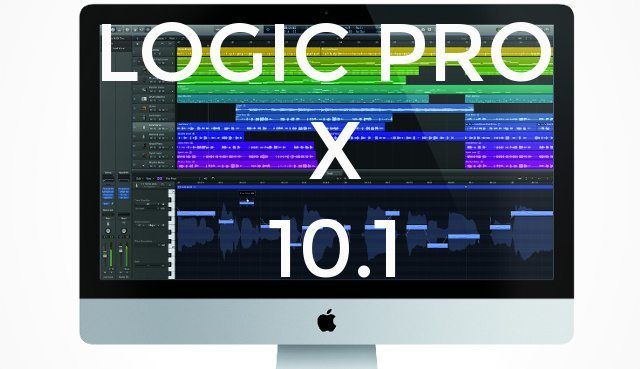
NAMM 2015: Logic Pro X 10.1 Major Update From Apple

Dean Zulueta by Dean Zulueta
January 21, 2015
in Breaking News, NAMM 2015, News, News + Culture
Reading Time: 6 mins read
0
NAMM 2015: Logic Pro X 10.1 Major Update From Apple
81
VIEWS
Post on FacebookTweet thisUpvote on Reddit

DAWs differ based on the producer – and it’s not one size fits all by any means. Today Apple announced Logic Pro x 10.1, which is built to be an avid tool for EDM and hip-hop track creation while also improving software designed for all music production. Logic now features more editing power, along with a better Drum Machine Designer meant to streamline production so producers can focus more on the making the music. Read more inside about the new features that Apple packed into Logic Pro X 10.1.

New Beat Programming
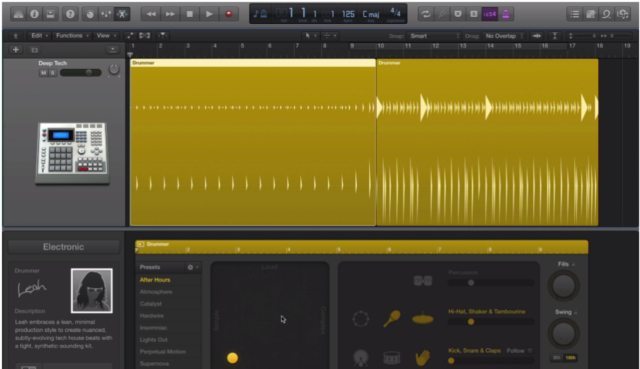
Drum Machine Sequencer

Programming beats can be very generic. While the samples may change from track to track, the standard drum pattern of a hip-hop beat or EDM track all follow the same general pattern. As a starting point, producers can now use Logic’s Drum Machine Designer to create their drum tracks using presets from ten different styles of drumming/ (EDM to Trap to Hip-hop). While some may argue this automates to much of a producer’s work, all variables can still be manipulated and the Drum Machine Designer is ultimately a template to start from that way you don’t have to sequence four to floor for every single bar.
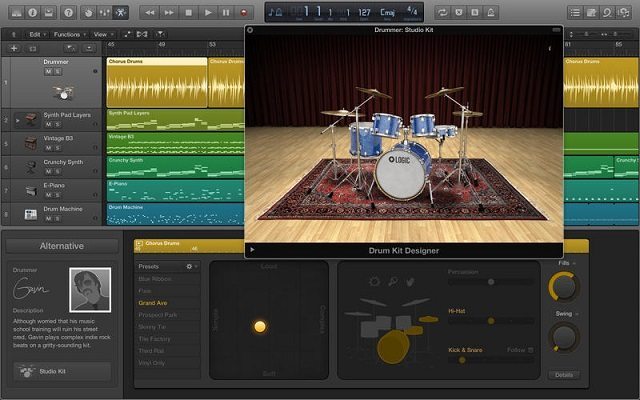
LOGIC DRUMS

Also, producers can expect to find drum machine style sequencing that allows them to change multiple variables of their drum pattern. Producers can now generate a drum sequence using any note and each drum pattern can be controlled by rate, note length, and velocity. What is important to note in all of this is that everything is totally customizable and all presets can be swapped out for different sounds including the ability to swap in a VST (such as Maschine). The drum machine inside Logic Pro X 10.1 is meant to mimic old sequencers instead of replace the producer’s knowledge of drum patterns.

Enhanced Piano Roll

When it comes to creating the melodies and body of music, a lot of the composing is done within a piano roll. The new interface allows for the producer to easily add or subtract a series of notes in a single swipe with the Brush Tool versus selecting notes and editing them. Other tools allow the producer to expand and compress notes in a streamline fashion. Patterns can also be saved by right clicking the notes which is great for building a custom “sound” library.
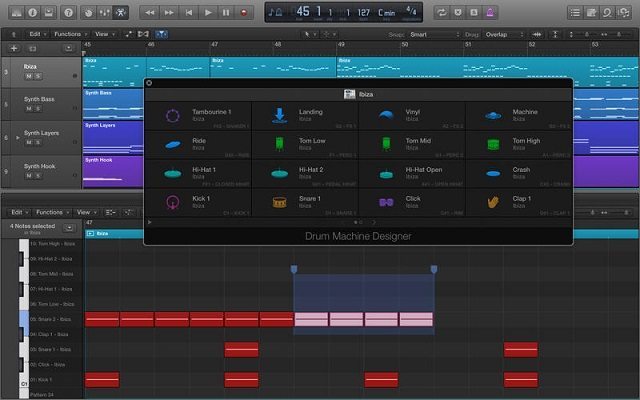
Logic Piano Roll

Logic Pro X 10.1 also incorporates Smart Quantize which proportionally corrects timing and length of notes. The feature uses intelligent identification to detect the intended rhythmic content and velocity of the notes programmed into Logic. Region-based automation is also being incorporated into MIDI tracks with the ability to repeat or loop automation curves.

New Update, New Sound
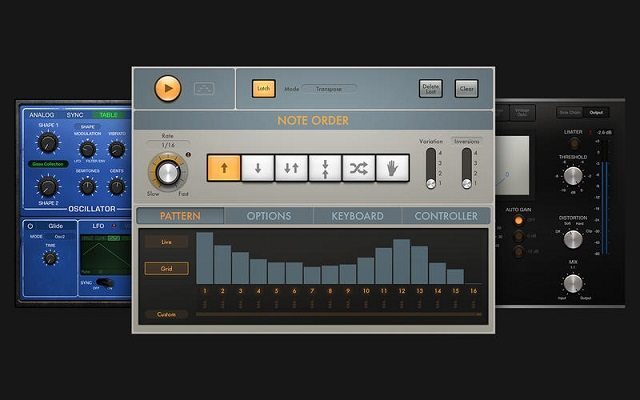
Logic Tools

Along with all the new features that comes packaged into Logic, there are some new sounds to incorporate into tracks. The first highlight is a redesigned Compressor plugin that received a total face lift. The Compressor improves on a sound design level and also comes with seven new models to view the controls.
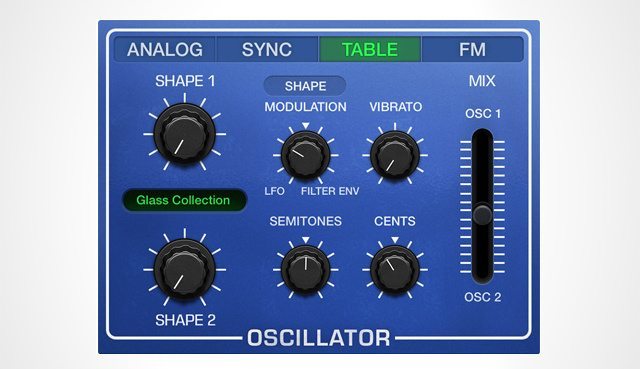
Logic Synth

The Retro Synth is a new sampler that can import any audio file to create custom wavetables that use the new wavetable oscillator to shape and manipulate the sounds. There are minimal controls to the plugin but it has the capacity to create an instrument out of virtually any sound so there is a lot to discover within the synth.

Speaking of sounds, Logic has also expanded the Logic Pro Sound Library with 200 new patches that are tailored for EDM and Hip-hop music production along with 10 sampled and programmed Mellotron instruments for vintage gear fans.

More Logic Pro Tools

Logic Pro X 10.1 also features a powerful mixer that takes the style of a console board in a studio. Channels can be assigned and automated using a single fader while all the parameters of individual tracks can be view easily from the Track Stack. There is also advanced automation that allow the producer to manipulate tracks in relative and trim modes as they ride the fader to fine-tune an existing automation. Fades have also improved which render in real-time which allows edits to fades to become audible without having to stop playback to do so. This creates an overall smoother transition and improved software stabilization.
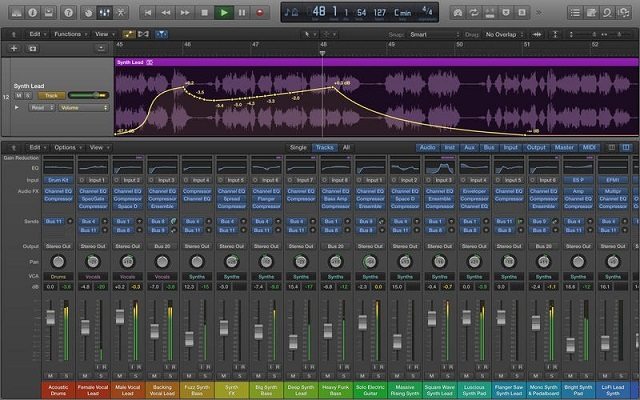
Logic mix

Plugins are also managed more effectively in the new version of Logic which features customizable plugin menus. This allows for producers to effectively categorize their plugins in order to find them quickly upon recall while creating a track. This is great for producers looking to get a handle on their libraries.
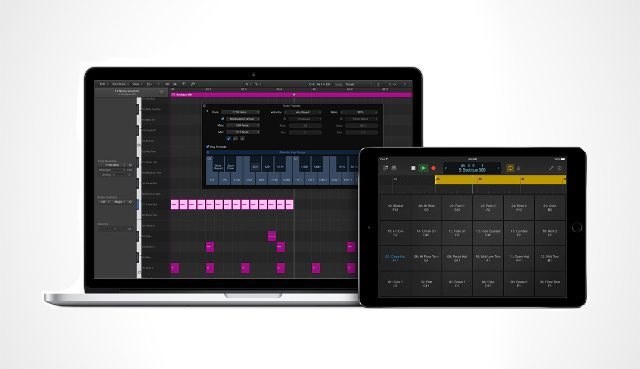
Logic Remote

Logic Remote is probably one of the most exciting tools to become a part of the studio experience. The iOS app turns a producer’s iPad into a secondary controller to Logic, allowing the user to play instruments or adjust levels inside the software without having to click everything in. Logic Remote can be downloaded in the app store now.

Logic Pro X 10.1 is now available to download in the App Store for $199.99.

More NAMM 2015 news and articles:

  • Rane’s TTM57 MKII + MP2015 Rotary Mixer
  • Denon DJ Announces DS1 Serato Soundcard, HP2000, and MC4000
  • Launchpad Pro is Novation’s Answer to Ableton Push
  • Numark announces NS7 III, Mixtrack Pro III, and Mixtrack III
  • Pioneer’s HDJ-2000MK2 Headphones
  • Arturia’s Audiofuse Audio Interface
  • Serato DJ Club Kit = Support for DJM 850/900NXS, Xone:DB2/DB4/K1
  • Akai Releases Timbre Wolf and Tom Cat
  • USB Chroma Cables Now Include Purple, Need Your Input
  • Korg Puts A Kaoss Pad Into A DJ Controller
  • Reloop RP-8000 Straight Turntable, RMX-60 Mixer
  • HRM-7: Pioneer Gets In The Studio Headphone Game
  • Moog Relaunches Three Modular Synths
  • Splice Takes On Audio Plugin/VST Managment
  • NAMM 2015 Predicitons for New DJ and Producer Gear
  • Bitwig Studio 1.2 Update
Tags: appleaudiobeat makingcompressordawDigitalIOSipadlogic pro x 10.1nammnamm 2015Newspluginproduction gearproduction newsproduction softwaresynthworkflowworkstation
Share1Tweet1Share
Previous Post

NAMM 2015: Korg Kaoss DJ Controller

Next Post

Take Your Scratch Technique Into Orbit

Related Posts

The DJM-V5 from AlphaTheta: 3 channels, 4-band EQ, V10 sound – no Beat FX or crossfader.
Breaking News

The DJM-V5 from AlphaTheta: 3 channels, 4-band EQ, V10 sound – no Beat FX or crossfader.

January 20, 2026
Ableton launches Live 12 Suite rent-to-own plan – and it’s not a subscription
Ableton

Ableton launches Live 12 Suite rent-to-own plan – and it’s not a subscription

October 1, 2025
Meet the TR-1000: Roland’s new analog/digital drum machine with built-in sampling
Breaking News

Meet the TR-1000: Roland’s new analog/digital drum machine with built-in sampling

October 1, 2025
Load More
Next Post
Take Your Scratch Technique Into Orbit

Take Your Scratch Technique Into Orbit

Want to reach DJTT's audience here?

Shoot an email to advertising@djtechtools.com

DJTT ads
DJTT newsletter
Midi Fighter
Chat with us
  • ABOUT DJTT
  • CONTACT
  • PRIVACY
  • MIDI FIGHTER HELP
  • ABOUT DJTT
  • JOBS
  • CONTACT US
  • ADVERTISE
  • PRIVACY POLICY
  • ACCESSIBILITY STATEMENT

© 2024 DJ Techtools all rights reserved by DJ TechTools on all content unless otherwise noted.

No Result
View All Result
  • Blog
    • DJ Gear
      • DIY Projects
      • Gear Reviews
      • New Products
      • Controllerism
    • Techniques + Tips
      • Beginner DJ
      • Advanced DJ
      • Producer
      • Finger Drummer
    • News + Culture
      • Editorials + Opinions
      • Artist Interviews
      • Performances + Routines
      • How I Play
    • DJ Software Tutorials
      • Serato Tips
      • CDJ Tips
      • Ableton Live Tips
  • Store
    • Run by real DJs, not a corporation
    • DJ Controllers
      • Midi Fighter Twister
      • Midi Fighter Spectra
      • Midi Fighter 64
      • View All
    • Accessories
      • Chroma USB Drive for DJs
      • Chroma Caps
      • Chroma Cables Audio
      • Chroma Cables USB-A
      • Chroma Cables: USB-C
      • DJTT Gift Card
      • Midi Fighter T-Shirt
      • Keyboard Covers
      • Earplugs by V-Moda
    • Production Gear
    • Soundcards & Mixers
  • Community
    • Popular Forums
      • General Discussion
      • Buy & Sell
      • Reviews
      • Mixes
      • Music Production
      • Show Your Setup
      • Off Topic
    • Handy Links
      • New Posts
      • Private Messages
      • Register
      • Search
    • Midi Maps
      • Traktor
      • Ableton
      • Serato DJ
      • Midi Fighter 3D
      • Midi Fighter Twister
      • Midi Fighter Spectra
  • Midi Fighter
  • Chroma

© 2024 DJ Techtools all rights reserved by DJ TechTools on all content unless otherwise noted.

This website uses cookies. By continuing to use this website you are giving consent to cookies being used. Visit our Privacy and Cookie Policy.