DJ TechTools
  • Blog
    • DJ Gear
      • DIY Projects
      • Gear Reviews
      • New Products
      • Controllerism
    • Techniques + Tips
      • Beginner DJ
      • Advanced DJ
      • Producer
      • Finger Drummer
    • News + Culture
      • Editorials + Opinions
      • Artist Interviews
      • Performances + Routines
      • How I Play
    • DJ Software Tutorials
      • Serato Tips
        • Traktor Tips
      • CDJ Tips
      • Ableton Live Tips
  • Store
    • Run by real DJs, not a corporation
    • DJ Controllers
      • Midi Fighter Twister
      • Midi Fighter Spectra
      • Midi Fighter 64
      • View All
    • Accessories
      • Chroma USB Drive for DJs
      • Chroma Caps
      • Chroma Cables Audio
      • Chroma Cables USB-A
      • Chroma Cables: USB-C
      • DJTT Gift Card
      • Midi Fighter T-Shirt
      • Keyboard Covers
      • Earplugs by V-Moda
    • Production Gear
    • Soundcards & Mixers
  • Community
    • Popular Forums
      • General Discussion
      • Buy & Sell
      • Reviews
      • Mixes
      • Music Production
      • Show Your Setup
      • Off Topic
    • Handy Links
      • New Posts
      • Private Messages
      • Register
      • Search
    • Midi Maps
      • Traktor
      • Ableton
      • Serato DJ
      • Midi Fighter 3D
      • Midi Fighter Twister
      • Midi Fighter Spectra
  • Midi Fighter
  • Chroma
No Result
View All Result
DJ TechTools
  • Blog
    • DJ Gear
      • DIY Projects
      • Gear Reviews
      • New Products
      • Controllerism
    • Techniques + Tips
      • Beginner DJ
      • Advanced DJ
      • Producer
      • Finger Drummer
    • News + Culture
      • Editorials + Opinions
      • Artist Interviews
      • Performances + Routines
      • How I Play
    • DJ Software Tutorials
      • Serato Tips
        • Traktor Tips
      • CDJ Tips
      • Ableton Live Tips
  • Store
    • Run by real DJs, not a corporation
    • DJ Controllers
      • Midi Fighter Twister
      • Midi Fighter Spectra
      • Midi Fighter 64
      • View All
    • Accessories
      • Chroma USB Drive for DJs
      • Chroma Caps
      • Chroma Cables Audio
      • Chroma Cables USB-A
      • Chroma Cables: USB-C
      • DJTT Gift Card
      • Midi Fighter T-Shirt
      • Keyboard Covers
      • Earplugs by V-Moda
    • Production Gear
    • Soundcards & Mixers
  • Community
    • Popular Forums
      • General Discussion
      • Buy & Sell
      • Reviews
      • Mixes
      • Music Production
      • Show Your Setup
      • Off Topic
    • Handy Links
      • New Posts
      • Private Messages
      • Register
      • Search
    • Midi Maps
      • Traktor
      • Ableton
      • Serato DJ
      • Midi Fighter 3D
      • Midi Fighter Twister
      • Midi Fighter Spectra
  • Midi Fighter
  • Chroma
No Result
View All Result
DJ TechTools

How To Use Headphones As A Mic

Ean Golden by Ean Golden
February 22, 2015
in DJ Techniques / Tips
Reading Time: 2 mins read
0
How To Use Headphones As A Mic
1.3k
VIEWS
Post on FacebookTweet thisUpvote on Reddit

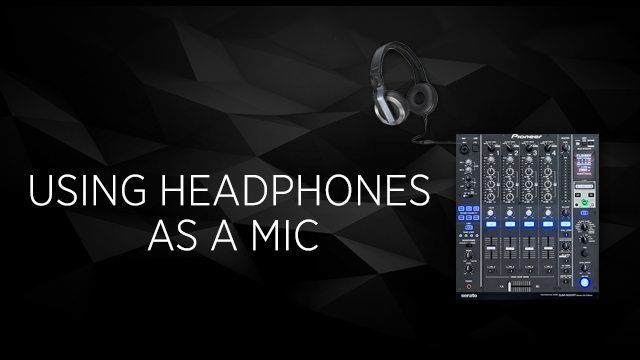
Depending on the venue or type of event there may be a point in the night when the DJ needs to make an announcement (or several) such as last call or birthday shoutouts. What if they forgot to bring a mic or a mic isn’t available at the club? There’s a very simple solution, use headphones as a microphone.

Headphone and Mic Similarities

Headphones and microphones are actually very similar. Both headphones and microphones contain a diaphragm. Both devices trade in vibrations, it’s just that headphones vibrate the diaphragm to create sound while microphones monitor vibrations from sound in order to record it.

Tips For Using Headphones As A Mic

To use your headphones as a mic plug your headphones into the mic input of the mixer. Make sure the mic levels are turned all the way down, talk into the mic and bring up the levels as needed. If the mixer/controller has EQ controls turn down the lows to reduce the boominess of your voice and increase the highs. One other important thing to watch out for is feedback (that high pitched squeal from the mic picking up the signal) Headphones have a larger surface area which makes it really easy to pick up feedback. Turn off the booth monitors so it doesn’t pick up the music or your own voice. Make your announcement, turn off the mic, then unplug your headphones. Easy as that.

Need help choosing a microphone?

Review: Four Great Budget Microphones for DJs
 

Tags: Dj Tipsean goldeneliminate feedbackfeedbackheadphone micmic eqmic tipsusing headphones as a microphone
Share11Tweet7Share
Previous Post

Four Color Zack Interview – Red Bull Thre3style World Champion + Judge

Next Post

Routine: Mark De Clive-Lowe Komplete x Maschine

Related Posts

Breaking writer’s block: A producer’s guide to sparking inspiration
DJ Techniques / Tips

Breaking writer’s block: A producer’s guide to sparking inspiration

October 9, 2023
Traktor X1 MK3 – First Look
Controllerism

Traktor X1 MK3 – First Look

August 29, 2023
The Resurgence of DJing’s Golden Age Could Come With AI
Editorials and Opinions

The Resurgence of DJing’s Golden Age Could Come With AI

April 25, 2023
Load More
Next Post
Routine: Mark De Clive-Lowe Komplete x Maschine

Routine: Mark De Clive-Lowe Komplete x Maschine

Want to reach DJTT's audience here?

Shoot an email to advertising@djtechtools.com

DJTT ads
DJTT newsletter
Midi Fighter
Chat with us
  • ABOUT DJTT
  • CONTACT
  • PRIVACY
  • MIDI FIGHTER HELP
  • ABOUT DJTT
  • JOBS
  • CONTACT US
  • ADVERTISE
  • PRIVACY POLICY
  • ACCESSIBILITY STATEMENT

© 2024 DJ Techtools all rights reserved by DJ TechTools on all content unless otherwise noted.

No Result
View All Result
  • Blog
    • DJ Gear
      • DIY Projects
      • Gear Reviews
      • New Products
      • Controllerism
    • Techniques + Tips
      • Beginner DJ
      • Advanced DJ
      • Producer
      • Finger Drummer
    • News + Culture
      • Editorials + Opinions
      • Artist Interviews
      • Performances + Routines
      • How I Play
    • DJ Software Tutorials
      • Serato Tips
      • CDJ Tips
      • Ableton Live Tips
  • Store
    • Run by real DJs, not a corporation
    • DJ Controllers
      • Midi Fighter Twister
      • Midi Fighter Spectra
      • Midi Fighter 64
      • View All
    • Accessories
      • Chroma USB Drive for DJs
      • Chroma Caps
      • Chroma Cables Audio
      • Chroma Cables USB-A
      • Chroma Cables: USB-C
      • DJTT Gift Card
      • Midi Fighter T-Shirt
      • Keyboard Covers
      • Earplugs by V-Moda
    • Production Gear
    • Soundcards & Mixers
  • Community
    • Popular Forums
      • General Discussion
      • Buy & Sell
      • Reviews
      • Mixes
      • Music Production
      • Show Your Setup
      • Off Topic
    • Handy Links
      • New Posts
      • Private Messages
      • Register
      • Search
    • Midi Maps
      • Traktor
      • Ableton
      • Serato DJ
      • Midi Fighter 3D
      • Midi Fighter Twister
      • Midi Fighter Spectra
  • Midi Fighter
  • Chroma

© 2024 DJ Techtools all rights reserved by DJ TechTools on all content unless otherwise noted.

This website uses cookies. By continuing to use this website you are giving consent to cookies being used. Visit our Privacy and Cookie Policy.