DJ TechTools
  • Blog
    • DJ Gear
      • DIY Projects
      • Gear Reviews
      • New Products
      • Controllerism
    • Techniques + Tips
      • Beginner DJ
      • Advanced DJ
      • Producer
      • Finger Drummer
    • News + Culture
      • Editorials + Opinions
      • Artist Interviews
      • Performances + Routines
      • How I Play
    • DJ Software Tutorials
      • Serato Tips
        • Traktor Tips
      • CDJ Tips
      • Ableton Live Tips
  • Store
    • Run by real DJs, not a corporation
    • DJ Controllers
      • Midi Fighter Twister
      • Midi Fighter Spectra
      • Midi Fighter 64
      • View All
    • Accessories
      • Chroma USB Drive for DJs
      • Chroma Caps
      • Chroma Cables Audio
      • Chroma Cables USB-A
      • Chroma Cables: USB-C
      • DJTT Gift Card
      • Midi Fighter T-Shirt
      • Keyboard Covers
      • Earplugs by V-Moda
    • Production Gear
    • Soundcards & Mixers
  • Community
    • Popular Forums
      • General Discussion
      • Buy & Sell
      • Reviews
      • Mixes
      • Music Production
      • Show Your Setup
      • Off Topic
    • Handy Links
      • New Posts
      • Private Messages
      • Register
      • Search
    • Midi Maps
      • Traktor
      • Ableton
      • Serato DJ
      • Midi Fighter 3D
      • Midi Fighter Twister
      • Midi Fighter Spectra
  • Midi Fighter
  • Chroma
No Result
View All Result
DJ TechTools
  • Blog
    • DJ Gear
      • DIY Projects
      • Gear Reviews
      • New Products
      • Controllerism
    • Techniques + Tips
      • Beginner DJ
      • Advanced DJ
      • Producer
      • Finger Drummer
    • News + Culture
      • Editorials + Opinions
      • Artist Interviews
      • Performances + Routines
      • How I Play
    • DJ Software Tutorials
      • Serato Tips
        • Traktor Tips
      • CDJ Tips
      • Ableton Live Tips
  • Store
    • Run by real DJs, not a corporation
    • DJ Controllers
      • Midi Fighter Twister
      • Midi Fighter Spectra
      • Midi Fighter 64
      • View All
    • Accessories
      • Chroma USB Drive for DJs
      • Chroma Caps
      • Chroma Cables Audio
      • Chroma Cables USB-A
      • Chroma Cables: USB-C
      • DJTT Gift Card
      • Midi Fighter T-Shirt
      • Keyboard Covers
      • Earplugs by V-Moda
    • Production Gear
    • Soundcards & Mixers
  • Community
    • Popular Forums
      • General Discussion
      • Buy & Sell
      • Reviews
      • Mixes
      • Music Production
      • Show Your Setup
      • Off Topic
    • Handy Links
      • New Posts
      • Private Messages
      • Register
      • Search
    • Midi Maps
      • Traktor
      • Ableton
      • Serato DJ
      • Midi Fighter 3D
      • Midi Fighter Twister
      • Midi Fighter Spectra
  • Midi Fighter
  • Chroma
No Result
View All Result
DJ TechTools

Djay Pro: Four Decks, iPad Pro Support, Video Mixing, Cloud Streaming

Dan White by Dan White
December 9, 2015
in DJ Gear Announcements, News
Reading Time: 3 mins read
0
Djay Pro iPad Pro
179
VIEWS
Post on FacebookTweet thisUpvote on Reddit

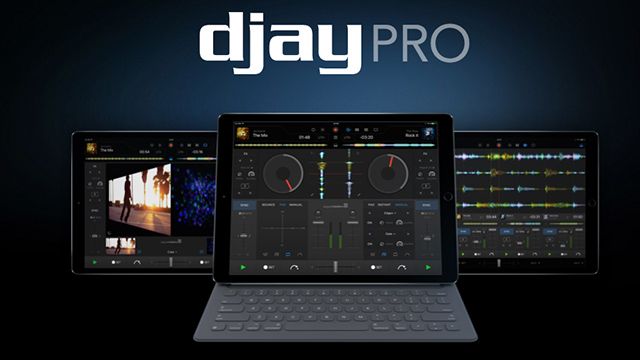
The Algoriddim team, who are behind the top-selling iOS app djay, has put out a brand new version of their app designed specifically for more advanced DJs. The new app, djay Pro, was designed with the new iPad Pro’s performance-oriented specs in mind, and allows users to do 4k video mixing, view HD waveforms, mix on four decks, run the app in the background, and much more. Watch the intro video below and keep reading:

  • App: djay Pro
  • Requirements/Platform: Any iPad running iOS 8 or later
  • Price +Availability: $29.99 (on sale for $19.99 for launch) on iOS store

djay Pro – What Makes It A Win?

Despite using mobile devices for pretty much everything else in our lives, a lot of established DJs have resisted any movements towards iOS for a variety of reasons. But particularly with this new release of djay Pro, we imagine that most DJs will have a hard time justifying that there is a significant feature set not available for them on iOS.

The new app incorporates a lot of the features that users of other Algoriddim products will find familiar – but takes them to the next level by putting them all into one app:
dj pro interface

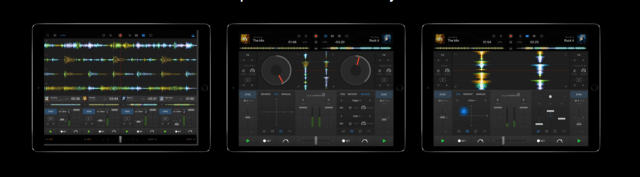
  • Djay Pro Desktop Interface: The desktop version of Djay Pro for Mac was the first app to feature a lot of the advanced user interface modes that are in this iOS version: horizontal or vertical colored waveforms (four decks, of course), FX racks and XY pads, live sampler/drum pads.
djay pro selections

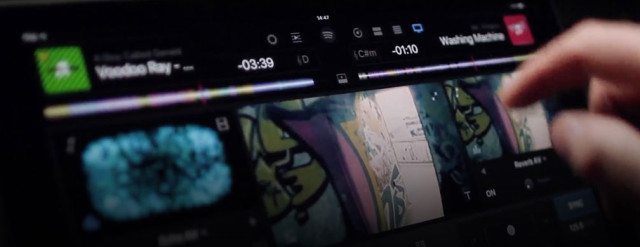
  • Video Mode: Remember Algoriddim’s vjay video mixing app? They’ve integrated all of those video mixing features (and more) into djay Pro, with visualizers and videos able to be mixed in real-time, transitions, visual FX, and overlays all available. You can save the video output in 1080p, output it via HDMI, or even stream it wirelessly with AirPlay (no word on the latency there yet).
djay pro advanced library

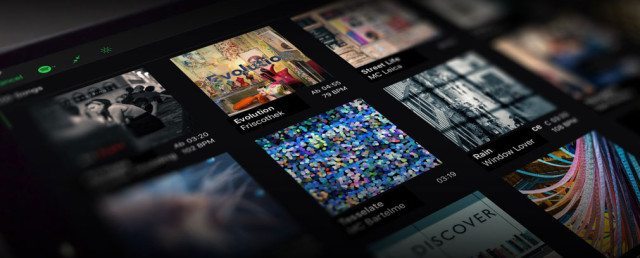
  • Spotify Streaming: Just like the Djay Pro for Mac desktop app, Algoriddim has integrated the ability to stream straight from Spotify into the iOS app. See our video on the feasibility of actually DJing off the internet in a club with Spotify/djay Pro. You can also load tracks from iCloud or Dropbox for cloud-based DJing.
  • Echo Nest Recommendations: One of the most robust online engines for analyzing songs, The Echo Nest, is directly integrated into djay Pro for song suggestions, based on “danceability, BPM, key, music style, and how well the song mixes with the currently playing track.”
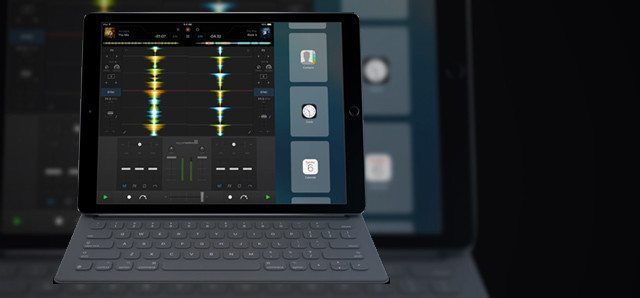
  • Multitasking: With iOS 9, djay Pro will allow users to open other apps and interact with them without closing their DJ software. Pull open a text app to make notes about requests, or text your friends to hurry up and get to the club. Yes, this works with Split View as well, so you can have both apps locked and loaded onscreen at once.
djay-pro-ipad-pro

  • Keyboard Shortcuts: Again, this is an iPad Pro-oriented release – so working with the Smart Keyboard and integrating over 70 keyboard shortcuts was a necessity.
  • Cue/Grid/Metadata/FX syncing: Make a change in your iOS version of djay Pro but want to see it on your desktop? They can be synced automatically, allowing for easy preparation. Hey, Native Instruments, whatever happened to you all fixing this feature in the Traktor DJ app…?
  • Hardware Integration: Out of the box, there’s native support for a number of controllers from Reloop, Pioneer, Numark – and support for multi-channel USB audio interfaces, meaning you could mix externally.

The new app is available now for $19.99 (limited launch sale price) on the iOS App Store.  Had a chance to play with it yet? Let us know your thoughts in the comments. 
Tags: algoriddimcloud djingdjay ProIOSipadipad prospotify streamingvideo mixing
Share2Tweet1Share
Previous Post

Holiday Gift Guide for DJs + Producers: 2015 Edition

Next Post

Odesi: Music Composition Software From Mixed In Key

Related Posts

Algoriddim’s djay app now links with Apple Vision Pro, integrates Apple Music streaming
DJ Software

Algoriddim’s djay app now links with Apple Vision Pro, integrates Apple Music streaming

February 4, 2024
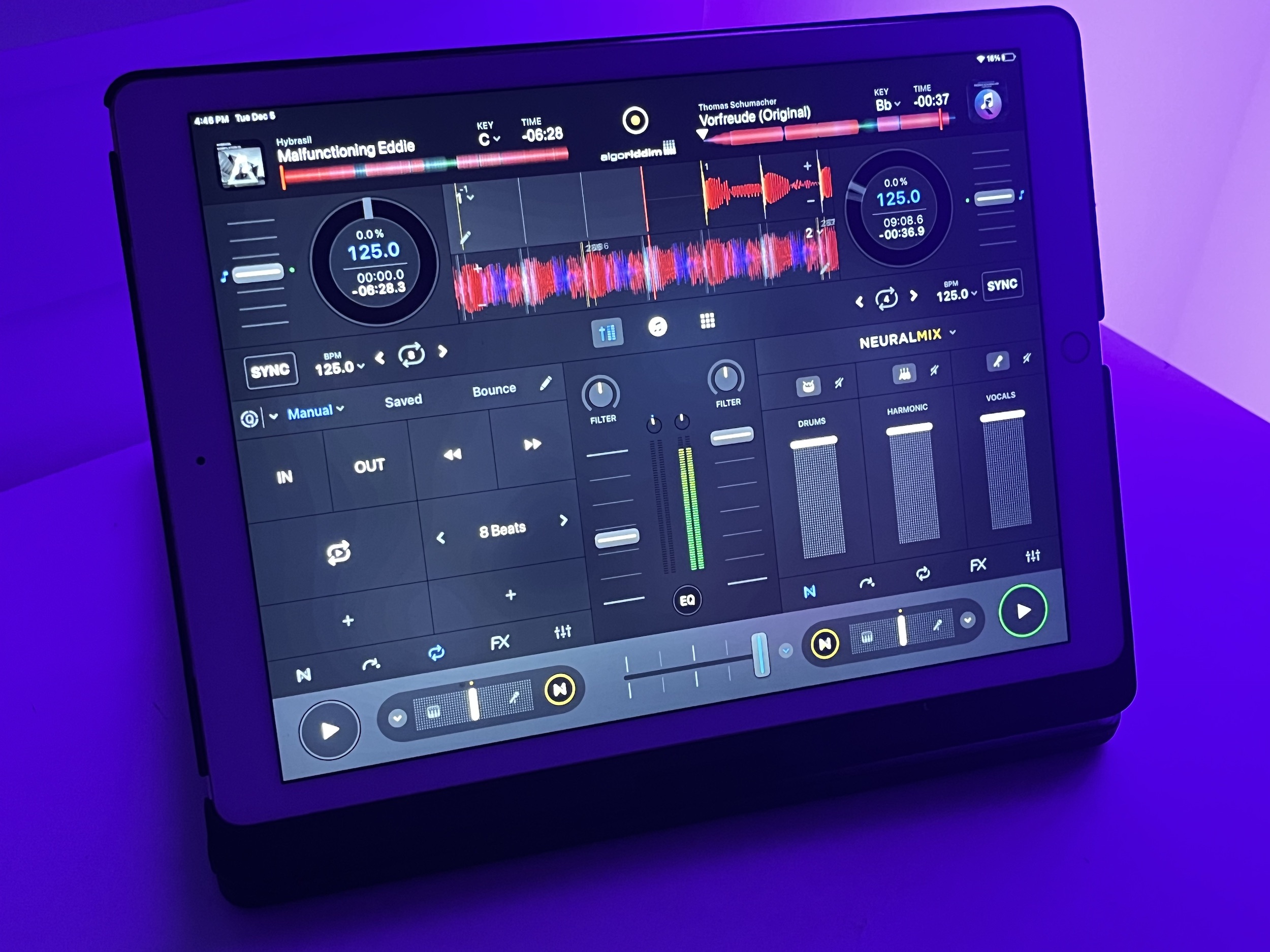
Algoriddim’s djay Pro 5.0 is here: hyper-fast stem separation, flexible beat grids
iOS DJ Tips

Algoriddim’s djay Pro 5.0 is here: hyper-fast stem separation, flexible beat grids

December 6, 2023
djay Pro for Windows launches with Neural Mix tech, where DJs can isolate track elements
DJ Software

djay Pro for Windows launches with Neural Mix tech, where DJs can isolate track elements

October 16, 2023
Load More
Next Post
Odesi Midi Composition Tool

Odesi: Music Composition Software From Mixed In Key

Want to reach DJTT's audience here?

Shoot an email to advertising@djtechtools.com

DJTT ads
DJTT newsletter
Midi Fighter
Chat with us
  • ABOUT DJTT
  • CONTACT
  • PRIVACY
  • MIDI FIGHTER HELP
  • ABOUT DJTT
  • JOBS
  • CONTACT US
  • ADVERTISE
  • PRIVACY POLICY
  • ACCESSIBILITY STATEMENT

© 2024 DJ Techtools all rights reserved by DJ TechTools on all content unless otherwise noted.

No Result
View All Result
  • Blog
    • DJ Gear
      • DIY Projects
      • Gear Reviews
      • New Products
      • Controllerism
    • Techniques + Tips
      • Beginner DJ
      • Advanced DJ
      • Producer
      • Finger Drummer
    • News + Culture
      • Editorials + Opinions
      • Artist Interviews
      • Performances + Routines
      • How I Play
    • DJ Software Tutorials
      • Serato Tips
      • CDJ Tips
      • Ableton Live Tips
  • Store
    • Run by real DJs, not a corporation
    • DJ Controllers
      • Midi Fighter Twister
      • Midi Fighter Spectra
      • Midi Fighter 64
      • View All
    • Accessories
      • Chroma USB Drive for DJs
      • Chroma Caps
      • Chroma Cables Audio
      • Chroma Cables USB-A
      • Chroma Cables: USB-C
      • DJTT Gift Card
      • Midi Fighter T-Shirt
      • Keyboard Covers
      • Earplugs by V-Moda
    • Production Gear
    • Soundcards & Mixers
  • Community
    • Popular Forums
      • General Discussion
      • Buy & Sell
      • Reviews
      • Mixes
      • Music Production
      • Show Your Setup
      • Off Topic
    • Handy Links
      • New Posts
      • Private Messages
      • Register
      • Search
    • Midi Maps
      • Traktor
      • Ableton
      • Serato DJ
      • Midi Fighter 3D
      • Midi Fighter Twister
      • Midi Fighter Spectra
  • Midi Fighter
  • Chroma

© 2024 DJ Techtools all rights reserved by DJ TechTools on all content unless otherwise noted.

This website uses cookies. By continuing to use this website you are giving consent to cookies being used. Visit our Privacy and Cookie Policy.