DJ TechTools
  • Blog
    • DJ Gear
      • DIY Projects
      • Gear Reviews
      • New Products
      • Controllerism
    • Techniques + Tips
      • Beginner DJ
      • Advanced DJ
      • Producer
      • Finger Drummer
    • News + Culture
      • Editorials + Opinions
      • Artist Interviews
      • Performances + Routines
      • How I Play
    • DJ Software Tutorials
      • Serato Tips
        • Traktor Tips
      • CDJ Tips
      • Ableton Live Tips
  • Store
    • Run by real DJs, not a corporation
    • DJ Controllers
      • Midi Fighter Twister
      • Midi Fighter Spectra
      • Midi Fighter 64
      • View All
    • Accessories
      • Chroma USB Drive for DJs
      • Chroma Caps
      • Chroma Cables Audio
      • Chroma Cables USB-A
      • Chroma Cables: USB-C
      • DJTT Gift Card
      • Midi Fighter T-Shirt
      • Keyboard Covers
      • Earplugs by V-Moda
    • Production Gear
    • Soundcards & Mixers
  • Community
    • Popular Forums
      • General Discussion
      • Buy & Sell
      • Reviews
      • Mixes
      • Music Production
      • Show Your Setup
      • Off Topic
    • Handy Links
      • New Posts
      • Private Messages
      • Register
      • Search
    • Midi Maps
      • Traktor
      • Ableton
      • Serato DJ
      • Midi Fighter 3D
      • Midi Fighter Twister
      • Midi Fighter Spectra
  • Midi Fighter
  • Chroma
No Result
View All Result
DJ TechTools
  • Blog
    • DJ Gear
      • DIY Projects
      • Gear Reviews
      • New Products
      • Controllerism
    • Techniques + Tips
      • Beginner DJ
      • Advanced DJ
      • Producer
      • Finger Drummer
    • News + Culture
      • Editorials + Opinions
      • Artist Interviews
      • Performances + Routines
      • How I Play
    • DJ Software Tutorials
      • Serato Tips
        • Traktor Tips
      • CDJ Tips
      • Ableton Live Tips
  • Store
    • Run by real DJs, not a corporation
    • DJ Controllers
      • Midi Fighter Twister
      • Midi Fighter Spectra
      • Midi Fighter 64
      • View All
    • Accessories
      • Chroma USB Drive for DJs
      • Chroma Caps
      • Chroma Cables Audio
      • Chroma Cables USB-A
      • Chroma Cables: USB-C
      • DJTT Gift Card
      • Midi Fighter T-Shirt
      • Keyboard Covers
      • Earplugs by V-Moda
    • Production Gear
    • Soundcards & Mixers
  • Community
    • Popular Forums
      • General Discussion
      • Buy & Sell
      • Reviews
      • Mixes
      • Music Production
      • Show Your Setup
      • Off Topic
    • Handy Links
      • New Posts
      • Private Messages
      • Register
      • Search
    • Midi Maps
      • Traktor
      • Ableton
      • Serato DJ
      • Midi Fighter 3D
      • Midi Fighter Twister
      • Midi Fighter Spectra
  • Midi Fighter
  • Chroma
No Result
View All Result
DJ TechTools

Edjing Mix: DJiT’s App with DVS Support

Dean Zulueta by Dean Zulueta
September 16, 2016
in Breaking News, News, News + Culture
Reading Time: 2 mins read
0
edjing Mix
1.2k
VIEWS
Post on FacebookTweet thisUpvote on Reddit

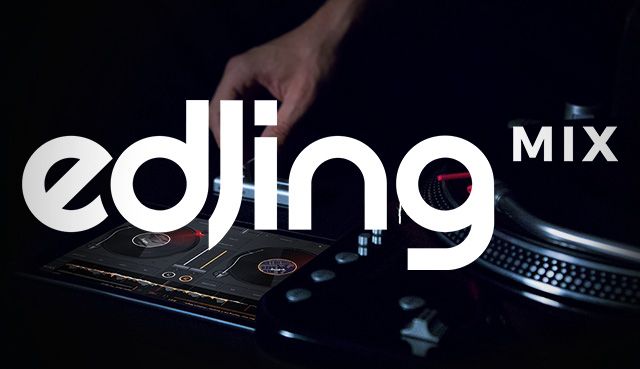
Mobile DJ apps are getting better and better with the increasing power capabilities put into smartphones. Apple is rolling out the iPhone 7 with a faster processor and even without an audio jack, companies like DJiT from France are finding ways to make smartphones work for DJs. The latest app coming from DJiT is edjing Mix, the 6th edition of the DJ app. It’s optimized for iOS 10, has a brand new user interface, and DVS/MIDI support.

edjing Mix: The Finale in edjing Suite

The arrival of edjing Mix completes a suite of apps from the company – incuding edjing Scratch and Pro. Edjing Mix contains a brand new interface that simplifies the complexity DJ hardware. This edition also brings along a sampler and hardware integration that increases the potential uses for this app. Interestingly enough, DJiT simplified the UI to the point where the company claims “each feature is now accessible in 1 touch” with the added capability of having multiple windows open at once across all menus.

The app is optimized for iOS 10 and takes advantage of the latest audio technology available to mobile devices. The new Core Audio Engine included in edjing Mix provides high-quality output and allows multiple instances of audio to run at once which gives way to higher quality sampling. Edjing Mix also contains an auto-gain feature called Smart Volume which adjusts the gain of tracks without compromising the sound quality.

Sampler and DVS Control

Edjing Mix includes a new sampler with the familiar colored drum pads on each deck that is found usually in physical DJ hardware. While it is important to note that the samples included are essentials for DJs, the icing on the cake is the fact that samples can be linked to the crossfader. This means that the volume can be dependent on the sample pressed which saves the DJ from accidents while attempting to crossfade on a tiny screen.

DJs may be reluctant to use a phone to DJ in a club however this supports DVS and MIDI. Traditional DJ hardware is capable of controlling parameters via a MIDI controller and an adapter. DJs can also go the DVS route. By routing a turntable playing timecode to the phone via an audio port DJs can use hardware to control their tracks. Just as DJs use Serato or Traktor Scratch, edjing Mix offers the same capability except with the convenience of being on a device that fits in a pocket. Edjing Mix is also compatible with DJiT’s latest hardware, Mixfader, the Bluetooth crossfader.

The app also integrates Deezer and Soundcloud to make a DJ’s library even more extensive. DJs can also record and share mixes right from the app.

Edjing Mix is available for free on the App Store and is iOS 10 ready – while a version for Android is “coming soon”.
 

Tags: android appsappledj appsDJiTdvs iosedjingedjing Mixedjing Proedjing Scratchedjing SuiteiOS 10ios appsIphoneiphone 7midiMIDI appsMixfademixfadermobile apps
Share9Tweet6Share
Previous Post

Pioneer DJ Hints At CDJ-2000NXS2 HID Traktor Support, Stems?

Next Post

macOS Sierra: Does DJ Software Work?

Related Posts

A beginner’s guide to adding DJ tracks to your synthesizer set
Dj and Production Tutorials

A beginner’s guide to adding DJ tracks to your synthesizer set

August 15, 2021
Beatport’s iOS app is here, & with it a company rebrand
DJ Gear

Beatport’s iOS app is here, & with it a company rebrand

June 11, 2021
Rekordbox releases Android version of mobile app
News + Culture

Rekordbox releases Android version of mobile app

March 15, 2021
Load More
Next Post
macOS Sierra: Does DJ Software Work?

macOS Sierra: Does DJ Software Work?

Want to reach DJTT's audience here?

Shoot an email to advertising@djtechtools.com

DJTT ads
DJTT newsletter
Midi Fighter
Chat with us
  • ABOUT DJTT
  • CONTACT
  • PRIVACY
  • MIDI FIGHTER HELP
  • ABOUT DJTT
  • JOBS
  • CONTACT US
  • ADVERTISE
  • PRIVACY POLICY
  • ACCESSIBILITY STATEMENT

© 2024 DJ Techtools all rights reserved by DJ TechTools on all content unless otherwise noted.

No Result
View All Result
  • Blog
    • DJ Gear
      • DIY Projects
      • Gear Reviews
      • New Products
      • Controllerism
    • Techniques + Tips
      • Beginner DJ
      • Advanced DJ
      • Producer
      • Finger Drummer
    • News + Culture
      • Editorials + Opinions
      • Artist Interviews
      • Performances + Routines
      • How I Play
    • DJ Software Tutorials
      • Serato Tips
      • CDJ Tips
      • Ableton Live Tips
  • Store
    • Run by real DJs, not a corporation
    • DJ Controllers
      • Midi Fighter Twister
      • Midi Fighter Spectra
      • Midi Fighter 64
      • View All
    • Accessories
      • Chroma USB Drive for DJs
      • Chroma Caps
      • Chroma Cables Audio
      • Chroma Cables USB-A
      • Chroma Cables: USB-C
      • DJTT Gift Card
      • Midi Fighter T-Shirt
      • Keyboard Covers
      • Earplugs by V-Moda
    • Production Gear
    • Soundcards & Mixers
  • Community
    • Popular Forums
      • General Discussion
      • Buy & Sell
      • Reviews
      • Mixes
      • Music Production
      • Show Your Setup
      • Off Topic
    • Handy Links
      • New Posts
      • Private Messages
      • Register
      • Search
    • Midi Maps
      • Traktor
      • Ableton
      • Serato DJ
      • Midi Fighter 3D
      • Midi Fighter Twister
      • Midi Fighter Spectra
  • Midi Fighter
  • Chroma

© 2024 DJ Techtools all rights reserved by DJ TechTools on all content unless otherwise noted.

This website uses cookies. By continuing to use this website you are giving consent to cookies being used. Visit our Privacy and Cookie Policy.