DJ TechTools
  • Blog
    • DJ Gear
      • DIY Projects
      • Gear Reviews
      • New Products
      • Controllerism
    • Techniques + Tips
      • Beginner DJ
      • Advanced DJ
      • Producer
      • Finger Drummer
    • News + Culture
      • Editorials + Opinions
      • Artist Interviews
      • Performances + Routines
      • How I Play
    • DJ Software Tutorials
      • Serato Tips
        • Traktor Tips
      • CDJ Tips
      • Ableton Live Tips
  • Store
    • Run by real DJs, not a corporation
    • DJ Controllers
      • Midi Fighter Twister
      • Midi Fighter Spectra
      • Midi Fighter 64
      • View All
    • Accessories
      • Chroma USB Drive for DJs
      • Chroma Caps
      • Chroma Cables Audio
      • Chroma Cables USB-A
      • Chroma Cables: USB-C
      • DJTT Gift Card
      • Midi Fighter T-Shirt
      • Keyboard Covers
      • Earplugs by V-Moda
    • Production Gear
    • Soundcards & Mixers
  • Community
    • Popular Forums
      • General Discussion
      • Buy & Sell
      • Reviews
      • Mixes
      • Music Production
      • Show Your Setup
      • Off Topic
    • Handy Links
      • New Posts
      • Private Messages
      • Register
      • Search
    • Midi Maps
      • Traktor
      • Ableton
      • Serato DJ
      • Midi Fighter 3D
      • Midi Fighter Twister
      • Midi Fighter Spectra
  • Midi Fighter
  • Chroma
No Result
View All Result
DJ TechTools
  • Blog
    • DJ Gear
      • DIY Projects
      • Gear Reviews
      • New Products
      • Controllerism
    • Techniques + Tips
      • Beginner DJ
      • Advanced DJ
      • Producer
      • Finger Drummer
    • News + Culture
      • Editorials + Opinions
      • Artist Interviews
      • Performances + Routines
      • How I Play
    • DJ Software Tutorials
      • Serato Tips
        • Traktor Tips
      • CDJ Tips
      • Ableton Live Tips
  • Store
    • Run by real DJs, not a corporation
    • DJ Controllers
      • Midi Fighter Twister
      • Midi Fighter Spectra
      • Midi Fighter 64
      • View All
    • Accessories
      • Chroma USB Drive for DJs
      • Chroma Caps
      • Chroma Cables Audio
      • Chroma Cables USB-A
      • Chroma Cables: USB-C
      • DJTT Gift Card
      • Midi Fighter T-Shirt
      • Keyboard Covers
      • Earplugs by V-Moda
    • Production Gear
    • Soundcards & Mixers
  • Community
    • Popular Forums
      • General Discussion
      • Buy & Sell
      • Reviews
      • Mixes
      • Music Production
      • Show Your Setup
      • Off Topic
    • Handy Links
      • New Posts
      • Private Messages
      • Register
      • Search
    • Midi Maps
      • Traktor
      • Ableton
      • Serato DJ
      • Midi Fighter 3D
      • Midi Fighter Twister
      • Midi Fighter Spectra
  • Midi Fighter
  • Chroma
No Result
View All Result
DJ TechTools

Pioneer DJ NXS2 Setup Gets Traktor HID Compatability

Dan White by Dan White
October 13, 2016
in Breaking News, News
Reading Time: 3 mins read
0
Pioneer DJ NXS2 Setup Gets Traktor HID Compatability
103
VIEWS
Post on FacebookTweet thisUpvote on Reddit

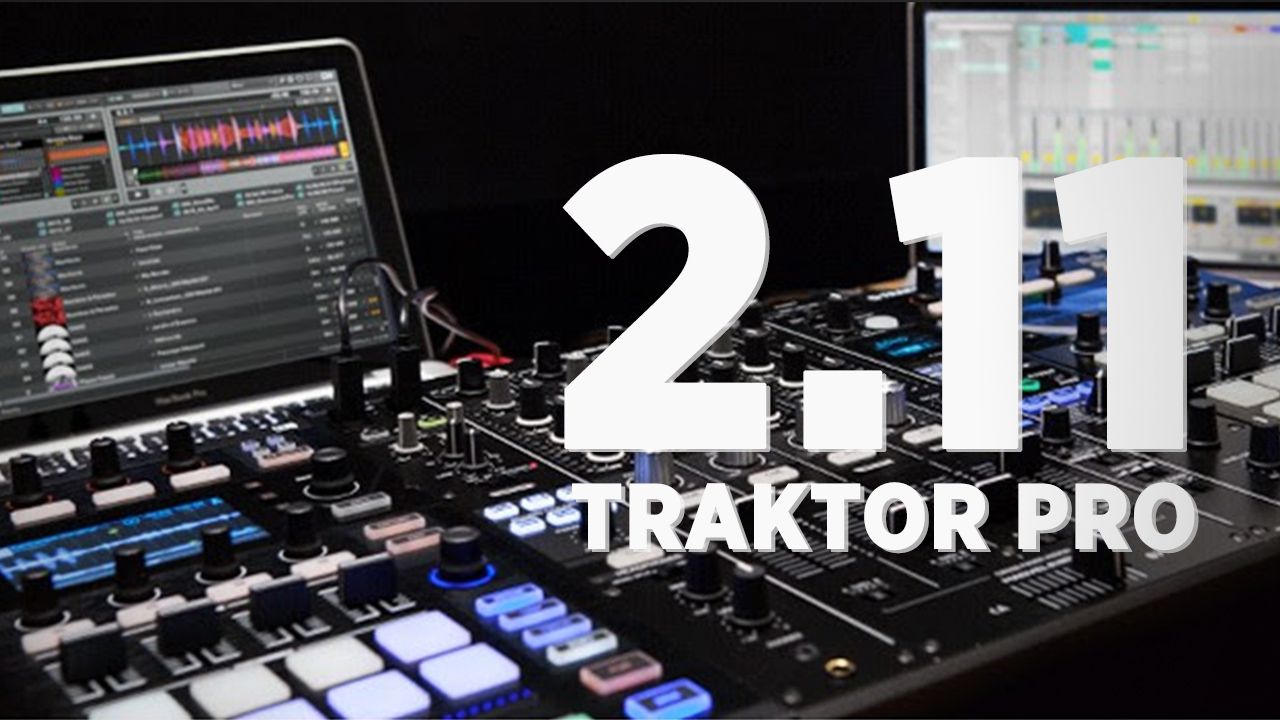
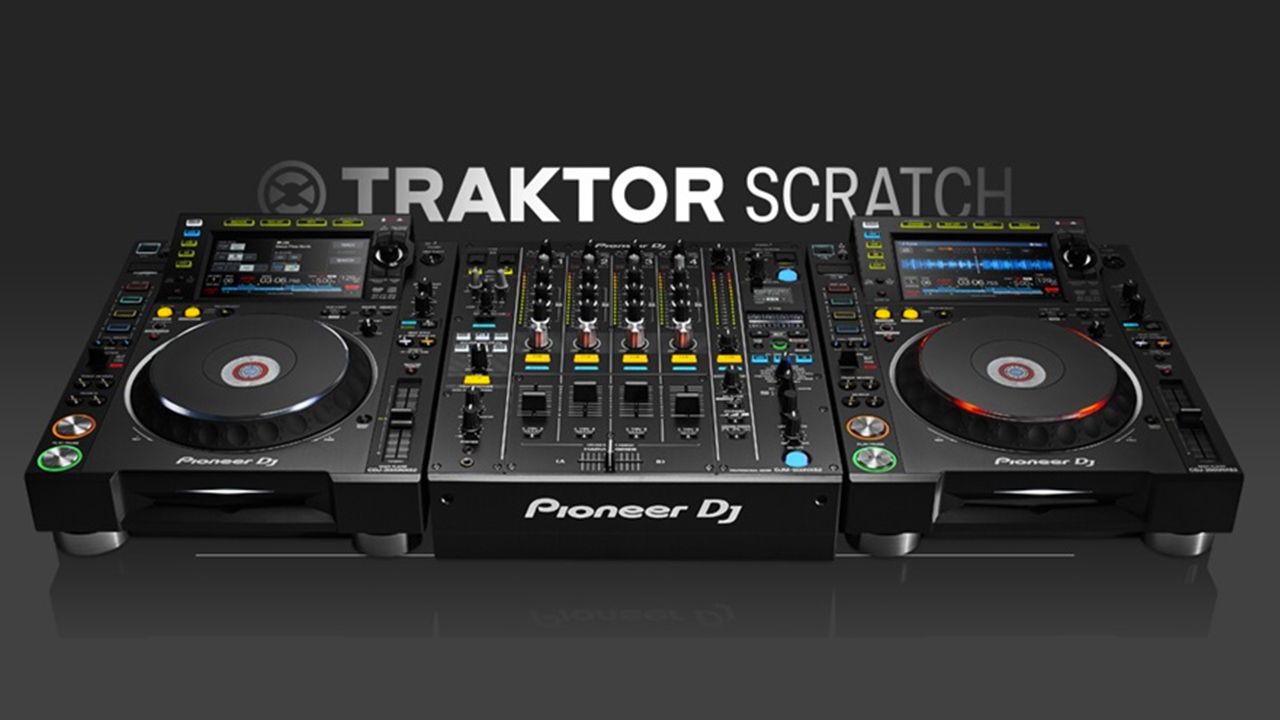
The Pioneer DJ NXS2 setup – CDJ-2000NXS2s and DJM-900NXS2s – are finally getting complete Tratkor Scratch compatibility. This comes in step with the launch of Traktor 2.11 (which is due to be released in the next day or two). Keep reading for the details on new compatibility.

Traktor + Pioneer NXS2s History

We published an article back in June 2016 about the absurdity of the situation for early adopters of high end Pioneer DJ NXS2 gear. Many users upgraded directly from NXS gear, and for some DJs, this meant losing DVS/Traktor Scratch and HID compatibility.

Pioneer DJ notes that the new compatibility being announced today, “comes under the Pioneer DJ Certification Program, an initiative to evaluate products from other companies and certify them as compatible with our DJ gear so you know you can use them together with confidence.”

The NXS2 line officially launched in February 2016, so if you invested then, it’s been eight months without this feature. Long enough for almost any digital DJ who missed this feature consider returning the units or trying out Rekordbox DJ, which has worked perfectly with the NXS2 hardware most of the year.

Full USB-HID Compatibility + Features

Despite the delay, we’re happy that Pioneer DJ have announced this new update. Here are the features that Pioneer DJ is announcing for each unit:

DJM-900NXS2:

  • Intuitive DVS and scratch control: Plug your computer into the mixer and use the Traktor Scratch control vinyl or CDs. If you’re using a CDJ-2000NXS2, you don’t need a timecode disc.
  • Dual Soundcard Support: With the DJM-900NXS2’s dual built-in sound cards and input selector switches, it’s easy to connect two computers to the mixer at the same time and trade off channels.
  • Use the DJM-900NXS2 as an audio output device: Output audio signals from TRAKTOR SCRATCH PRO 2 without needing an external audio interface. The USB sound cards enable 96 kHz/24-bit high-quality sample processing and you can input/output each audio signal and maintain sound quality just by connecting the mixer to your PC/Mac. (Editor’s note: We are pretty sure this isn’t a new feature – just now “officially supported”) 

CDJ-2000NXS2: 

  • HID Control: Plug your Traktor Scratch computer into a CDJ-2000NXS2 and control track decks without the need for a control disc. Loops, tempo adjustment, and play/cue are all automatically mapped to the software.
  • Track information on CDJ-2000NXS2’s screen: Text information, artwork, and wave form from your tracks in Traktor are shown on the screen (Editor’s note: so far, it looks like this is still just one static waveform and not a highres, zoomable waveform – same as with the CDJ-2000NXS)
  • Use the CDJ-2000NXS2 as an audio output device: Output audio via the CDJ-2000’s built-in sound card

How To Set It Up

In order to start DJing with Traktor Scratch Pro and the NXS2 line, you’ll need to download the 2.11 beta (or soon, final release) of Traktor. You also will will need to update the firmware on your CDJ-2000NX2 units to version 1.50 and DJM-900NXS2 units to version 1.20.

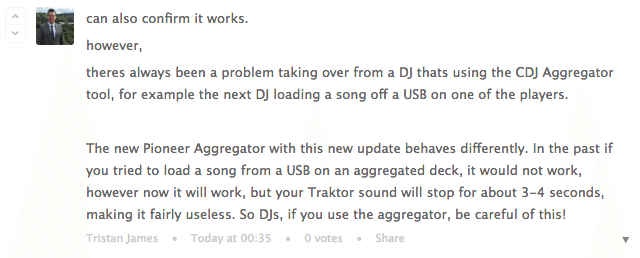
We also noticed a good bit of advice in the Pioneer DJ forums for any DJs who might use CDJs without a DJM mixer. This means using the audio output of the CDJs and using the CDJ Aggregator software.  Here’s what Tristan James writes:
screen-shot-2016-10-13-at-oct-13-57-44-pm

Have your own experiences with using NXS2 gear with Traktor? Let us know in the comments.

Tags: cdj-2000nxs2djm-900nxs2HIDpioneer DJsupportTraktor Tips
Share1Tweet1Share
Previous Post

How To Send Demos To Record Labels

Next Post

Traktor Pro 2.11 Out Now

Related Posts

The DJM-V5 from AlphaTheta: 3 channels, 4-band EQ, V10 sound – no Beat FX or crossfader.
Breaking News

The DJM-V5 from AlphaTheta: 3 channels, 4-band EQ, V10 sound – no Beat FX or crossfader.

January 20, 2026
Rekordox Spotify
Breaking News

Spotify (finally) slides into Rekordbox, Serato, and Algoriddim djay (again) – for better or worse?

September 24, 2025
CDJ-3000x player by AlphaTheta
Breaking News

The CDJ-3000X is here: an iterative upgrade of the media player for $3,000 / £2,399

September 9, 2025
Load More
Next Post
Traktor Pro 2.11 Out Now

Traktor Pro 2.11 Out Now

Want to reach DJTT's audience here?

Shoot an email to advertising@djtechtools.com

DJTT ads
DJTT newsletter
Midi Fighter
Chat with us
  • ABOUT DJTT
  • CONTACT
  • PRIVACY
  • MIDI FIGHTER HELP
  • ABOUT DJTT
  • JOBS
  • CONTACT US
  • ADVERTISE
  • PRIVACY POLICY
  • ACCESSIBILITY STATEMENT

© 2024 DJ Techtools all rights reserved by DJ TechTools on all content unless otherwise noted.

No Result
View All Result
  • Blog
    • DJ Gear
      • DIY Projects
      • Gear Reviews
      • New Products
      • Controllerism
    • Techniques + Tips
      • Beginner DJ
      • Advanced DJ
      • Producer
      • Finger Drummer
    • News + Culture
      • Editorials + Opinions
      • Artist Interviews
      • Performances + Routines
      • How I Play
    • DJ Software Tutorials
      • Serato Tips
      • CDJ Tips
      • Ableton Live Tips
  • Store
    • Run by real DJs, not a corporation
    • DJ Controllers
      • Midi Fighter Twister
      • Midi Fighter Spectra
      • Midi Fighter 64
      • View All
    • Accessories
      • Chroma USB Drive for DJs
      • Chroma Caps
      • Chroma Cables Audio
      • Chroma Cables USB-A
      • Chroma Cables: USB-C
      • DJTT Gift Card
      • Midi Fighter T-Shirt
      • Keyboard Covers
      • Earplugs by V-Moda
    • Production Gear
    • Soundcards & Mixers
  • Community
    • Popular Forums
      • General Discussion
      • Buy & Sell
      • Reviews
      • Mixes
      • Music Production
      • Show Your Setup
      • Off Topic
    • Handy Links
      • New Posts
      • Private Messages
      • Register
      • Search
    • Midi Maps
      • Traktor
      • Ableton
      • Serato DJ
      • Midi Fighter 3D
      • Midi Fighter Twister
      • Midi Fighter Spectra
  • Midi Fighter
  • Chroma

© 2024 DJ Techtools all rights reserved by DJ TechTools on all content unless otherwise noted.

This website uses cookies. By continuing to use this website you are giving consent to cookies being used. Visit our Privacy and Cookie Policy.