For rising producers who are ready to go beyond self-release and promotion, there’s a clear “next step”. Submitting your tracks to labels with the hopes of getting a release isn’t easy. But in today’s article, guest contributor and JOOF label A&R manager Daniel Sokolovskiy reveals a few key insights. Keep reading to learn how to properly send demos to record labels, with the goal of getting a response.
Having great music is the essential part of a music producer’s career. Marketing, social media, and other promotional tools work only if your music is truly great.
But when dealing with record labels, just having great music is not enough — you have to know how to properly pitch the labels. Otherwise, you may end up like a radio telescope in the above image – blasting out signals but never getting a reply back.
In this article, I’ll share my insights on sending a demo to a record label, and how to increase chances of a positive response.
Demonstrate your best
Some producers think that demo is a 1-minute cut from the full track, some others think it’s a work-in-progress preview. Let’s clarify what the ‘demo’ actually means in the first place.
‘demo’ is short for demonstration — the demonstration of the best you can do.
Let’s take photographers for example. A good photographer won’t show just a piece of his shots to the clients, saying something like “Well, you know, it’s a work-in-progress, but after Photoshop it will be better”.
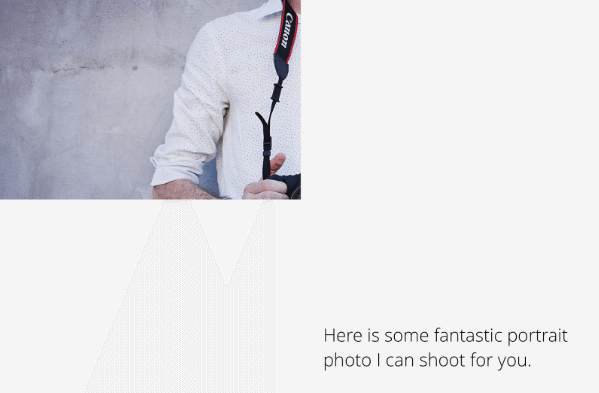
So when sending submissions to labels, don’t send ideas and rough previews saying “I’ll finish if your label is interested in it”. Send only finished tracks, and only when you’re absolutely sure it’s the best you can do.
Do Your Research; Submit To The Right Labels
Surprisingly, producers often send tracks that don’t match a label’s genre. It may sound obvious, but before hitting send, do some research. Before you submit a demo, make sure it totally suits the style and concept of the label. Why would a Trance label would ever want to listen to your Drum & Bass demo?
It can be good to have specific label in mind when you are producing a track. But if you just starting out and not sure where your music fits in, try this research process:
- Find five or ten artists with similar music to yours
- Check where those artists have been released
- Check those labels and listen to their other releases.
Do this process a few times and you’ll have a solid list of record labels where your music potentially fits in.
Use Official Contacts, Not Facebook Messages
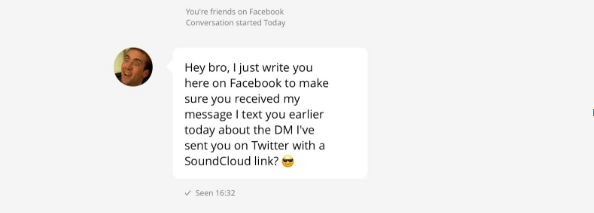
All the people in the music industry have public accounts: on Facebook, Twitter, SoundCloud, Google+, and other social media. But just because these accounts have “Send a message” buttons doesn’t mean that label heads want to receive your demos here. In fact, it might be quite the opposite.
Personal and business communication are different things, and not all people like to mix it together. I advise to respect people’s privacy, and don’t send demos in personal messages on social media. If you try this, know that your message might not even get there – for instance, Facebook filters out messages from people who don’t have a certain number of shared friends.
Instead, I recommend using a label’s official contact methods for demo submission. Go to the label’s website or Facebook page, look for the contacts section, and check their specific instructions out. If they accept demos via form on their website only, then send via that form. If they ask to send an email to specific address — send an email to that address.
If you’re unwilling to follow the directions that a label has set out for submitting tracks, this means something to the label manager. Do they really want to work with someone (an artist) who can’t follow directions and submit music properly? Probably not.
Personalize Your Submission
Some producers use mass mailings, hoping that the odds are that someone will pick their track up. Trust me – chances of getting released on a decent label by mass mailing are very, very low.
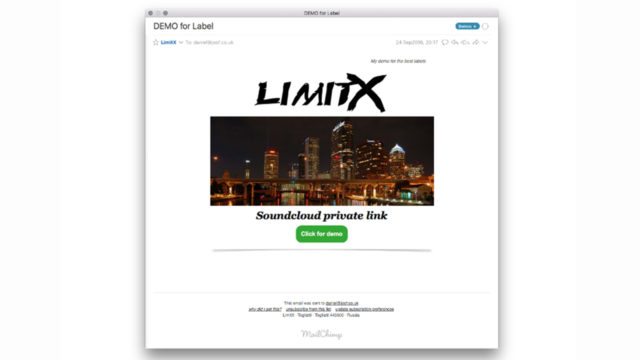
Going beyond that, I advise personalizing your submission. Instead of simply saying, “Hi, here is my demo” (which may indicate that you probably sent this demo to other labels as well), add that particular label name in subject line, or in track title, or in track description, or wherever.
This instantly gives a feeling of a personalized demo sent specifically for this label. This is important! If you don’t care which label you want to be released on, then most likely the label won’t care much about you either.
Send a Brief-but-Specific Message
It’s surprising how often I receive emails like this:
Hi,
I hope you’ll like my new track!
Sent from my iPhone
Who is the sender, what’s their artist name? What track did they sent, and for what purpose? Well, you can only guess! Most likely, such messages are simply ignored in a favor of many other incoming messages in the queue. Remember, credible labels with good reputations receive dozens of demos on a daily basis!
But please don’t write a huge wall of text either. The best practice is to briefly introduce yourself, tell something about the track, and why you’re sending it. It’s okay to mention some other tracks or artists you like from the label, this shows you’re a fan of the label, which is always a good sign.
A good message might look look like this:
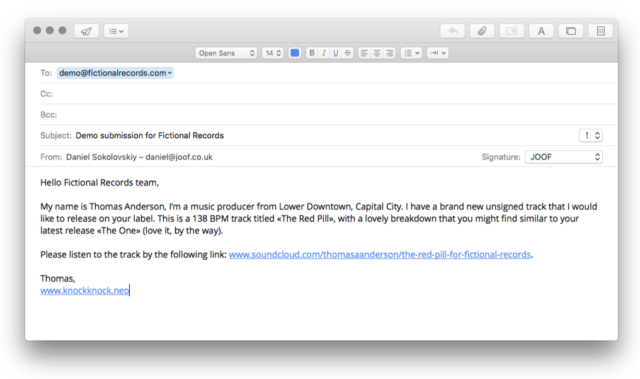 Here’s a template you can duplicate in your own submissions:
- One short paragraph about yourself
- One or two sentences about this demo
- Signature with one main website link
Send Links, Not Files
Never ever attach audio files to the email message. Some mail servers and filters have a limit on incoming file size, you risk that your message won’t be delivered at all. It also can comes off as less professional.
I recommend uploading your files to one of the trusted and reliable platforms – SoundCloud, Dropbox, Google Drive, or WeTransfer. Make sure to name files properly with your artist name and track title rather than something like “ID1.mp3”.
Personally, I prefer SoundCloud links most of all. But there are three things to keep in mind when sending over SoundCloud:
- Turn on download option. Listening online is super handy, but sometimes a person who is making a decision may want to download this track to listen in another environment (ex: on a long overseas flight)
- Keep your uploads private. Labels want to get exclusive material that no one has heard before, so public uploads significantly reduce chances of it getting signed.
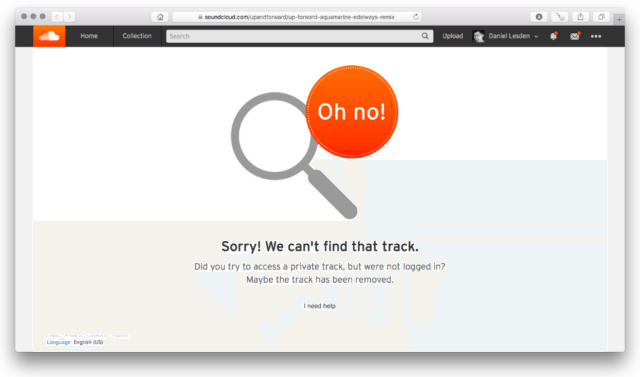
- Make sure you send a proper link. This one is a common mistake: to get a private link, you have to click on the “Share” button, and then copy text from the “Private Share” line. Double-check it: the link should include some few random digits at the end – try opening it in an Incognito browsing window. If you just copy-paste the regular link from your browser, everyone but you will see this:
Be Patient + Learn to Accept ‘No’
Don’t expect to get a reply back instantaneously. Good manners and business ethics imply waiting for a response for at least a week is reasonable. This is one of the main differences between quick online chats with friends and business communication.
Keep in mind that A&R Managers are often active artists themselves. They usually have busy schedules with their own music production and touring.
It is okay to send a reminder if you haven’t got a reply in 2-3 weeks. But don’t fall into a trap of false illusions: probably, you won’t hear back at all. Don’t let that discourage you – if your track is really amazing, well-produced, and totally fits the label, you’ll get a reply.
Being an active artist myself, I know how frustrating it can be to get a rejection or even no response. But don’t be afraid of getting “no” as an answer. Being alright with rejection and learning what works and what doesn’t helps you grow as a producer!
Daniel Sokolovskiy is a Psytrance music producer and DJ, known under the alias Daniel Lesden — an artist at Digital Om Productions roster and A&R manager at JOOF Recordings. Daniel hosts his monthly show Rave Podcast on Digitally Imported radio and shares experience in the weekly Advice blog.