DJ TechTools
  • Blog
    • DJ Gear
      • DIY Projects
      • Gear Reviews
      • New Products
      • Controllerism
    • Techniques + Tips
      • Beginner DJ
      • Advanced DJ
      • Producer
      • Finger Drummer
    • News + Culture
      • Editorials + Opinions
      • Artist Interviews
      • Performances + Routines
      • How I Play
    • DJ Software Tutorials
      • Serato Tips
        • Traktor Tips
      • CDJ Tips
      • Ableton Live Tips
  • Store
    • Run by real DJs, not a corporation
    • DJ Controllers
      • Midi Fighter Twister
      • Midi Fighter Spectra
      • Midi Fighter 64
      • View All
    • Accessories
      • Chroma USB Drive for DJs
      • Chroma Caps
      • Chroma Cables Audio
      • Chroma Cables USB-A
      • Chroma Cables: USB-C
      • DJTT Gift Card
      • Midi Fighter T-Shirt
      • Keyboard Covers
      • Earplugs by V-Moda
    • Production Gear
    • Soundcards & Mixers
  • Community
    • Popular Forums
      • General Discussion
      • Buy & Sell
      • Reviews
      • Mixes
      • Music Production
      • Show Your Setup
      • Off Topic
    • Handy Links
      • New Posts
      • Private Messages
      • Register
      • Search
    • Midi Maps
      • Traktor
      • Ableton
      • Serato DJ
      • Midi Fighter 3D
      • Midi Fighter Twister
      • Midi Fighter Spectra
  • Midi Fighter
  • Chroma
No Result
View All Result
DJ TechTools
  • Blog
    • DJ Gear
      • DIY Projects
      • Gear Reviews
      • New Products
      • Controllerism
    • Techniques + Tips
      • Beginner DJ
      • Advanced DJ
      • Producer
      • Finger Drummer
    • News + Culture
      • Editorials + Opinions
      • Artist Interviews
      • Performances + Routines
      • How I Play
    • DJ Software Tutorials
      • Serato Tips
        • Traktor Tips
      • CDJ Tips
      • Ableton Live Tips
  • Store
    • Run by real DJs, not a corporation
    • DJ Controllers
      • Midi Fighter Twister
      • Midi Fighter Spectra
      • Midi Fighter 64
      • View All
    • Accessories
      • Chroma USB Drive for DJs
      • Chroma Caps
      • Chroma Cables Audio
      • Chroma Cables USB-A
      • Chroma Cables: USB-C
      • DJTT Gift Card
      • Midi Fighter T-Shirt
      • Keyboard Covers
      • Earplugs by V-Moda
    • Production Gear
    • Soundcards & Mixers
  • Community
    • Popular Forums
      • General Discussion
      • Buy & Sell
      • Reviews
      • Mixes
      • Music Production
      • Show Your Setup
      • Off Topic
    • Handy Links
      • New Posts
      • Private Messages
      • Register
      • Search
    • Midi Maps
      • Traktor
      • Ableton
      • Serato DJ
      • Midi Fighter 3D
      • Midi Fighter Twister
      • Midi Fighter Spectra
  • Midi Fighter
  • Chroma
No Result
View All Result
DJ TechTools

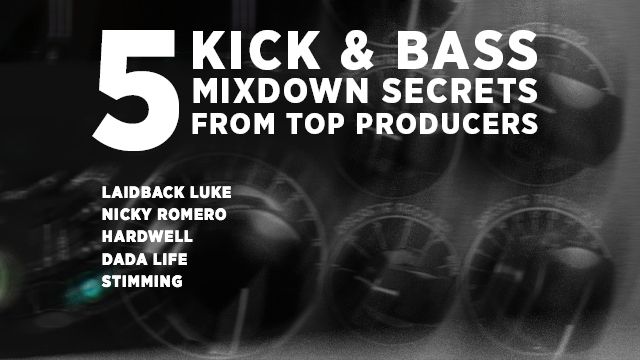
5 Kick + Bass Mixdown Secrets from Top Producers

Ross DiFuria by Ross DiFuria
October 21, 2016
in Ableton, How-To Video Tutorials, Logic Tips, Production Tips
Reading Time: 5 mins read
0
5 Kick + Bass Mixdown Secrets from Top Producers
189
VIEWS
Post on FacebookTweet thisUpvote on Reddit

Trying to perfect a kick/bass mixdown and it’s going nowhere? It’s hard to tell what you’re hearing because your neighbors have asked you to wear headphones, or your studio monitors aren’t properly acoustically treated. Bottom line, the mixdown is taking too long. There must be a better way, right? Today’s article is a set of tips from experts on solving this exact issue.

There are experts who have taken on this challenge before. Producers who got big making tracks in their bedroom, but who get booked because their music sounds great on big sound systems. If their music didn’t sound clear on big systems, their career could be at risk. Today we’ve collected advice on doing kick/bass mixdowns from successful producers – not some random YouTuber claims to “personally know” Diplo – so listen up.

Tip # 1: Reference Master Level

Stimming: Reference master level when adjusting to attain a loud master (skip to 14:13 to hear the tip)

Say you add bassline to kick drum and your mix gets 3 db “louder” on the master channel. The question becomes: how do i make these two elements fit together better to avoid such a big jump in volume? 

Stimming’s tip, above, is to reference your DAW’s master level while adjusting critical mixdown elements to see if your decisions actually win back some lost headroom. This is especially true for low frequencies since they take up a lot of headroom. You can see him trying different tactics like EQ, sidechain, and compressor choice while watching the master level to see if his decisions are working.

Tip # 2: Oscilloscope Fun!

Nicky Romero: use an oscilloscope so the kick & bass compliment each other (not overlap – skip to 4:09 to hear this tip).

Load up the oscilloscope on the master channel. First, solo your kick. Then solo your bass. Note how each looks individually on the oscilloscope. When you then play them together, you can see where the two overlap. Tune your mix while referencing the oscilloscope to ensure the overlap between the two is minimal.

For instance, use a sidechain compressor while watching how it affects the envelope of the bass. Yes, this means you have to make a choice about which element is more important – and that’s a good thing. The plugin Nicky Romero uses can be downloaded free here.

Tip # 3: Extreme Compressors

Laidback Luke : Use extreme compressors settings to dial in the perfect side-chain (skip to 3:14 to hear this tip)

Luke says a track is like a puzzle, and every little piece must fit together. So if your kick hits at 50 hz, that means your bass line shouldn’t have that frequency. Let’s apply this idea to sidechaining. If we want the bassline to fit with the kick, it must pump with the right timing.

  • First, play your kick and bass, then sidechain your bass to kick drum.
  • Reduce the threshold on the compressor so the side-chain pump is greatly over-exaggerated and you see heavy gain reduction.
  • Then tweak the release time to dial in the pump.
  • After the pump feels right, dial back the threshold so it’s more subtle.

Tip # 4: Separate Basses

Hardwell: Separate sub-bass and synth “bass”, and sidechain sub-bass much harder (skip to :54 to hear this tip)

Hardwell layers his lead bass sound with a synth layer and a sub layer (like in his track Spaceman). In order for him to make the low-end clean, he’ll sidechain the sub-layer super hard, but leave the top synth bass a bit less compressed and more natural. Adding this concept to Laidback Luke’s trick, you could even try to sidechain the sub-bass super hard, while focusing more so on the groove of the synth bass. 

Tip # 5: Drum & Bass Bus

Dada Life : Use a drum and bass bus with subtle compression (skip to :26 to hear this tip)

Route the audio output of all your drums and bass sounds to one audio bus. Add a compressor to that bus. Dada Life is using the Solid Bus Comp from Komplete 11, which is known to pump well. Compress a few dbs of the signal, tune the attack so your compressor engages at the right time, and tune the release so the compressor pumps in time with your track. You can then dial back the dry/wet on the compressor to about 50% so half of the signal is compressed and half is dry, making it sound more natural. This is subtle but will help your track bounce that extra few percent.

What can we learn from these tips?

All these producers are using tools to make decisions so that they can get clearer mixdowns that sound great in a club. Even though these producers have dream studios, they still use all the tools available to them to improve their mixdowns. You’d think it’d be the other way around and that the pros should know how something should sound after a while, but this is not the case. So take note, and try some of these tricks for yourself.

Dada Life even mentions using one of our favorite tools for mixdowns: the Subpac S2, which is a tactile subwoofer that lets you feel the frequencies under 100hz as if you were standing on the dancefloor in a club. It’s basically like a magnifying glass for your low end that isn’t susceptible to acoustic issues. This may be new to you, but many top DJs also use the Subpac : Calyx and Tee Bee, Richie Hawtin, Dubfire, Excision, Camo & Krooked, Datsik, The Glitch Mob, and so many more.

Our advice to you: try these studio secrets and buy a Subpac. 

A note from the DJTT store crew: Have questions about Subpacs? Matias on DJTT Live Chat (in the DJTT store) can help you out. Best of luck with the studio’s worst enemy and club music’s greatest ally: bass.
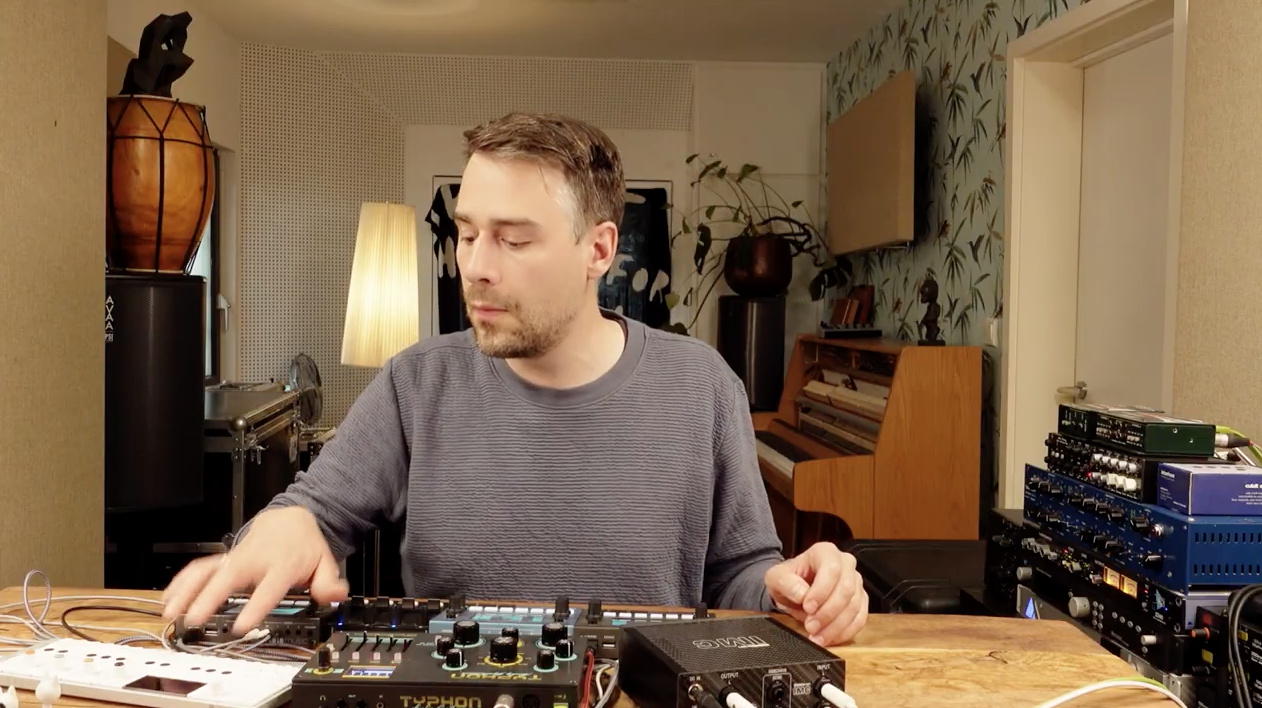

Keep Reading: Want to know what gear top producers are using the studio?

Tags: dada lifehardwellLaidBack LukeNicky Romeroproduction tipsstimming
Share2Tweet1Share
Previous Post

KUVO and RADR Want To Pay Artists Played By DJs

Next Post

Controltablism: Sequence Cue Points With MIDI Sequencers

Related Posts

A look at Stimming’s hardware-driven production setup in 2024
Artist Features

A look at Stimming’s hardware-driven production setup in 2024

January 4, 2024
Breaking writer’s block: A producer’s guide to sparking inspiration
DJ Techniques / Tips

Breaking writer’s block: A producer’s guide to sparking inspiration

October 9, 2023
Meet the Koala sampler app: a mobile production powerhouse, now with stems
DJ Gear

Meet the Koala sampler app: a mobile production powerhouse, now with stems

February 7, 2023
Load More
Next Post
Controltablism: Sequence Cue Points With MIDI Sequencers

Controltablism: Sequence Cue Points With MIDI Sequencers

Want to reach DJTT's audience here?

Shoot an email to advertising@djtechtools.com

DJTT ads
DJTT newsletter
Midi Fighter
Chat with us
  • ABOUT DJTT
  • CONTACT
  • PRIVACY
  • MIDI FIGHTER HELP
  • ABOUT DJTT
  • JOBS
  • CONTACT US
  • ADVERTISE
  • PRIVACY POLICY
  • ACCESSIBILITY STATEMENT

© 2024 DJ Techtools all rights reserved by DJ TechTools on all content unless otherwise noted.

No Result
View All Result
  • Blog
    • DJ Gear
      • DIY Projects
      • Gear Reviews
      • New Products
      • Controllerism
    • Techniques + Tips
      • Beginner DJ
      • Advanced DJ
      • Producer
      • Finger Drummer
    • News + Culture
      • Editorials + Opinions
      • Artist Interviews
      • Performances + Routines
      • How I Play
    • DJ Software Tutorials
      • Serato Tips
      • CDJ Tips
      • Ableton Live Tips
  • Store
    • Run by real DJs, not a corporation
    • DJ Controllers
      • Midi Fighter Twister
      • Midi Fighter Spectra
      • Midi Fighter 64
      • View All
    • Accessories
      • Chroma USB Drive for DJs
      • Chroma Caps
      • Chroma Cables Audio
      • Chroma Cables USB-A
      • Chroma Cables: USB-C
      • DJTT Gift Card
      • Midi Fighter T-Shirt
      • Keyboard Covers
      • Earplugs by V-Moda
    • Production Gear
    • Soundcards & Mixers
  • Community
    • Popular Forums
      • General Discussion
      • Buy & Sell
      • Reviews
      • Mixes
      • Music Production
      • Show Your Setup
      • Off Topic
    • Handy Links
      • New Posts
      • Private Messages
      • Register
      • Search
    • Midi Maps
      • Traktor
      • Ableton
      • Serato DJ
      • Midi Fighter 3D
      • Midi Fighter Twister
      • Midi Fighter Spectra
  • Midi Fighter
  • Chroma

© 2024 DJ Techtools all rights reserved by DJ TechTools on all content unless otherwise noted.

This website uses cookies. By continuing to use this website you are giving consent to cookies being used. Visit our Privacy and Cookie Policy.