DJ TechTools
  • Blog
    • DJ Gear
      • DIY Projects
      • Gear Reviews
      • New Products
      • Controllerism
    • Techniques + Tips
      • Beginner DJ
      • Advanced DJ
      • Producer
      • Finger Drummer
    • News + Culture
      • Editorials + Opinions
      • Artist Interviews
      • Performances + Routines
      • How I Play
    • DJ Software Tutorials
      • Serato Tips
        • Traktor Tips
      • CDJ Tips
      • Ableton Live Tips
  • Store
    • Run by real DJs, not a corporation
    • DJ Controllers
      • Midi Fighter Twister
      • Midi Fighter Spectra
      • Midi Fighter 64
      • View All
    • Accessories
      • Chroma USB Drive for DJs
      • Chroma Caps
      • Chroma Cables Audio
      • Chroma Cables USB-A
      • Chroma Cables: USB-C
      • DJTT Gift Card
      • Midi Fighter T-Shirt
      • Keyboard Covers
      • Earplugs by V-Moda
    • Production Gear
    • Soundcards & Mixers
  • Community
    • Popular Forums
      • General Discussion
      • Buy & Sell
      • Reviews
      • Mixes
      • Music Production
      • Show Your Setup
      • Off Topic
    • Handy Links
      • New Posts
      • Private Messages
      • Register
      • Search
    • Midi Maps
      • Traktor
      • Ableton
      • Serato DJ
      • Midi Fighter 3D
      • Midi Fighter Twister
      • Midi Fighter Spectra
  • Midi Fighter
  • Chroma
No Result
View All Result
DJ TechTools
  • Blog
    • DJ Gear
      • DIY Projects
      • Gear Reviews
      • New Products
      • Controllerism
    • Techniques + Tips
      • Beginner DJ
      • Advanced DJ
      • Producer
      • Finger Drummer
    • News + Culture
      • Editorials + Opinions
      • Artist Interviews
      • Performances + Routines
      • How I Play
    • DJ Software Tutorials
      • Serato Tips
        • Traktor Tips
      • CDJ Tips
      • Ableton Live Tips
  • Store
    • Run by real DJs, not a corporation
    • DJ Controllers
      • Midi Fighter Twister
      • Midi Fighter Spectra
      • Midi Fighter 64
      • View All
    • Accessories
      • Chroma USB Drive for DJs
      • Chroma Caps
      • Chroma Cables Audio
      • Chroma Cables USB-A
      • Chroma Cables: USB-C
      • DJTT Gift Card
      • Midi Fighter T-Shirt
      • Keyboard Covers
      • Earplugs by V-Moda
    • Production Gear
    • Soundcards & Mixers
  • Community
    • Popular Forums
      • General Discussion
      • Buy & Sell
      • Reviews
      • Mixes
      • Music Production
      • Show Your Setup
      • Off Topic
    • Handy Links
      • New Posts
      • Private Messages
      • Register
      • Search
    • Midi Maps
      • Traktor
      • Ableton
      • Serato DJ
      • Midi Fighter 3D
      • Midi Fighter Twister
      • Midi Fighter Spectra
  • Midi Fighter
  • Chroma
No Result
View All Result
DJ TechTools

Will DJs Use The New Macbook Pro’s TouchBar?

Dan White by Dan White
October 27, 2016
in News + Culture
Reading Time: 4 mins read
0
Will DJs Use The New Macbook Pro’s TouchBar?
61
VIEWS
Post on FacebookTweet thisUpvote on Reddit

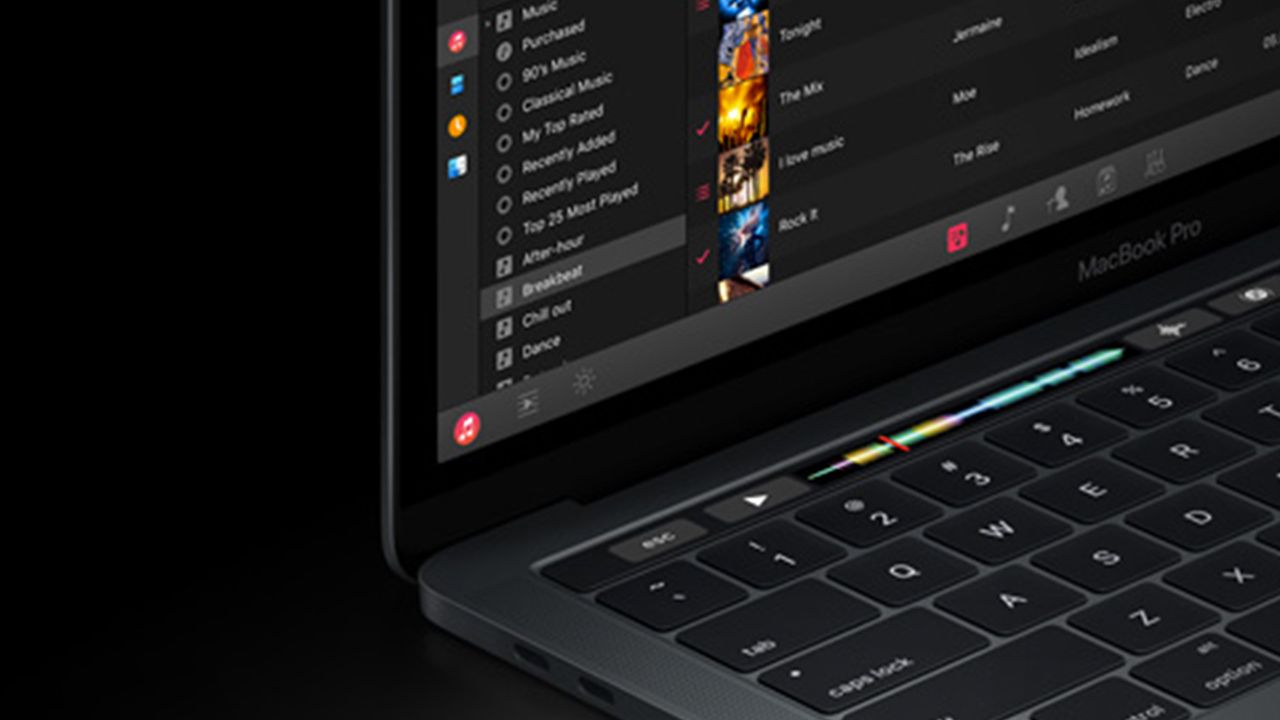
Apple always make a big deal of their new product announcements – and this morning’s new Macbook Pro lineup is no exception. The big news was that Apple has removed the function keys from the laptop and instead replaced it with a secondary multi-touch screen called TouchBar. Could DJs and producers find a good use for this TouchBar? Keep reading.

Algoriddim’s DJ Pro Already Is Using TouchBar

The final app demo that used the TouchBar technology was an app that we’re very familiar with: DJ Pro. Karim Morsy demonstrated how they’ve integrated the new Retina touchscreen into their app. Two parts of the demo particularly stood out – first, triggering samples with the TouchBar:
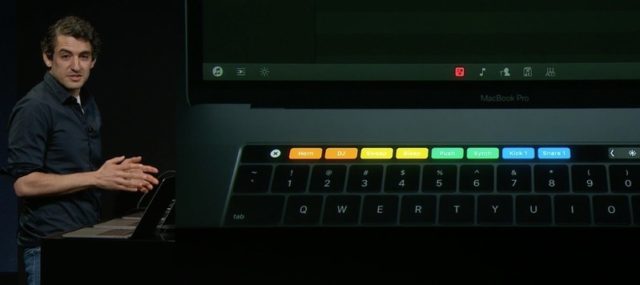
Samples arranged on the TouchBar (image captured via the Apple livestream)

The question here becomes one of latency – is playing samples via the TouchBar really enjoyable? Is it better than using the keyboard directly below it?

Djay Pro is the last MacBook Pro demo. Looks Sick! #appleevent pic.twitter.com/yQFOOL8Xn2

— Saturday Morning Nostalgia (@SaturdayMorn1ng) October 27, 2016

Applying FX was the other demo that Karim showed off – doing beat loops and filters live in the TouchBar. This is a nice touch – and something that we imagine on-the-fly DJs who don’t have their gear with them but still want to perform might appreciate. It’s fun – and a better use of controls than the usually unused function keys during a DJ set. Here’s a tiny clip of the demo – better quality coming when Apple releases the keynote for re-watching:

Super impressive demo on djay Pro solely using the TouchBar on the new MacBook #T3andApple #Apple #AppleEvent pic.twitter.com/J7gdMeA3wN

— T3 Middle East (@T3ME) October 27, 2016

Production DAWs?

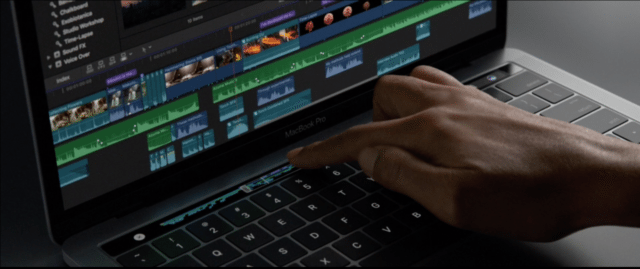
Beyond simple on-the-fly DJing controls, we suspect that there will be even more interesting options available for producers whose software of choice builds an integration into the TouchBar. Imagine being able to quickly tweak your synth settings, or play a few notes, or trigger clips just using the multi-touch display. You can make get a pretty good sense of how the TouchBar might become a high-utility function in this screenshot of it in use with Final Cut X:
screen-shot-2016-10-27-at-oct-27-06-34-pm

It’s attractive – but remember that this world moves slowly. We suspect that Apple’s own apps (Garageband, Logic) will be the first to adopt – and we’ll see Native Instruments, Ableton, and others take on the challenge at a much more leisurely pace.

What About The Rest Of The Laptop?

So there’s a decent chance that the Macbook Pro’s TouchBar could be incredibly useful for DJs and producers – but is first major update to the product line still be appealing beyond that?
macbook-io

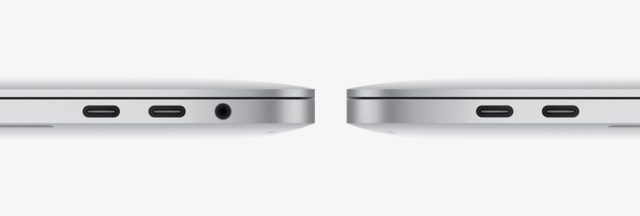
It’s back to the same issue that we had in March of 2015 with the Macbook that removed all ports that weren’t USB-C. On this new Macbook Pro, Apple has consolidated their I/O to just a few ports.

  • No USB connectors
  • 4 Thunderbolt 3 ports (USB-C works here as well)
  • A headphone jack (we can hear a sigh of relief from DJs everywhere)
  • No MagSafe connector

USB-C / Thunderbolt 3

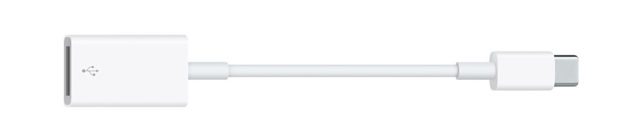
But will moving to Thunderbolt 3/USB-C ports really be a solution that DJs and producers (professionals who need to use their computer with many external devices every day) will embrace? If you are plugging in gear that uses traditional USB connectors (thumb drives, MIDI controllers, drum machines, sequencers, etc) you’ll need either a new USB to USB-C cable for each device, or adapters for your old cables (we found this one on Apple’s store for $19 each).
usb-to-usbc

USB-C / Thunderbolt 3 is faster and far more versatile than the old-style USB ports (up to 40Gbps transfer speeds, you can send up to 15w of bus power to any device), so adoption will make sense for some devices. But for a majority of solutions in the DJ and production world, it’s overkill. We’d be surprised to see industry manufacturers move quickly to adopt the new spec as standard until a majority of new computers and devices are USB-C compatible.

That being said – USB-C isn’t a proprietary Apple connector! This means that, barring some other connection type becoming more popular in the next few years, it will likely be a fairly future-proof option. It just might be more appropriate for a DJ in 2020 than 2016 – but we’ll have to wait and see.

MagSafe No More

The other thing to note is the removal of MagSafe might be a risk for some DJs – we’ve long relied on the power cable on laptops on stands to just pull away without moving the computer. The new Macbook Pro no longer has this advantage because it uses one of the four Thunderbolt 3 / USB-C ports to charge.

Simply put – this means that if someone trips over your power cable, it’s more likely to pull your computer with it than it would have been with a MagSafe connector. It’s not as bad as a USB cable (Thunderbolt connectors are much shallower), but still a risk.

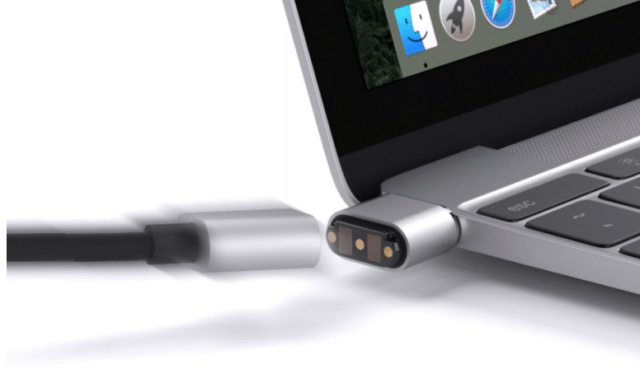
In fact, Mac accessory company Griffin has already come up with a solution: the BreakSafe USB-C power cable – if you can spare $39.99:
screen-shot-2016-10-27-at-oct-27-56-41-am

Will you be considering the new Macbook Pro for a new DJing computer? Or will you hold off and look for something else? Let us know in the comments.
Tags: algoriddimappledawdj promagsafeproduction dawsThunderbold 3touchbarusb-c
ShareTweetShare
Previous Post

DIY: How To Build A Light Up DJ Booth

Next Post

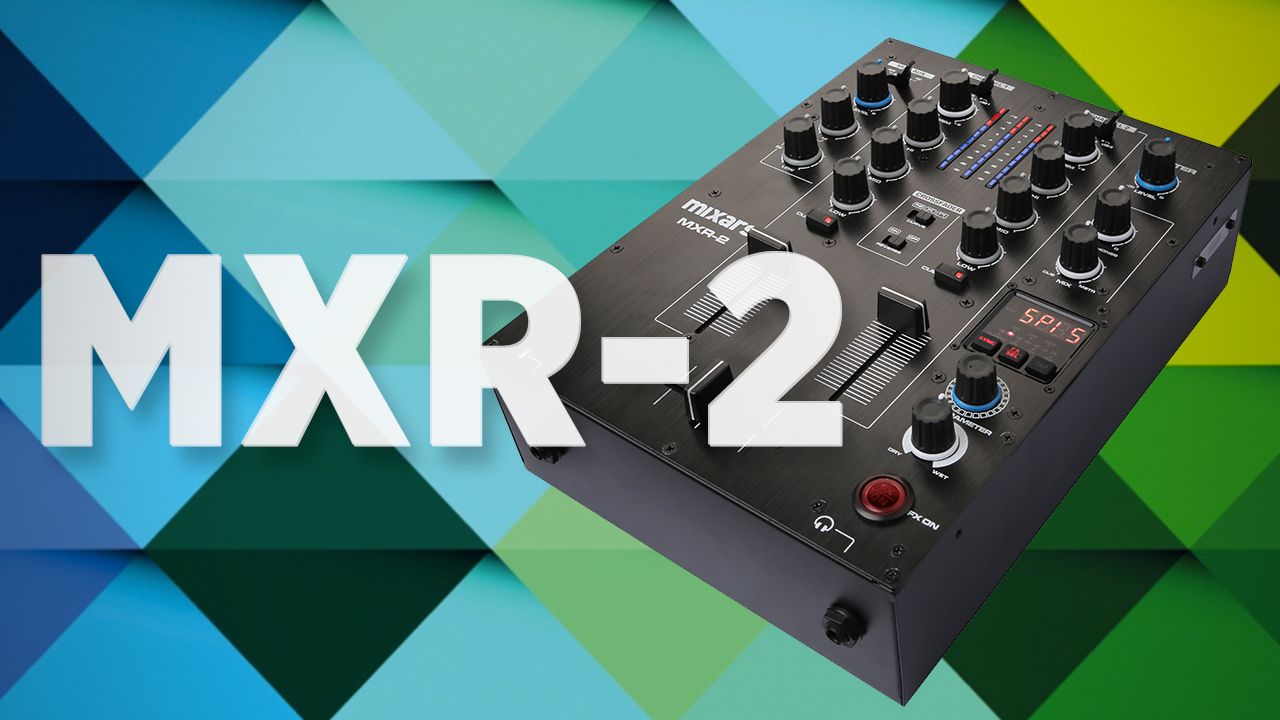
Mixars Launches MXR-2 Two Channel Club Mixer With Effects + Soundcard

Related Posts

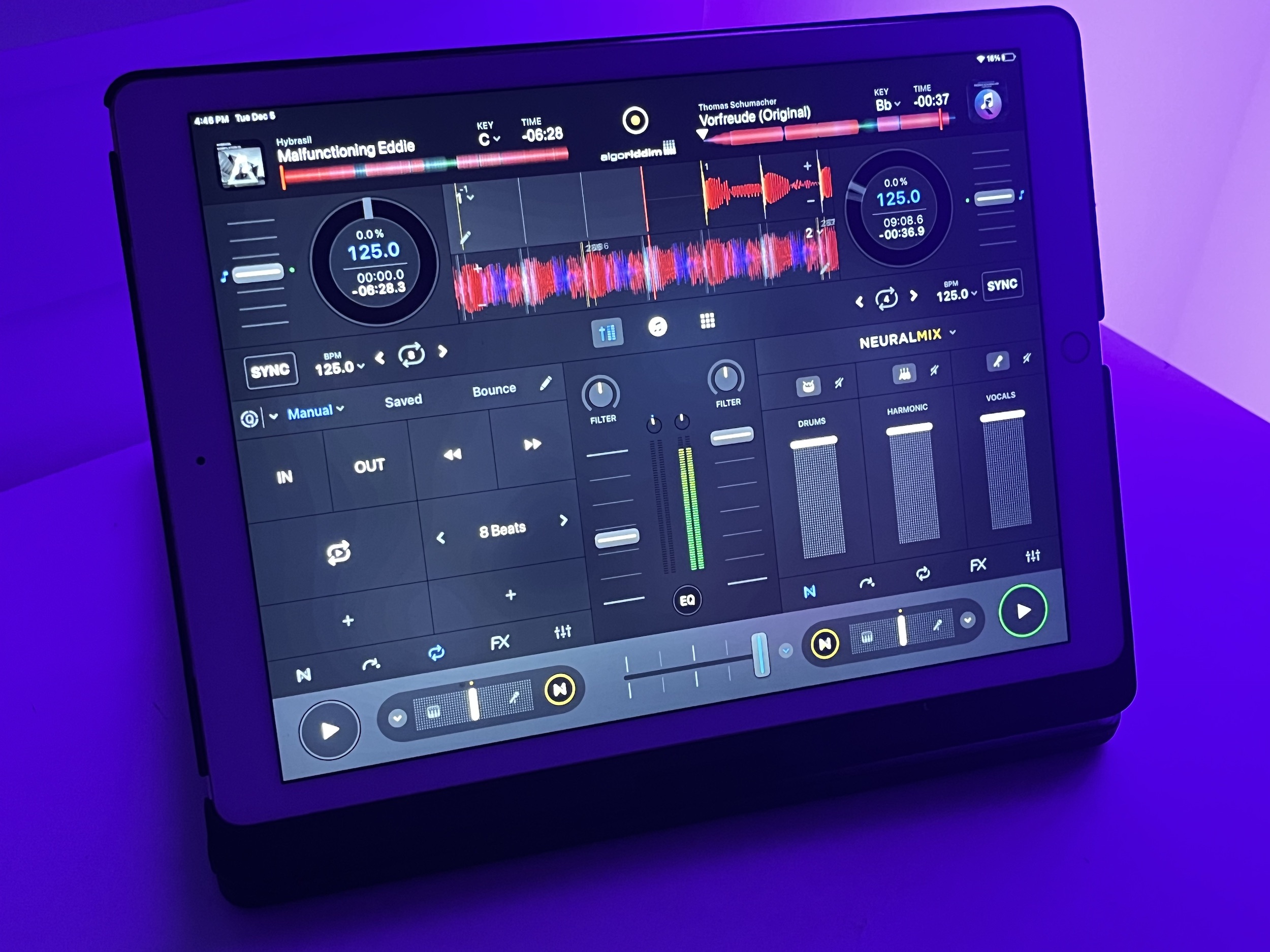
Algoriddim’s djay app now links with Apple Vision Pro, integrates Apple Music streaming
DJ Software

Algoriddim’s djay app now links with Apple Vision Pro, integrates Apple Music streaming

February 4, 2024
Algoriddim’s djay Pro 5.0 is here: hyper-fast stem separation, flexible beat grids
iOS DJ Tips

Algoriddim’s djay Pro 5.0 is here: hyper-fast stem separation, flexible beat grids

December 6, 2023
djay Pro for Windows launches with Neural Mix tech, where DJs can isolate track elements
DJ Software

djay Pro for Windows launches with Neural Mix tech, where DJs can isolate track elements

October 16, 2023
Load More
Next Post
Mixars Launches MXR-2 Two Channel Club Mixer With Effects + Soundcard

Mixars Launches MXR-2 Two Channel Club Mixer With Effects + Soundcard

Want to reach DJTT's audience here?

Shoot an email to advertising@djtechtools.com

DJTT ads
DJTT newsletter
Midi Fighter
Chat with us
  • ABOUT DJTT
  • CONTACT
  • PRIVACY
  • MIDI FIGHTER HELP
  • ABOUT DJTT
  • JOBS
  • CONTACT US
  • ADVERTISE
  • PRIVACY POLICY
  • ACCESSIBILITY STATEMENT

© 2024 DJ Techtools all rights reserved by DJ TechTools on all content unless otherwise noted.

No Result
View All Result
  • Blog
    • DJ Gear
      • DIY Projects
      • Gear Reviews
      • New Products
      • Controllerism
    • Techniques + Tips
      • Beginner DJ
      • Advanced DJ
      • Producer
      • Finger Drummer
    • News + Culture
      • Editorials + Opinions
      • Artist Interviews
      • Performances + Routines
      • How I Play
    • DJ Software Tutorials
      • Serato Tips
      • CDJ Tips
      • Ableton Live Tips
  • Store
    • Run by real DJs, not a corporation
    • DJ Controllers
      • Midi Fighter Twister
      • Midi Fighter Spectra
      • Midi Fighter 64
      • View All
    • Accessories
      • Chroma USB Drive for DJs
      • Chroma Caps
      • Chroma Cables Audio
      • Chroma Cables USB-A
      • Chroma Cables: USB-C
      • DJTT Gift Card
      • Midi Fighter T-Shirt
      • Keyboard Covers
      • Earplugs by V-Moda
    • Production Gear
    • Soundcards & Mixers
  • Community
    • Popular Forums
      • General Discussion
      • Buy & Sell
      • Reviews
      • Mixes
      • Music Production
      • Show Your Setup
      • Off Topic
    • Handy Links
      • New Posts
      • Private Messages
      • Register
      • Search
    • Midi Maps
      • Traktor
      • Ableton
      • Serato DJ
      • Midi Fighter 3D
      • Midi Fighter Twister
      • Midi Fighter Spectra
  • Midi Fighter
  • Chroma

© 2024 DJ Techtools all rights reserved by DJ TechTools on all content unless otherwise noted.

This website uses cookies. By continuing to use this website you are giving consent to cookies being used. Visit our Privacy and Cookie Policy.