DJ TechTools
  • Blog
    • DJ Gear
      • DIY Projects
      • Gear Reviews
      • New Products
      • Controllerism
    • Techniques + Tips
      • Beginner DJ
      • Advanced DJ
      • Producer
      • Finger Drummer
    • News + Culture
      • Editorials + Opinions
      • Artist Interviews
      • Performances + Routines
      • How I Play
    • DJ Software Tutorials
      • Serato Tips
        • Traktor Tips
      • CDJ Tips
      • Ableton Live Tips
  • Store
    • Run by real DJs, not a corporation
    • DJ Controllers
      • Midi Fighter Twister
      • Midi Fighter Spectra
      • Midi Fighter 64
      • View All
    • Accessories
      • Chroma USB Drive for DJs
      • Chroma Caps
      • Chroma Cables Audio
      • Chroma Cables USB-A
      • Chroma Cables: USB-C
      • DJTT Gift Card
      • Midi Fighter T-Shirt
      • Keyboard Covers
      • Earplugs by V-Moda
    • Production Gear
    • Soundcards & Mixers
  • Community
    • Popular Forums
      • General Discussion
      • Buy & Sell
      • Reviews
      • Mixes
      • Music Production
      • Show Your Setup
      • Off Topic
    • Handy Links
      • New Posts
      • Private Messages
      • Register
      • Search
    • Midi Maps
      • Traktor
      • Ableton
      • Serato DJ
      • Midi Fighter 3D
      • Midi Fighter Twister
      • Midi Fighter Spectra
  • Midi Fighter
  • Chroma
No Result
View All Result
DJ TechTools
  • Blog
    • DJ Gear
      • DIY Projects
      • Gear Reviews
      • New Products
      • Controllerism
    • Techniques + Tips
      • Beginner DJ
      • Advanced DJ
      • Producer
      • Finger Drummer
    • News + Culture
      • Editorials + Opinions
      • Artist Interviews
      • Performances + Routines
      • How I Play
    • DJ Software Tutorials
      • Serato Tips
        • Traktor Tips
      • CDJ Tips
      • Ableton Live Tips
  • Store
    • Run by real DJs, not a corporation
    • DJ Controllers
      • Midi Fighter Twister
      • Midi Fighter Spectra
      • Midi Fighter 64
      • View All
    • Accessories
      • Chroma USB Drive for DJs
      • Chroma Caps
      • Chroma Cables Audio
      • Chroma Cables USB-A
      • Chroma Cables: USB-C
      • DJTT Gift Card
      • Midi Fighter T-Shirt
      • Keyboard Covers
      • Earplugs by V-Moda
    • Production Gear
    • Soundcards & Mixers
  • Community
    • Popular Forums
      • General Discussion
      • Buy & Sell
      • Reviews
      • Mixes
      • Music Production
      • Show Your Setup
      • Off Topic
    • Handy Links
      • New Posts
      • Private Messages
      • Register
      • Search
    • Midi Maps
      • Traktor
      • Ableton
      • Serato DJ
      • Midi Fighter 3D
      • Midi Fighter Twister
      • Midi Fighter Spectra
  • Midi Fighter
  • Chroma
No Result
View All Result
DJ TechTools

MIXO wants to transform DJ Library Management with their new platform

Dan White by Dan White
May 2, 2023
in Controllerism
Reading Time: 3 mins read
6
MIXO wants to transform DJ Library Management with their new platform
943
VIEWS
Post on FacebookTweet thisUpvote on Reddit

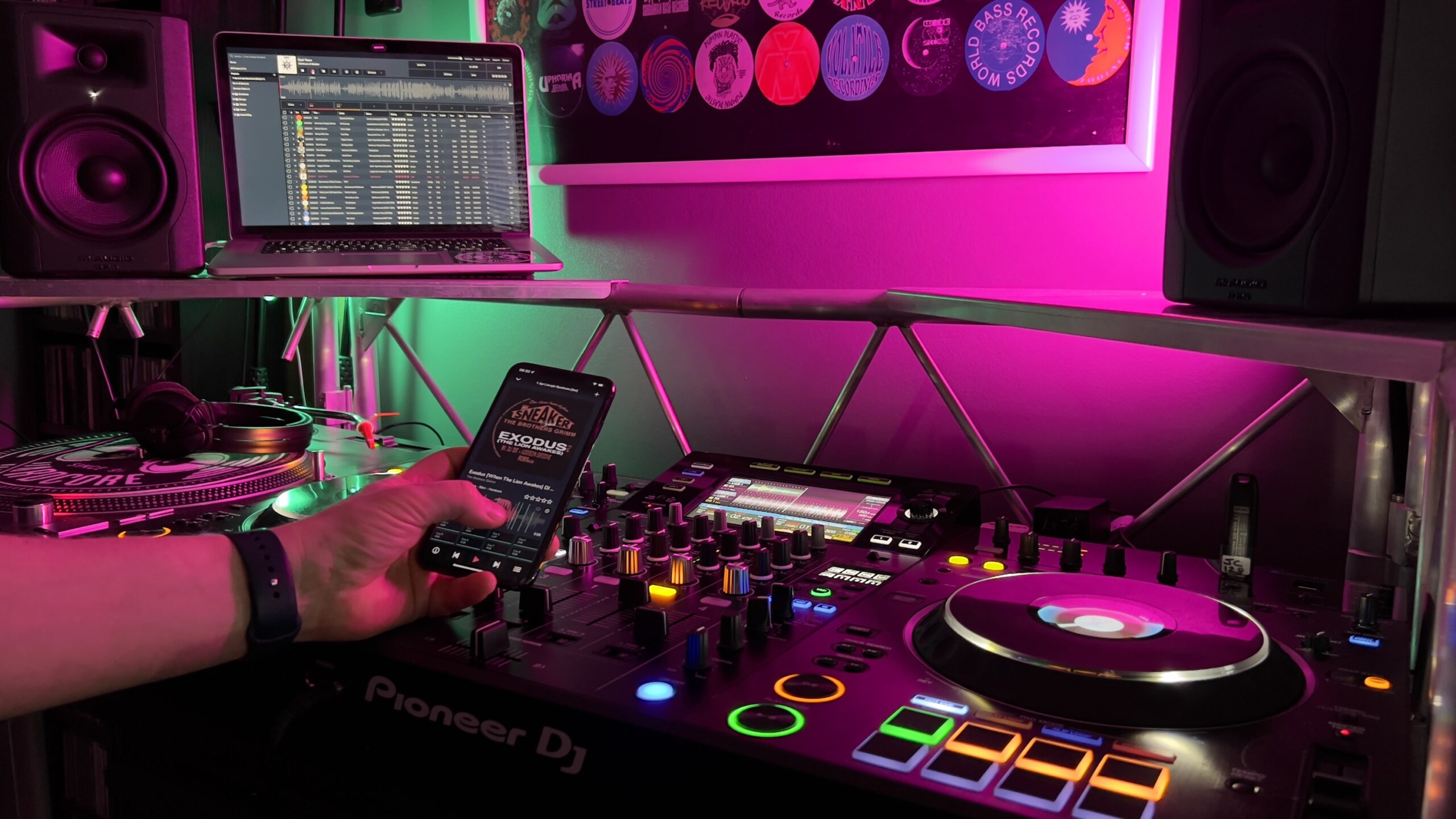
MIXO is a new platform/app announced last week, designed to manage playlists from any device, sync with desktops, import & export between DJ software, and backup DJ libraries to the cloud. The platform is specifically targeting DJs and music enthusiasts who seek an alternative to iTunes / Apple Music apps for managing their libraries.

If you’ve heard of Mixo before, it might be because it’s been in development for several years – but the release last week brought it to a 1.0 state. The app has been through a long beta period before its v1.0 launch The app allows users to move their whole library or parts of it between computers (e.g., studio, work, and gigging devices)

Key Features

The platform offers DJ-specific features like waveforms, beat-grid editing, hot cues, loops, and playlist management, aiming to provide DJs with full control over their music organization. With MIXO, DJs will theoretically be able to edit tracks, update playlists, add cue points, and prepare their music on the go or in the studio, syncing changes to all devices. A significant aspect of Mixo is the mobile/desktop integration, which enables it to work with all DJ software on both phone and laptop.

MIXO allows for offline use, enabling DJs to download some or all of their tracks to their devices and manage their music wherever they are. The platform enables DJs to curate and edit playlists, add, edit, and delete track cue points, and update track metadata, such as star ratings and individual track comments, from their phone.
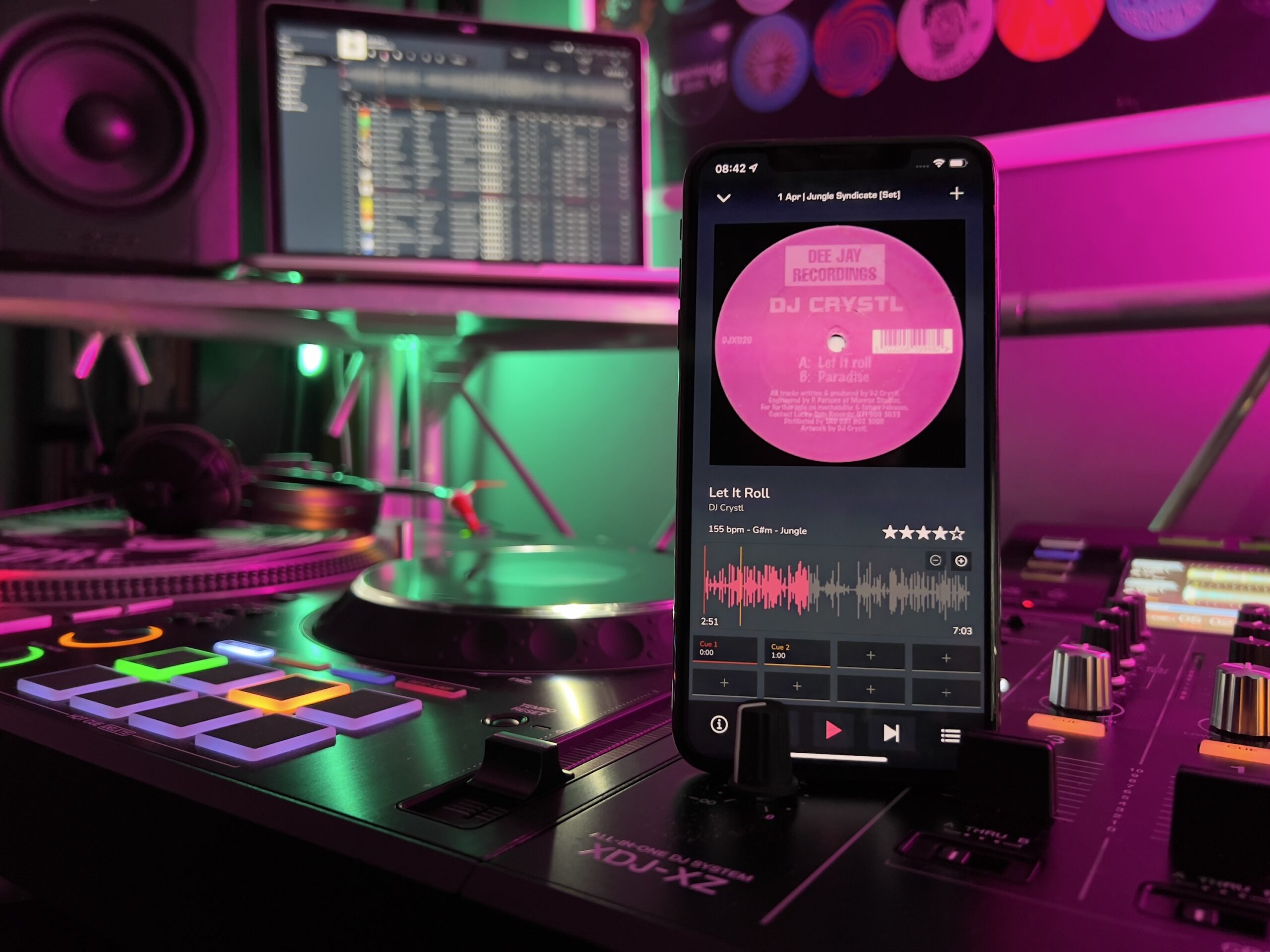
In addition to these features, MIXO visually represents album artwork on all synced devices, enhancing the user experience. The platform is compatible with Traktor, Cross DJ, Virtual DJ, Engine Prime, Deckadance, Ultramixer, iTunes, Serato, Mixxx, Rekordbox, and djay, allowing DJs to export their music and retain all custom metadata.

Challenges and Considerations

Replacing iTunes for DJs is no small feat. Even post-Music app drama, MIXO must prove that its platform can offer a smoother and more efficient, simple experience while seamlessly integrating with multiple DJ software platforms. For a long time, every DJ software app has been incentivized to allow iTunes/Music app integration because it’s such a heavily-used tool – but now the impetus will be on MIXO to keep their integrations up to date.

MIXO’s mobile app enables DJs to manage their library from anywhere, and the platform connects with cloud storage providers like Dropbox and Google Drive for seamless library syncing and automatic online backups. MIXO also allows DJs to integrate their personal library, cues, loops, and playlists into all popular DJ software from a single account.

Free vs. MIXO:GOLD Subscription

The free MIXO download option provides users with access to basic features, while the MIXO:GOLD subscription service, priced at $7/month (€6 or £5) with a 7-day free trial, offers additional features such as bridge tools to import & export your DJ library between Serato, TRAKTOR, Rekordbox, Virtual DJ, and all other DJ platforms.

We suspect that the success of MIXO will depend on its ability to adapt to user needs and deliver continuous improvements/stable support for every new DJ software update (ie: a new update to Rekordbox? It better work as near to launch-day as possible.)

MIXO’s app is available for download on their website, with both free and subscription options for users to choose from.


Tags: backupscloud librarycloud platformdj libraryDJ library managementDj softwarelibrary managementlibrary organizationMIXOmusic library organizationMusic organizationplaylistssyncingsyncing DJ library
Share8Tweet5Share
Previous Post

The Resurgence of DJing’s Golden Age Could Come With AI

Next Post

Get Ready: The Future of AI-Powered DJing is Nearer Than You Think

Related Posts

A Prime 4+ and a Kontrol S3 intercut against eachother over a black background
Breaking News

InMusic just bought Native Instruments. So what now for Traktor?

May 8, 2026
Ableton launches Live 12 Suite rent-to-own plan – and it’s not a subscription
Ableton

Ableton launches Live 12 Suite rent-to-own plan – and it’s not a subscription

October 1, 2025
Rekordox Spotify
Breaking News

Spotify (finally) slides into Rekordbox, Serato, and Algoriddim djay (again) – for better or worse?

September 24, 2025
Load More
Next Post
Get Ready: The Future of AI-Powered DJing is Nearer Than You Think

Get Ready: The Future of AI-Powered DJing is Nearer Than You Think

Want to reach DJTT's audience here?

Shoot an email to advertising@djtechtools.com

DJTT ads
DJTT newsletter
Midi Fighter
Chat with us
  • ABOUT DJTT
  • CONTACT
  • PRIVACY
  • MIDI FIGHTER HELP
  • ABOUT DJTT
  • JOBS
  • CONTACT US
  • ADVERTISE
  • PRIVACY POLICY
  • ACCESSIBILITY STATEMENT

© 2024 DJ Techtools all rights reserved by DJ TechTools on all content unless otherwise noted.

No Result
View All Result
  • Blog
    • DJ Gear
      • DIY Projects
      • Gear Reviews
      • New Products
      • Controllerism
    • Techniques + Tips
      • Beginner DJ
      • Advanced DJ
      • Producer
      • Finger Drummer
    • News + Culture
      • Editorials + Opinions
      • Artist Interviews
      • Performances + Routines
      • How I Play
    • DJ Software Tutorials
      • Serato Tips
      • CDJ Tips
      • Ableton Live Tips
  • Store
    • Run by real DJs, not a corporation
    • DJ Controllers
      • Midi Fighter Twister
      • Midi Fighter Spectra
      • Midi Fighter 64
      • View All
    • Accessories
      • Chroma USB Drive for DJs
      • Chroma Caps
      • Chroma Cables Audio
      • Chroma Cables USB-A
      • Chroma Cables: USB-C
      • DJTT Gift Card
      • Midi Fighter T-Shirt
      • Keyboard Covers
      • Earplugs by V-Moda
    • Production Gear
    • Soundcards & Mixers
  • Community
    • Popular Forums
      • General Discussion
      • Buy & Sell
      • Reviews
      • Mixes
      • Music Production
      • Show Your Setup
      • Off Topic
    • Handy Links
      • New Posts
      • Private Messages
      • Register
      • Search
    • Midi Maps
      • Traktor
      • Ableton
      • Serato DJ
      • Midi Fighter 3D
      • Midi Fighter Twister
      • Midi Fighter Spectra
  • Midi Fighter
  • Chroma

© 2024 DJ Techtools all rights reserved by DJ TechTools on all content unless otherwise noted.

This website uses cookies. By continuing to use this website you are giving consent to cookies being used. Visit our Privacy and Cookie Policy.