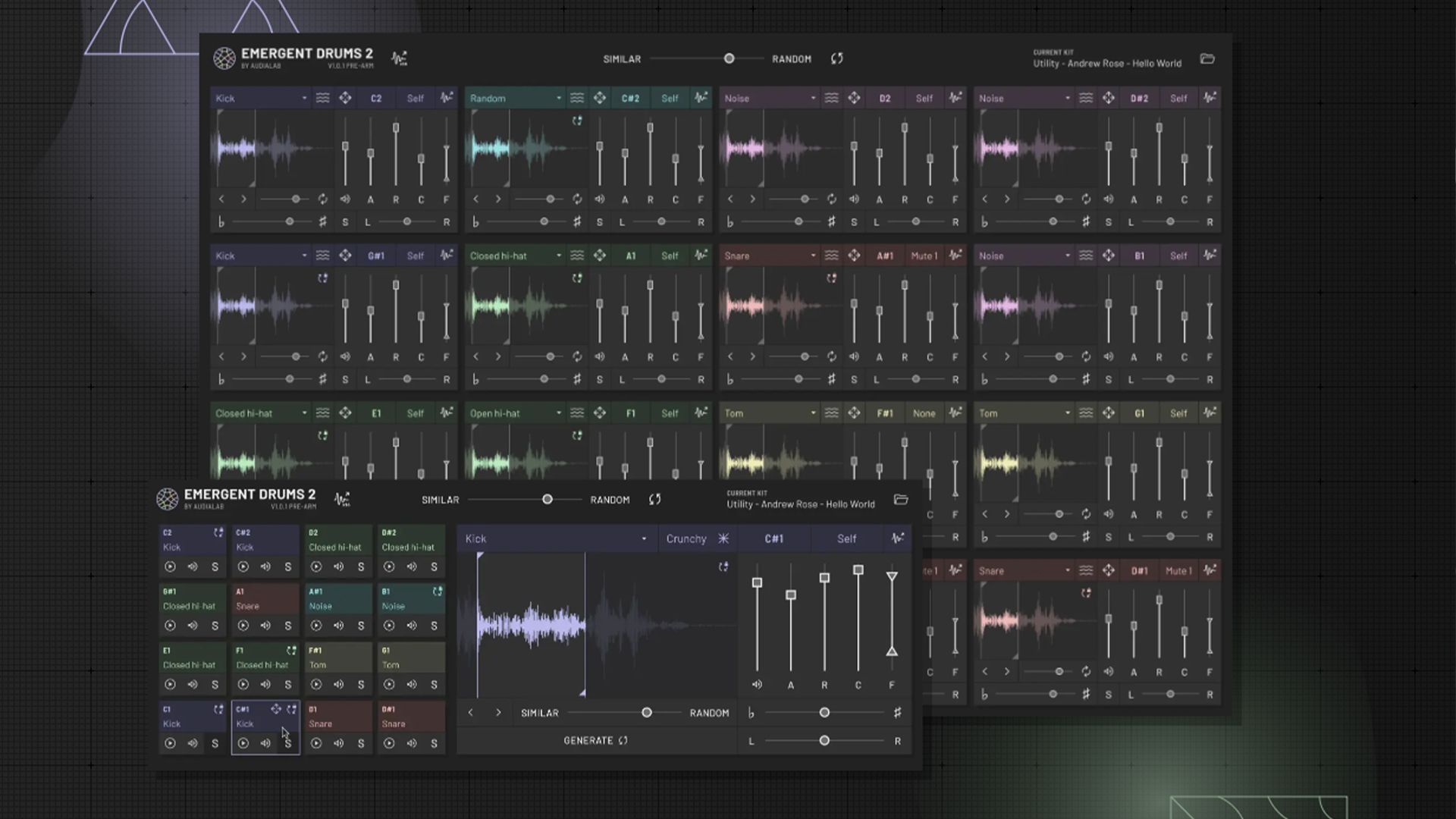
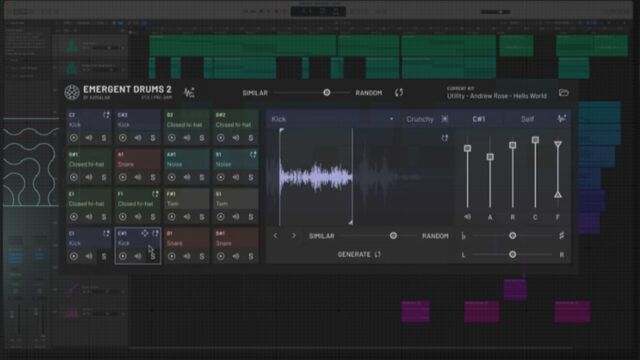
Audialab, the parent company behind Emergent Drums, has developed a new plug-in that uses state-of-the-art Artificial Intelligence to generate unique samples constantly. The program works much like any traditional software or hardware-sampled beat machine, featuring a 16-pad layout – which is notably ideal for hooking up a USB drum pad controller. Essentially, when you load the plug-in you are provided with an array of sounds in each pad that are chosen by the AI itself. From there, you can change – or ”generate” – new sounds with the results that the AI has presented. It’s a simple and ultra-intuitive tool that can spark all sorts of new ideas to jump off from.
Let’s take a look.
What is Emergent Drums?
First off, check out our demo of how the Emergent Drums software works:
Use unique samples, made from scratch every time
The drum samples generated by Emergent Drums are one-of-a-kind, meaning that you’ll never end up with the same sample twice. The AI is trained on a massive variety of sounds, but uses no source recordings to create the samples – so the results will be uniquely individual every time.
My favorite feature is the software’s ability to make beats via MIDI. I typically use a 16-pad MIDI controller such as the Nektar Aruba. Swap out individual samples with the plug-in’s generate button and cycle through sounds until you find one you like. Need a reset mid-process? Go ahead and overhaul your kit using the “Regenerate all drum pads” button at the top of the GUI and you’ll get a completely new kit to play with.
Worth noting, though: not every regeneration is exactly on-point, so some digging is needed. But even with that, it’s easy to create more options with its regeneration until you find a sample worth using.
A creative twist on sound with AI creations
The underlying concept with this plug-in is that artists can create with the confidence that your sounds are one-of-a-kind. There’s no chance of ripping off other producers or picking an overused sample from one of the many widely-available sample libraries producers use since you’ve crafting a specially-curated sample bank. Relying on sample libraries leads to a lack of uniqueness, and a potential for overusing the same sounds. It’s quite likely that two different artists could end up using the same sounds on two drastically different tracks. That may not always be a bad thing, but it can lead to a pattern in which some tracks sound too alike – which can be a challenge for those respective artists. With Emergent Drums’ AI-driven ability to craft new sounds on every go, there is a sense of security in its innovation.
Although the plug-in supposedly only makes custom sounds, it’s important to remember that some of the samples can ultimately start to sound similar as you work them into your productions (…after all, they are just drum samples). You can only have so many snares and kicks before similarities start to resonate. In the future, I’d like to see how Emergent Drums’ AI can generate other sampled sounds like sound effects such as impacts, nature noises, or even something as eclectic as a cat’s meow or dog bark – because hell, why not? That could open the door to the ability for producers to layer in more dynamic sound dimensions.
It’s also important to address how any AI-driven program like this opens the door to how artificial intelligence’s role will grow more present in industries like the music scene. Sample creations like this are, whether we care to admit it or not, a weird concept since they can sound so eerily similar. AI is becoming an integral part of our world and has so much familiarity to the real world. But maybe that’s what AI is doing to us, as it mimics life – which is why artists should take creative control of its capabilities.
Features: simple, straightforward, and incredibly effective
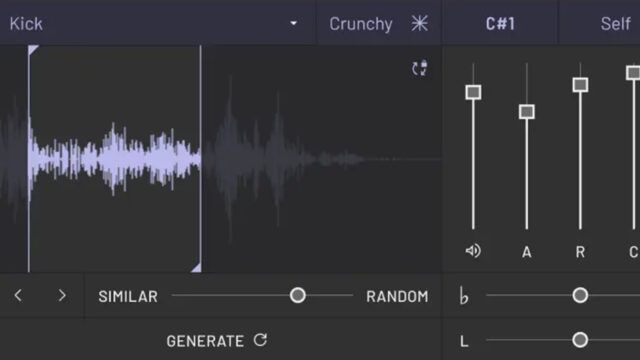
There are numerous cool features that Emergent Drums offers and are worth toying with. For one, if you regenerate a new AI sound that you don’t love, you can undo it and revert to the last AI generation. This allows you to stay in your flow without backtracking too much and makes for a smooth trial-and-error process to get your beats to sound exactly how you’d like – almost like searching for a preset in a soft synth.
The program also offers a full ADSR section where you can adjust attack, decay, sustain and release – a simple, yet effective in shaping the sound into exactly what you want. There is also a pitch adjustment slider and a volume, pan & velocity slider for adjustments. And of course, the GUI is vector-based with all of that modern goodness you would expect from a plug-in in 2023.
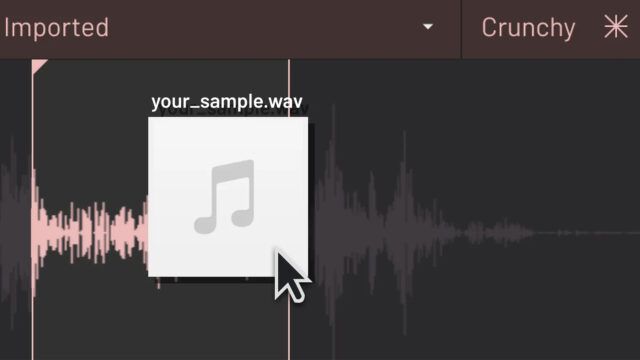
Another feature I’m a fan of is the ability to drag and drop your AI-generated sound from Emergent Drums onto your track or into another sampler. And to top that, you can click the 16x button at the top of the program, then click and drag all 16 of the currently generated sounds into your DAW or track as well.
With AI, there’s no concern for a dystopian future here
We are currently sitting at the doorstep of a new era in technology with the growth of artificial intelligence. With the popular rise of chatbots like ChatGPT, it’s clear that AI is increasingly and undoubtedly becoming part of everyday life.
Like so many new technologies that become an integral part of society, we often tend to embrace them in as many fields as possible. Much in the way that the creation of the internet captivated the masses, or how the telephone became commonplace in homes by the end of WWII, AI is a new technological era that is here to stay. Already used by financial professionals to assist with fraud protection & by medical professionals for computer vision and surgery diagnosis, it offers endless ways to aid numerous professions. There’s no question that its role in the music industry will only continue to grow – from suggesting new harmonies and melodies to generating fresh drum sounds to create beats with. Using AI opens the door to more artistic ideas to stem from. It’s a tool to inspire a track’s production with elements at an artist’s disposal.
To caveat, though, I don’t recommend using AI to completely take the reigns on track creation as that would defeat the purpose of using it for assistance. As its popularity and capabilities grow, we’re interested to see how it will be utilized in the studio, and how quickly artists hop on the AI train – which will definitely play a key role in its progression within the industry.
Through our own experimenting, we found that Emergent Drums’ AI tech works quite well. It only takes a few seconds to create a new sample when prompted, which we find intriguing especially given how fast it moves thru the process required to generate said sample. The plug-in must return to the server hosting its AI, select the new sample, then send it back to that plug-in. It’s an awesome and efficient process to easily bring an element of surprise to your workflow.
But we’re still left to ask: does the AI listen to users?
When testing out the plug-in, an odd thing happened – and it was hard to tell if it was coincidence or not. I was listening to chiller hip-hop in my headphones with Emergent Drums fired in my DAW at the same time. I clicked on the regenerate kit button and the resulting kit the program created elements that sounded almost identical to the hip hop I was listening to. Whether or not it happened to be a stroke of good timing luck, it was still creepy.
UPDATE: Emergent Drums 2.0 has arrived!
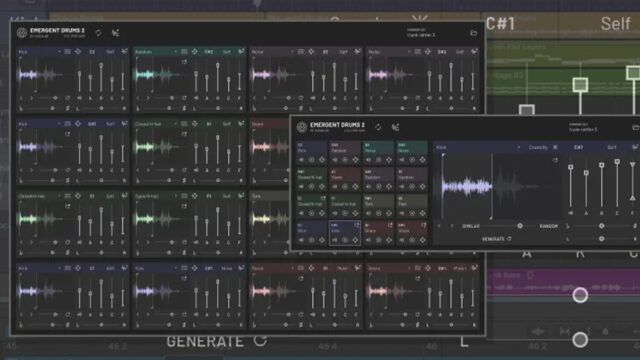
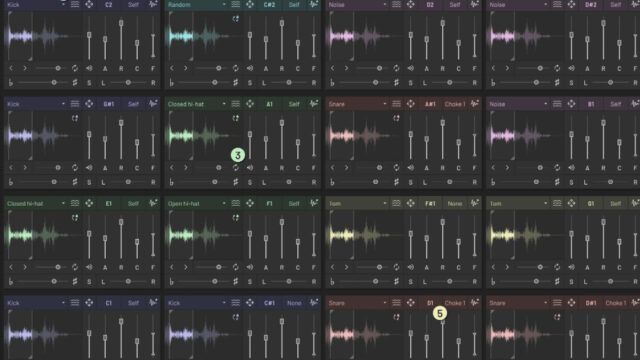
Many of the initial issues I experienced with creating sounds in the plug-in’s v.1 – primarily with them sounding too artificial – have been addressed in Emergent Drums’ v.2 release. In this latest edition, the new ‘Creamy’ model available delivers better sounds overall with their sample delivery (i.e. no more artificially-obvious noises). Choke groups have also been added along with padlocking, better looking GUI, and numerous other improvements. I was able to make a new beat using the Creamy model that felt like night and day, and was a big fan of its results. I was inspired straight away just by using one of the now-included preset kits.
Emergent Drums: our final say
When it comes down to it, AI doesn’t always get it right (see: addressing how no matter what, some samples may sound too artificial). But the fact it spits out terrible sounds sometimes can be easily overlooked because all you have to do is regenerate a new sound, and more often than not you’re greeted with a sound of your liking. Plus, with the release of v.2.0, using Emergent Drums with that risk has become even easier.
With that, I found it borderline impossible to share many criticisms about the instrument since the AI will literally correct itself after a few presses of the regenerate button. Thus making this is a really interesting instrument in my opinion and one, I think you should at least check out, even if it’s just for the novelty factor.
When you have the right sounds from Emergent Drums there’s no doubt that you’ll be able to – and want to – use them in your productions. I’d take a hard guess that no one will know you used AI to create your beats; if anything, they’ll sound new, yet familiar to most.
– Emlyn Lucas (“Emlyn in the Mix” on YouTube)
You can get Emergent Drums 2 for $79 from Audialab, Inc. here.