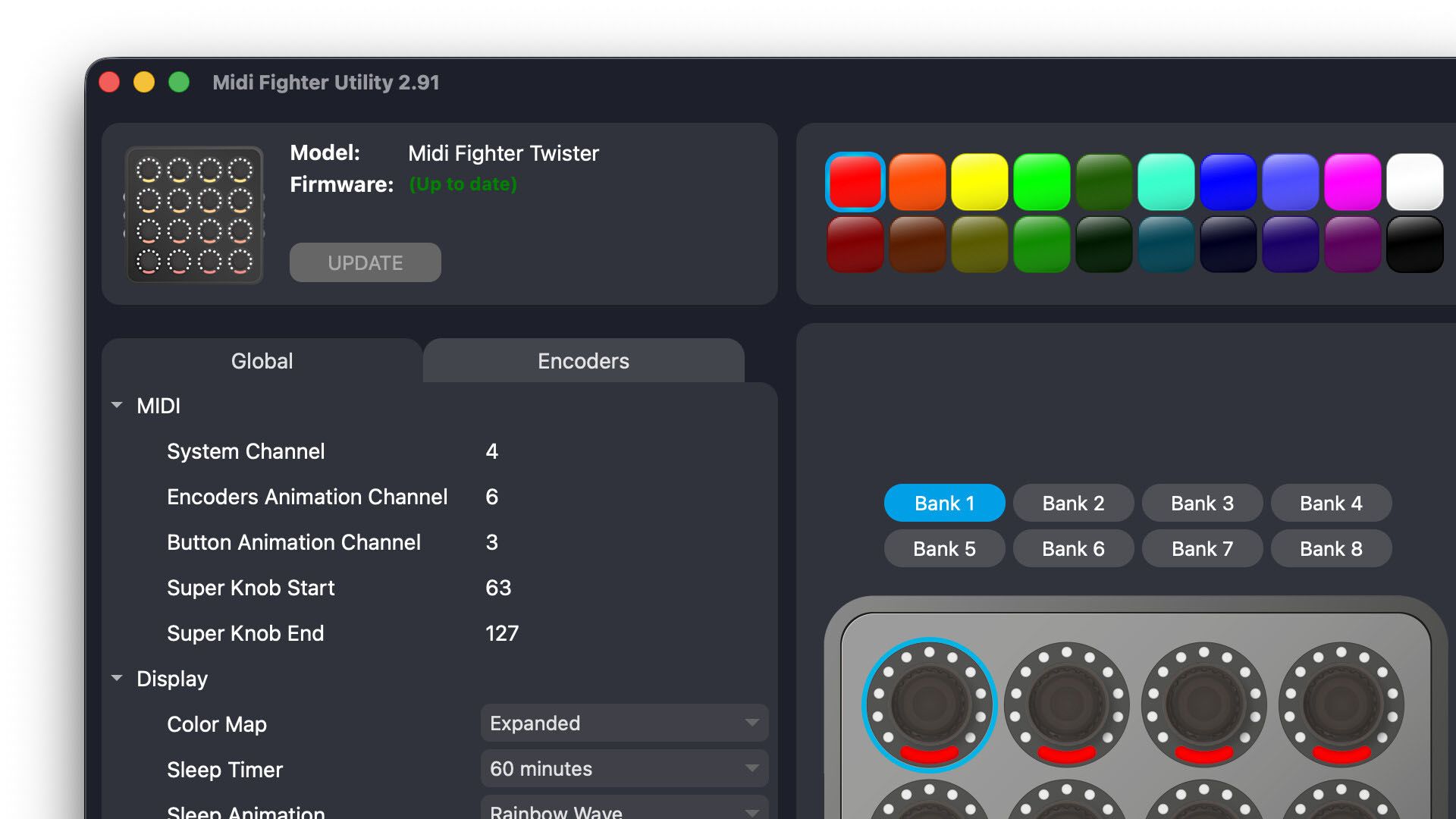
Midi Fighter Utility 2.91 dropped this morning, and it is a big release, no simple bug patches here. New firmware for the Twister, 64, Spectra, and 3D shipped alongside it, which makes this probably the biggest simultaneous update across the whole Midi Fighter lineup we’ve ever done.
The short version: if you own any Midi Fighter, you should update today and share some feedback with our team!
What’s new in the Utility app
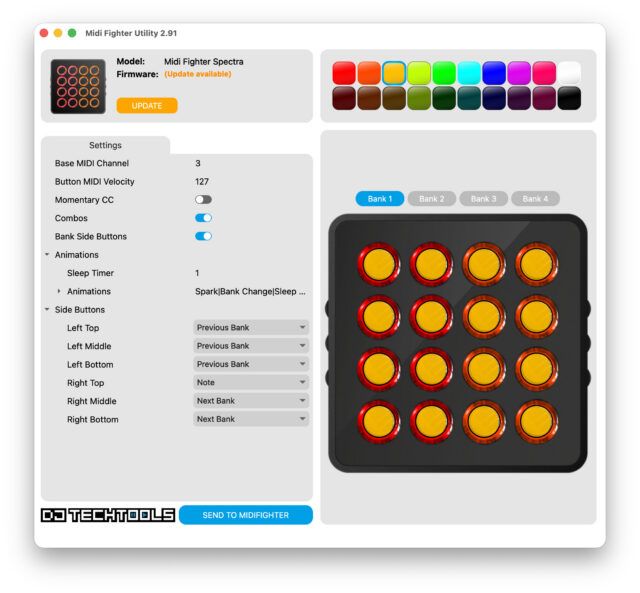
The Midi Fighter Utility itself got a serious overhaul. A few things worth calling out:
- macOS nag screens are gone. The app is now properly signed and notarized with an Apple Developer account. No more dismissing security warnings on first launch.
- Third-party device detection fixed. Previously, having something like a Focusrite audio interface connected could confuse the utility. That’s fixed. No more disconnecting your whole setup just to configure a controller.
- Multi-device support. You can now run more than one Midi Fighter at the same time. Connect two Twisters, a Twister and a 64, whatever you need. If both units are running 2026 firmware you can assign each a nickname to tell them apart in the UI. (Full multi-device is getting a bigger revamp in an eventual 3.0 release)
- MIDI logging got smarter. The log now shows MIDI commands in readable form instead of raw bytes, reports firmware date, and has a Clear button. Troubleshooting just got a lot less annoying.
- Undo/Redo. Still marked experimental, but it’s there via the standard keyboard shortcuts or Edit menu. Works for all settings except colors.
- Bank sync is now bidirectional. Cycling banks on the unit updates the MFU display, but now it works the other way too. Change banks in the utility and the unit follows.
- UI cleanup throughout. Light/Dark themes on both platforms, vectorized icons, keyboard shortcuts for common actions, settings that expand automatically, and edits that actually save when you hit Send even if the edit box is still open.
One note for Windows users: you may see a warning on install because the app is signed with a new certificate. Click “More info” on the installer dialog and you’ll see it’s properly signed. That warning will fade as our certificate builds reputation.
Twister gets a ton of firmware updates
Today’s new Twister firmware (20260601) has the longest change log. The full list is on the DJTT forums, but a few highlights:
- 8 Banks firmware option. Available under Tools > Alternative Firmware. The step sequencer is disabled in this build, but if you’ve been wanting more banks, it’s there.
- Expanded color palette. RGB color recalibration across the board, plus white is now available as an LED color. You can also switch between the current palette and the MF64 palette from the MFU.
- Spread indicator type. New visual: starts at center and expands symmetrically outward. Worth being clear on what it’s actually for: it shows how far from center something is, not which direction, so it’s not the right pick for EQ or pitch. Where it shines is controls like stereo width, where the value is inherently non-directional and a centered, expanding display is more intuitive. It’s also groundwork for an upcoming native mode that will need to communicate with DAWs using Mackie-style controls.
- Configurable Shift encoder channel per encoder. More precise MIDI routing without workarounds.
- Bank Select side button action. Navigate all 4 or 8 banks directly from the side buttons.
- Sleep timer and animations. RGB wave or full off. Useful if your Twister sits visible on stage between sets.
- Multi-encoder selection by drag or Shift+click. Before this you had to activate the MULTIPLE button first. Small change, much faster workflow.
The MFU now also shows when an encoder has a detent enabled, including the color it’s assigned. Before this, you had to select the encoder and check the setting manually. There was no visual indicator on the grid itself. The roadmap is to reflect indicator type visually too, but that’s coming in a later update. And the MFU no longer moves a detented encoder to 0 on load, which was a longstanding annoyance for anyone using them for anything where 0 wasn’t the right default.
64, Spectra, and 3D
Most of the update for these units are a bit smaller, but all three get new firmware. The 64 picks up a rotation option so the connector can face toward you (handy for filming your hands), increased LED brightness, and two new sleep animations. Spectra and 3D both get a unique serial number, a new sleep animation, and code prep for future updates.
All four devices now report a unique serial number, which is groundwork for things coming later this year.
How to update
First, download the new Utility. Download for macOS and Windows is live now.
Plug your Midi Fighter directly into your computer via USB. Do not use a USB hub. Open the utility and follow the onscreen prompts. If your unit is running 2026 firmware, you’ll need MFU 2.91 or higher to access the new features.
Full changelog and discussion over on the forum thread.
One more thing: thank you!
A big congratulations and thanks to the hard work of DJTT’s Matías (padi_04, the self-declared Administrator del Ritmo on our forums) for pushing hard on this update over the last few months. Even as he’s added a new member to his family, he’s found the time to absolutely crush this new update and release it. Show him some love!
Also thanks to our many beta testers, and the folks who contributed to this release, including but not limited to: Stewe, Brotatochip1121, SteveC, DBLU2000, and Imaginus.