DJ TechTools
  • Blog
    • DJ Gear
      • DIY Projects
      • Gear Reviews
      • New Products
      • Controllerism
    • Techniques + Tips
      • Beginner DJ
      • Advanced DJ
      • Producer
      • Finger Drummer
    • News + Culture
      • Editorials + Opinions
      • Artist Interviews
      • Performances + Routines
      • How I Play
    • DJ Software Tutorials
      • Serato Tips
        • Traktor Tips
      • CDJ Tips
      • Ableton Live Tips
  • Store
    • Run by real DJs, not a corporation
    • DJ Controllers
      • Midi Fighter Twister
      • Midi Fighter Spectra
      • Midi Fighter 64
      • View All
    • Accessories
      • Chroma USB Drive for DJs
      • Chroma Caps
      • Chroma Cables Audio
      • Chroma Cables USB-A
      • Chroma Cables: USB-C
      • DJTT Gift Card
      • Midi Fighter T-Shirt
      • Keyboard Covers
      • Earplugs by V-Moda
    • Production Gear
    • Soundcards & Mixers
  • Community
    • Popular Forums
      • General Discussion
      • Buy & Sell
      • Reviews
      • Mixes
      • Music Production
      • Show Your Setup
      • Off Topic
    • Handy Links
      • New Posts
      • Private Messages
      • Register
      • Search
    • Midi Maps
      • Traktor
      • Ableton
      • Serato DJ
      • Midi Fighter 3D
      • Midi Fighter Twister
      • Midi Fighter Spectra
  • Midi Fighter
  • Chroma
No Result
View All Result
DJ TechTools
  • Blog
    • DJ Gear
      • DIY Projects
      • Gear Reviews
      • New Products
      • Controllerism
    • Techniques + Tips
      • Beginner DJ
      • Advanced DJ
      • Producer
      • Finger Drummer
    • News + Culture
      • Editorials + Opinions
      • Artist Interviews
      • Performances + Routines
      • How I Play
    • DJ Software Tutorials
      • Serato Tips
        • Traktor Tips
      • CDJ Tips
      • Ableton Live Tips
  • Store
    • Run by real DJs, not a corporation
    • DJ Controllers
      • Midi Fighter Twister
      • Midi Fighter Spectra
      • Midi Fighter 64
      • View All
    • Accessories
      • Chroma USB Drive for DJs
      • Chroma Caps
      • Chroma Cables Audio
      • Chroma Cables USB-A
      • Chroma Cables: USB-C
      • DJTT Gift Card
      • Midi Fighter T-Shirt
      • Keyboard Covers
      • Earplugs by V-Moda
    • Production Gear
    • Soundcards & Mixers
  • Community
    • Popular Forums
      • General Discussion
      • Buy & Sell
      • Reviews
      • Mixes
      • Music Production
      • Show Your Setup
      • Off Topic
    • Handy Links
      • New Posts
      • Private Messages
      • Register
      • Search
    • Midi Maps
      • Traktor
      • Ableton
      • Serato DJ
      • Midi Fighter 3D
      • Midi Fighter Twister
      • Midi Fighter Spectra
  • Midi Fighter
  • Chroma
No Result
View All Result
DJ TechTools

Competitions Could Prevent Fake DJ Routines With Two Simple Steps

Dan White by Dan White
July 14, 2016
in Business of DJing, Turntablism Tips
Reading Time: 4 mins read
0
Competitions Could Prevent Fake DJ Routines With Two Simple Steps
140
VIEWS
Post on FacebookTweet thisUpvote on Reddit

There’s been a buzz in the international DJ community as the winner of a major Thre3style event was discovered to have faked his set. For all the production that goes into Red Bull’s DJ competition, we’re amazed that a few basic concepts haven’t been implemented that would instantly allow judges, fans, and fellow competitors to detect fake DJ routines.

G-Smooth’s Set: A Lot Of Work To Fake It
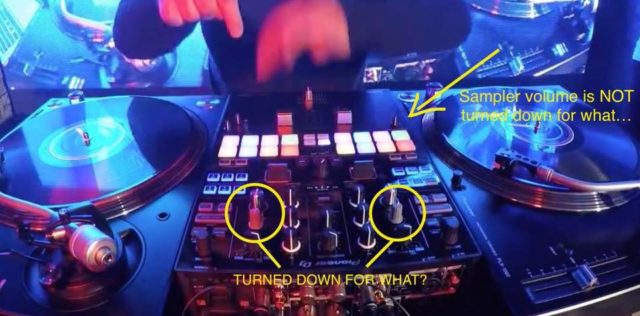
A screencap pointing out the disparity in volume levels on the DJM-S9 during G-Smooth's set (via Eric Lehy on Facebook)
A screen cap pointing out the disparity in volume levels on the DJM-S9 during G-Smooth’s set (image credit: Madfingaz on Facebook)

Before we dive into our two suggestions for DJ competitions, a bit more context on this week’s events. G-Smooth was declared the winner of the Australian Thre3style competition that took place on July 1st. However, many DJs around the web watched the routine and were able to quickly find moments where his physical actions on the turntables and mixer didn’t line up with the resulting audio. Add to that,  the trim/gain knobs on each channel were turned all the way down, and the sampler volume was turned up, as pointed out in the screen capture from Eric Lehy above.

You can watch the full routine on his Facebook page, but considering the context, we felt it more appropriate to just embed two clips of the most egregiously faked parts.

  • Daft Punk “Roll”:  On the mixer used, Pioneer DJ’s DJM-S9, the top-right pad mode (where the pads are green) is the roll function. This means the pads will trigger rolls on the playing track at different rates. The rate is determined by which pad you press – but if you watch below, it doesn’t line up at all with what you hear:

Fake Roll: G-Smooth Faked Red Bull Thre3style entryG-Smooth had his winning Australian Red Bull Thre3style title revoked after DJs called fake on his performance. Here’s a clip of him using loop rolls during the routine in question. Read more about how competitions could fix this problem here: http://djtech.tools/fakeDJset

Posted by DJ TechTools on Thursday, July 14, 2016

  • Watch The Sticker: As many commenters were very quick to point out, a great way to look for fake turntablism sets is to watch the actual sticker on the control vinyl. Check out the tail end of the routine and watch the sticker closely – does it match up to the audio?

Watch The Label – G-Smooth Red Bull Thre3style clipG-Smooth had his winning Australian Red Bull Thre3style title revoked after DJs called fake on his performance. Here’s a clip of him “cutting” in the routine in question. Read more about how competitions could fix this problem here: http://djtech.tools/fakeDJset

Posted by DJ TechTools on Thursday, July 14, 2016

It’s worth noting that G-Smooth mimics a lot of the performance very convincingly – enough to fool the judges in the room and the crowd. But imagine how much work it must have taken to make sure that his actions aligned with a playing track?

With live DJ routines, slight flubs or moments where it’s not quite right are acceptable, because they’re live. But if your recorded set is perfect, then you have to match your actions exactly right to that perfect recording. He might as well have just played the real routine with all the work he put into faking it. 

Step 1: Add Screen Capture + Overhead Video For Every Competitor

To allow anyone to quickly see if the audio matches up to what a DJ is doing during a performance, there are two things that need to be recorded without interruption:

1. Overhead view: Video cameras are all over the DJ booths at these Red Bull Thre3style events, but for some unknown reason, there’s not one that is directly above the DJ mixer pointing down. This angle allows you to see the VU meters, every single control on a DJ mixer, the exact sticker location, if cables are really plugged in, if gear is turned on, etc.

The Red Bull Thre3style producers want the final published videos to look really good in terms of editing and camera work, and a single overhead feed isn’t too exciting to watch. But look at how the popular DJsounds YouTube mix show does it for inspiration (mixing starts at 7:30):

2. Screen Capture: Being able to see exactly what is on the screen of a laptop DJ might feel invasive, but it’s completely necessary to see what is really going on. For instance, in G-Smooth’s performance, the decks on Serato DJ were still moving and he was manipulating them live. But the real audio is coming through the SP-6 sampler in the software – something we might have been able to see activated in start of the routine.

A lot of DJs also use pre-produced edits when entering competitions. The best way to properly show the audience the different between these edits and an on-the-fly edit is to have a window into the software to see what’s one the decks. Just take a HDMI cable, plug it into the computer, set it to mirrored so the DJ’s view is unaffected, and record the output.

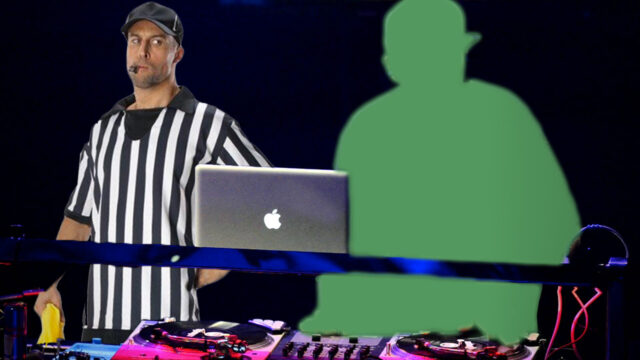
Step 2: Put A “Referee” In The DJ Booth
dj-referee


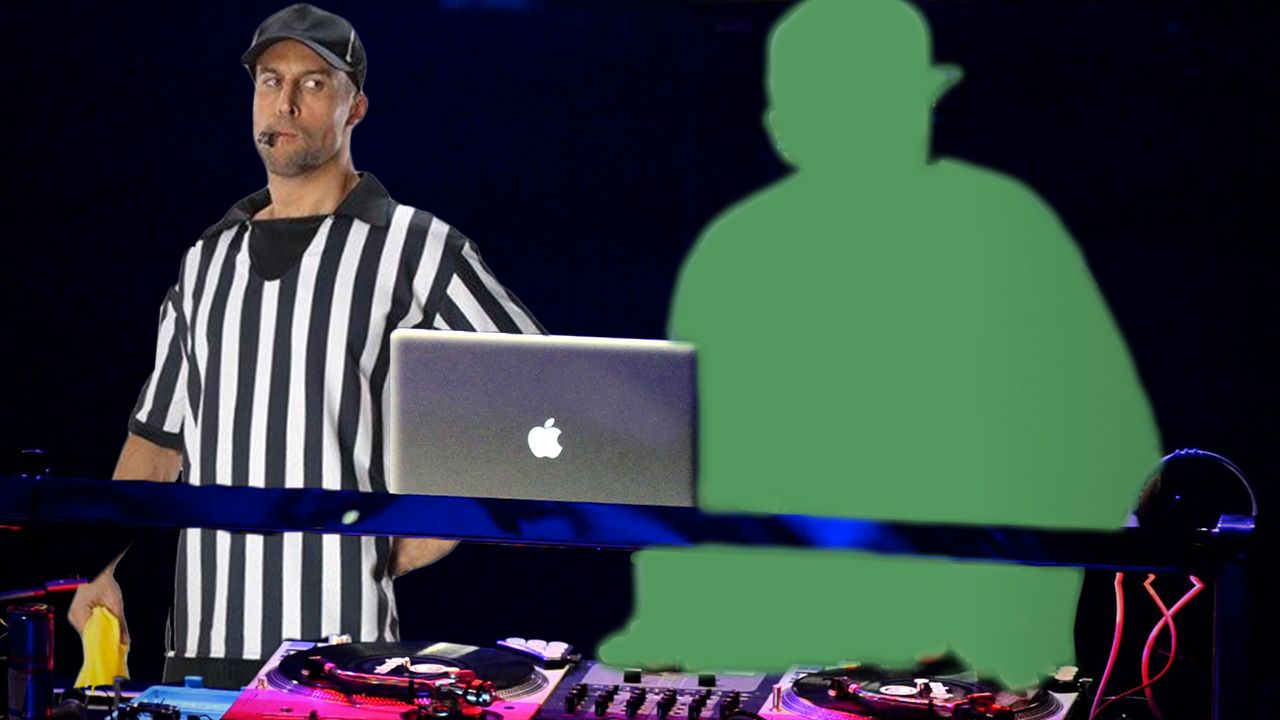
In most professional sports, you don’t have referees that sit in the stands and officiate from there. So why is it that in almost every professional DJ competition, all the judges sit in the crowd or across the room? Unless there are monitors at the judges’ table showing the screen capture and above-the-mixer video angle mentioned above, the judges will be unable to really determine what’s going on and how the routine is being performed.

The simple solution is to add either a judge or an impartial referee who stands next to the DJ. They’re not there to trainspot, but to instead watch what a DJ is doing technically. 

How would you change the DMC and Thre3style events to prevent fake DJ routines? 
Tags: dj competitionsfakefake djingg-smoothRed Bull Thre3style
Share1Tweet1Share
Previous Post

Xone:PX5 Mixer: Allen & Heath’s 4-Channel Mixer For The Masses?

Next Post

5 AppleScripts To Whip Your DJ Library Into Shape

Related Posts

DMC Online 2018
News + Culture

DMC Online 2018: Winning DJ Routines From Rounds 1 – 3

May 29, 2018
Four Color Zack
Artist Features

Four Color Zack Interview – Red Bull Thre3style World Champion + Judge

February 19, 2015
Load More
Next Post
Applescripts for DJs

5 AppleScripts To Whip Your DJ Library Into Shape

Want to reach DJTT's audience here?

Shoot an email to advertising@djtechtools.com

DJTT ads
DJTT newsletter
Midi Fighter
Chat with us
  • ABOUT DJTT
  • CONTACT
  • PRIVACY
  • MIDI FIGHTER HELP
  • ABOUT DJTT
  • JOBS
  • CONTACT US
  • ADVERTISE
  • PRIVACY POLICY
  • ACCESSIBILITY STATEMENT

© 2024 DJ Techtools all rights reserved by DJ TechTools on all content unless otherwise noted.

No Result
View All Result
  • Blog
    • DJ Gear
      • DIY Projects
      • Gear Reviews
      • New Products
      • Controllerism
    • Techniques + Tips
      • Beginner DJ
      • Advanced DJ
      • Producer
      • Finger Drummer
    • News + Culture
      • Editorials + Opinions
      • Artist Interviews
      • Performances + Routines
      • How I Play
    • DJ Software Tutorials
      • Serato Tips
      • CDJ Tips
      • Ableton Live Tips
  • Store
    • Run by real DJs, not a corporation
    • DJ Controllers
      • Midi Fighter Twister
      • Midi Fighter Spectra
      • Midi Fighter 64
      • View All
    • Accessories
      • Chroma USB Drive for DJs
      • Chroma Caps
      • Chroma Cables Audio
      • Chroma Cables USB-A
      • Chroma Cables: USB-C
      • DJTT Gift Card
      • Midi Fighter T-Shirt
      • Keyboard Covers
      • Earplugs by V-Moda
    • Production Gear
    • Soundcards & Mixers
  • Community
    • Popular Forums
      • General Discussion
      • Buy & Sell
      • Reviews
      • Mixes
      • Music Production
      • Show Your Setup
      • Off Topic
    • Handy Links
      • New Posts
      • Private Messages
      • Register
      • Search
    • Midi Maps
      • Traktor
      • Ableton
      • Serato DJ
      • Midi Fighter 3D
      • Midi Fighter Twister
      • Midi Fighter Spectra
  • Midi Fighter
  • Chroma

© 2024 DJ Techtools all rights reserved by DJ TechTools on all content unless otherwise noted.

This website uses cookies. By continuing to use this website you are giving consent to cookies being used. Visit our Privacy and Cookie Policy.