DJ TechTools
  • Blog
    • DJ Gear
      • DIY Projects
      • Gear Reviews
      • New Products
      • Controllerism
    • Techniques + Tips
      • Beginner DJ
      • Advanced DJ
      • Producer
      • Finger Drummer
    • News + Culture
      • Editorials + Opinions
      • Artist Interviews
      • Performances + Routines
      • How I Play
    • DJ Software Tutorials
      • Serato Tips
        • Traktor Tips
      • CDJ Tips
      • Ableton Live Tips
  • Store
    • Run by real DJs, not a corporation
    • DJ Controllers
      • Midi Fighter Twister
      • Midi Fighter Spectra
      • Midi Fighter 64
      • View All
    • Accessories
      • Chroma USB Drive for DJs
      • Chroma Caps
      • Chroma Cables Audio
      • Chroma Cables USB-A
      • Chroma Cables: USB-C
      • DJTT Gift Card
      • Midi Fighter T-Shirt
      • Keyboard Covers
      • Earplugs by V-Moda
    • Production Gear
    • Soundcards & Mixers
  • Community
    • Popular Forums
      • General Discussion
      • Buy & Sell
      • Reviews
      • Mixes
      • Music Production
      • Show Your Setup
      • Off Topic
    • Handy Links
      • New Posts
      • Private Messages
      • Register
      • Search
    • Midi Maps
      • Traktor
      • Ableton
      • Serato DJ
      • Midi Fighter 3D
      • Midi Fighter Twister
      • Midi Fighter Spectra
  • Midi Fighter
  • Chroma
No Result
View All Result
DJ TechTools
  • Blog
    • DJ Gear
      • DIY Projects
      • Gear Reviews
      • New Products
      • Controllerism
    • Techniques + Tips
      • Beginner DJ
      • Advanced DJ
      • Producer
      • Finger Drummer
    • News + Culture
      • Editorials + Opinions
      • Artist Interviews
      • Performances + Routines
      • How I Play
    • DJ Software Tutorials
      • Serato Tips
        • Traktor Tips
      • CDJ Tips
      • Ableton Live Tips
  • Store
    • Run by real DJs, not a corporation
    • DJ Controllers
      • Midi Fighter Twister
      • Midi Fighter Spectra
      • Midi Fighter 64
      • View All
    • Accessories
      • Chroma USB Drive for DJs
      • Chroma Caps
      • Chroma Cables Audio
      • Chroma Cables USB-A
      • Chroma Cables: USB-C
      • DJTT Gift Card
      • Midi Fighter T-Shirt
      • Keyboard Covers
      • Earplugs by V-Moda
    • Production Gear
    • Soundcards & Mixers
  • Community
    • Popular Forums
      • General Discussion
      • Buy & Sell
      • Reviews
      • Mixes
      • Music Production
      • Show Your Setup
      • Off Topic
    • Handy Links
      • New Posts
      • Private Messages
      • Register
      • Search
    • Midi Maps
      • Traktor
      • Ableton
      • Serato DJ
      • Midi Fighter 3D
      • Midi Fighter Twister
      • Midi Fighter Spectra
  • Midi Fighter
  • Chroma
No Result
View All Result
DJ TechTools

5 AppleScripts To Whip Your DJ Library Into Shape

Marc Santaromana by Marc Santaromana
July 18, 2016
in DJ Music Library Tips
Reading Time: 4 mins read
0
Applescripts for DJs
363
VIEWS
Post on FacebookTweet thisUpvote on Reddit

Ready to clean up your DJ music library using the automation power of AppleScripts? Every DJ comes up with their own workflow of taking freshly downloaded tracks and making them a useful part of their DJ library. In the age of digital DJing, where the only limits are hard drive space on your computer or flash drive, finding a quick and effective workflow for organizing your music is crucial.

What are AppleScripts and why are they useful for DJs?

Technically, AppleScript is:

“a scripting language developed by Apple to help people automate their work processes on the Mac operating system.”

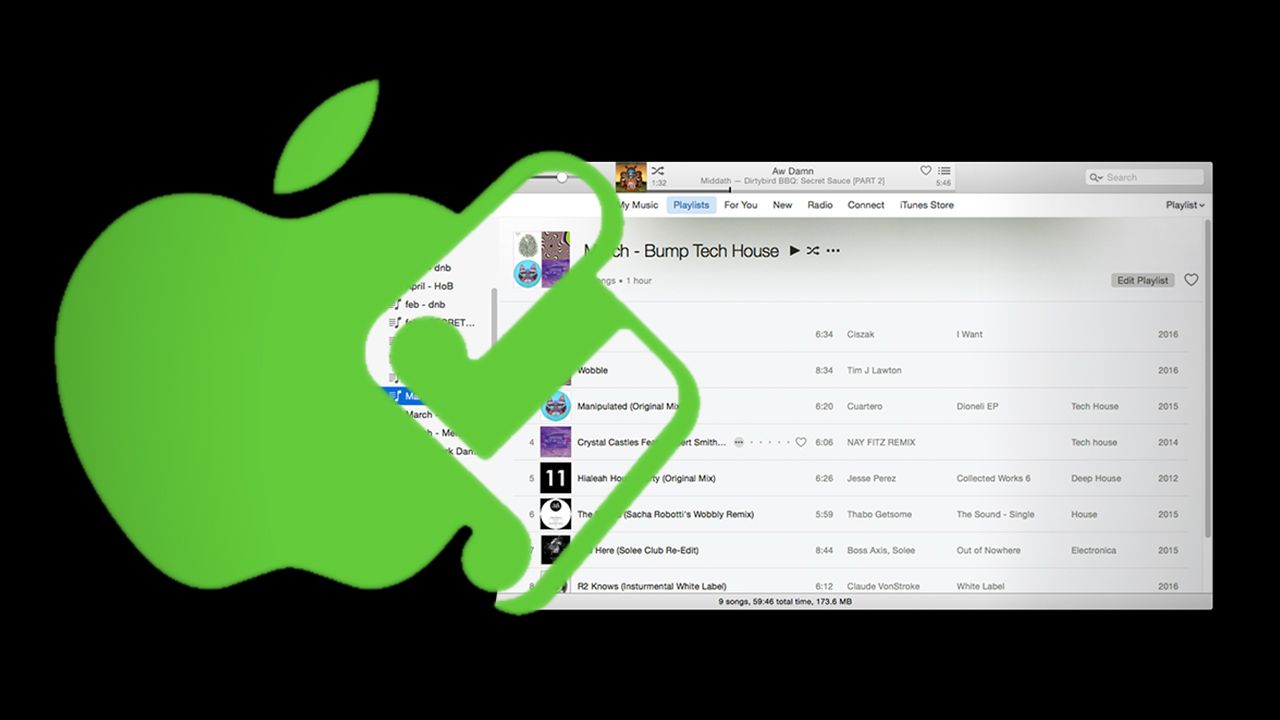
AppleScript lets users condense tasks that may take multiple steps into just a few clicks. For DJs, having correct and clean ID3 tags can be the difference between finding the perfect track in the heat of a set or forgetting it ever existed. AppleScripts used in conjunction with iTunes can be used as powerful tools to streamline this process.

5 Useful Scripts for DJs
Find Album Artwork
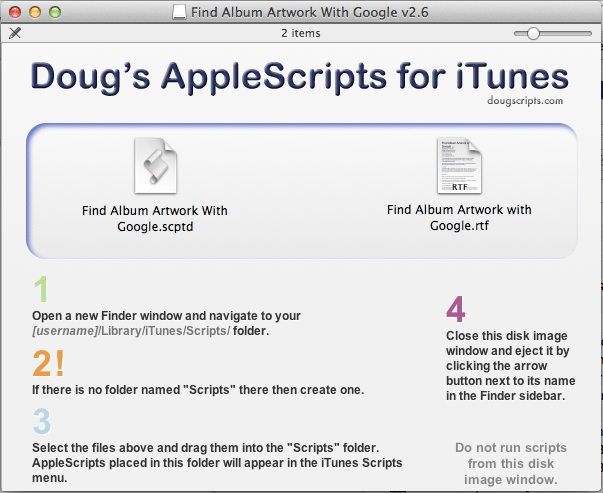
The install screen of the Find Album Artwork script (most of them will look similar)

Here’s our selections of a few AppleScripts that DJs could easily find useful:

  • Find Album Artwork With Google: Uses a Google Image Search based on the album title to try to find artwork. DJs will find this useful if they often use songs from promo releases, record pools, vinyl rips, or any other source that doesn’t have the album artwork included. When you start associating a certain image with specific dance floor fillers (like on CDJs, where the album artwork shows up in browse view by default), this will come in handy.
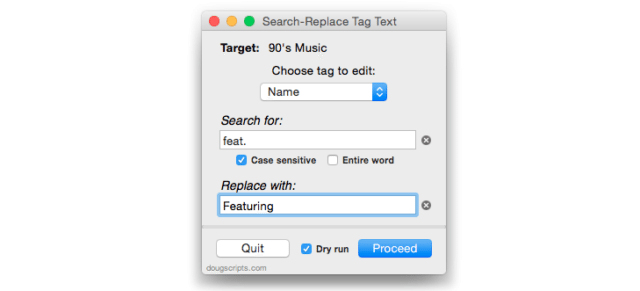
  • Search-Replace Tag Text: Allows you to search for certain strings of text throughout selected tracks in your library and replace them. Can be useful for replacing words in tags like “feat.” with “featuring”.
Screen Shot 2016-07-18 at Jul 18.58.08 AM

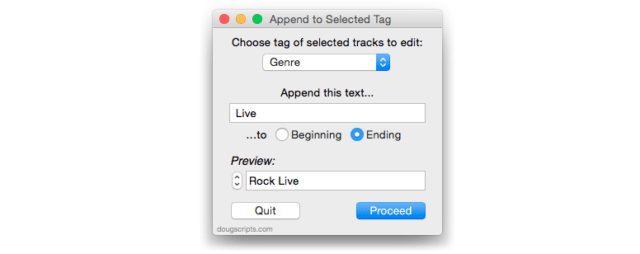
  • Append To Selected Tag: This is the one I find myself using the most. Allows you to add text to multiple tags such as the comments without completely deleting/replacing what tags you may already have there.
Screen Shot 2016-07-18 at Jul 18.58.56 AM

  • This Tag That Tag: Allows you to copy, swap, or combine tags.
  • Append BPM To Song Name: Will take the BPM from the BPM tag and attach it to beginning or end of song name tag.

Many of the AppleScripts for iTunes have actually been incorporated into complete standalone applications that interact with iTunes, including:

  • Dupin – looks for duplicates in a libary and helps to quickly remove them
  • Join Together – merges multiple audio files into one
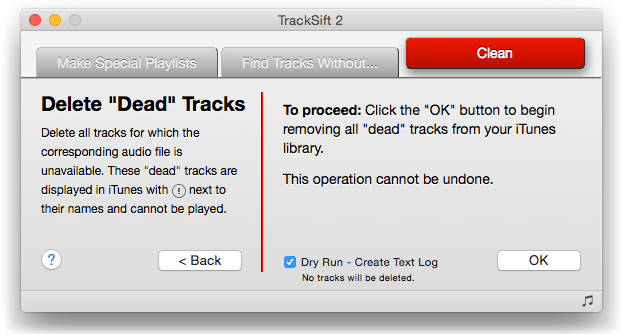
  • TrackSift 2 – Merges playlists, deletes “dead” tracks, etc
Screen Shot 2016-07-18 at Jul 18.59.48 AM

How To Install An Applescript

Once you have a script that you’ll make use of, installing one for iTunes is an easy process:

  • Download the scripts you would like to install
  • Unzip files
  • Move contents of zip files to the following folder: [username]/Library/iTunes/Scripts
  • “Library” may be hidden. To find it, open Finder, click on the “Go” menu”, hold down “option”, select “Library”
  • If there is no “Scripts” folder, create one
  • Open iTunes and find a new AppleScripts menu at the top where you can run them

Learn More + PC Alternatives

  • If you want to start making your own iTunes AppleScripts (beyond the 400+ available on the popular Doug’s Scripts For iTunes), check out this article by Alvin Alexander that covers the basics. It’s fairly intuitive.
  • If you’re a PC user, obviously AppleScripts aren’t going to work for you – but for the more technically inclinded, check out how you can interact with iTunes using Powershell, an automation framework for Windows’ command line.

For working DJs, an organized music library should be at the top of your priority list. Any tool that can be added (especially free or very cheap) to save time on this organizational process is worth consideration. Even if you don’t use iTunes integration with your DJ software, using it as a standalone organization tool can be powerful. Once your library is organized the way you like it, you can throw it into any DJ software without having to use iTunes as your media player.

Have any additional tips for automating your digital DJ library organization?
Share in the comments section below.
Tags: applescriptautomationdj libraryid3 tagslibrarysorting
Share3Tweet2Share
Previous Post

Competitions Could Prevent Fake DJ Routines With Two Simple Steps

Next Post

Advanced Techniques For Finger Drumming A Mad Zach Soundpack

Related Posts

MIXO wants to transform DJ Library Management with their new platform
Controllerism

MIXO wants to transform DJ Library Management with their new platform

May 2, 2023
Rekordbox’s new Professional plan: unlimited cloud storage for your library
News + Culture

Rekordbox’s new Professional plan: unlimited cloud storage for your library

August 25, 2021
Organizing tracks in a DJ library with #tags
Basic DJ Tips

Tagging Tracks: Ean’s Organizational System For His DJ Library

December 9, 2019
Load More
Next Post
Advanced Techniques For Finger Drumming A Mad Zach Soundpack

Advanced Techniques For Finger Drumming A Mad Zach Soundpack

Want to reach DJTT's audience here?

Shoot an email to advertising@djtechtools.com

DJTT ads
DJTT newsletter
Midi Fighter
Chat with us
  • ABOUT DJTT
  • CONTACT
  • PRIVACY
  • MIDI FIGHTER HELP
  • ABOUT DJTT
  • JOBS
  • CONTACT US
  • ADVERTISE
  • PRIVACY POLICY
  • ACCESSIBILITY STATEMENT

© 2024 DJ Techtools all rights reserved by DJ TechTools on all content unless otherwise noted.

No Result
View All Result
  • Blog
    • DJ Gear
      • DIY Projects
      • Gear Reviews
      • New Products
      • Controllerism
    • Techniques + Tips
      • Beginner DJ
      • Advanced DJ
      • Producer
      • Finger Drummer
    • News + Culture
      • Editorials + Opinions
      • Artist Interviews
      • Performances + Routines
      • How I Play
    • DJ Software Tutorials
      • Serato Tips
      • CDJ Tips
      • Ableton Live Tips
  • Store
    • Run by real DJs, not a corporation
    • DJ Controllers
      • Midi Fighter Twister
      • Midi Fighter Spectra
      • Midi Fighter 64
      • View All
    • Accessories
      • Chroma USB Drive for DJs
      • Chroma Caps
      • Chroma Cables Audio
      • Chroma Cables USB-A
      • Chroma Cables: USB-C
      • DJTT Gift Card
      • Midi Fighter T-Shirt
      • Keyboard Covers
      • Earplugs by V-Moda
    • Production Gear
    • Soundcards & Mixers
  • Community
    • Popular Forums
      • General Discussion
      • Buy & Sell
      • Reviews
      • Mixes
      • Music Production
      • Show Your Setup
      • Off Topic
    • Handy Links
      • New Posts
      • Private Messages
      • Register
      • Search
    • Midi Maps
      • Traktor
      • Ableton
      • Serato DJ
      • Midi Fighter 3D
      • Midi Fighter Twister
      • Midi Fighter Spectra
  • Midi Fighter
  • Chroma

© 2024 DJ Techtools all rights reserved by DJ TechTools on all content unless otherwise noted.

This website uses cookies. By continuing to use this website you are giving consent to cookies being used. Visit our Privacy and Cookie Policy.