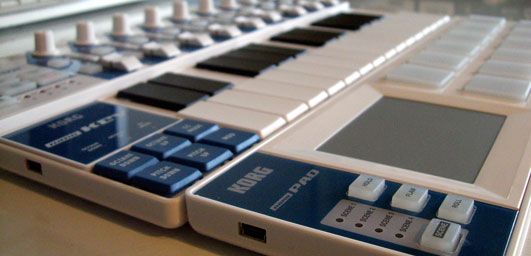
Perhaps you’re looking for a convenient way to add a little functionality to your existing dj controller? Building your own is easy and low cost but at $60 its hard to pass up the nifty Korg Nano series for a quick controller add-on. They have 3 models that each target a different typical dj/producer scenario in a convenient footprint. The shape and size is designed to fit perfectly in front of a 13″ mac book. That’s enough to get me excited as there is almost always enough room in front of the laptop for a thin line of controls. While the Nano pad is the most promising of the 3, the other 2 also could be very handy for many djs out there. They look great in the photos but was Korg actually able to make a robust product for around $50?
The Pad
USB powered, $59 – available now in stores worldwide
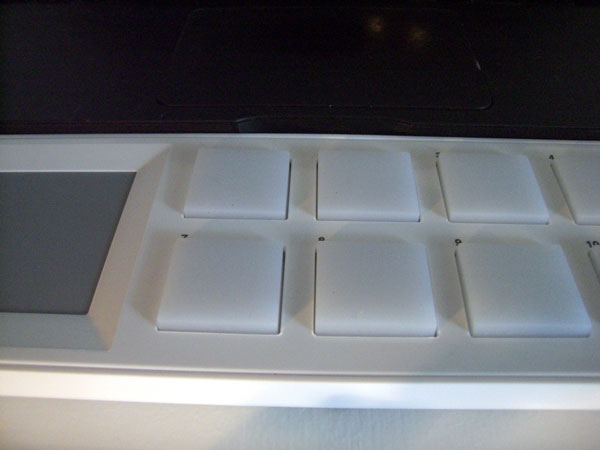
For direct cue point access and some quick FX control this X/Y pad combo is a easy sell. Each pad is slightly smaller than a MPC but has ample area to really go to town. The response and hit detection was snappy and consistent making it easy to do various cue point juggling routines. Lining up Deck A and B on top of each other made musical phrasing particularly fun to explore. Add in a little FX through the X/Y pad and you have an expressive surface. Look for a Dj TT template for this controller some time in the next few weeks. The pads themselves are equipped with velocity sensitivity but I was unable to get them to detect anything below 50% with very little variation between hits- so you should not plan on really using that. The clear coating suggests that perhaps they might have some LED back lights but sadly they are not there. It would have been killer to display cue point and loop status but at this price point LEDS might be asking a bit much.
Thumbs Up
The pads have a good solid feel and as long as its on a solid surface you can really pound away without it moving at all. The X/Y pad has a good response and works as expected. You can customize how the pad works with various response curves, attack and release times inside the free midi editor librarian. This program allows you to further customize all the note values and scenes so that there are no conflicts with your current midi controller.
On the unit I received, striking or really pressing the first 4 pads resulted in some extra ghost data being sent from the X/Y pad. The values were all zeros (resets) so you would probably never even know it was there unless you happened to be using a midi monitor which does not make this a mission critical problem. It did make me wonder though if there might be some construction problems that could cause other issues later. Apparently there are several thousand of these out in the market already, so perhaps one of our readers could plug one in and test theirs out as well?
I really wish the pads were back lit- its becoming more and more important to get visual feedback from controllers so we can spend less time checking screens and more time banging beats.
Extras
along with 4 scenes for different mapping layers, the pad also has
- HOLD: to hold the X/Y position (similar to a chaos pad)
- FLAM: auto double hits
- ROLL: holding down a button sends out rolls of notes with the X axis controlling the speed.
Conclusion
If you need more cue point access, some pads or a X/Y controller- this is a good buy. Its size and shape make it easy to interface into your existing set up in a convenient location.
The Kontrol
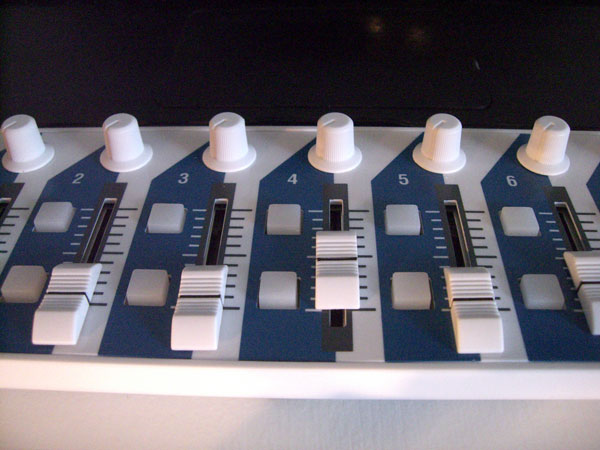
usb powered, $49 -available now
The pad unit is a respectable looking controller that feels like something you might have paid more than $60 for. The Kontrol, on the other hand, starts to belie its price point with a plastic feel to its sliders, knobs and buttons. The layout is absolutely set up with Ableton in mind and in that vein it could be a very useful controller. Now that Traktor Pro has improved their midi SYNC capability, its not unrealistic to run Ableton in the background and this would be a great surface for controlling those extra channels.
The Good
They have supplied everything you need to run Ableton including volume, one FX knob per channel, start/stop clips and global session control. All of the buttons are back lit so they can display critical info and so Albeton can live in the background.
For slowly blending in loops and tweaking subtle FX controls the knobs and faders are fine but don’t expect to start doing crab scratches and fader throws. They have plastic knobs and fader caps which, while smooth, don’t afford the space or surface area to really get a good grip.
Conclusion
As an auxiliary Ableton controller, this could work very well but I would not get it to control Trakor FX or any other high performance tasks.
The Key
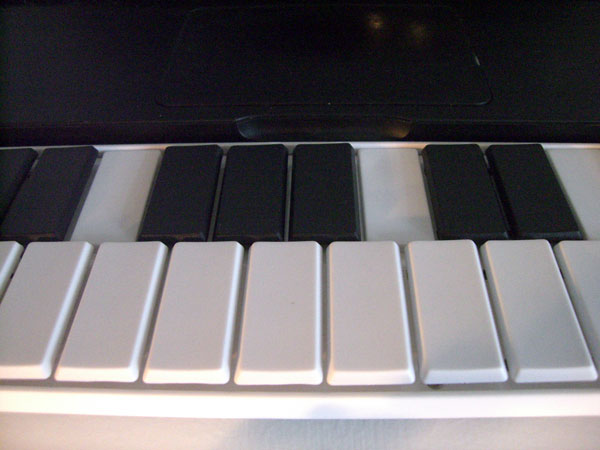
usb powered ,$49 -available now
This is my least favorite of the 3 and I am hard pressed to find a use for it in the Dj world. The keys themselves are the same construction type, feel and size as the enter key on a mac laptop. That gives them a fast crisp response without requiring the depth of a standard midi keyboard but it does not really give you anything better than, well- the keyboard that’s already on your computer. You could use the keys to trigger loops and cue points but to be honest the feel of the pads is so much better, I would personally take less controls in exchange for better performance. Once might argue that you can use them to trigger certain non performance functions like screen changes and track loading but then again- this controller does not improve on your existing keyboard which can easily trigger the same functions through keystrokes.
A tip from the pro’s
Did you know you can use your computers keyboard as a midi controller in logic and other programs already? check out this video for more info– its great for producing on the plane!
This guys seems to be killing it on the nano keys but I would personally prefer this one