DJ TechTools
  • Blog
    • DJ Gear
      • DIY Projects
      • Gear Reviews
      • New Products
      • Controllerism
    • Techniques + Tips
      • Beginner DJ
      • Advanced DJ
      • Producer
      • Finger Drummer
    • News + Culture
      • Editorials + Opinions
      • Artist Interviews
      • Performances + Routines
      • How I Play
    • DJ Software Tutorials
      • Serato Tips
        • Traktor Tips
      • CDJ Tips
      • Ableton Live Tips
  • Store
    • Run by real DJs, not a corporation
    • DJ Controllers
      • Midi Fighter Twister
      • Midi Fighter Spectra
      • Midi Fighter 64
      • View All
    • Accessories
      • Chroma USB Drive for DJs
      • Chroma Caps
      • Chroma Cables Audio
      • Chroma Cables USB-A
      • Chroma Cables: USB-C
      • DJTT Gift Card
      • Midi Fighter T-Shirt
      • Keyboard Covers
      • Earplugs by V-Moda
    • Production Gear
    • Soundcards & Mixers
  • Community
    • Popular Forums
      • General Discussion
      • Buy & Sell
      • Reviews
      • Mixes
      • Music Production
      • Show Your Setup
      • Off Topic
    • Handy Links
      • New Posts
      • Private Messages
      • Register
      • Search
    • Midi Maps
      • Traktor
      • Ableton
      • Serato DJ
      • Midi Fighter 3D
      • Midi Fighter Twister
      • Midi Fighter Spectra
  • Midi Fighter
  • Chroma
No Result
View All Result
DJ TechTools
  • Blog
    • DJ Gear
      • DIY Projects
      • Gear Reviews
      • New Products
      • Controllerism
    • Techniques + Tips
      • Beginner DJ
      • Advanced DJ
      • Producer
      • Finger Drummer
    • News + Culture
      • Editorials + Opinions
      • Artist Interviews
      • Performances + Routines
      • How I Play
    • DJ Software Tutorials
      • Serato Tips
        • Traktor Tips
      • CDJ Tips
      • Ableton Live Tips
  • Store
    • Run by real DJs, not a corporation
    • DJ Controllers
      • Midi Fighter Twister
      • Midi Fighter Spectra
      • Midi Fighter 64
      • View All
    • Accessories
      • Chroma USB Drive for DJs
      • Chroma Caps
      • Chroma Cables Audio
      • Chroma Cables USB-A
      • Chroma Cables: USB-C
      • DJTT Gift Card
      • Midi Fighter T-Shirt
      • Keyboard Covers
      • Earplugs by V-Moda
    • Production Gear
    • Soundcards & Mixers
  • Community
    • Popular Forums
      • General Discussion
      • Buy & Sell
      • Reviews
      • Mixes
      • Music Production
      • Show Your Setup
      • Off Topic
    • Handy Links
      • New Posts
      • Private Messages
      • Register
      • Search
    • Midi Maps
      • Traktor
      • Ableton
      • Serato DJ
      • Midi Fighter 3D
      • Midi Fighter Twister
      • Midi Fighter Spectra
  • Midi Fighter
  • Chroma
No Result
View All Result
DJ TechTools

More Arcade Buttons

Ean Golden by Ean Golden
June 22, 2009
in DIY Project Tutorials, VCI-100 SE / Arcade
Reading Time: 4 mins read
0
More Arcade Buttons
47
VIEWS
Post on FacebookTweet thisUpvote on Reddit

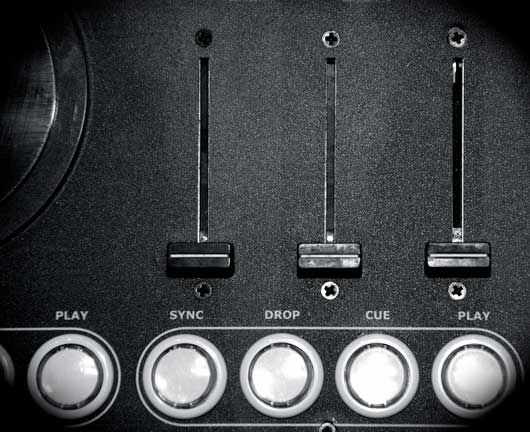
The VCI-100 from has inspired a lot of people to modify the simple layout into other forms that fit their particular style of ding. First came the original arcade mod and then many others followed in my footsteps, creating their own interpretations and individual creations. The most adventurous by far has to be this brand new 3 deck VCI-100 mod by Anthony More.

The Case
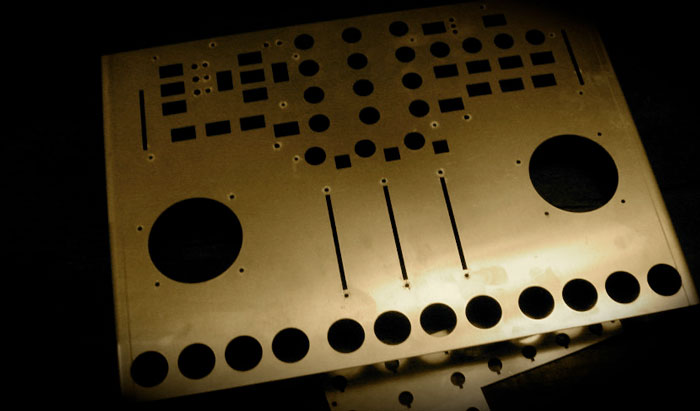
Instead of just adding arcade buttons Anthony wanted to create an entire third deck which would mean expanding the width of the case to accommodate an extra channel strip.

The Guts

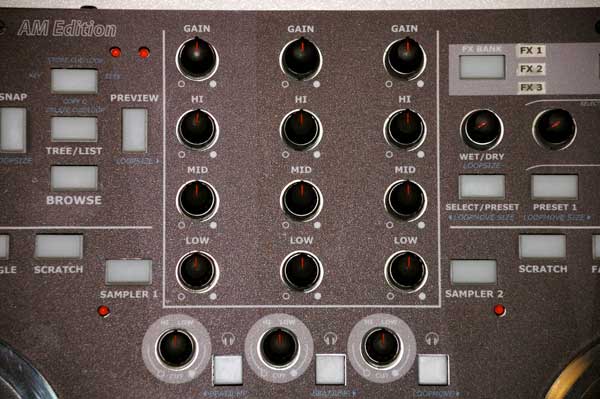
Engineering the third deck meant cutting the existing circuit board and grafting a new one into place to hold the new parts. Those red wires are connecting the new controls to other buttons and knobs that he could afford to lose.  So by eliminating a few of the smaller, lesser used buttons and knobs he could make better use of those inputs as a third set of controls.

The Buttons
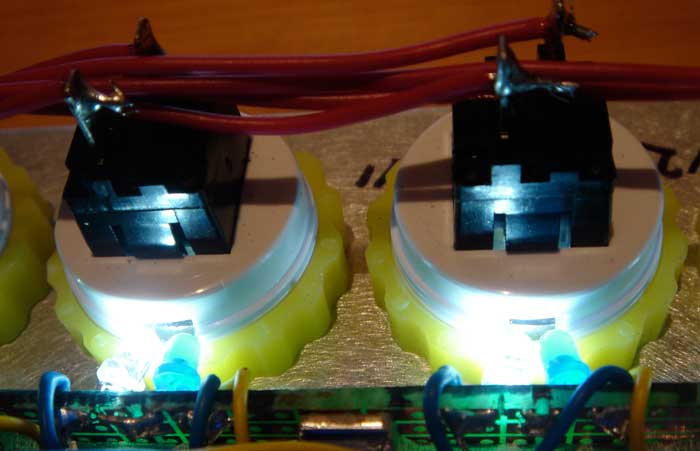
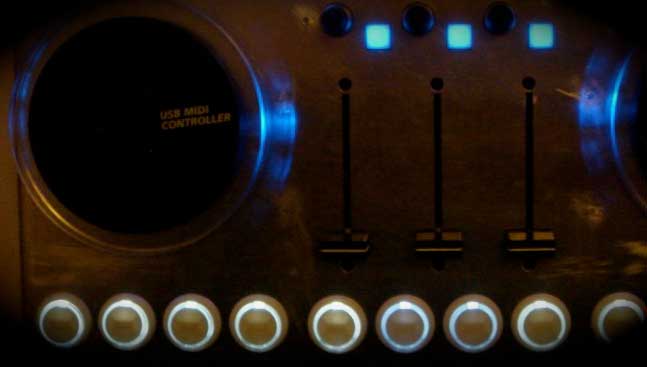
Low profile Illuminated arcade buttons dont exist on the market so Anthony got super creative and re-used the LEDS from the original VCI-100 buttons to light up his arcades.  Here you can see he cut a small hole in the arcade casing, creating a light pipe for the LED to illuminate the body of the button.

The Overlay
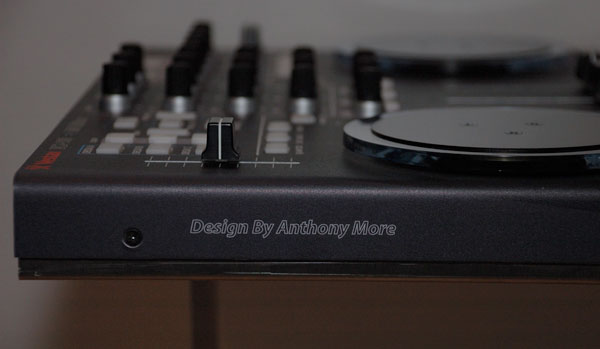
Anthony found a local sticker shop in the Netherlands that was willing to print a one off vinyl sticker for his vci-100. The 22mm sticker set him back $70 but worked out quite well.

The Pay-Off
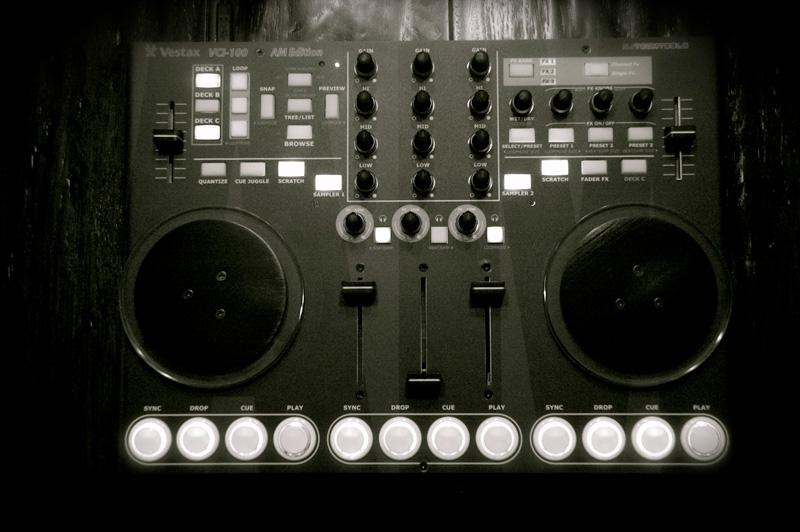
Q. Hey Anthony, great job on the controller!

First of all I like to thank everyone,who contributed to DJTT in articles and forums, especially Ean Golden who triggered me to do my mod. All the ideas and positive words people brought was an inspiration to make my VCI-100 mod reality.

Q. How long did this take and at what cost?

3-4 months of work and aprox. 500 euros.

Q. Why did you decide to undergo this project?

Since the beginning, I was not completely satisfied with the hardware layout of my black vci-100 in combination with my 3 deck style of playing. When Ean made his “SE”, I upgraded my Black VCI (Japan) to firmware 1.3 and loved the possibilities he had created for the VCI-100. That gave me great insight and I decided I wanted a VCI with 3 channel faders for direct control so I have always the same setup everywhere I go and have a vci that fits in a UDG bag.

Q. So what did you decide to do?

This problem kept me thinking for weeks on how to mod my VCI. So first I made a layout and  searched for the parts, but found they all are custom made by Vestax. Instead, I ordered potentiometers with almost the same specs, 12 arcade buttons, and 6 momentary push buttons.

Q. How did you make the case?

After creating a paper layout- my neighbor, an industrial designer, made a CAD drawing for me. He measured everything very well from the old vci-housing, in combination with the changes I made to create a new hybrid of the 2. Then the metal shop made a new housing (27,6 cm x 38,5 cm) from aluminum and a custom back-housing from stainless steel.

Q. How did you do the custom overlay?

A designer helped me to understand the basics of Adobe-Illustrator, and from there I experimented with the program and finally succeeded in designing an overlay for my vci. I maintained the vestax logo and added a DJ TechTools logo as an homage.

Q. How has the controller worked out for you?

I played out several times with my AM VCI-100 and until now I haven’t had any problems. If you have any questions about my modifications feel free to ask me in the DJTT forum, and I will try to give you an answer as soon as possible.

“Listen to what’s playing”

Anthony.

Tags: Arcade ButtonsDIYModificationTipsVCI-100 Articles
ShareTweetShare
Previous Post

Hi-Speed USB Cables for DJs

Next Post

MixVibes CROSS Reviewed

Related Posts

Meet the Koala sampler app: a mobile production powerhouse, now with stems
DJ Gear

Meet the Koala sampler app: a mobile production powerhouse, now with stems

February 7, 2023
Tips for DJing in Extreme Cold: DJTT readers share their advice
DJ Techniques / Tips

Tips for DJing in Extreme Cold: DJTT readers share their advice

January 30, 2023
Standalone DDJ-400
DIY + Hacks

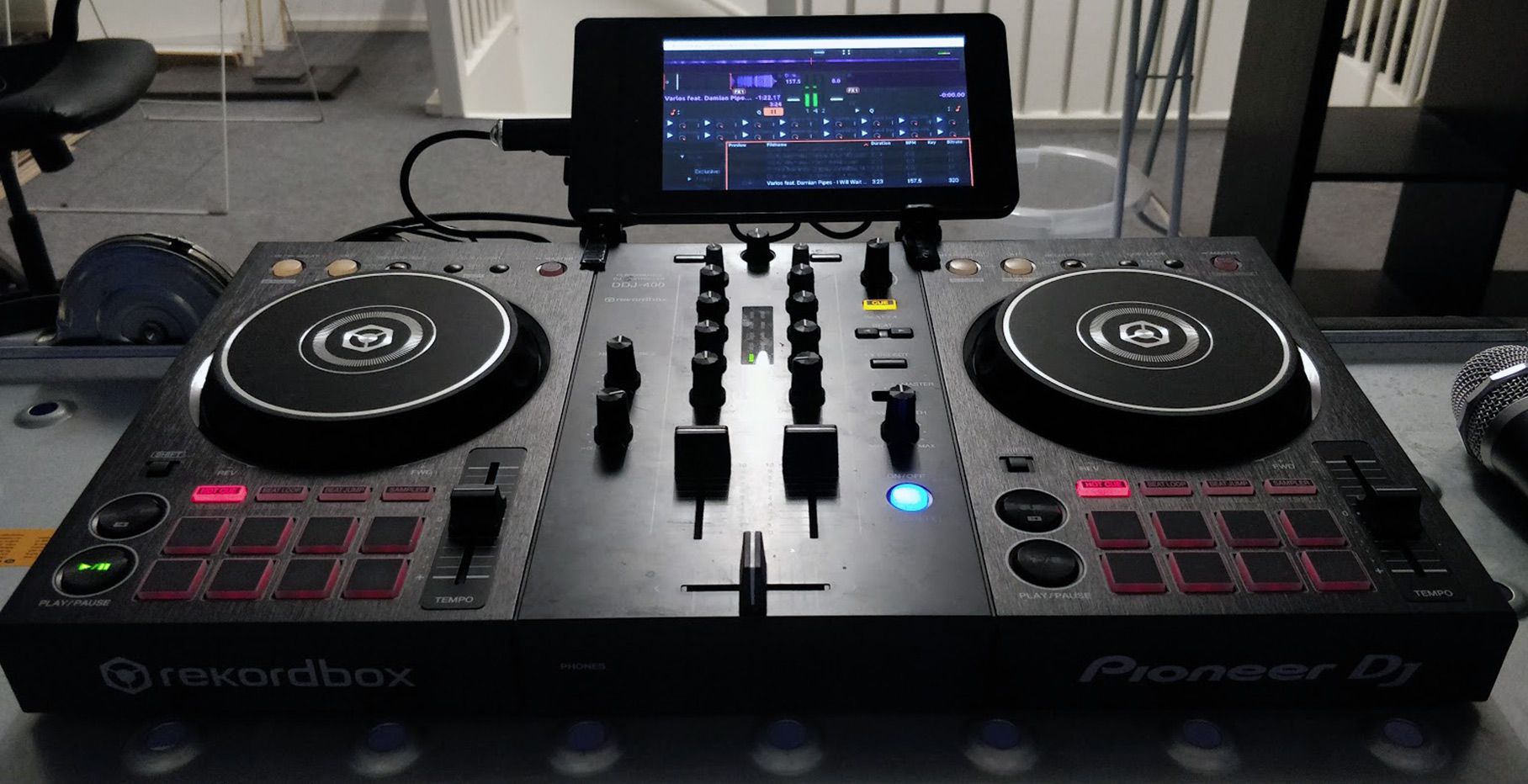
Building a standalone DDJ-400 with a Raspberry Pi and Mixxx

November 5, 2020
Load More
Next Post
MixVibes CROSS Reviewed

MixVibes CROSS Reviewed

Want to reach DJTT's audience here?

Shoot an email to advertising@djtechtools.com

DJTT ads
DJTT newsletter
Midi Fighter
Chat with us
  • ABOUT DJTT
  • CONTACT
  • PRIVACY
  • MIDI FIGHTER HELP
  • ABOUT DJTT
  • JOBS
  • CONTACT US
  • ADVERTISE
  • PRIVACY POLICY
  • ACCESSIBILITY STATEMENT

© 2024 DJ Techtools all rights reserved by DJ TechTools on all content unless otherwise noted.

No Result
View All Result
  • Blog
    • DJ Gear
      • DIY Projects
      • Gear Reviews
      • New Products
      • Controllerism
    • Techniques + Tips
      • Beginner DJ
      • Advanced DJ
      • Producer
      • Finger Drummer
    • News + Culture
      • Editorials + Opinions
      • Artist Interviews
      • Performances + Routines
      • How I Play
    • DJ Software Tutorials
      • Serato Tips
      • CDJ Tips
      • Ableton Live Tips
  • Store
    • Run by real DJs, not a corporation
    • DJ Controllers
      • Midi Fighter Twister
      • Midi Fighter Spectra
      • Midi Fighter 64
      • View All
    • Accessories
      • Chroma USB Drive for DJs
      • Chroma Caps
      • Chroma Cables Audio
      • Chroma Cables USB-A
      • Chroma Cables: USB-C
      • DJTT Gift Card
      • Midi Fighter T-Shirt
      • Keyboard Covers
      • Earplugs by V-Moda
    • Production Gear
    • Soundcards & Mixers
  • Community
    • Popular Forums
      • General Discussion
      • Buy & Sell
      • Reviews
      • Mixes
      • Music Production
      • Show Your Setup
      • Off Topic
    • Handy Links
      • New Posts
      • Private Messages
      • Register
      • Search
    • Midi Maps
      • Traktor
      • Ableton
      • Serato DJ
      • Midi Fighter 3D
      • Midi Fighter Twister
      • Midi Fighter Spectra
  • Midi Fighter
  • Chroma

© 2024 DJ Techtools all rights reserved by DJ TechTools on all content unless otherwise noted.

This website uses cookies. By continuing to use this website you are giving consent to cookies being used. Visit our Privacy and Cookie Policy.