DJ TechTools
  • Blog
    • DJ Gear
      • DIY Projects
      • Gear Reviews
      • New Products
      • Controllerism
    • Techniques + Tips
      • Beginner DJ
      • Advanced DJ
      • Producer
      • Finger Drummer
    • News + Culture
      • Editorials + Opinions
      • Artist Interviews
      • Performances + Routines
      • How I Play
    • DJ Software Tutorials
      • Serato Tips
        • Traktor Tips
      • CDJ Tips
      • Ableton Live Tips
  • Store
    • Run by real DJs, not a corporation
    • DJ Controllers
      • Midi Fighter Twister
      • Midi Fighter Spectra
      • Midi Fighter 64
      • View All
    • Accessories
      • Chroma USB Drive for DJs
      • Chroma Caps
      • Chroma Cables Audio
      • Chroma Cables USB-A
      • Chroma Cables: USB-C
      • DJTT Gift Card
      • Midi Fighter T-Shirt
      • Keyboard Covers
      • Earplugs by V-Moda
    • Production Gear
    • Soundcards & Mixers
  • Community
    • Popular Forums
      • General Discussion
      • Buy & Sell
      • Reviews
      • Mixes
      • Music Production
      • Show Your Setup
      • Off Topic
    • Handy Links
      • New Posts
      • Private Messages
      • Register
      • Search
    • Midi Maps
      • Traktor
      • Ableton
      • Serato DJ
      • Midi Fighter 3D
      • Midi Fighter Twister
      • Midi Fighter Spectra
  • Midi Fighter
  • Chroma
No Result
View All Result
DJ TechTools
  • Blog
    • DJ Gear
      • DIY Projects
      • Gear Reviews
      • New Products
      • Controllerism
    • Techniques + Tips
      • Beginner DJ
      • Advanced DJ
      • Producer
      • Finger Drummer
    • News + Culture
      • Editorials + Opinions
      • Artist Interviews
      • Performances + Routines
      • How I Play
    • DJ Software Tutorials
      • Serato Tips
        • Traktor Tips
      • CDJ Tips
      • Ableton Live Tips
  • Store
    • Run by real DJs, not a corporation
    • DJ Controllers
      • Midi Fighter Twister
      • Midi Fighter Spectra
      • Midi Fighter 64
      • View All
    • Accessories
      • Chroma USB Drive for DJs
      • Chroma Caps
      • Chroma Cables Audio
      • Chroma Cables USB-A
      • Chroma Cables: USB-C
      • DJTT Gift Card
      • Midi Fighter T-Shirt
      • Keyboard Covers
      • Earplugs by V-Moda
    • Production Gear
    • Soundcards & Mixers
  • Community
    • Popular Forums
      • General Discussion
      • Buy & Sell
      • Reviews
      • Mixes
      • Music Production
      • Show Your Setup
      • Off Topic
    • Handy Links
      • New Posts
      • Private Messages
      • Register
      • Search
    • Midi Maps
      • Traktor
      • Ableton
      • Serato DJ
      • Midi Fighter 3D
      • Midi Fighter Twister
      • Midi Fighter Spectra
  • Midi Fighter
  • Chroma
No Result
View All Result
DJ TechTools

Mix Master MacGyver

Dj Mei-Lwun by Dj Mei-Lwun
March 9, 2010
in Basic DJ Tips, Serato Tips, Traktor Tips
Reading Time: 4 mins read
0
Mix Master MacGyver
407
VIEWS
Post on FacebookTweet thisUpvote on Reddit

Has this ever happened to you? You’re ready to drop the set of your life to an eager audience when a technical issue threatens to spoil the evening. Panic stricken, your eyes dart around the room for a sound guy, who of course is absent or non-existent. At this very pivotal moment, the night could be saved by your “Mix Master MacGyver” skills. Most of us have been jerry-rigging turntables and the like since we first popped a penny atop the cartridge of mom’s home stereo and cut up “Sesame Street” records after school. Thusly, I’m sure some of these tips you’ll already know, but if the following information saves just one party, then my job is done. After all, the show must go on.

SLIP NAPKINS
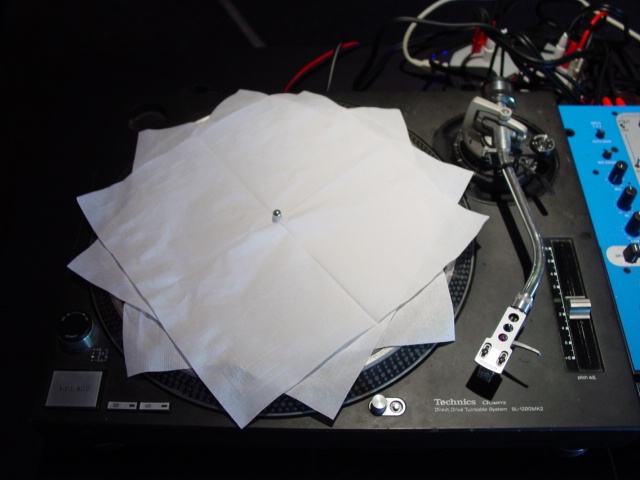
SLIP NAPKINS

The number one crucial piece of gear that seems to be missing or forgotten has to be slip mats. This one is a simple fix. Push paper bar napkins over the nipple of the turntable, and voila! I’ve heard of everything from doilies to whiskey bags used. Record sleeves or paper of almost any kind can be used in a pinch.

TONE HARM
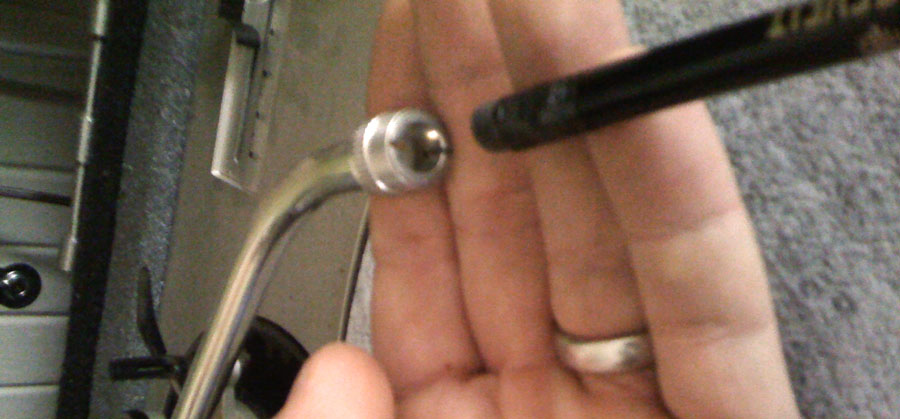
erasurephoto

Bad control signal or mono analog signal is often caused by poor contact between the tone arm and cartridge. Licking and sticking, although sometimes effective, can exacerbate the problem in the long run by causing extra corrosion to accrue. Instead of licking, try using a #2 pencil eraser. Remove the cartridge, insert the eraser end of the pencil in the tonearm and twist it back and forth to clean the contacts. Do the same with the contact points on the cartridge. Don’t forget to blow the erasures away. Reattach the cartridge to the tone arm and throw down.

ZIP IT

Zip_tie_

It’s a fact. Accidents happen in dark clubs, especially when alcohol is involved. If the tone arm is fastened, and you attempt a bit too vigorously to place it on the record, the handle and the cartridge may part ways, making it extremely difficult to cue records. Paper clips work well as a fix but better is a small zip tie. Affix the zip tie around the cartridge body and trim to length.

TISSUE ISSUE
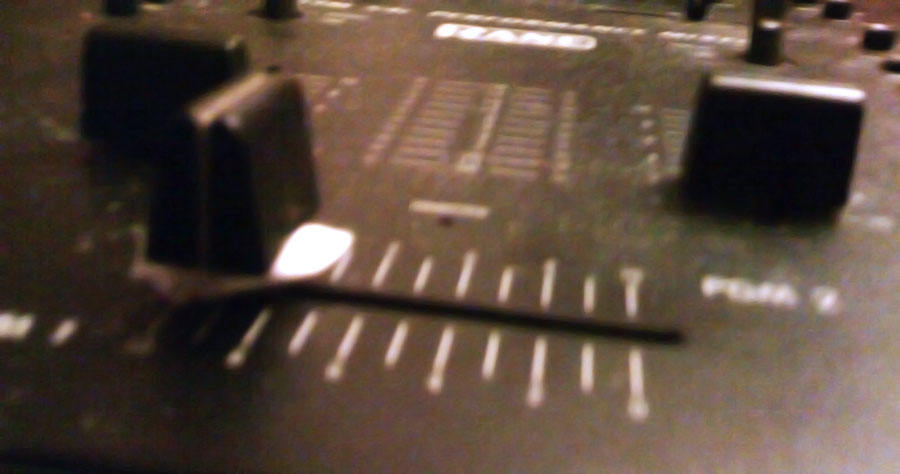
tissuepaper

A loose fader can be deadly in a set. Flying faders are the #2 cause of blindness in the club, right after alcohol and stilletos. If a fader easily slides off, take a small piece of napkin and fold it over the top of the fader post then wedge the fader on top. Make sure the piece of napkin is long enough to be pulled out rather than packed inside, which will add to your problems. Also take care not to tweek the fader by pressing too hard.

STARBURST X-FADERS
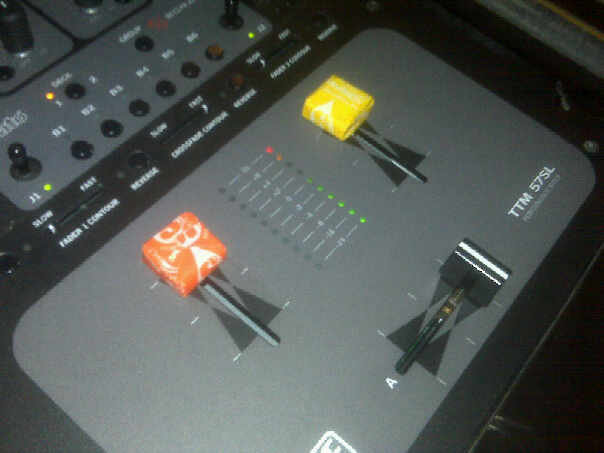
STARBUST X-FADERS

Largely due to the problem mentioned above, I can’t count the number of missing faders I’ve encountered. Some nicked, some no doubt shot across the room during vigorous mixing. You then spend the rest of your set trying not to bloody your fingers. Instead, try this. Starburst candies can be pressed over the bare metal fader tab, providing a comfortable and delicious solution. Just don’t let groupies eat them afterwards, no matter how tempted they may be.

LEMON FRESH
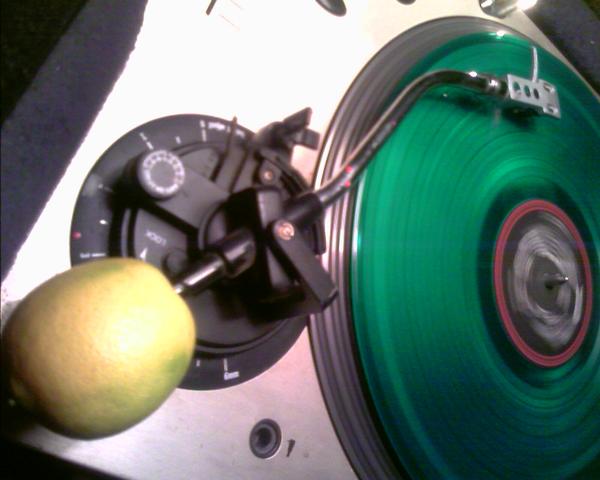
LEMON FRESH

One of my personal high points DJing wasn’t opening for so and so, or headlining such and such club. It was actually at a small bar gig, on a Tuesday night, with a reputation for a janky sound system and DJ booth. Upon inspection of the gear during set up, I was unable to locate one of the turntable’s counterweight. Without this small but critical piece of the tonearm assembly, records will not play. It was the only time I’ve ever encountered this particular problem, but I’m sure it’s happened to others, so I’ll share my fix. A small lime from the bar with a hole poked in the end can be slid back and forth to achieve the proper weight on the record. Not only did the show go on but, it was lemon fresh!!!

LOW TECH TOOLS
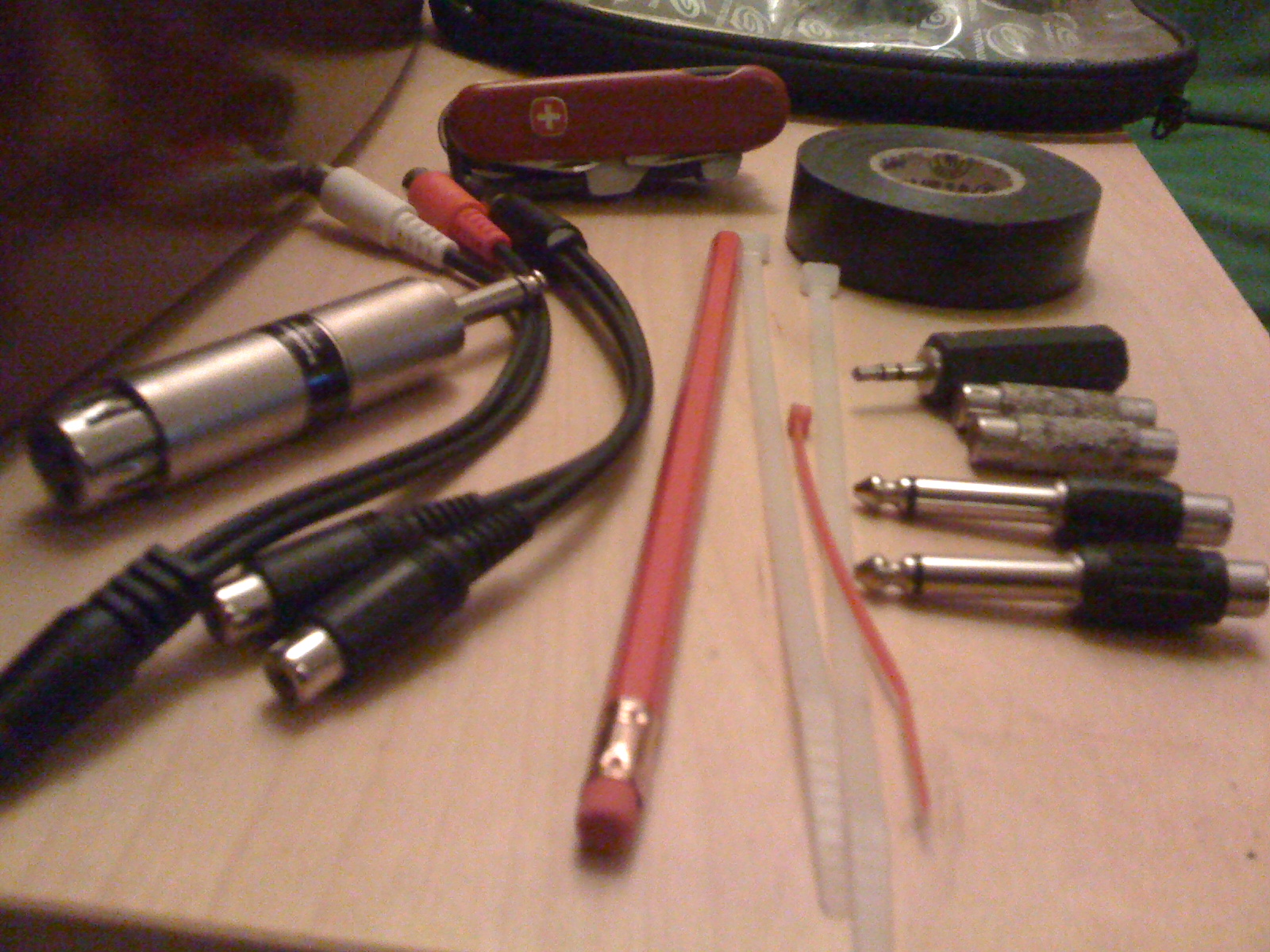
LOW TECH TOOLS

There are a few things that you can include in your bag of tricks that’ll help you out of a fix.  The above is what I carry with me and each item has proven to be well worth carrying along. After all, even MacGyver would have been shit out of luck without his trusty Swiss Army knife. Make sure along with the knowledge you have the tools as well, and you’ll save many a night and hopefully create a more comfortable DJ experience for yourself.


Tags: Dj Tipsfix broken faderseratoslip matTips
Share3Tweet2Share
Previous Post

DIY MIDI Kits

Next Post

The Perfect 25-Cent Controller Stand

Related Posts

The DJM-V5 from AlphaTheta: 3 channels, 4-band EQ, V10 sound – no Beat FX or crossfader.
Breaking News

The DJM-V5 from AlphaTheta: 3 channels, 4-band EQ, V10 sound – no Beat FX or crossfader.

January 20, 2026
66% of Serato just got bought: but not by AlphaTheta
Breaking News

66% of Serato just got bought: but not by AlphaTheta

April 1, 2025
Breaking writer’s block: A producer’s guide to sparking inspiration
DJ Techniques / Tips

Breaking writer’s block: A producer’s guide to sparking inspiration

October 9, 2023
Load More
Next Post
The Perfect 25-Cent Controller Stand

The Perfect 25-Cent Controller Stand

Want to reach DJTT's audience here?

Shoot an email to advertising@djtechtools.com

DJTT ads
DJTT newsletter
Midi Fighter
Chat with us
  • ABOUT DJTT
  • CONTACT
  • PRIVACY
  • MIDI FIGHTER HELP
  • ABOUT DJTT
  • JOBS
  • CONTACT US
  • ADVERTISE
  • PRIVACY POLICY
  • ACCESSIBILITY STATEMENT

© 2024 DJ Techtools all rights reserved by DJ TechTools on all content unless otherwise noted.

No Result
View All Result
  • Blog
    • DJ Gear
      • DIY Projects
      • Gear Reviews
      • New Products
      • Controllerism
    • Techniques + Tips
      • Beginner DJ
      • Advanced DJ
      • Producer
      • Finger Drummer
    • News + Culture
      • Editorials + Opinions
      • Artist Interviews
      • Performances + Routines
      • How I Play
    • DJ Software Tutorials
      • Serato Tips
      • CDJ Tips
      • Ableton Live Tips
  • Store
    • Run by real DJs, not a corporation
    • DJ Controllers
      • Midi Fighter Twister
      • Midi Fighter Spectra
      • Midi Fighter 64
      • View All
    • Accessories
      • Chroma USB Drive for DJs
      • Chroma Caps
      • Chroma Cables Audio
      • Chroma Cables USB-A
      • Chroma Cables: USB-C
      • DJTT Gift Card
      • Midi Fighter T-Shirt
      • Keyboard Covers
      • Earplugs by V-Moda
    • Production Gear
    • Soundcards & Mixers
  • Community
    • Popular Forums
      • General Discussion
      • Buy & Sell
      • Reviews
      • Mixes
      • Music Production
      • Show Your Setup
      • Off Topic
    • Handy Links
      • New Posts
      • Private Messages
      • Register
      • Search
    • Midi Maps
      • Traktor
      • Ableton
      • Serato DJ
      • Midi Fighter 3D
      • Midi Fighter Twister
      • Midi Fighter Spectra
  • Midi Fighter
  • Chroma

© 2024 DJ Techtools all rights reserved by DJ TechTools on all content unless otherwise noted.

This website uses cookies. By continuing to use this website you are giving consent to cookies being used. Visit our Privacy and Cookie Policy.