DJ TechTools
  • Blog
    • DJ Gear
      • DIY Projects
      • Gear Reviews
      • New Products
      • Controllerism
    • Techniques + Tips
      • Beginner DJ
      • Advanced DJ
      • Producer
      • Finger Drummer
    • News + Culture
      • Editorials + Opinions
      • Artist Interviews
      • Performances + Routines
      • How I Play
    • DJ Software Tutorials
      • Serato Tips
        • Traktor Tips
      • CDJ Tips
      • Ableton Live Tips
  • Store
    • Run by real DJs, not a corporation
    • DJ Controllers
      • Midi Fighter Twister
      • Midi Fighter Spectra
      • Midi Fighter 64
      • View All
    • Accessories
      • Chroma USB Drive for DJs
      • Chroma Caps
      • Chroma Cables Audio
      • Chroma Cables USB-A
      • Chroma Cables: USB-C
      • DJTT Gift Card
      • Midi Fighter T-Shirt
      • Keyboard Covers
      • Earplugs by V-Moda
    • Production Gear
    • Soundcards & Mixers
  • Community
    • Popular Forums
      • General Discussion
      • Buy & Sell
      • Reviews
      • Mixes
      • Music Production
      • Show Your Setup
      • Off Topic
    • Handy Links
      • New Posts
      • Private Messages
      • Register
      • Search
    • Midi Maps
      • Traktor
      • Ableton
      • Serato DJ
      • Midi Fighter 3D
      • Midi Fighter Twister
      • Midi Fighter Spectra
  • Midi Fighter
  • Chroma
No Result
View All Result
DJ TechTools
  • Blog
    • DJ Gear
      • DIY Projects
      • Gear Reviews
      • New Products
      • Controllerism
    • Techniques + Tips
      • Beginner DJ
      • Advanced DJ
      • Producer
      • Finger Drummer
    • News + Culture
      • Editorials + Opinions
      • Artist Interviews
      • Performances + Routines
      • How I Play
    • DJ Software Tutorials
      • Serato Tips
        • Traktor Tips
      • CDJ Tips
      • Ableton Live Tips
  • Store
    • Run by real DJs, not a corporation
    • DJ Controllers
      • Midi Fighter Twister
      • Midi Fighter Spectra
      • Midi Fighter 64
      • View All
    • Accessories
      • Chroma USB Drive for DJs
      • Chroma Caps
      • Chroma Cables Audio
      • Chroma Cables USB-A
      • Chroma Cables: USB-C
      • DJTT Gift Card
      • Midi Fighter T-Shirt
      • Keyboard Covers
      • Earplugs by V-Moda
    • Production Gear
    • Soundcards & Mixers
  • Community
    • Popular Forums
      • General Discussion
      • Buy & Sell
      • Reviews
      • Mixes
      • Music Production
      • Show Your Setup
      • Off Topic
    • Handy Links
      • New Posts
      • Private Messages
      • Register
      • Search
    • Midi Maps
      • Traktor
      • Ableton
      • Serato DJ
      • Midi Fighter 3D
      • Midi Fighter Twister
      • Midi Fighter Spectra
  • Midi Fighter
  • Chroma
No Result
View All Result
DJ TechTools

How to Fix Glitchy Faders and Jog Wheels

photojojo by photojojo
August 10, 2010
in DIY Project Tutorials, DJ Equipment / Accessories, How-To Video Tutorials, VCI-100 SE / Arcade, Video Posts
Reading Time: 4 mins read
0
How to Fix Glitchy Faders and Jog Wheels
126
SHARES
6.3k
VIEWS
Post on FacebookTweet thisUpvote on Reddit

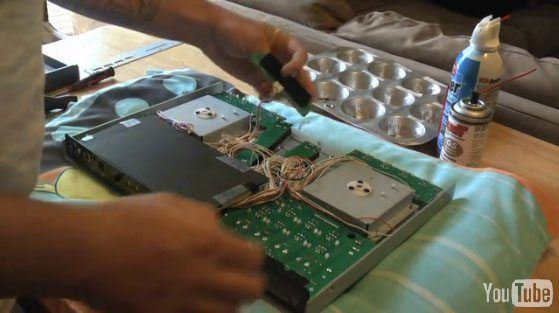
A pretty common question I see on the DJ TechTools forum is about channel faders that are acting up, jumping around and not responding like they should. The normal answer is to clean and lubricate your cross-faders – that will usually fix the problem. However, when my cross-faders started to act up, I couldn’t find any good info on what exactly needed to be done. So as I was doing my maintenance, I shot some video and did a little walkthrough to make it a little easier for people who might be having the same problem. As a bonus, while I was inside the VCI I went ahead and lubricated my jog wheels as one of them felt like it was grinding a little when I spun it.

BILL OF MATERIALS
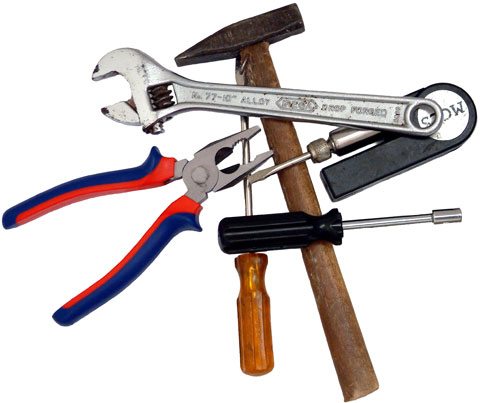
What you’ll need to complete this little bit of maintenance is a phillips screwdriver, canned air, isopropyl alcohol, fader lubricant and jog wheel grease. The Caig line of lubricants and cleaners seems to be highly regarded throughout the DJ community so I went with their DeoxIT G5 lubricant. Whatever you decide to use make sure it’s safe for electrical connections with plastic. For lubricating the jog wheels I used a very small amount of carbon-enriched conductive silicon grease.

GETTING TO IT

  1. First you’ll need to remove the fader knobs and the bottom faceplate, then remove the six screws for the faders. The faders will fall through the slots as the knobs aren’t on them, but that’s fine.
  2. Then turn over the VCI and remove the one screw towards the bottom rear of the unit and the four screws on the sides. Slide the baseplate forward a little, lift up and set it to the side.

FADER CLEAN AND LUBE

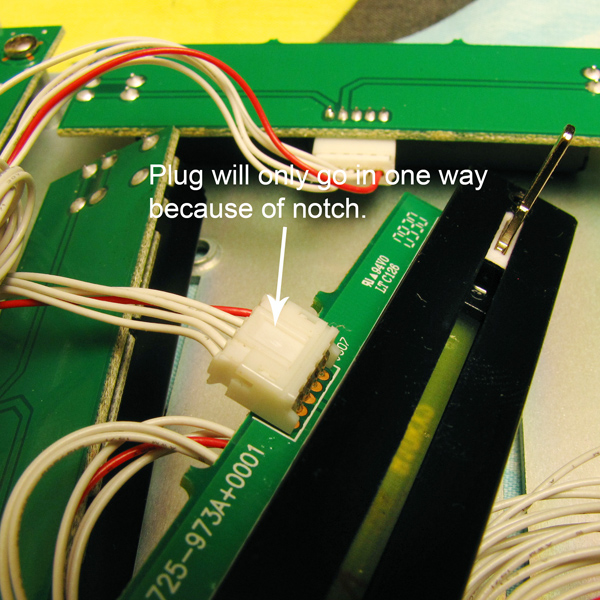
Your faders will be loose inside, so all you have to do now is unplug them one at a time (see photo for where to grab the plug), blow a few short bursts of canned air inside the fader slot to get out large pieces of dust and contaminants.
Set your fader in a small container and pour just enough alcohol in to cover the top of the fader. Move the fader back and forth while the whole piece is submerged in the alcohol to clean out any contaminants that may have built up over time.

Remove the fader from the bath and gently tap out the bulk of the alcohol that remains inside. Next you’ll take your canned air and gently blow off any remaining alcohol. Eye protection is a good idea here as alcohol that might blow into your face probably wouldn’t feel too good.

Next spray just a quick, short burst of lubricant inside the fader and slide it back and forth to distribute the lubricant evenly inside, plug it back in and repeat the procedure for the remaining faders. You can also put in a drop or two of a more heavy type of fader lubricant, although I chose not to because I have a dog and a cat and I live in an old dusty house. My thought was that with all of these things combined a heavier lubricant might attract some pet hair and dust, which would just cause me more problems later on.

JOG WHEEL LUBRICATION

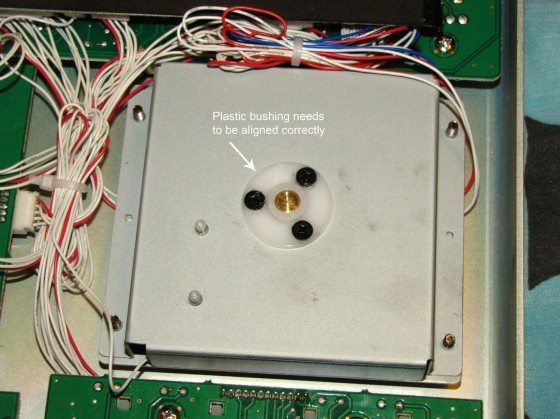
If you’re going to lubricate your jog wheels, remove the three screws holding the white plastic piece on. If you look inside you’ll see a thin plate that contacts the rotary post acting as a ground finger. You want to get your conductive lubricant between the plate and the rotary post. A very small amount of conductive lubricant should do the job fine. In case you missed it, I said conductive. If it’s not conductive you’ll lose your touch sensitivity on the jog wheels!
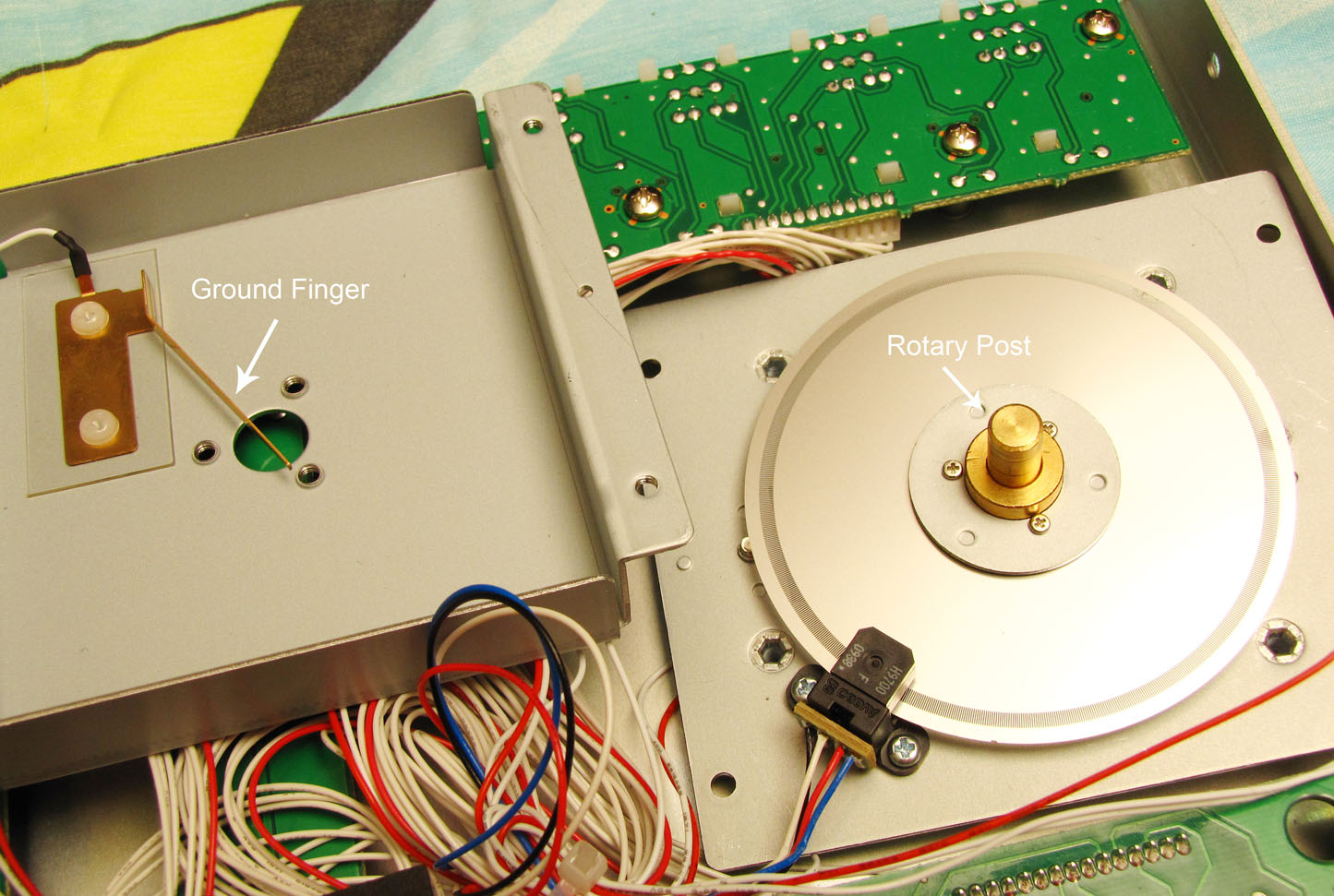
You don’t need to take the jog wheel apart. This photo is just to illustrate what it looks like inside and give you a better idea of where you’re trying to put your conductive grease.
It’s important to make sure the bushing is in alignment when you put it back on. Follow the steps outlined in the video to make sure it’s put on securely and centered just right.
REASSEMBLY

One final thing you can do before putting everything back together is to check the cardboard piece and make sure it’s secure. A once over of all the plugs is also a good idea while you have the VCI open.

You’ll want to screw the faders back in while the back is off so you have access to them from the other side. Make sure you don’t have any wires between the faders and the faceplate as they’ll get pinched, and that could potentially cause problems. Another thing I want to point out is that it’s possible to screw the fader screws into the slot the fader slides in, so make sure you’ve got all the holes lined up just right.

So that’s it. A good detailed walkthrough of how to do a relative simple procedure that will keep your VCI running smoothly and letting you bust out more super-awesome mixes.

Song credit in the video goes to DJ TechTools forum member, Lambox. Check out his Soundcloud page here http://soundcloud.com/lambox

After serving as the resident DJ in several different clubs in the late 80’s and early 90’s, Chris (photojojo) has recently returned to the DJ world after a long hiatus. A regular contributor to the DJ TechTools forum, he’s glad to have found the new internet home away from home where he can be found offering up help whenever he can.


Tags: faderFixhow tojog wheelrepairVCI-100 Articles
Share50Tweet32Share
Previous Post

Self-Promotion Tools for DJs: Facebook Fan Pages, iPhone Apps, Outsourced Press Releases

Next Post

Touch Screen DJ Interfaces – Hot or Hype?

Related Posts

Make your own DIY finger drumming routine with Midi Fighter 64 and Ableton
Ableton Live Tips

Make your own DIY finger drumming routine with Midi Fighter 64 and Ableton

July 11, 2024
Silent Discos: How to DJ in Silence
DJ Techniques / Tips

Silent Discos: How to DJ in Silence

August 29, 2017
DDJ to CDJs: Practicing For CDJs With A Pioneer DJ Controller
Basic DJ Tips

DDJ to CDJs: Practicing For CDJs With A Pioneer DJ Controller

July 23, 2017
Load More
Next Post
Touch Screen DJ Interfaces – Hot or Hype?

Touch Screen DJ Interfaces - Hot or Hype?

Want to reach DJTT's audience here?

Shoot an email to advertising@djtechtools.com

DJTT ads
DJTT newsletter
Midi Fighter
Chat with us
  • ABOUT DJTT
  • CONTACT
  • PRIVACY
  • MIDI FIGHTER HELP
  • ABOUT DJTT
  • JOBS
  • CONTACT US
  • ADVERTISE
  • PRIVACY POLICY
  • ACCESSIBILITY STATEMENT

© 2024 DJ Techtools all rights reserved by DJ TechTools on all content unless otherwise noted.

No Result
View All Result
  • Blog
    • DJ Gear
      • DIY Projects
      • Gear Reviews
      • New Products
      • Controllerism
    • Techniques + Tips
      • Beginner DJ
      • Advanced DJ
      • Producer
      • Finger Drummer
    • News + Culture
      • Editorials + Opinions
      • Artist Interviews
      • Performances + Routines
      • How I Play
    • DJ Software Tutorials
      • Serato Tips
      • CDJ Tips
      • Ableton Live Tips
  • Store
    • Run by real DJs, not a corporation
    • DJ Controllers
      • Midi Fighter Twister
      • Midi Fighter Spectra
      • Midi Fighter 64
      • View All
    • Accessories
      • Chroma USB Drive for DJs
      • Chroma Caps
      • Chroma Cables Audio
      • Chroma Cables USB-A
      • Chroma Cables: USB-C
      • DJTT Gift Card
      • Midi Fighter T-Shirt
      • Keyboard Covers
      • Earplugs by V-Moda
    • Production Gear
    • Soundcards & Mixers
  • Community
    • Popular Forums
      • General Discussion
      • Buy & Sell
      • Reviews
      • Mixes
      • Music Production
      • Show Your Setup
      • Off Topic
    • Handy Links
      • New Posts
      • Private Messages
      • Register
      • Search
    • Midi Maps
      • Traktor
      • Ableton
      • Serato DJ
      • Midi Fighter 3D
      • Midi Fighter Twister
      • Midi Fighter Spectra
  • Midi Fighter
  • Chroma

© 2024 DJ Techtools all rights reserved by DJ TechTools on all content unless otherwise noted.

This website uses cookies. By continuing to use this website you are giving consent to cookies being used. Visit our Privacy and Cookie Policy.