DJ TechTools
  • Blog
    • DJ Gear
      • DIY Projects
      • Gear Reviews
      • New Products
      • Controllerism
    • Techniques + Tips
      • Beginner DJ
      • Advanced DJ
      • Producer
      • Finger Drummer
    • News + Culture
      • Editorials + Opinions
      • Artist Interviews
      • Performances + Routines
      • How I Play
    • DJ Software Tutorials
      • Serato Tips
        • Traktor Tips
      • CDJ Tips
      • Ableton Live Tips
  • Store
    • Run by real DJs, not a corporation
    • DJ Controllers
      • Midi Fighter Twister
      • Midi Fighter Spectra
      • Midi Fighter 64
      • View All
    • Accessories
      • Chroma USB Drive for DJs
      • Chroma Caps
      • Chroma Cables Audio
      • Chroma Cables USB-A
      • Chroma Cables: USB-C
      • DJTT Gift Card
      • Midi Fighter T-Shirt
      • Keyboard Covers
      • Earplugs by V-Moda
    • Production Gear
    • Soundcards & Mixers
  • Community
    • Popular Forums
      • General Discussion
      • Buy & Sell
      • Reviews
      • Mixes
      • Music Production
      • Show Your Setup
      • Off Topic
    • Handy Links
      • New Posts
      • Private Messages
      • Register
      • Search
    • Midi Maps
      • Traktor
      • Ableton
      • Serato DJ
      • Midi Fighter 3D
      • Midi Fighter Twister
      • Midi Fighter Spectra
  • Midi Fighter
  • Chroma
No Result
View All Result
DJ TechTools
  • Blog
    • DJ Gear
      • DIY Projects
      • Gear Reviews
      • New Products
      • Controllerism
    • Techniques + Tips
      • Beginner DJ
      • Advanced DJ
      • Producer
      • Finger Drummer
    • News + Culture
      • Editorials + Opinions
      • Artist Interviews
      • Performances + Routines
      • How I Play
    • DJ Software Tutorials
      • Serato Tips
        • Traktor Tips
      • CDJ Tips
      • Ableton Live Tips
  • Store
    • Run by real DJs, not a corporation
    • DJ Controllers
      • Midi Fighter Twister
      • Midi Fighter Spectra
      • Midi Fighter 64
      • View All
    • Accessories
      • Chroma USB Drive for DJs
      • Chroma Caps
      • Chroma Cables Audio
      • Chroma Cables USB-A
      • Chroma Cables: USB-C
      • DJTT Gift Card
      • Midi Fighter T-Shirt
      • Keyboard Covers
      • Earplugs by V-Moda
    • Production Gear
    • Soundcards & Mixers
  • Community
    • Popular Forums
      • General Discussion
      • Buy & Sell
      • Reviews
      • Mixes
      • Music Production
      • Show Your Setup
      • Off Topic
    • Handy Links
      • New Posts
      • Private Messages
      • Register
      • Search
    • Midi Maps
      • Traktor
      • Ableton
      • Serato DJ
      • Midi Fighter 3D
      • Midi Fighter Twister
      • Midi Fighter Spectra
  • Midi Fighter
  • Chroma
No Result
View All Result
DJ TechTools

Review: Pioneer DDJ-S1

Chris Cartledge by Chris Cartledge
April 20, 2011
in DJ Controllers, Editorials and Opinions
Reading Time: 4 mins read
0
Review: Pioneer DDJ-S1
913
VIEWS
Post on FacebookTweet thisUpvote on Reddit

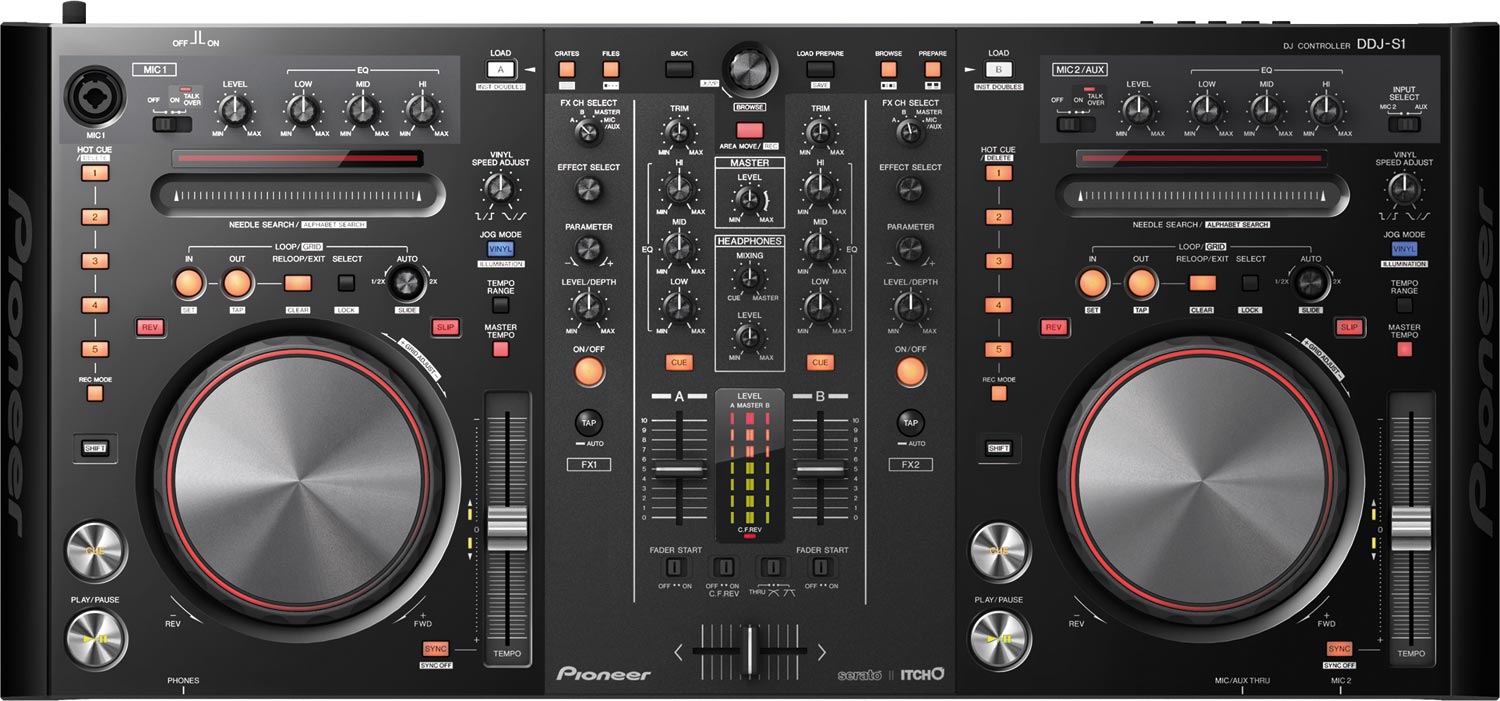
Pioneer’s 2011 products have definitely had an ‘if you can’t beat them, join them’ bent, and feature much improved integration with DJ software. The announcement of the DDJ series surprised many with two different products, one for Native Instruments’ Traktor and the other for Serato’s Itch – with the Itch focused DDJ-S1 on the bench, we dig in and find out whether Pioneer can transfer their hardware calibre to the controller realm.

Product Reviewed: Pioneer DDJ-S1

Price: $1599/£1099

Available: Now

Included software: Serato ITCH

External dimensions: 26.8 in (W) x 3.7 in (H) x 12.5 in (D)

Weight: 11lbs
THE GOOD

  • Itch integration provides hassle free plug-and-go play
  • ‘Slip mode’ has some great uses
  • Nifty laptop incorporating design

THE BAD

  • At £1099, it’s expensive
  • No opportunity to add extra controllers to the setup

THE BOTTOM LINE

If you love Serato software design (especially considering this autumn’s Itch 2 release which will bring it much more into line with Scratch Live) and Pioneer product design, the DDJ-S1 is going to be right up your street. Pioneer have put a lot of thought into how to take ‘classic’ two channel DJing and completely focus the user experience on the controller.

HANDS ON CONTROL
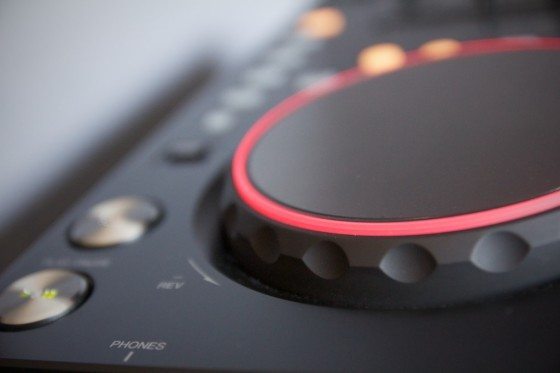
Big, but light, the S1 has the same sort of plasticy feel that the midrange CDJs have – initially a little disheartening but ultimately very sturdy despite the ever so slightly ‘hollow’ feel. The jog wheels feel like CDJ400s and have a nice light that rotates around the edge of the CD sized platter to aid positioning, the lightweight pitch fader will be familiar to a CDJ user and feels the same resolution, and the faders are similar to most DJM mixers – a fairly light crossfader and slightly stiff upfaders.

The size of the S1 has allowed sound ergonomic placement of the effects, cue and loop controls, and they feel good to the touch. Pioneer haven’t shifted much from their design blueprint, and whilst things like the play and cue buttons are a bit smaller than the one on their biggest CDJs they feel much the same; cue buttons and effects knobs offer lightweight clicks and rotation, respectively. The clever raising of the S1 on its underside provides a perfect place to slip your laptop’s keyboard, just leaving the screen on show and strengthening the illusion that the controller is the power house.
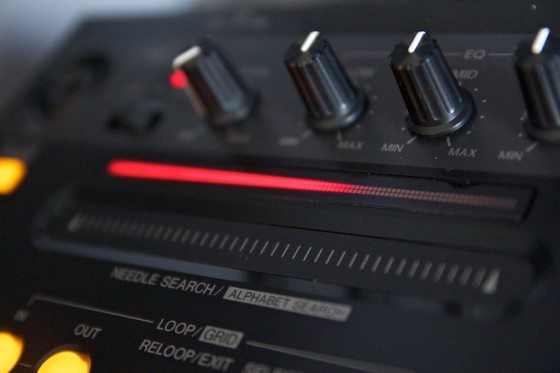
Two things that controller users frequently revert to keyboard and mouse for, library searching and finding a specific position in a song, have been thought about by Pioneer too; the S1 features a Needle Drop ribbon strip, which instantly seeks the position on the track on deck and doubles up as an alphabetical search shortcut for your track library in shift mode.

BORN SLIPPY
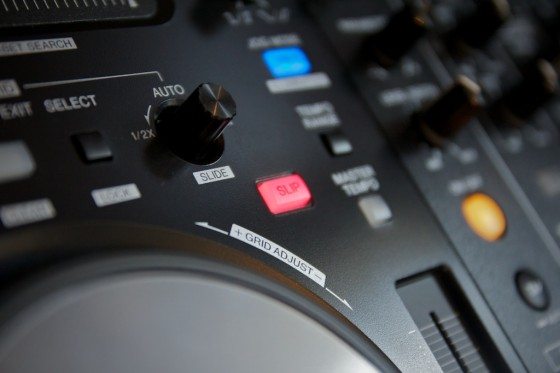
Slip mode, a popular feature on Pioneer’s CDJ900, has made its way into the S1 version of Itch. Slip mode is essentially the logical extension of the idea behind roll; any manipulation to the deck’s playhead while slipmode is engaged creates a Donny Darko-esque tangent whereby time and space are meshed and melded freely up until the inevitable moment when the sound must return to the ‘real world’. Spin back the platter and you’ll get a rewind, but rather than picking up x bars previous, at the end of the spinback the track will return to where it would have been if you’d never touched the platter. It’s a really elegant implementation of effects modifiers; loops become loop roll effects, deck reverse turns into censor mode, and cues can be used as pseudo sample banks.

HARD AND SOFT
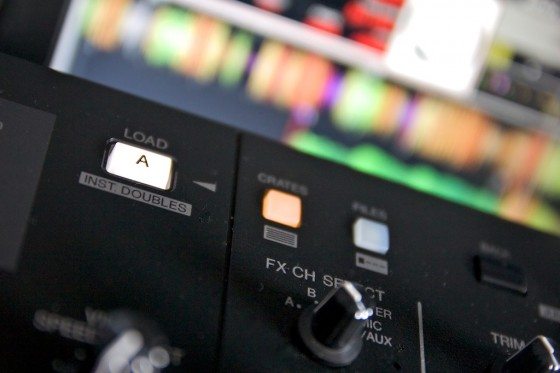
Of course, the S1 relies on Itch to create the noises that will emanate from your speakers, but it does have an integrated audio interface and some hard wired function – the mic/aux has dedicated hardware EQ and an emergency straight to master passthrough. Quality is good – nothing particularly jaw dropping, perhaps, but it’s loud and crisp and it has decent headroom on its aux inputs. Aux and mic inputs can also be routed through Itch’s effects. Itch is largely the same across its incarnations in different packs, so it’s somewhat academic to go too far into Itch – this is, afterall, a DDJ-S1 review. It’s worth mentioning that the S1 Itch is pretty fully featured, though, with beat gridding, two effects banks, and a full complement of low/high pass filters, beat crusher, flanger, phaser, delay, echo, reverb, tremolo, repeater, brake and reverse, and the S1 handles the 1:1 mapping of Itch’s features – like instant doubles – with panache.
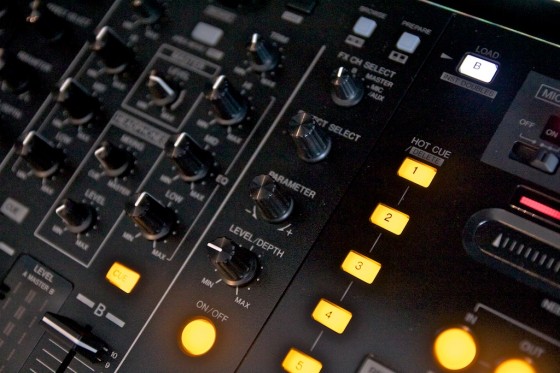
One of Itch’s biggest shortcomings, which transfers to the S1, is its closed off nature. Despite the total 1:1 mapping of controls, certain things like cue point juggles are less intuitive on the S1’s cue buttons than a pad or button controller, and ideas like our super combo mapping principle are a no go. It’s for this reason that the DDJ-S1 is best thought of as an excellent solution for DJs who want to emulate the functionality of a two CDJ and mixer setup with a light, all in one controller solution, rather than an experimental controllerist’s wet dream.

Check out our announcement of these new Pioneer controllers to take a look at the Traktor controlling DDJ-T1 and how it compares!


Tags: DDJ-S1itchpioneerReview
Share7Tweet5Share
Previous Post

Dj Shiftee’s Technological Turntablism Tabernacle

Next Post

Would It Work In A Club? The Wrong Litmus Test

Related Posts

The DJM-V5 from AlphaTheta: 3 channels, 4-band EQ, V10 sound – no Beat FX or crossfader.
Breaking News

The DJM-V5 from AlphaTheta: 3 channels, 4-band EQ, V10 sound – no Beat FX or crossfader.

January 20, 2026
Rekordox Spotify
Breaking News

Spotify (finally) slides into Rekordbox, Serato, and Algoriddim djay (again) – for better or worse?

September 24, 2025
Meet Chordcat: a compact sequencer for writing progressions on the go
Breaking News

Meet Chordcat: a compact sequencer for writing progressions on the go

July 10, 2025
Load More
Next Post
Would It Work In A Club? The Wrong Litmus Test

Would It Work In A Club? The Wrong Litmus Test

Want to reach DJTT's audience here?

Shoot an email to advertising@djtechtools.com

DJTT ads
DJTT newsletter
Midi Fighter
Chat with us
  • ABOUT DJTT
  • CONTACT
  • PRIVACY
  • MIDI FIGHTER HELP
  • ABOUT DJTT
  • JOBS
  • CONTACT US
  • ADVERTISE
  • PRIVACY POLICY
  • ACCESSIBILITY STATEMENT

© 2024 DJ Techtools all rights reserved by DJ TechTools on all content unless otherwise noted.

No Result
View All Result
  • Blog
    • DJ Gear
      • DIY Projects
      • Gear Reviews
      • New Products
      • Controllerism
    • Techniques + Tips
      • Beginner DJ
      • Advanced DJ
      • Producer
      • Finger Drummer
    • News + Culture
      • Editorials + Opinions
      • Artist Interviews
      • Performances + Routines
      • How I Play
    • DJ Software Tutorials
      • Serato Tips
      • CDJ Tips
      • Ableton Live Tips
  • Store
    • Run by real DJs, not a corporation
    • DJ Controllers
      • Midi Fighter Twister
      • Midi Fighter Spectra
      • Midi Fighter 64
      • View All
    • Accessories
      • Chroma USB Drive for DJs
      • Chroma Caps
      • Chroma Cables Audio
      • Chroma Cables USB-A
      • Chroma Cables: USB-C
      • DJTT Gift Card
      • Midi Fighter T-Shirt
      • Keyboard Covers
      • Earplugs by V-Moda
    • Production Gear
    • Soundcards & Mixers
  • Community
    • Popular Forums
      • General Discussion
      • Buy & Sell
      • Reviews
      • Mixes
      • Music Production
      • Show Your Setup
      • Off Topic
    • Handy Links
      • New Posts
      • Private Messages
      • Register
      • Search
    • Midi Maps
      • Traktor
      • Ableton
      • Serato DJ
      • Midi Fighter 3D
      • Midi Fighter Twister
      • Midi Fighter Spectra
  • Midi Fighter
  • Chroma

© 2024 DJ Techtools all rights reserved by DJ TechTools on all content unless otherwise noted.

This website uses cookies. By continuing to use this website you are giving consent to cookies being used. Visit our Privacy and Cookie Policy.