DJ TechTools
  • Blog
    • DJ Gear
      • DIY Projects
      • Gear Reviews
      • New Products
      • Controllerism
    • Techniques + Tips
      • Beginner DJ
      • Advanced DJ
      • Producer
      • Finger Drummer
    • News + Culture
      • Editorials + Opinions
      • Artist Interviews
      • Performances + Routines
      • How I Play
    • DJ Software Tutorials
      • Serato Tips
        • Traktor Tips
      • CDJ Tips
      • Ableton Live Tips
  • Store
    • Run by real DJs, not a corporation
    • DJ Controllers
      • Midi Fighter Twister
      • Midi Fighter Spectra
      • Midi Fighter 64
      • View All
    • Accessories
      • Chroma USB Drive for DJs
      • Chroma Caps
      • Chroma Cables Audio
      • Chroma Cables USB-A
      • Chroma Cables: USB-C
      • DJTT Gift Card
      • Midi Fighter T-Shirt
      • Keyboard Covers
      • Earplugs by V-Moda
    • Production Gear
    • Soundcards & Mixers
  • Community
    • Popular Forums
      • General Discussion
      • Buy & Sell
      • Reviews
      • Mixes
      • Music Production
      • Show Your Setup
      • Off Topic
    • Handy Links
      • New Posts
      • Private Messages
      • Register
      • Search
    • Midi Maps
      • Traktor
      • Ableton
      • Serato DJ
      • Midi Fighter 3D
      • Midi Fighter Twister
      • Midi Fighter Spectra
  • Midi Fighter
  • Chroma
No Result
View All Result
DJ TechTools
  • Blog
    • DJ Gear
      • DIY Projects
      • Gear Reviews
      • New Products
      • Controllerism
    • Techniques + Tips
      • Beginner DJ
      • Advanced DJ
      • Producer
      • Finger Drummer
    • News + Culture
      • Editorials + Opinions
      • Artist Interviews
      • Performances + Routines
      • How I Play
    • DJ Software Tutorials
      • Serato Tips
        • Traktor Tips
      • CDJ Tips
      • Ableton Live Tips
  • Store
    • Run by real DJs, not a corporation
    • DJ Controllers
      • Midi Fighter Twister
      • Midi Fighter Spectra
      • Midi Fighter 64
      • View All
    • Accessories
      • Chroma USB Drive for DJs
      • Chroma Caps
      • Chroma Cables Audio
      • Chroma Cables USB-A
      • Chroma Cables: USB-C
      • DJTT Gift Card
      • Midi Fighter T-Shirt
      • Keyboard Covers
      • Earplugs by V-Moda
    • Production Gear
    • Soundcards & Mixers
  • Community
    • Popular Forums
      • General Discussion
      • Buy & Sell
      • Reviews
      • Mixes
      • Music Production
      • Show Your Setup
      • Off Topic
    • Handy Links
      • New Posts
      • Private Messages
      • Register
      • Search
    • Midi Maps
      • Traktor
      • Ableton
      • Serato DJ
      • Midi Fighter 3D
      • Midi Fighter Twister
      • Midi Fighter Spectra
  • Midi Fighter
  • Chroma
No Result
View All Result
DJ TechTools

How To Beatbox To Start A New Track

Mad Zach by Mad Zach
July 11, 2013
in Ableton Live Tips, Production Tips
Reading Time: 2 mins read
0
How To Beatbox To Start A New Track
210
VIEWS
Post on FacebookTweet thisUpvote on Reddit

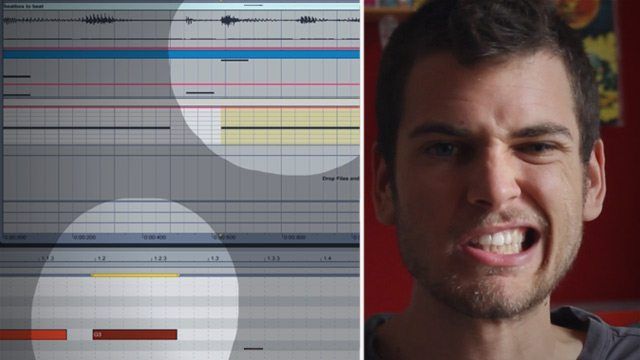
If you’re at all musically inclined, odds are you’ve had a great song idea stuck in your head that never made it out of your brain and into your DAW. Next time you get hit by the fever, record yourself beatboxing the track, and follow this Mad Zach tutorial on moving from an off-the-cuff recording to a first draft of a track. You don’t have to be an expert beatboxer either – click through to watch today’s tutorial!

HOW TO BEATBOX + RECORD YOUR IDEAS

We know that barely anyone has their beatboxing skill at the level of Dub FX or Beardyman, so we recommend approaching recording your song ideas in a more traditional and relaxed manner. To simplify the approach, try keeping the beat going in your head, but alternating between different parts that you’re voicing out loud. Start with the drum rhythm, and then move to the bass and leads. This will let you layer your ideas – some basic warping in your DAW will make lining them up very easy.

Don’t be afraid to look or sound ridiculous, remember, it’s just a sketch. I also tend to have much better luck if I drink some coffee beforehand (although this usually results in drum and bass tracks). It can also be helpful to get physically into the beat. Don’t just sit there with your arms at your sides, jump around, leap on furniture, wave your hands and shake your ass. By becoming more kinetic, you can preemptively “feel the crowd” and almost create a song with a dance. You don’t have to record to a click track, but staying at least sort of on beat will help you out a lot when bringing the sketch into your DAW.

Understanding basic beat box sounds and how to make them:

  • Kick – try saying “boom” with an emphasis on the “boo” but instead of the “oo” make it a more guttural breathy ending
  • Snare – “pshhh” or “kkkee”
  • Hats – “tss” or “cht” (sharper)
  • Bass – “bow-wow”, “woomp”, “vrump”, etc

iOS users: Loopy is the perfect app to sketch out ideas with into loops – read our microreview.  

Some people aren’t inclined to use their mouth at all for this type of idea-based production work – instead opting to tap out a rhythm with pencils or drumsticks on a surface. Another household instrument that works really well when recording your ideas is a kazoo – it might be an annoying buzzing noise to anyone in the same room as you, but it’s really easy to get some basic harmony and melody ideas onto a recording using a kazoo.

Ever used a vocal audio sketch to start out a track? Let us know how it worked out for you in the comments below! 

Tags: Abletonbeginner production tutorialscreating songs from beatboxinghow to beatboxmad zachmusic productionstart a new trackwarping
Share2Tweet1Share
Previous Post

Algoriddim’s djay 2 Teased [Video]

Next Post

J. Espinosa’s Winning Redbull Thre3style SF Set [Video]

Related Posts

Ableton launches Live 12 Suite rent-to-own plan – and it’s not a subscription
Ableton

Ableton launches Live 12 Suite rent-to-own plan – and it’s not a subscription

October 1, 2025
Control an entire studio with Midi Fighter Spectra (like Mad Zach)
Finger Drumming

Control an entire studio with Midi Fighter Spectra (like Mad Zach)

May 9, 2025
Mad Zach playing soundpacks on a Midi Fighter Spectra
Finger Drumming

Mad Zach Returns: Playing soundpacks in 2025

March 25, 2025
Load More
Next Post
J. Espinosa’s Winning Redbull Thre3style SF Set  [Video]

J. Espinosa's Winning Redbull Thre3style SF Set [Video]

Want to reach DJTT's audience here?

Shoot an email to advertising@djtechtools.com

DJTT ads
DJTT newsletter
Midi Fighter
Chat with us
  • ABOUT DJTT
  • CONTACT
  • PRIVACY
  • MIDI FIGHTER HELP
  • ABOUT DJTT
  • JOBS
  • CONTACT US
  • ADVERTISE
  • PRIVACY POLICY
  • ACCESSIBILITY STATEMENT

© 2024 DJ Techtools all rights reserved by DJ TechTools on all content unless otherwise noted.

No Result
View All Result
  • Blog
    • DJ Gear
      • DIY Projects
      • Gear Reviews
      • New Products
      • Controllerism
    • Techniques + Tips
      • Beginner DJ
      • Advanced DJ
      • Producer
      • Finger Drummer
    • News + Culture
      • Editorials + Opinions
      • Artist Interviews
      • Performances + Routines
      • How I Play
    • DJ Software Tutorials
      • Serato Tips
      • CDJ Tips
      • Ableton Live Tips
  • Store
    • Run by real DJs, not a corporation
    • DJ Controllers
      • Midi Fighter Twister
      • Midi Fighter Spectra
      • Midi Fighter 64
      • View All
    • Accessories
      • Chroma USB Drive for DJs
      • Chroma Caps
      • Chroma Cables Audio
      • Chroma Cables USB-A
      • Chroma Cables: USB-C
      • DJTT Gift Card
      • Midi Fighter T-Shirt
      • Keyboard Covers
      • Earplugs by V-Moda
    • Production Gear
    • Soundcards & Mixers
  • Community
    • Popular Forums
      • General Discussion
      • Buy & Sell
      • Reviews
      • Mixes
      • Music Production
      • Show Your Setup
      • Off Topic
    • Handy Links
      • New Posts
      • Private Messages
      • Register
      • Search
    • Midi Maps
      • Traktor
      • Ableton
      • Serato DJ
      • Midi Fighter 3D
      • Midi Fighter Twister
      • Midi Fighter Spectra
  • Midi Fighter
  • Chroma

© 2024 DJ Techtools all rights reserved by DJ TechTools on all content unless otherwise noted.

This website uses cookies. By continuing to use this website you are giving consent to cookies being used. Visit our Privacy and Cookie Policy.