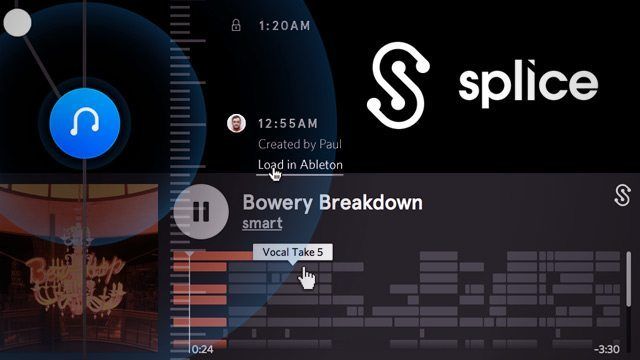
Producers face enough challenges in the course of their creative journey, can’t someone at least solve the technical ones for us? Well slowly, many of today’s digital dilemmas are being solved by creative entrepreneurs with a little cash and a dash of Ruby on Rails. This morning, a promising new start-up enters into the melee with a hot offering that hopes to solve several vexing issues for Ableton Live users including seamless collaboration and session management in the cloud.
TOOLS FOR PROGRAMMING (MUSIC)
“As programmers, we have a large array of tools available for us to develop and understand code – we want to apply the same principles to the music creation process”
The genesis behind Splice is heavily inspired by the programming world – where developers have built a range of tools including Github that seamlessly manage collaboration on a massive scale. In our call with the founders of Splice, they expressed a strong desire to bring those types of tools to the production environment.
“We want to be making your process better at all times by designing core creation tools that are so much better than everything else.. it’s a no brainer you will use them everyday”
Music production management does indeed have similar changes to code management including recording a history of changes, understanding the makeup of a project, enlisting collaborators – the list goes on. The two worlds even share a common word – programming – used in music production to describe the process of sequencing the digital DNA of music.
Splice’s two co-founders come from a tech background but have had many years of music creation and music technology development under their belts. Steve Martocci, who co-founded the group messaging service GroupMe, and Matt Aimonetti, who worked with LivingSocial and Sony PlayStation both make up the core team. Part of their launch today includes the announcement of a first round of venture capital funding to the tune of $2.75 million. The upcoming web app, which currently is in private beta, has been designed to solve 3 essential problems.
COMPLETE REVISION TIMELINE OF A PROJECT
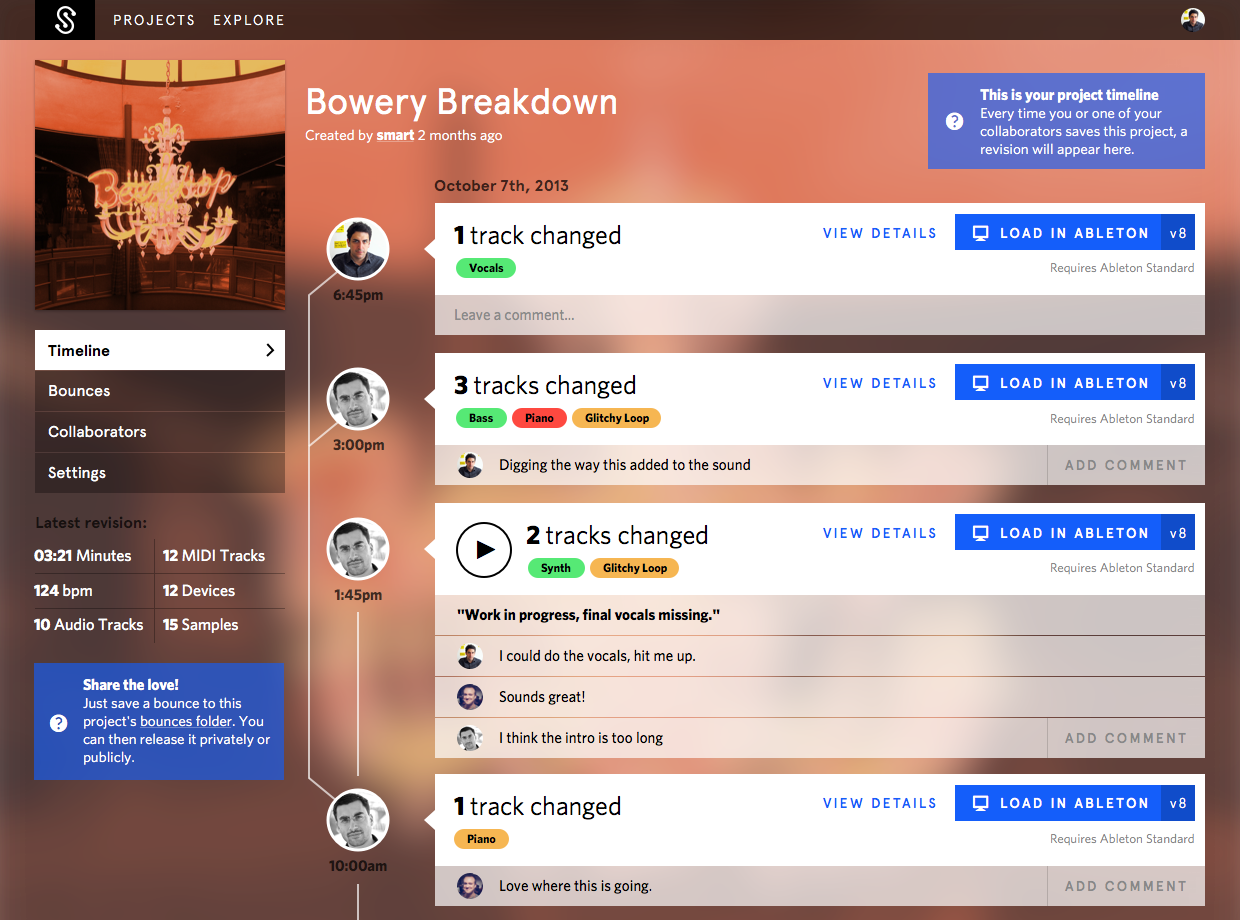
The basic idea behind the main project page will be familiar to anyone who has used Github or Apple’s time machine. For every project there’s a detailed historical timeline that tracks all changes and provides a complete revision history. The team’s goal is to free producers from “ever having to click ‘save as’ again” – meaning that every single save is added to the project as a new revision.
As Steve put it, “This enables creators to create fearlessly” since you can always go back and revisit an earlier state or idea. Producers can also create branches of a project to indicate a larger directional shift (changing genres, trying a new BPM, etc) and any collaborators on a project can leave comments on revisions or branches to support the process.
Another critical feature that will save Ableton users time, and headaches, is the background collection and management of all samples in your session. Since splice pulls every file into the ‘cloud, you don’t need to worry about live recordings or samples getting deleted or moved as a Splice save is the equivalent of a “collect all and save” action in Ableton Live.
COLLABORATION

While services like Gobbler or even Dropbox make it easy to backup or upload sessions to the cloud, they fall short of streamlining the remote collaboration process. The crux of the problem crop up when several musicians or producers want to work on the same session at once and then integrate their friends musical ideas without re-downloading the entire project folder.
For now that means being able to preview or open new versions from collaborators directly from the cloud. However in the future it’s not unrealistic to imagine picking and choosing which changes you like and integrating only those elements permanently in the master version.
A Typical Splice Workflow:
- Start a new track and save the session
- Splice uploads and stores all of the samples and the session file automatically
- If you make the project public (or invite collaborators), they can click “Load In Ableton” and all the necessary samples and the session file downloads and opens right in Live
- Collaborator makes a bass line in the track and saves it – the new file, and version are uploaded to the project.
- You’re notified that a new revision is out
- Click “Load In Ableton” and only the session file and any new samples are downloaded (makes it fast)
In order to make all of the syncing happen, users run a small application in the background on their computer that pushes saves new saves to the timeline. Users will also note that Splice is focused around an Ableton-centric workflow – but the development team noted they plan to add additional DAWs after launch based on community feedback.
KNOW THE DEPENDENCIES
One of the big issues with managing music projects is that often times there are a load of non-standard VSTs and plugins used to create sounds and manipulate audio in the DAW. One collaborator might not have the latest version of Massive, but the other might have used it for an important new synth line. We asked the Splice team how they tackle this issue:
Our dependency management system knows what devices/plugins are used and also knows which ones you used. We are letting users know the required dependencies and are toying with the idea of suggesting alternative (free/cheaper/available on collaborators machines) plugins.
VIEW THE “DNA” OF A PROJECT
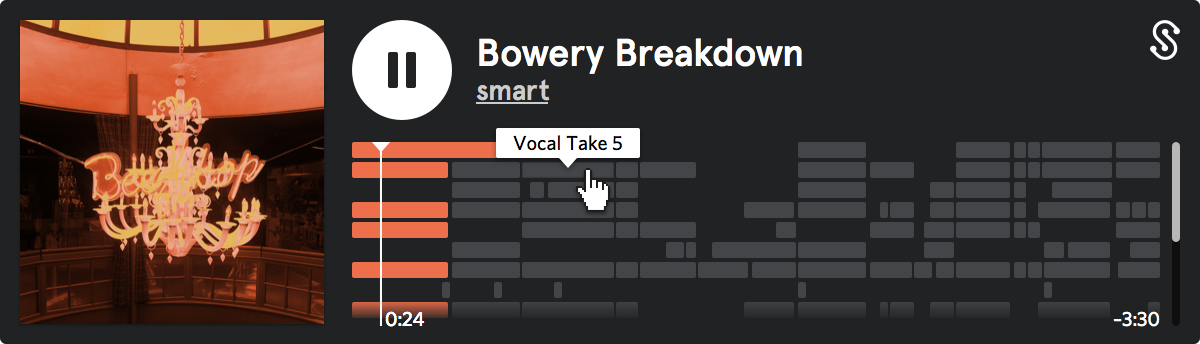
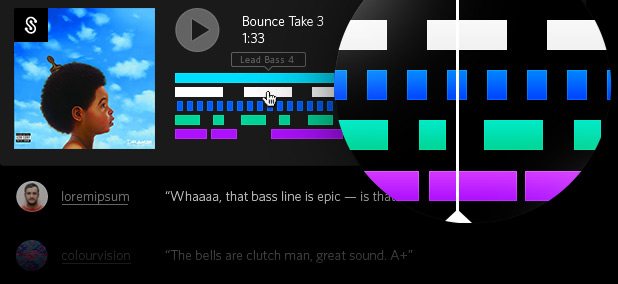
The second feature of Splice digs into the actual makeup of a project itself and allows for easy visualization of the samples used to construct the track. Dubbed the DNA Player, this feature shows the full arrangement with all of the clips below it, in sync with the exported audio bounce being played.
Ultimately tracking the samples being used in individual projects could lead to other potential uses – for instance, following the history of a sample from original track, to sample-based track, to remix, and beyond – a kind of advanced producer-friendly version of WhoSampled.
LAUNCH STATUS: WHEN CAN I TRY IT?
Right now the Splice backend is in a closed beta, which will start opening up soon – to join the Splice community and be the first in line, you can sign up here to be added to the private beta waitlist. We will be doing an extensive test of the system in a few weeks and can provide you with a more detailed analysis then!