As digital DJ software continues to incorporate more features, it often seems like we rely on our program of choice to do everything – from organization to metadata to actually playing the tracks. At the same time, the number of software engineers in the world has grown dramatically – meaning there are more tools being created every day for DJs by small independent developers. Today we’ve got a roundup of the best tools for DJs – read on!
DJ TOOLS iOS APPLICATION: HANDHELD REFERENCE
Developer: Operand Labs
Price: $0.99 in the iTunes Store
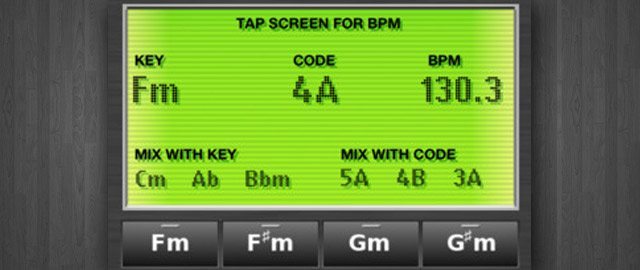
This handheld app starts off our list because it takes simple actions that all DJs need to do on a regular basis (key identification and BPM detection) and compiles the needed tools into a simple portable interface. DJ Tools includes a key identification tool (and a quick harmonic mixing/circle of fifths reference), a list of compatible keys, a BPM tap counter, and a flashlight. The key detection lets you play a key and match the generated tone – it’s not auto-detecting because key detection algorithms are subject to failure.
Similar software: All8’s TapBPM, DJZ’s BPM Meter
ADVANCED BEATPORT SEARCH
Developer: Andrew Katasonov
Price: Free – access here.
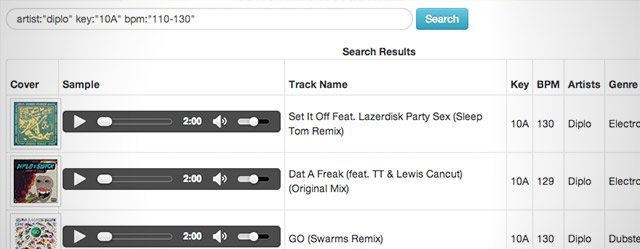
As DJs, sometimes you need to find a track that fits perfectly in a certain mix or as a backing track for a mashup with another song – or maybe you’re trying to find songs that work well for a routine in the style of Ean’s Stage Mixing technique. Having advanced expressions to comb through Beatport’s catalog by genre, BPM, artist, key, and any combination is a major win – and we suspect Beatport might want to build this into their default interface!
SC CLOUD BROWSER PLUGIN: SOUNDCLOUD IMPORT TO DAW
Developer: Stagecraft Software
Price: $5, free 30 day trial
More Info: Cloud Browser site
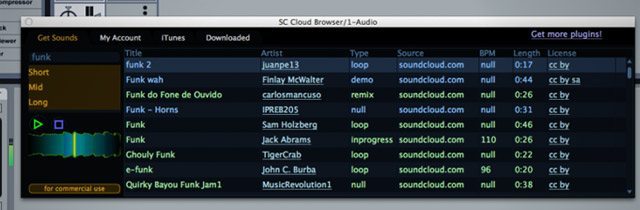
This VST plugin also puts a whole database directly at the hands of the DJ or producer, but this one does so with the objective of quickly importing audio found on Soundcloud into a DAW like Ableton or FL Studio. Simply search for a track and you get a full preview player right in the VST – this is super handy if you’re looking for samples and loops to flesh out an idea! Then just drag the audio directly into your project.
SC Cloud Browser also shows the license of each search result – so you’ll be able to quickly know what’s Creative Commons and available for you to use without fear of infringement.
REKORD BUDDY: TRAKTOR > REKORDBOX
Developer: Next Audio Labs
Price: $7.99 on the Mac App Store (Mac-only)
More Info: Official page
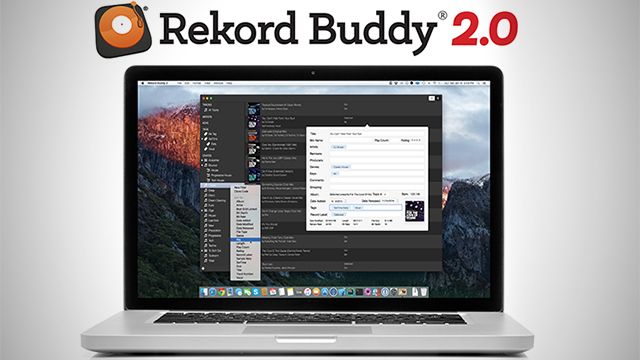
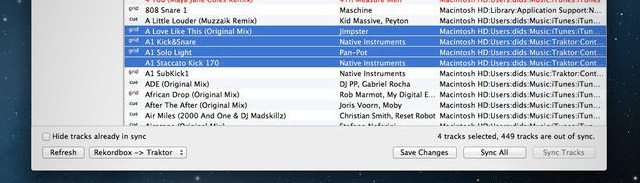
We’ve written in passing about Rekord Buddy, but it’s worth featuring on this list again especially because of the type of software it is. Independent developers and hackers have the ability to bridge the gap between the isolated worlds in the DJ industry – and in this case, Next Audio Labs wins a gold medal for allowing the merging of databases between Traktor’s and Rekordbox’s collections.
Set a cue point, a load marker, and a beat grid in Traktor, and then sync the databases with Rekordbuddy, and you’re able to have all of the same information still there in Rekordbox ready to export to your USB sticks for a Pioneer CDJ setup.
We’re hoping that Next Audio Labs tackles Serato DJ next – moving libraries back and forth between Traktor Pro and Serato DJ on the fly would be an incredible feat.
XTREME MAPPING: LESS-PAINFUL TRAKTOR MAPPING
Developer: Vincenzo Pietropaolo
Price: $7.99 on Mac App Store (Mac-only)
More Info: Official page
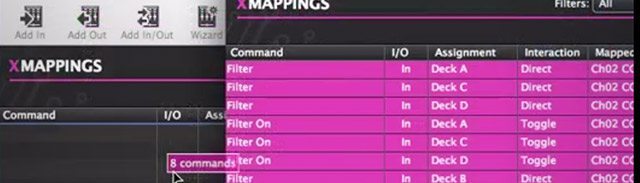
What’s the point of having an incredible system for MIDI mapping if the interface is incredibly difficult to use effectively? This software acts as an editor for Traktor Pro’s TSI mapping files, and incorporates basic missing functions like Undo/Redo, full descriptions of all of the modifiers and parameters, and even copying mapping functionalities from one TSI file to another.
With Xtreme Mapping, Traktor mappers have a set of tools that start to come closer to Virtual DJs XML-based mapping system (which is less attractive visually, but more versatile) – and for power users like Mix Architekt, Flashflooder, and others, having a tool like this means that organizing, editing, and rapidly prototyping mappings becomes a bit more reasonable.
TRACKHUNTER
Developer: Flare Design
Price: Free (Mac + PC)
More Info: Official Site
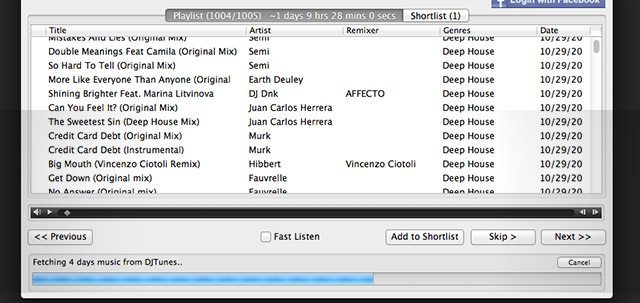
Trackhunter is a software that allows you to keep tabs on what the latest purchasable releases are on all of the major online music stores, including Amazon, Audiojelly, Beatport, DJ Tunes, iTunes, Track It Down, Traxsource, and more. When setting up the software, you input the sources you want to track, the genres you’re interested in and the quality of files you want to see.
After setup, every time you start Trackhunter it shows you all of the releases that have come out since your last load – you can preview them in the application, and either add them to a saved Shortlist or ignore them (and never see them again). It’s a simple tool but does well, especially if you need to keep track of releases in a certain genre for a specific residency.
BEETS: COMMAND-LINE MUSIC MANAGMENT
Developer: Adrian Sampson
Price: Free
More Info: Official Site
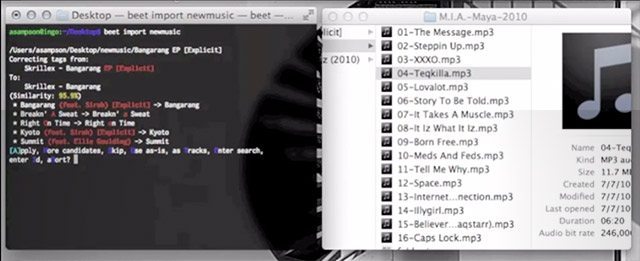
Billed as “the music library management system for obsessive-compulsive music geeks”, Beets is a command-line tool that allows users to manage, import, and find metadata for your entire music library. If you’re not comfortable working in a command-line tool, you’ll probably want to find something else – but the feature set here makes it worth the hassle of not having a GUI – including metadata fetch for album art, genres, tempos, acoustic fingerprints – all via MusicBrainz, Discogs, and Beatport’s databases
We know this tool won’t be for everyone, but for our more technical-minded readers we think this could be a match made in programmer heaven.
Similar software or alternatives: MP3Tag (Windows-only), MetaBliss (Mac-Only)
SWITCH: AUDIO ENCODER
Developer: NCH Software
Price: Free (Mac + PC)
More Info: Official Site
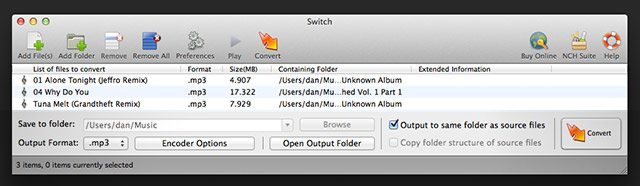
Sometimes you’ll get a batch of files in a format that you’ll never want to use for DJing – like a massive collection of WAVs that you have no use for in a lossless format (if you have producer friends who are giving you tracks, this happens more often than you’d expect). Save some space and encode that audio! Switch does the trick cleanly and simply, and since it’s a cross-platform solution everyone can join in the fun. The software supports a wide array of formats, including WAV, MP3, WMA, M4A, OGG, AVI, FLAC, MOV, and more.
Note that the free version of the software will ask to install other programs during the installation – you’ll likely want to decline.
AUDIO HIJACK PRO: SAMPLE YOUR COMPUTER AUDIO
Developer: Rogue Amoeba
Price: Free (up to 10 minutes of recording, paid after. Mac only)
More Info: Official Site
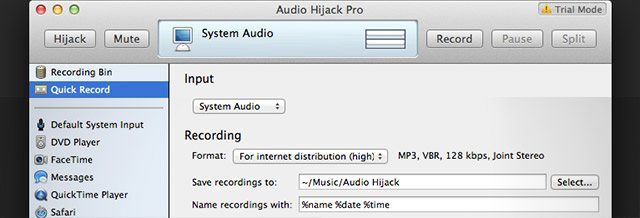
For a lot of producers, sometimes there’s audio playing back on your computer that you can’t easily download or import directly into a DAW or DJ software. Thankfully, instead of routing your computer’s system audio out and back into your interface, there’s an easier way. Audio Hijack Pro intercepts your system audio and allows easy recording of that audio at a high quality.
Want to see it in action? Check out Mad Zach’s tutorial on sampling any sound from the internet and turning it into an Ableton Drum Rack.
Have tools like these that you use on the regular? Put your favorites in the comments below (1 software per comment) and vote up other comments with tools that you use – we’ll add the most popular ones to the article!