DJ TechTools
  • Blog
    • DJ Gear
      • DIY Projects
      • Gear Reviews
      • New Products
      • Controllerism
    • Techniques + Tips
      • Beginner DJ
      • Advanced DJ
      • Producer
      • Finger Drummer
    • News + Culture
      • Editorials + Opinions
      • Artist Interviews
      • Performances + Routines
      • How I Play
    • DJ Software Tutorials
      • Serato Tips
        • Traktor Tips
      • CDJ Tips
      • Ableton Live Tips
  • Store
    • Run by real DJs, not a corporation
    • DJ Controllers
      • Midi Fighter Twister
      • Midi Fighter Spectra
      • Midi Fighter 64
      • View All
    • Accessories
      • Chroma USB Drive for DJs
      • Chroma Caps
      • Chroma Cables Audio
      • Chroma Cables USB-A
      • Chroma Cables: USB-C
      • DJTT Gift Card
      • Midi Fighter T-Shirt
      • Keyboard Covers
      • Earplugs by V-Moda
    • Production Gear
    • Soundcards & Mixers
  • Community
    • Popular Forums
      • General Discussion
      • Buy & Sell
      • Reviews
      • Mixes
      • Music Production
      • Show Your Setup
      • Off Topic
    • Handy Links
      • New Posts
      • Private Messages
      • Register
      • Search
    • Midi Maps
      • Traktor
      • Ableton
      • Serato DJ
      • Midi Fighter 3D
      • Midi Fighter Twister
      • Midi Fighter Spectra
  • Midi Fighter
  • Chroma
No Result
View All Result
DJ TechTools
  • Blog
    • DJ Gear
      • DIY Projects
      • Gear Reviews
      • New Products
      • Controllerism
    • Techniques + Tips
      • Beginner DJ
      • Advanced DJ
      • Producer
      • Finger Drummer
    • News + Culture
      • Editorials + Opinions
      • Artist Interviews
      • Performances + Routines
      • How I Play
    • DJ Software Tutorials
      • Serato Tips
        • Traktor Tips
      • CDJ Tips
      • Ableton Live Tips
  • Store
    • Run by real DJs, not a corporation
    • DJ Controllers
      • Midi Fighter Twister
      • Midi Fighter Spectra
      • Midi Fighter 64
      • View All
    • Accessories
      • Chroma USB Drive for DJs
      • Chroma Caps
      • Chroma Cables Audio
      • Chroma Cables USB-A
      • Chroma Cables: USB-C
      • DJTT Gift Card
      • Midi Fighter T-Shirt
      • Keyboard Covers
      • Earplugs by V-Moda
    • Production Gear
    • Soundcards & Mixers
  • Community
    • Popular Forums
      • General Discussion
      • Buy & Sell
      • Reviews
      • Mixes
      • Music Production
      • Show Your Setup
      • Off Topic
    • Handy Links
      • New Posts
      • Private Messages
      • Register
      • Search
    • Midi Maps
      • Traktor
      • Ableton
      • Serato DJ
      • Midi Fighter 3D
      • Midi Fighter Twister
      • Midi Fighter Spectra
  • Midi Fighter
  • Chroma
No Result
View All Result
DJ TechTools

Tools For Interacting With The Crowd During A DJ Set

Dan White by Dan White
January 7, 2014
in Basic DJ Tips, DJ Techniques / Tips
Reading Time: 5 mins read
0
Tools For Interacting With The Crowd During A DJ Set
248
VIEWS
Post on FacebookTweet thisUpvote on Reddit

Mixing music for a room is a dialogue – but what if you want to go beyond track choice and start interacting with the crowd on another level? Ask them questions, solicit requests, tell them more about the playing track, and more with the tools and techniques that we share in today’s article.

GET ON THE MIC

dj-microphone

This is the traditional method of talking to a crowd: jumping on the microphone and saying hello. Despite what a lot of novice DJs might think, this is an acquired skill – just ask any drum and bass fan about the difference between a mediocre MC and a fantastic one.

The type and frequency of microphone use is highly variable based on the event – at a mobile gig you might call people onto the dance floor or even remind them that you take requests, where as in a large club show you might only get on to thank the crowd at the end of a set.

Read More: Our article on Microphone Essentials for DJs

OLD SCHOOL: CALL AND RESPONSE
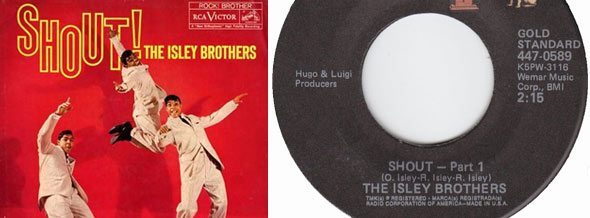
The ultimate call-and-response secret weapon.

Obviously a big part of how you interact with the crowd during a set are the tracks that you play – and some of them lend themselves more to audience participation and interaction than others. In lots of genres, there are tracks that elicit a specific response from the audience – from singing along, to vocal callouts, to dance routines. Vetran wedding DJs often do this incredibly well – mainly because they can get away with playing tracks like The Isley Brothers’ “Shout” in almost every single set.

Collect these tracks and keep them in their own playlist. Deploy sparingly, but use them effectively to keep the audience interested, engaged, and dancing.

TYPE TO THE CROWD
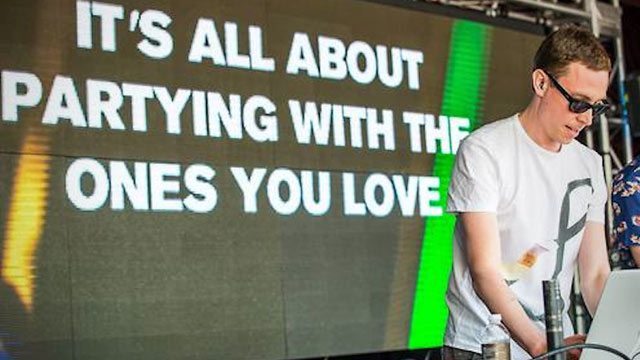
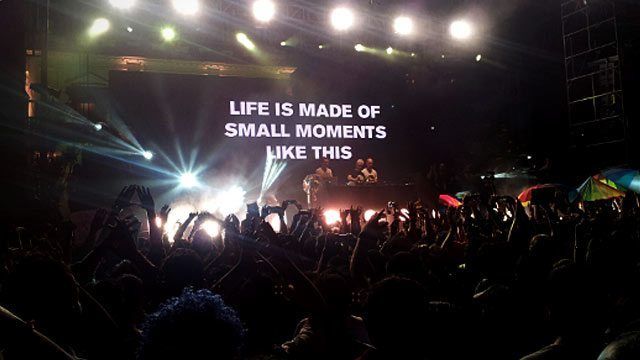
Probably one of the simplest - but most effective - visual displays ever.
Probably one of the simplest – but most effective – visual displays ever.

Sometimes keeping it simple is the best way – as proven by Above and Beyond’s simple technique. During their “Group Therapy” shows, the duo spells out messages to their audience using a pretty simple technique – a dynamic text box that has input controls in the DJ booth. You don’t need to buy Resolume Arena to emulate this, just a projector and Microsoft Word would do the trick, or even a large dry erase board.

Watch how it works and how “real” it feels in the above fan video. They type messages about songs, show pictures of their children, complement the crowd – and generally have a direct conversation with the audience without ever interrupting the music. DJTT commenter OrderedChaos noted that Dash Berlin also employs a similar tactic with just an scrolling iPad marquee:
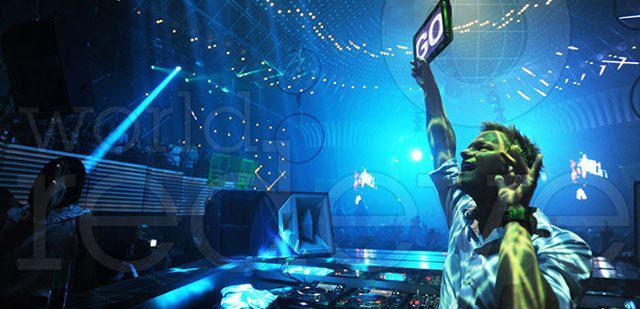
Photo credit: EDMNeverStops.com

TWEET ABOUT IT: USE TWITTER / RADR.DJ / TWEET SHOW
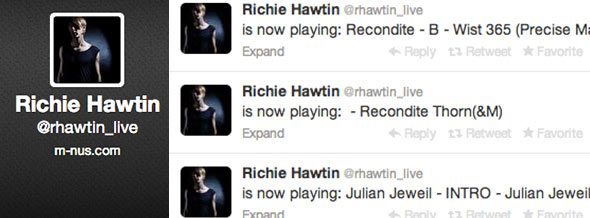
Richie's live Twitter account, connected to Radr.DJ
Richie’s live Twitter account, connected to Radr.DJ

Richie Hawtin’s Radr.DJ (formerly Twitter.DJ, but they received a cease & desist notice from Twitter) service allows DJs to connect their DJ software to a Twitter account via the software’s streaming settings. The service then checks every 60 seconds for a new playing track and sends out a tweet with the artist and track name.

Radr.DJ is a pretty basic service, but it lets anyone see how a DJ constructs and builds a set – not only for people on the dance floor, but for DJs around the world who want to see what their favorite artist is playing in regular rotation. It could be even more power if used in conjunction with another app that projects tweets with a certain hashtag, like Tweet Show. Just enter a hashtag, and anyone who sends a tweet with that hashtag shows up on the projection.

You don’t have to do anything fancy to interact with audience members on Twitter during a set, but they’ll need to know that you’re actually keeping an eye on the service for anyone to actually use it.

REQUEST NOW: TAKE REQUESTS DIGITALLY
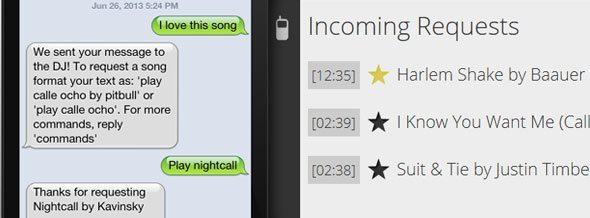
Users can send messages and request tracks with Request Now

The most interesting new solution we’ve seen for DJs to handle requests and messages came from a service called RequestNow, which sets up a text message number for each event and shows requests from the crowd. They handle all the interaction – meaning that no one is shouting in your ear during a set. If you aren’t a fan of requests, the appeal comes in that you’re able to send out messages to anyone after a set and let them know that you uploaded the mix, or when your next show is. They’ve even got an iPad app for placing around venues as interaction terminals – watch it in action:

The catch is that the RequestNow service does cost the DJ money-  $10 per event if you “Pay As You Go”, or sign up for a reoccurring plan. Learn more about the options on their official site.

Or there’s always simpler, more old-school solutions:

@DJTechTools Saw a great one recently. A girl used an LED scroller on her smart phone to ask for a request! #smart

— Robbie Dunbar (@RobbieDunbar) January 7, 2014

FROM THE BEDROOM TO THE WORLD: CHAT WITH THE CROWD
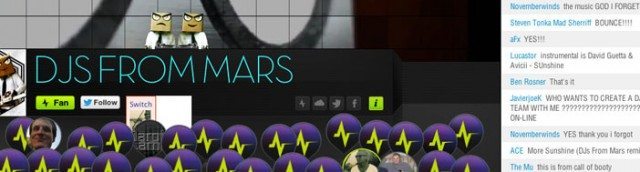
A crowd chatting with DJs From Mars on Mixify

90% of the DJ sets played every day aren’t on a stage or with any audience members in attendance. They’re bedroom or radio sets, and aside from  housemates walking by and complimenting you on the mix (or telling you to turn it down), the level of audience interaction is incredibly low.

Using a great live streaming option like Mixify creates a direct dialogue with your crowd. You might not to get to see them jump up and down, dance, or call out when their favorite track drops, but you do get to be in a chatroom with them. They can ask you questions, identify your tracks, compliment your mixes – all without any risk of spilling a drink in the booth.

HIRE A MOBILE APP DEVELOPER

We’re mostly kidding with this one – but that’s exactly what electronic musician and crowd-interaction expert Dan Deacon did when he wanted to make use of his audience’s cellphones in a unique way. The application just listens for secret audio triggers in the playing audio files and then triggers a set routine of lights

The company who made Deacon’s application (Wham City Lights) are licensing the application out to various festivals and shows around the country – learn more about them here and even try your hand at making your own custom light show routine.

WHAT THE FUTURE LOOKS LIKE: PIONEER KUVO
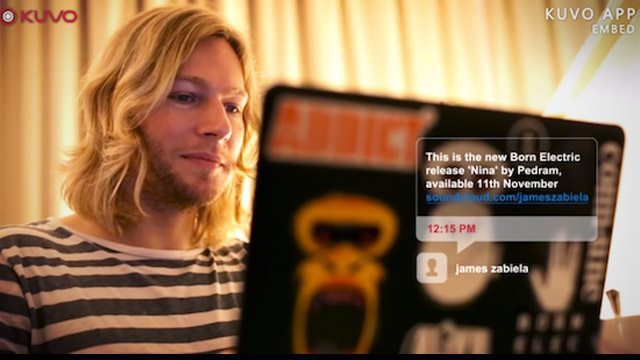
KUVO will share track metadata, notes, and messages between DJ and audience member.

Pioneer is hoping to really own the connection between DJ and audience member in the near future – developing a system called KUVO that detects metadata written to files that a DJ is playing and lets users on the dance floor read those messages and notes. The tracks played are all collected in an online interface, and help to track dance floor trends and hot tracks. While it’s still a very early project, we expect to see it start to roll out around WMC this year (Pioneer is usually pretty active during Miami).

Read More: How Pioneer’s KUVO System Works

OVER TO YOU: CROWD INTERACTION TOOLS?

What techniques and tools do you use (or have you seen used) to elicit an interaction between crowd and performer? Show us your favorites in the comments (with a video or photo of it in action if possible) and we’ll add some of the best ones to the article.
Tags: above and beyondcrowd interactiondan deacongroup therapylivestreamingmic usemixifyradr.djrequestsRichie Hawtintwitter.dj
Share2Tweet1Share
Previous Post

Hercules DJControlWave: 100% Wireless Bluetooth DJ Controller for iPad

Next Post

iRing: $25 Wireless Motion Tracking Ring for iOS

Related Posts

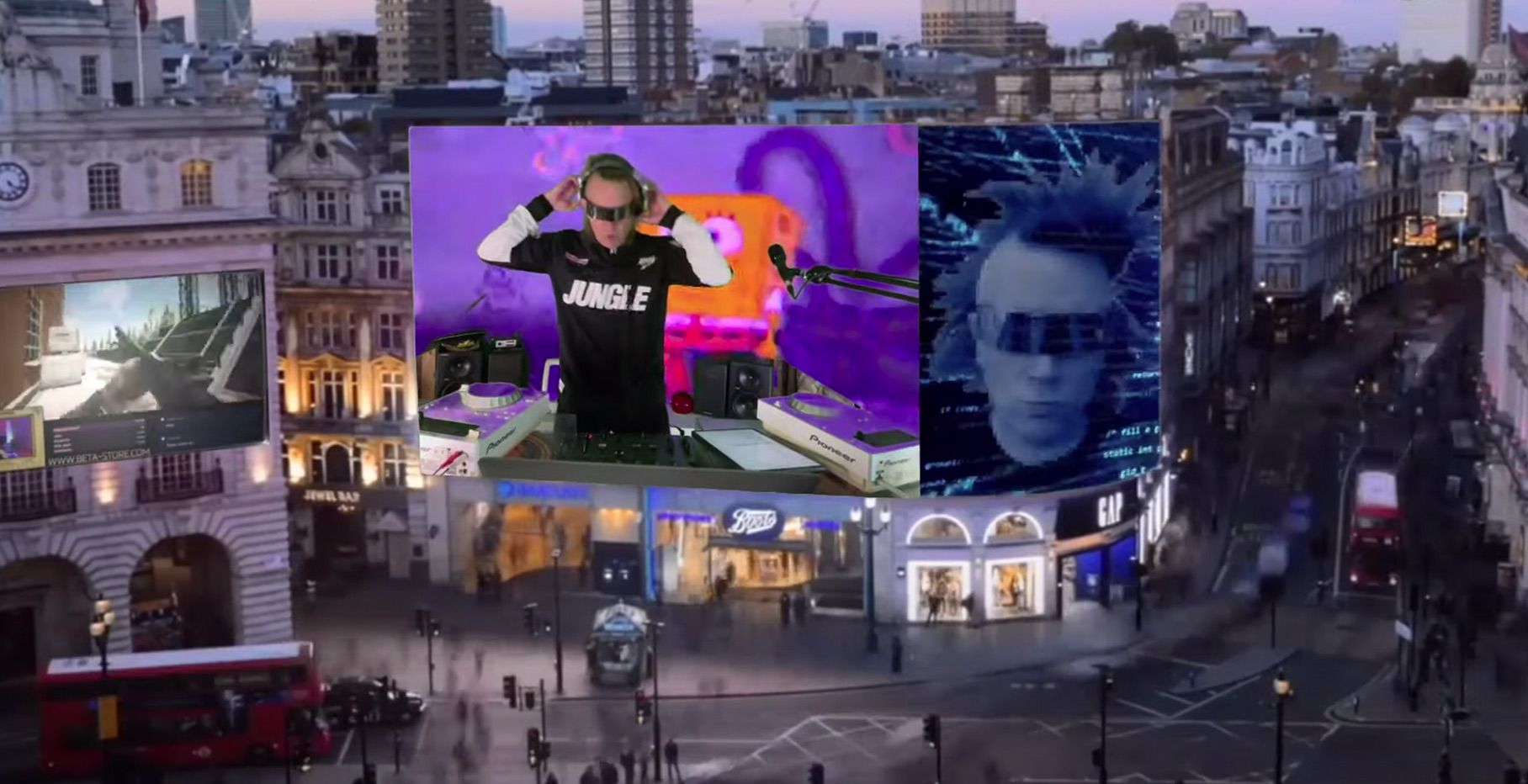
Interview: How John B turned his attic into a worldwide livestreaming powerhouse
Artist Features

Interview: How John B turned his attic into a worldwide livestreaming powerhouse

June 16, 2021
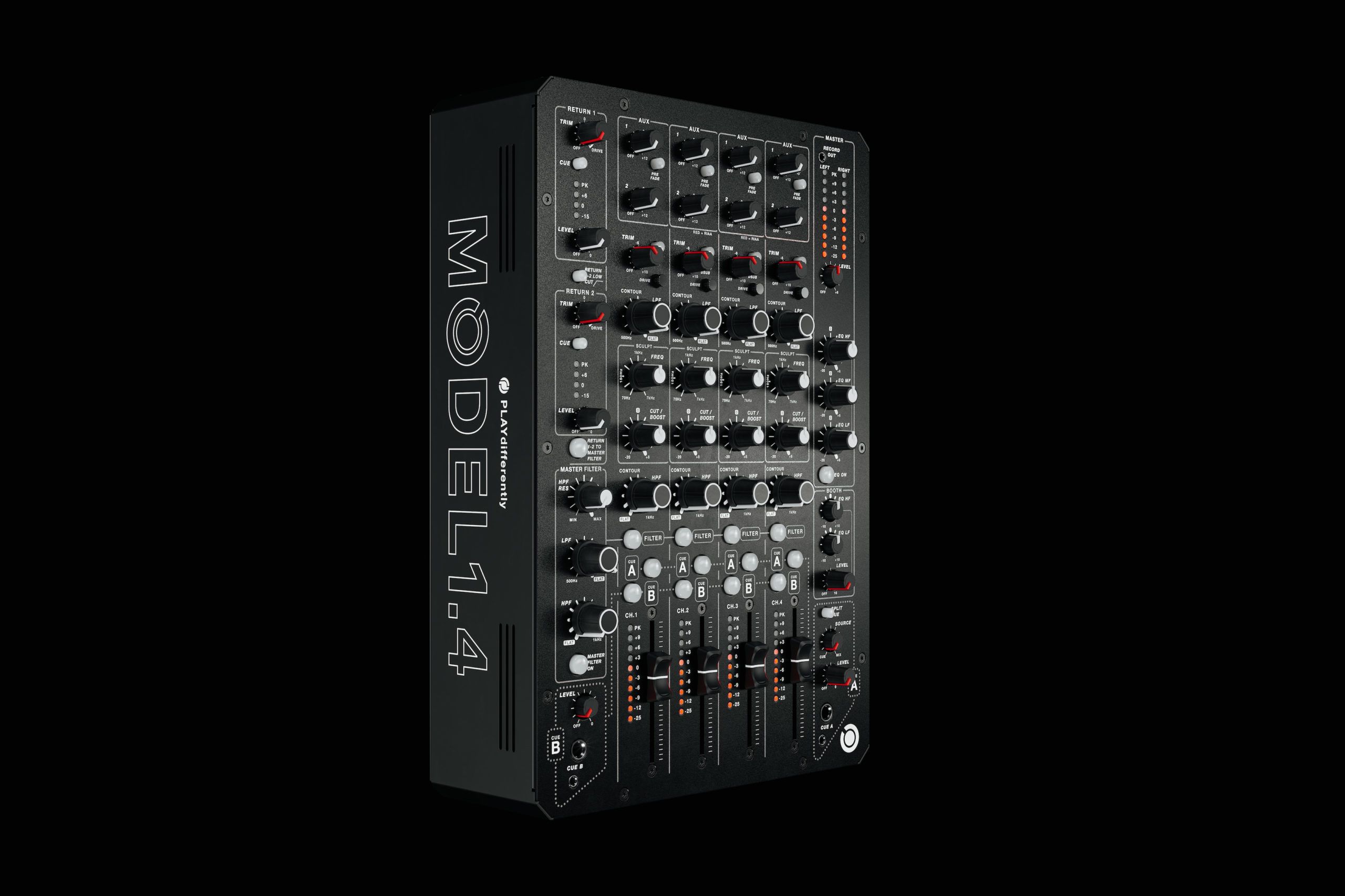
PLAYdifferently releases MODEL 1.4 – a compact, 4-channel analogue mixer
DJ Gear

PLAYdifferently releases MODEL 1.4 – a compact, 4-channel analogue mixer

January 20, 2021
Mixcloud founder: here’s what DJs need to know about music copyright
Editorials and Opinions

Mixcloud founder: here’s what DJs need to know about music copyright

November 18, 2020
Load More
Next Post
iRing: $25 Wireless Motion Tracking Ring for iOS

iRing: $25 Wireless Motion Tracking Ring for iOS

Want to reach DJTT's audience here?

Shoot an email to advertising@djtechtools.com

DJTT ads
DJTT newsletter
Midi Fighter
Chat with us
  • ABOUT DJTT
  • CONTACT
  • PRIVACY
  • MIDI FIGHTER HELP
  • ABOUT DJTT
  • JOBS
  • CONTACT US
  • ADVERTISE
  • PRIVACY POLICY
  • ACCESSIBILITY STATEMENT

© 2024 DJ Techtools all rights reserved by DJ TechTools on all content unless otherwise noted.

No Result
View All Result
  • Blog
    • DJ Gear
      • DIY Projects
      • Gear Reviews
      • New Products
      • Controllerism
    • Techniques + Tips
      • Beginner DJ
      • Advanced DJ
      • Producer
      • Finger Drummer
    • News + Culture
      • Editorials + Opinions
      • Artist Interviews
      • Performances + Routines
      • How I Play
    • DJ Software Tutorials
      • Serato Tips
      • CDJ Tips
      • Ableton Live Tips
  • Store
    • Run by real DJs, not a corporation
    • DJ Controllers
      • Midi Fighter Twister
      • Midi Fighter Spectra
      • Midi Fighter 64
      • View All
    • Accessories
      • Chroma USB Drive for DJs
      • Chroma Caps
      • Chroma Cables Audio
      • Chroma Cables USB-A
      • Chroma Cables: USB-C
      • DJTT Gift Card
      • Midi Fighter T-Shirt
      • Keyboard Covers
      • Earplugs by V-Moda
    • Production Gear
    • Soundcards & Mixers
  • Community
    • Popular Forums
      • General Discussion
      • Buy & Sell
      • Reviews
      • Mixes
      • Music Production
      • Show Your Setup
      • Off Topic
    • Handy Links
      • New Posts
      • Private Messages
      • Register
      • Search
    • Midi Maps
      • Traktor
      • Ableton
      • Serato DJ
      • Midi Fighter 3D
      • Midi Fighter Twister
      • Midi Fighter Spectra
  • Midi Fighter
  • Chroma

© 2024 DJ Techtools all rights reserved by DJ TechTools on all content unless otherwise noted.

This website uses cookies. By continuing to use this website you are giving consent to cookies being used. Visit our Privacy and Cookie Policy.