DJ TechTools
  • Blog
    • DJ Gear
      • DIY Projects
      • Gear Reviews
      • New Products
      • Controllerism
    • Techniques + Tips
      • Beginner DJ
      • Advanced DJ
      • Producer
      • Finger Drummer
    • News + Culture
      • Editorials + Opinions
      • Artist Interviews
      • Performances + Routines
      • How I Play
    • DJ Software Tutorials
      • Serato Tips
        • Traktor Tips
      • CDJ Tips
      • Ableton Live Tips
  • Store
    • Run by real DJs, not a corporation
    • DJ Controllers
      • Midi Fighter Twister
      • Midi Fighter Spectra
      • Midi Fighter 64
      • View All
    • Accessories
      • Chroma USB Drive for DJs
      • Chroma Caps
      • Chroma Cables Audio
      • Chroma Cables USB-A
      • Chroma Cables: USB-C
      • DJTT Gift Card
      • Midi Fighter T-Shirt
      • Keyboard Covers
      • Earplugs by V-Moda
    • Production Gear
    • Soundcards & Mixers
  • Community
    • Popular Forums
      • General Discussion
      • Buy & Sell
      • Reviews
      • Mixes
      • Music Production
      • Show Your Setup
      • Off Topic
    • Handy Links
      • New Posts
      • Private Messages
      • Register
      • Search
    • Midi Maps
      • Traktor
      • Ableton
      • Serato DJ
      • Midi Fighter 3D
      • Midi Fighter Twister
      • Midi Fighter Spectra
  • Midi Fighter
  • Chroma
No Result
View All Result
DJ TechTools
  • Blog
    • DJ Gear
      • DIY Projects
      • Gear Reviews
      • New Products
      • Controllerism
    • Techniques + Tips
      • Beginner DJ
      • Advanced DJ
      • Producer
      • Finger Drummer
    • News + Culture
      • Editorials + Opinions
      • Artist Interviews
      • Performances + Routines
      • How I Play
    • DJ Software Tutorials
      • Serato Tips
        • Traktor Tips
      • CDJ Tips
      • Ableton Live Tips
  • Store
    • Run by real DJs, not a corporation
    • DJ Controllers
      • Midi Fighter Twister
      • Midi Fighter Spectra
      • Midi Fighter 64
      • View All
    • Accessories
      • Chroma USB Drive for DJs
      • Chroma Caps
      • Chroma Cables Audio
      • Chroma Cables USB-A
      • Chroma Cables: USB-C
      • DJTT Gift Card
      • Midi Fighter T-Shirt
      • Keyboard Covers
      • Earplugs by V-Moda
    • Production Gear
    • Soundcards & Mixers
  • Community
    • Popular Forums
      • General Discussion
      • Buy & Sell
      • Reviews
      • Mixes
      • Music Production
      • Show Your Setup
      • Off Topic
    • Handy Links
      • New Posts
      • Private Messages
      • Register
      • Search
    • Midi Maps
      • Traktor
      • Ableton
      • Serato DJ
      • Midi Fighter 3D
      • Midi Fighter Twister
      • Midi Fighter Spectra
  • Midi Fighter
  • Chroma
No Result
View All Result
DJ TechTools

Serato Flip: Record Cue Point & Censor Automation

Dan White by Dan White
August 3, 2014
in News, Serato Tips
Reading Time: 3 mins read
0
Serato Flip: Record Cue Point & Censor Automation
104
VIEWS
Post on FacebookTweet thisUpvote on Reddit

Serato DJ continues to get serious feature additions in 2014 with an upcoming new release, 1.7, that will incorporate a new way of recording custom cue point juggles and playing them back. It’s called Serato Flip – and it could be a killer feature for all kinds of DJs looking to build more intricate routines in a DJ software.

Serato Flip is now released – watch this tutorial on 7 great ways to use it.

Serato Flip Overview

Serato Flip is an extension of cue point functionality in Serato DJ – you turn on the Flip feature on a deck, and then you have 6 different slots for recording a series of cue point presses or hitting the Censor button. Some intended uses from Serato include:

  • Make clean edits of your tracks by recording censor actions.
  • Extend intros, breakdowns or outros for better mixing.
  • Create transition sections in your songs for changing tempo or beat structure.
  • Advanced tone-play and performance.
  • Auto-skipping verses or choruses in songs.
  • Making beats.

The Flip mode is able to be used in Serato’s offline state, so even if you’re not plugged into Serato hardware you can still edit your tracks, just like you would with saved cue points.  On controllers like the DDJ-SZ/SX, DJs will be able to activate Flip mode and play back recorded Flips using a combination of the Parameter and Cue Point buttons, and the functions are also all MIDI mappable.
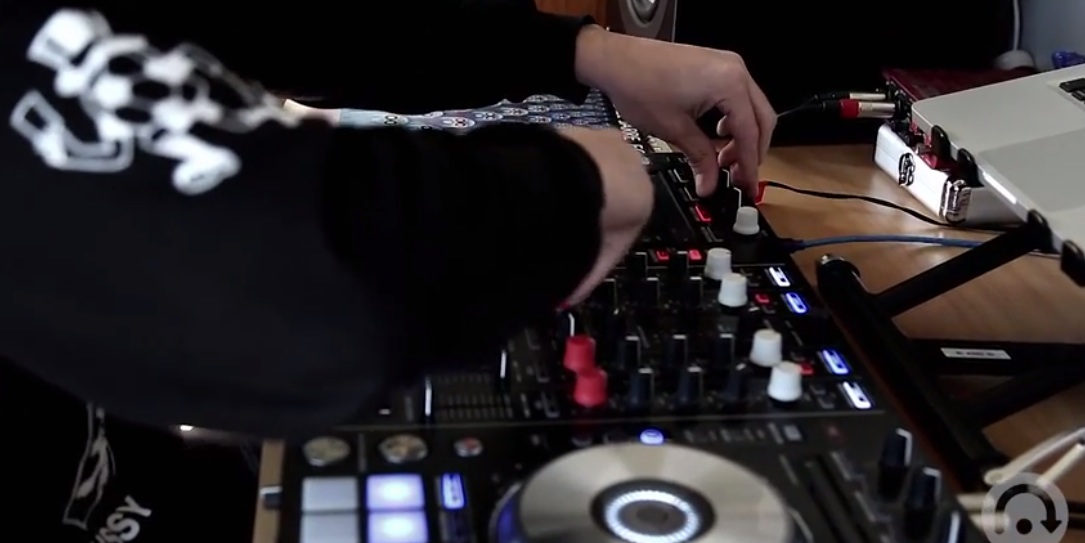
Pretty cool - DJTT's Chroma Caps made a cameo in this teaser video!
Pretty cool – DJTT’s Chroma Caps made a cameo in this teaser video!

Key features of Serato Flip from Serato’s press release:

Record Cue Point & Censor Automation: Click record once to arm recording. Once you hit the first cue or censor, recording begins. Hit record again to set the end point of your Flip.

Prepare & Edit Tracks In Offline Mode Use Serato Flip without your hardware connected.

Flip Saving: Save 6 different Flips per track. Serato Flip information is saved to your tracks metadata and doesn’t edit the audio of the track. You can delete cue points and your Flip will still be remembered.

Hardware Controls, Keyboard Shortcut & Midi Mappable: Control Flip directly from your computer or your controller with a keyboard shortcut and hardware controls being mapped for supported current and future hardware. Flip controls are also MIDI mappable for use with the MIDI controller of your choice

Looping / Loop Snap: Choose whether your recorded Flip plays through once or loops. Select whether your looped Flip will snap to an end-point that’s on beat with your track.

Recall and Replay: Turn Flips ON / OFF and start your Flip on track load or whenever you like.

Make perfect edits: Platter movements aren’t recorded so you can move the platter to an exact point and trigger a cue point to make the perfect Flip.

Name your Flips: Just like Serato DJs nameable Cue Points you can also name your Flips. The name of your Flip will appear in the deck info area when the track is loaded.

The Flip feature will debut as a paid expansion pack ($29.00) in version 1.7 of Serato DJ, set to be released in September 2014.

We also spoke briefly to Serato about the new feature release, and it sounds like cue points might only be the starting point of Serato Flip – there’s some clear opportunity to do the same type of recording and playback with loops, recorded effects, and maybe tempo changes.
Tags: censorCue Pointsrecording cue pointsseratoserato DJserato flip
Share1Tweet1Share
Previous Post

Pacemaker’s Match Machine Provides Cloud-Based Track Discovery

Next Post

Introducing Orbit: Collaborative Music Control In Clubs

Related Posts

The DJM-V5 from AlphaTheta: 3 channels, 4-band EQ, V10 sound – no Beat FX or crossfader.
Breaking News

The DJM-V5 from AlphaTheta: 3 channels, 4-band EQ, V10 sound – no Beat FX or crossfader.

January 20, 2026
66% of Serato just got bought: but not by AlphaTheta
Breaking News

66% of Serato just got bought: but not by AlphaTheta

April 1, 2025
“No Deal”: New Zealand’s ComCom denies clearance for AlphaTheta’s Serato acquisition
Breaking News

“No Deal”: New Zealand’s ComCom denies clearance for AlphaTheta’s Serato acquisition

July 17, 2024
Load More
Next Post
Introducing Orbit: Collaborative Music Control In Clubs

Introducing Orbit: Collaborative Music Control In Clubs

Want to reach DJTT's audience here?

Shoot an email to advertising@djtechtools.com

DJTT ads
DJTT newsletter
Midi Fighter
Chat with us
  • ABOUT DJTT
  • CONTACT
  • PRIVACY
  • MIDI FIGHTER HELP
  • ABOUT DJTT
  • JOBS
  • CONTACT US
  • ADVERTISE
  • PRIVACY POLICY
  • ACCESSIBILITY STATEMENT

© 2024 DJ Techtools all rights reserved by DJ TechTools on all content unless otherwise noted.

No Result
View All Result
  • Blog
    • DJ Gear
      • DIY Projects
      • Gear Reviews
      • New Products
      • Controllerism
    • Techniques + Tips
      • Beginner DJ
      • Advanced DJ
      • Producer
      • Finger Drummer
    • News + Culture
      • Editorials + Opinions
      • Artist Interviews
      • Performances + Routines
      • How I Play
    • DJ Software Tutorials
      • Serato Tips
      • CDJ Tips
      • Ableton Live Tips
  • Store
    • Run by real DJs, not a corporation
    • DJ Controllers
      • Midi Fighter Twister
      • Midi Fighter Spectra
      • Midi Fighter 64
      • View All
    • Accessories
      • Chroma USB Drive for DJs
      • Chroma Caps
      • Chroma Cables Audio
      • Chroma Cables USB-A
      • Chroma Cables: USB-C
      • DJTT Gift Card
      • Midi Fighter T-Shirt
      • Keyboard Covers
      • Earplugs by V-Moda
    • Production Gear
    • Soundcards & Mixers
  • Community
    • Popular Forums
      • General Discussion
      • Buy & Sell
      • Reviews
      • Mixes
      • Music Production
      • Show Your Setup
      • Off Topic
    • Handy Links
      • New Posts
      • Private Messages
      • Register
      • Search
    • Midi Maps
      • Traktor
      • Ableton
      • Serato DJ
      • Midi Fighter 3D
      • Midi Fighter Twister
      • Midi Fighter Spectra
  • Midi Fighter
  • Chroma

© 2024 DJ Techtools all rights reserved by DJ TechTools on all content unless otherwise noted.

This website uses cookies. By continuing to use this website you are giving consent to cookies being used. Visit our Privacy and Cookie Policy.