DJ TechTools
  • Blog
    • DJ Gear
      • DIY Projects
      • Gear Reviews
      • New Products
      • Controllerism
    • Techniques + Tips
      • Beginner DJ
      • Advanced DJ
      • Producer
      • Finger Drummer
    • News + Culture
      • Editorials + Opinions
      • Artist Interviews
      • Performances + Routines
      • How I Play
    • DJ Software Tutorials
      • Serato Tips
        • Traktor Tips
      • CDJ Tips
      • Ableton Live Tips
  • Store
    • Run by real DJs, not a corporation
    • DJ Controllers
      • Midi Fighter Twister
      • Midi Fighter Spectra
      • Midi Fighter 64
      • View All
    • Accessories
      • Chroma USB Drive for DJs
      • Chroma Caps
      • Chroma Cables Audio
      • Chroma Cables USB-A
      • Chroma Cables: USB-C
      • DJTT Gift Card
      • Midi Fighter T-Shirt
      • Keyboard Covers
      • Earplugs by V-Moda
    • Production Gear
    • Soundcards & Mixers
  • Community
    • Popular Forums
      • General Discussion
      • Buy & Sell
      • Reviews
      • Mixes
      • Music Production
      • Show Your Setup
      • Off Topic
    • Handy Links
      • New Posts
      • Private Messages
      • Register
      • Search
    • Midi Maps
      • Traktor
      • Ableton
      • Serato DJ
      • Midi Fighter 3D
      • Midi Fighter Twister
      • Midi Fighter Spectra
  • Midi Fighter
  • Chroma
No Result
View All Result
DJ TechTools
  • Blog
    • DJ Gear
      • DIY Projects
      • Gear Reviews
      • New Products
      • Controllerism
    • Techniques + Tips
      • Beginner DJ
      • Advanced DJ
      • Producer
      • Finger Drummer
    • News + Culture
      • Editorials + Opinions
      • Artist Interviews
      • Performances + Routines
      • How I Play
    • DJ Software Tutorials
      • Serato Tips
        • Traktor Tips
      • CDJ Tips
      • Ableton Live Tips
  • Store
    • Run by real DJs, not a corporation
    • DJ Controllers
      • Midi Fighter Twister
      • Midi Fighter Spectra
      • Midi Fighter 64
      • View All
    • Accessories
      • Chroma USB Drive for DJs
      • Chroma Caps
      • Chroma Cables Audio
      • Chroma Cables USB-A
      • Chroma Cables: USB-C
      • DJTT Gift Card
      • Midi Fighter T-Shirt
      • Keyboard Covers
      • Earplugs by V-Moda
    • Production Gear
    • Soundcards & Mixers
  • Community
    • Popular Forums
      • General Discussion
      • Buy & Sell
      • Reviews
      • Mixes
      • Music Production
      • Show Your Setup
      • Off Topic
    • Handy Links
      • New Posts
      • Private Messages
      • Register
      • Search
    • Midi Maps
      • Traktor
      • Ableton
      • Serato DJ
      • Midi Fighter 3D
      • Midi Fighter Twister
      • Midi Fighter Spectra
  • Midi Fighter
  • Chroma
No Result
View All Result
DJ TechTools

Ableton Live 9.2 Public Beta: 64 Drum Pads for Push + Improved Warping

Ryan Dejaegher by Ryan Dejaegher
February 24, 2015
in Breaking News, News
Reading Time: 2 mins read
0
Ableton Live 9.2 Public Beta: 64 Drum Pads for Push + Improved Warping
30
VIEWS
Post on FacebookTweet thisUpvote on Reddit

Things have been a little quiet in Berlin but today the silence is broken. Ableton has just announced a public beta for Live 9.2, the next major update to Live 9 since November 2013.

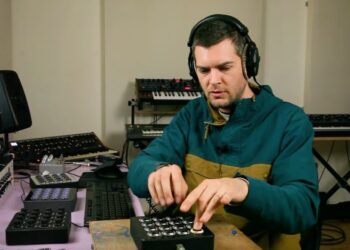
There are some exciting new features that Live and more specifically Push users have been waiting for: use all 64 pads for drum racks, improved aftertouch implementation, and using the touch strip for modulation. Keep reading for more details and a Push performance from Mad Zach.

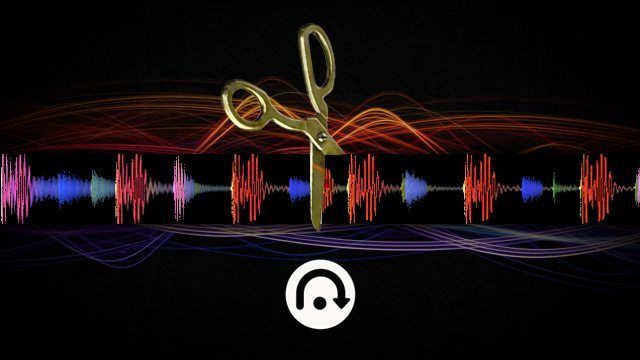
There are a lot of improvements and changes that have been made in Live 9.2. The audio warping engine has been refined. Complex and Complex Pro modes now have punchier transients. Auto-Warp and downbeat detection have been improved to better recognize when audio has a fixed tempo (electronic/dance music) and warp it accurately. This should help Ableton users warp full tracks faster for use in live performances.

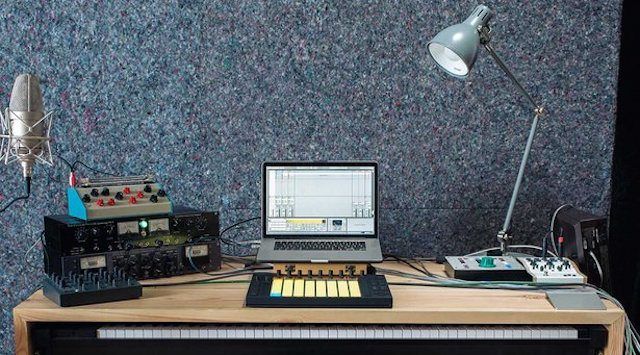
The new Push features such as 64 drums and mod touch strip can be toggled from the Push hardware. When a drum rack is loaded, pushing “Note” on the Push hardware will toggle between the 64 pad mode and the 16 pad with sequencer mode. The touch strip can toggle between pitch bend or mod wheel functionality by holding “Select” and tapping the touch strip. Push users can also fine tune parameters by holding “shift” and moving the encoders. It’s definitely great to see Ableton adding more functionality to the Push hardware.

Check out the full feature and changelist for Ableton Live 9.2 and download the software on Ableton’s site. 


The Midi Fighter 64

Need a proper 64 button finger drumming machine? We know many of you have been waiting patiently to see if we were going to make Midi Fighter 64 available to everyone – not just a custom one off controller for a single artist.

Here’s a real update: the 64 is coming in the next few months. You can be one of the first people to get one by signing up on the official list here on MidiFighter.com

Details on pricing, timeline, and all that other information is still being finalized, but if you’re on that list you will be the first to know, first able to preorder, etc. Stay tuned!

Tags: Abletonableton live 9Ableton updateDrum Rackfinger drumminglive 9Live 9.2 betamad zachPush
ShareTweetShare
Previous Post

The Amen Break’s Retroactive Fundraiser

Next Post

Make Your Own Edits With Serato Flip

Related Posts

Ableton launches Live 12 Suite rent-to-own plan – and it’s not a subscription
Ableton

Ableton launches Live 12 Suite rent-to-own plan – and it’s not a subscription

October 1, 2025
Control an entire studio with Midi Fighter Spectra (like Mad Zach)
Finger Drumming

Control an entire studio with Midi Fighter Spectra (like Mad Zach)

May 9, 2025
Mad Zach playing soundpacks on a Midi Fighter Spectra
Finger Drumming

Mad Zach Returns: Playing soundpacks in 2025

March 25, 2025
Load More
Next Post
Make Your Own Edits With Serato Flip

Make Your Own Edits With Serato Flip

Want to reach DJTT's audience here?

Shoot an email to advertising@djtechtools.com

DJTT ads
DJTT newsletter
Midi Fighter
Chat with us
  • ABOUT DJTT
  • CONTACT
  • PRIVACY
  • MIDI FIGHTER HELP
  • ABOUT DJTT
  • JOBS
  • CONTACT US
  • ADVERTISE
  • PRIVACY POLICY
  • ACCESSIBILITY STATEMENT

© 2024 DJ Techtools all rights reserved by DJ TechTools on all content unless otherwise noted.

No Result
View All Result
  • Blog
    • DJ Gear
      • DIY Projects
      • Gear Reviews
      • New Products
      • Controllerism
    • Techniques + Tips
      • Beginner DJ
      • Advanced DJ
      • Producer
      • Finger Drummer
    • News + Culture
      • Editorials + Opinions
      • Artist Interviews
      • Performances + Routines
      • How I Play
    • DJ Software Tutorials
      • Serato Tips
      • CDJ Tips
      • Ableton Live Tips
  • Store
    • Run by real DJs, not a corporation
    • DJ Controllers
      • Midi Fighter Twister
      • Midi Fighter Spectra
      • Midi Fighter 64
      • View All
    • Accessories
      • Chroma USB Drive for DJs
      • Chroma Caps
      • Chroma Cables Audio
      • Chroma Cables USB-A
      • Chroma Cables: USB-C
      • DJTT Gift Card
      • Midi Fighter T-Shirt
      • Keyboard Covers
      • Earplugs by V-Moda
    • Production Gear
    • Soundcards & Mixers
  • Community
    • Popular Forums
      • General Discussion
      • Buy & Sell
      • Reviews
      • Mixes
      • Music Production
      • Show Your Setup
      • Off Topic
    • Handy Links
      • New Posts
      • Private Messages
      • Register
      • Search
    • Midi Maps
      • Traktor
      • Ableton
      • Serato DJ
      • Midi Fighter 3D
      • Midi Fighter Twister
      • Midi Fighter Spectra
  • Midi Fighter
  • Chroma

© 2024 DJ Techtools all rights reserved by DJ TechTools on all content unless otherwise noted.

This website uses cookies. By continuing to use this website you are giving consent to cookies being used. Visit our Privacy and Cookie Policy.