DJ TechTools
  • Blog
    • DJ Gear
      • DIY Projects
      • Gear Reviews
      • New Products
      • Controllerism
    • Techniques + Tips
      • Beginner DJ
      • Advanced DJ
      • Producer
      • Finger Drummer
    • News + Culture
      • Editorials + Opinions
      • Artist Interviews
      • Performances + Routines
      • How I Play
    • DJ Software Tutorials
      • Serato Tips
        • Traktor Tips
      • CDJ Tips
      • Ableton Live Tips
  • Store
    • Run by real DJs, not a corporation
    • DJ Controllers
      • Midi Fighter Twister
      • Midi Fighter Spectra
      • Midi Fighter 64
      • View All
    • Accessories
      • Chroma USB Drive for DJs
      • Chroma Caps
      • Chroma Cables Audio
      • Chroma Cables USB-A
      • Chroma Cables: USB-C
      • DJTT Gift Card
      • Midi Fighter T-Shirt
      • Keyboard Covers
      • Earplugs by V-Moda
    • Production Gear
    • Soundcards & Mixers
  • Community
    • Popular Forums
      • General Discussion
      • Buy & Sell
      • Reviews
      • Mixes
      • Music Production
      • Show Your Setup
      • Off Topic
    • Handy Links
      • New Posts
      • Private Messages
      • Register
      • Search
    • Midi Maps
      • Traktor
      • Ableton
      • Serato DJ
      • Midi Fighter 3D
      • Midi Fighter Twister
      • Midi Fighter Spectra
  • Midi Fighter
  • Chroma
No Result
View All Result
DJ TechTools
  • Blog
    • DJ Gear
      • DIY Projects
      • Gear Reviews
      • New Products
      • Controllerism
    • Techniques + Tips
      • Beginner DJ
      • Advanced DJ
      • Producer
      • Finger Drummer
    • News + Culture
      • Editorials + Opinions
      • Artist Interviews
      • Performances + Routines
      • How I Play
    • DJ Software Tutorials
      • Serato Tips
        • Traktor Tips
      • CDJ Tips
      • Ableton Live Tips
  • Store
    • Run by real DJs, not a corporation
    • DJ Controllers
      • Midi Fighter Twister
      • Midi Fighter Spectra
      • Midi Fighter 64
      • View All
    • Accessories
      • Chroma USB Drive for DJs
      • Chroma Caps
      • Chroma Cables Audio
      • Chroma Cables USB-A
      • Chroma Cables: USB-C
      • DJTT Gift Card
      • Midi Fighter T-Shirt
      • Keyboard Covers
      • Earplugs by V-Moda
    • Production Gear
    • Soundcards & Mixers
  • Community
    • Popular Forums
      • General Discussion
      • Buy & Sell
      • Reviews
      • Mixes
      • Music Production
      • Show Your Setup
      • Off Topic
    • Handy Links
      • New Posts
      • Private Messages
      • Register
      • Search
    • Midi Maps
      • Traktor
      • Ableton
      • Serato DJ
      • Midi Fighter 3D
      • Midi Fighter Twister
      • Midi Fighter Spectra
  • Midi Fighter
  • Chroma
No Result
View All Result
DJ TechTools

Artist Gear Setup: Yousef

Ryan Dejaegher by Ryan Dejaegher
May 14, 2015
in Breaking News, News
Reading Time: 4 mins read
0
Artist Gear Setup: Yousef
87
VIEWS
Post on FacebookTweet thisUpvote on Reddit

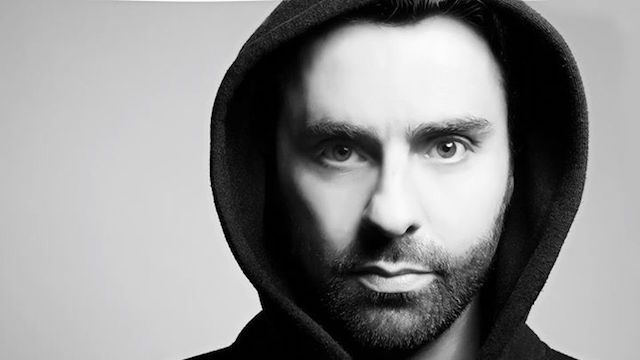
For todays artist gear setup, we’re going to switch things up. Rather then look at what DJs/producers take with them on the road, we’re going to check out the gear they use in the studio. Starting with DJ, producer, and remixer, Yousef. As a producer Yousef has releases with Desolat, Objektivity Records, and Defected and he’s remixed artists such as Carl Cox, Moby, and Blakkat. Youssef gives the DJTT community a peak inside his studio and talks about his analog synths, studio montiors, and why Cubase is his DAW choice.
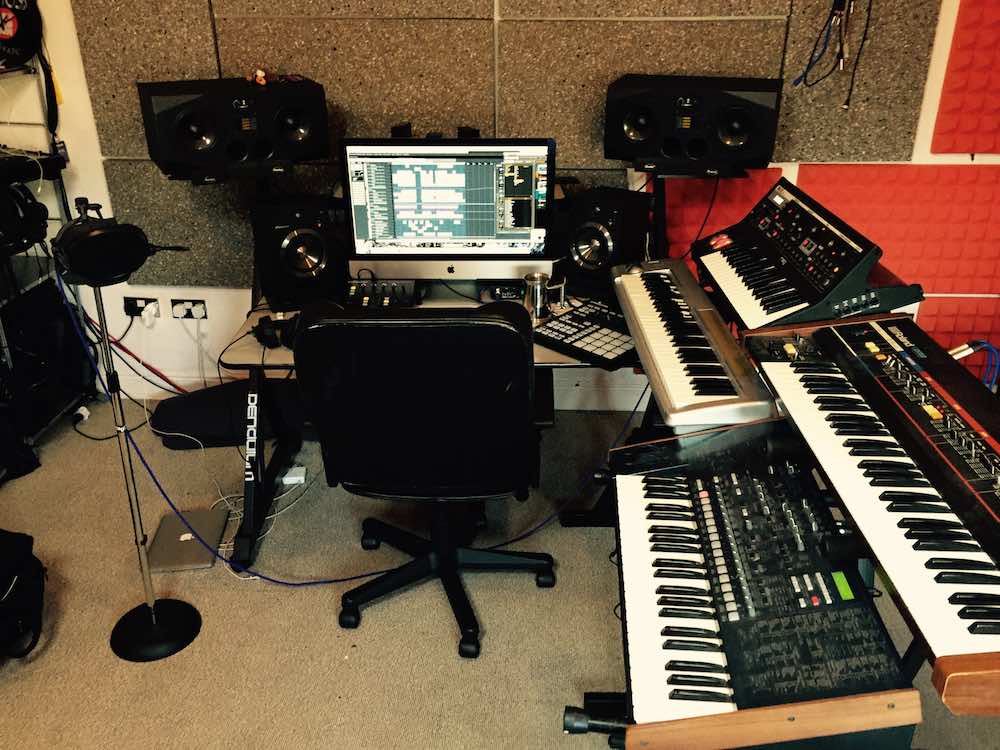
Yousef_Studio

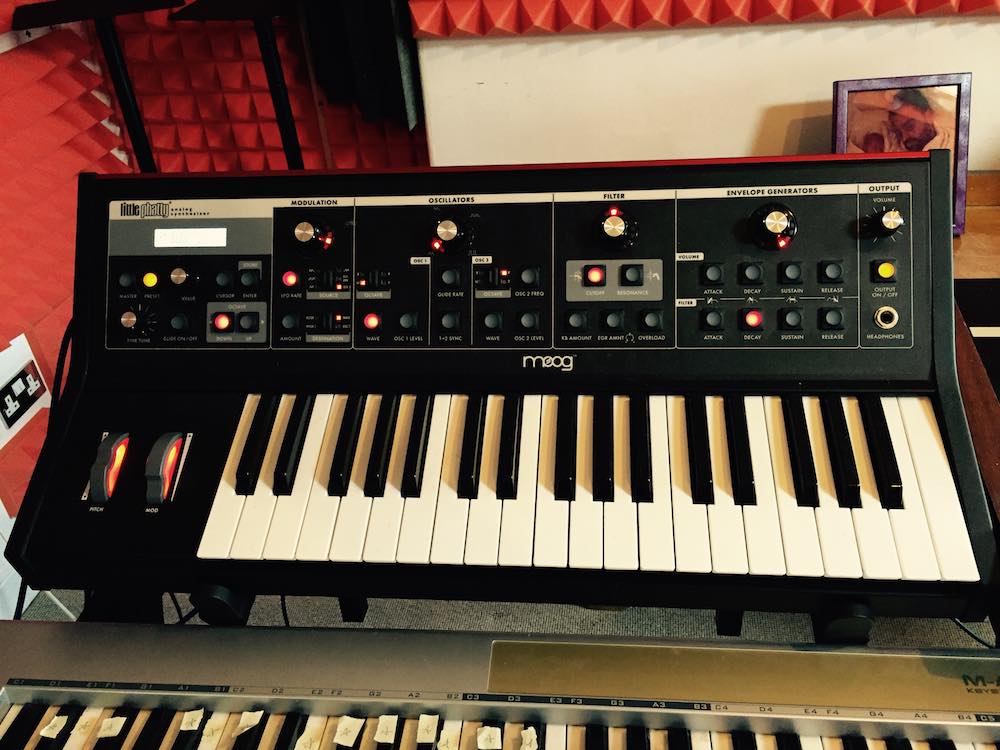
1 – Moog Little Phatty

Moog_Little_Phatty

My Moog Little Phatty, I’ve only had around 18 months. They are not a new piece of kit, some people love them, others don’t get them, but I am a fan. I discovered it in a studio in LA when I was out there working with Blakkat, which ended up becoming track 3 on the album.

I like the analogue bass and the snappy drums it offers. The filters are really strong too; you can actually sync them to your DAW to be used for crafting your track. It’s pretty boyish and scrappy in some ways but I think it lives up to its ‘Phatty’ name. I also used this to create the acid bass sweeps and drum edits to sit under the vocal on “Pleasure Defined”

2 – Adam a77X Monitors
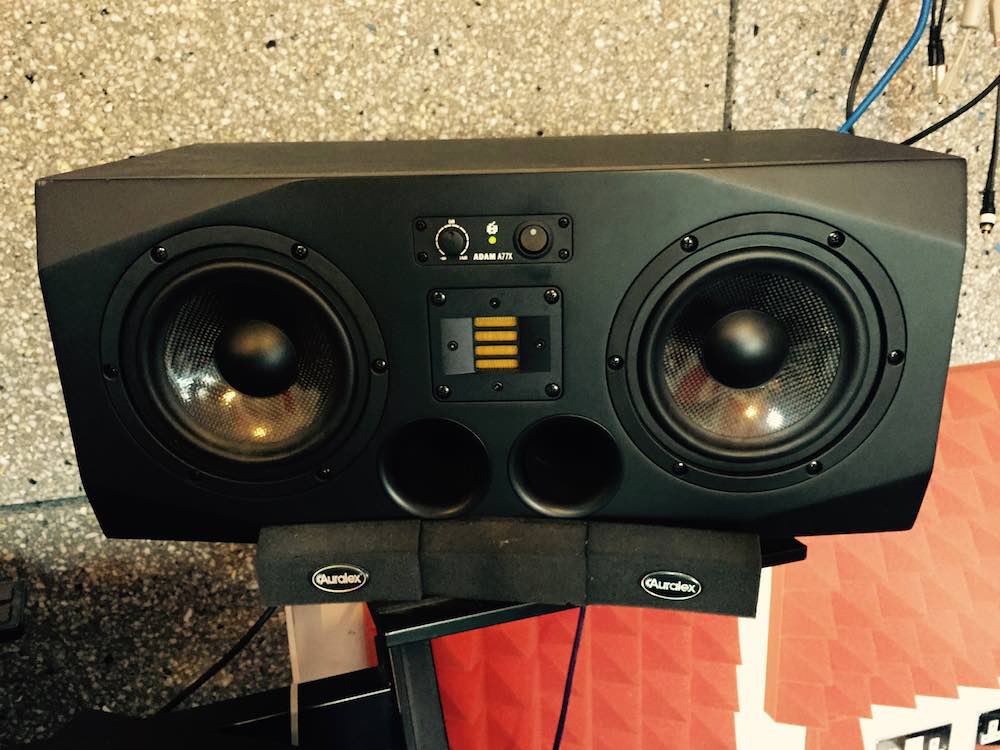
Adam a77X

My Adam a77X speakers are another fairly recent addition to my set up. They run parallel to my old reliable friends my ‘Mackie 624’s. The Adams are an extremely quality speaker, powerful, compression-free sound reproduction and excellent radiation characteristics that offer a very precise sound, albeit way too bassy for my needs. I’m getting to know them well and used them to mix down the later part of the album.

3 – Presonus Monitor Station V2
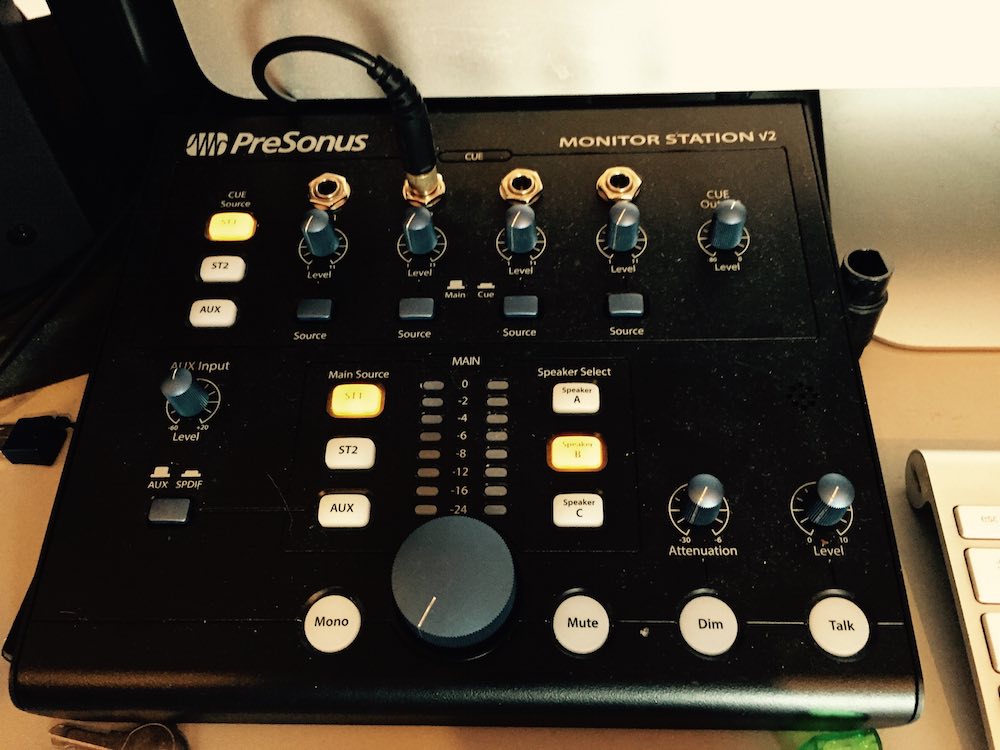
Presonus Monitor Station V2

This again is fairly new to my studio but it’s now one of the most important items. The Presonus Monitor Station V2 reliably splits up my speaker set up, for my 3 sets of speakers from the push of a button. Its no nonsense approach suits me, I’m a producer but far from a studio buff or geek.

I find a system that works for me and roll with it, and slowly add new studio pieces. The monitor station has a really easy to use headphone monitor system which now makes it super simple to monitor the record for vocals or instruments and listen back with up to 4 headphones, it’s my essential piece of kit.

4 – Korg MS2000 & Roland Juno-6
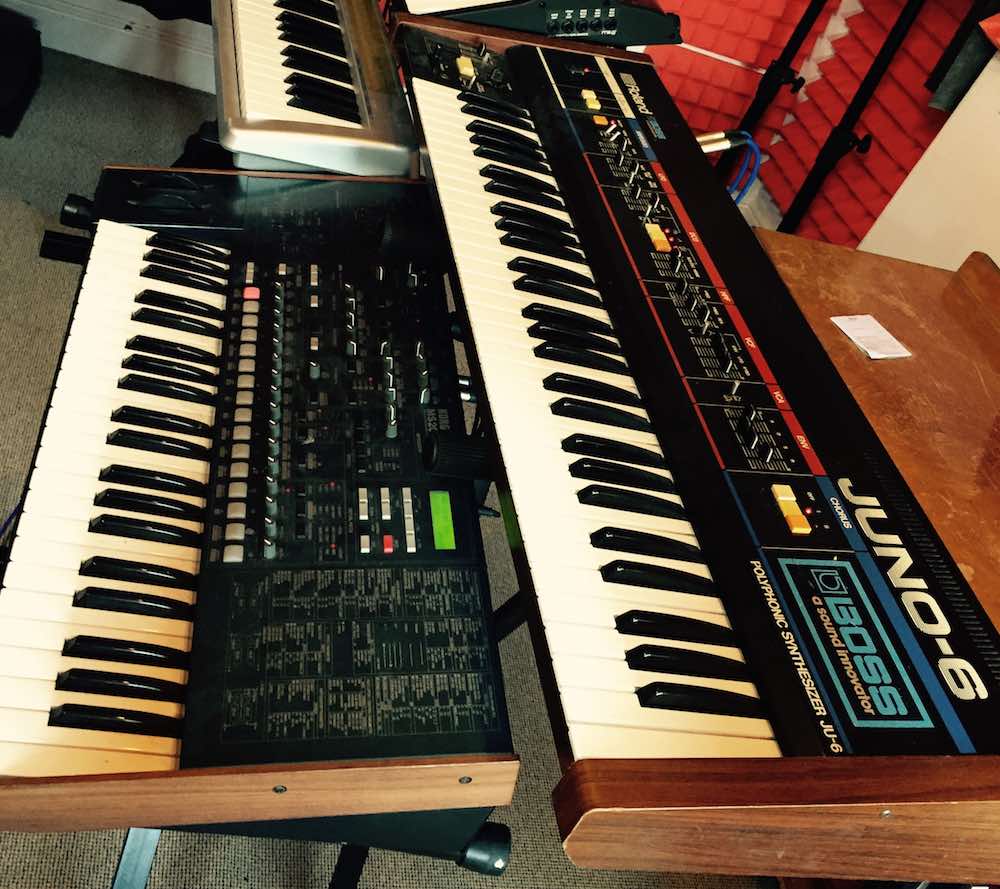
Korg MS2000

I like to have a balance of internal keyboards and hardware synths to build a range of sounds from each of them within a track. My old friend the Korg ms2000 I bought from a seller for £50 about 10 years ago, a real steal! It’s again pretty scrappy at times, but when the midi works it has many great rolling sounds, which can neatly be arpeggiated, which again I usually use for texture rather leads.

Similarly with the Juno-6 it’s more soundscape than lead. Having no midi makes the Juno offer random sounds, which always needs to be edited in audio after use, and I enjoy the randomness it offers however precision does not mean character.

5 – Cubase 8
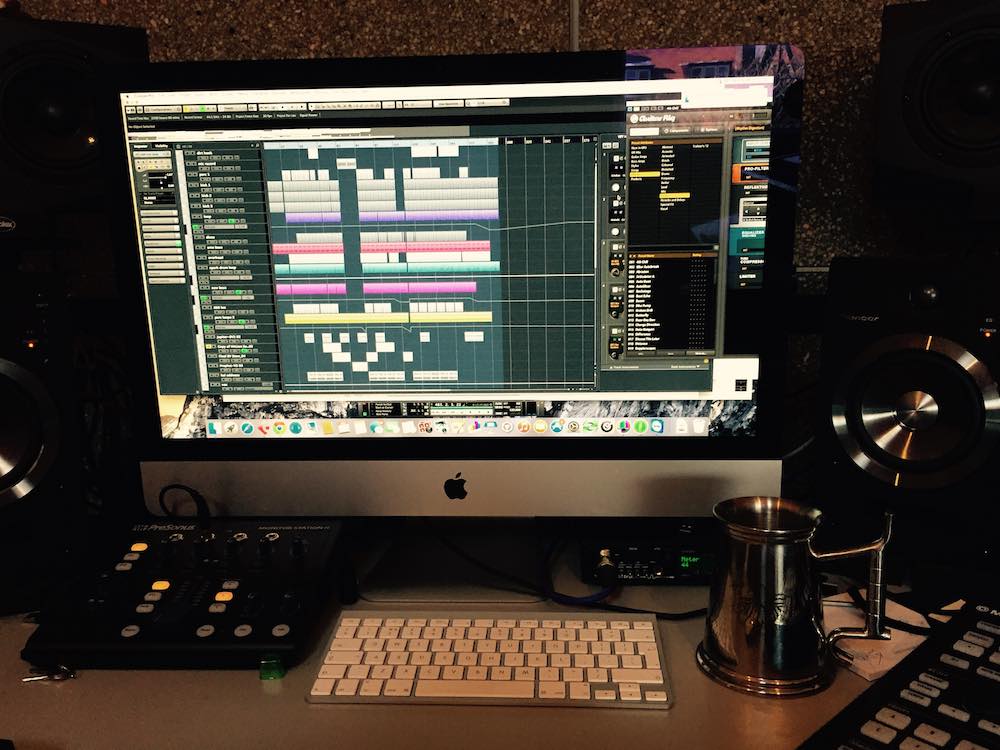
Cubase 8

My trusty Cubase, now on version 8 I’ve been using it for 13+ years now and for me it’s the champion DAW. I’ve tried to work with Logic, which I was not a fan of. I found so many producers making similar sounding tracks. Then I attempted ‘Ableton’, and although the functionality is incredible, the finish with the sound reproduction is not what you get from Cubase.

For many years in fairness Cubase was somewhat dated but since v5 or v6 the leaps it’s taken to catch up have been incredibly impressive. I can extract midi from any sound. I can produce and work my way around music but I’m not musician, so by being able to extract midi from any sound gives me the starting point, or key signature I need to make sure the sounds I’m placing from my library or samples I’m using are as key correct as possible.

For more Yousef check him out on yousef.co.uk, Soundcloud, Twitter, Facebook, and iTunes.

Looking for more artist gear setups? See what’s in these artists bags:

  • Nicole Moudaber
  • The Gaslamp Killer
  • Victor Calderone
  • James Zabiela

What artist gear setup would you like to see?

Let us know in the comments below!

 

Tags: AbletonAdam a77xadam monitorsartist gear setupCubase 8dawsJuno 6KorgKorg MS2000LogicmoogMoog Little PhattyPresonusrolandstudio monitorsYousef
Share1Tweet1Share
Previous Post

How To Get Gigs In a Small Market

Next Post

Thud Rumble and Intel Building Tiny Computers For Laptop-Free DJ Booths

Related Posts

Ableton launches Live 12 Suite rent-to-own plan – and it’s not a subscription
Ableton

Ableton launches Live 12 Suite rent-to-own plan – and it’s not a subscription

October 1, 2025
Meet the TR-1000: Roland’s new analog/digital drum machine with built-in sampling
Breaking News

Meet the TR-1000: Roland’s new analog/digital drum machine with built-in sampling

October 1, 2025
Control an entire studio with Midi Fighter Spectra (like Mad Zach)
Finger Drumming

Control an entire studio with Midi Fighter Spectra (like Mad Zach)

May 9, 2025
Load More
Next Post
Thud Rumble and Intel Building Tiny Computers For Laptop-Free DJ Booths

Thud Rumble and Intel Building Tiny Computers For Laptop-Free DJ Booths

Want to reach DJTT's audience here?

Shoot an email to advertising@djtechtools.com

DJTT ads
DJTT newsletter
Midi Fighter
Chat with us
  • ABOUT DJTT
  • CONTACT
  • PRIVACY
  • MIDI FIGHTER HELP
  • ABOUT DJTT
  • JOBS
  • CONTACT US
  • ADVERTISE
  • PRIVACY POLICY
  • ACCESSIBILITY STATEMENT

© 2024 DJ Techtools all rights reserved by DJ TechTools on all content unless otherwise noted.

No Result
View All Result
  • Blog
    • DJ Gear
      • DIY Projects
      • Gear Reviews
      • New Products
      • Controllerism
    • Techniques + Tips
      • Beginner DJ
      • Advanced DJ
      • Producer
      • Finger Drummer
    • News + Culture
      • Editorials + Opinions
      • Artist Interviews
      • Performances + Routines
      • How I Play
    • DJ Software Tutorials
      • Serato Tips
      • CDJ Tips
      • Ableton Live Tips
  • Store
    • Run by real DJs, not a corporation
    • DJ Controllers
      • Midi Fighter Twister
      • Midi Fighter Spectra
      • Midi Fighter 64
      • View All
    • Accessories
      • Chroma USB Drive for DJs
      • Chroma Caps
      • Chroma Cables Audio
      • Chroma Cables USB-A
      • Chroma Cables: USB-C
      • DJTT Gift Card
      • Midi Fighter T-Shirt
      • Keyboard Covers
      • Earplugs by V-Moda
    • Production Gear
    • Soundcards & Mixers
  • Community
    • Popular Forums
      • General Discussion
      • Buy & Sell
      • Reviews
      • Mixes
      • Music Production
      • Show Your Setup
      • Off Topic
    • Handy Links
      • New Posts
      • Private Messages
      • Register
      • Search
    • Midi Maps
      • Traktor
      • Ableton
      • Serato DJ
      • Midi Fighter 3D
      • Midi Fighter Twister
      • Midi Fighter Spectra
  • Midi Fighter
  • Chroma

© 2024 DJ Techtools all rights reserved by DJ TechTools on all content unless otherwise noted.

This website uses cookies. By continuing to use this website you are giving consent to cookies being used. Visit our Privacy and Cookie Policy.