DJ TechTools
  • Blog
    • DJ Gear
      • DIY Projects
      • Gear Reviews
      • New Products
      • Controllerism
    • Techniques + Tips
      • Beginner DJ
      • Advanced DJ
      • Producer
      • Finger Drummer
    • News + Culture
      • Editorials + Opinions
      • Artist Interviews
      • Performances + Routines
      • How I Play
    • DJ Software Tutorials
      • Serato Tips
        • Traktor Tips
      • CDJ Tips
      • Ableton Live Tips
  • Store
    • Run by real DJs, not a corporation
    • DJ Controllers
      • Midi Fighter Twister
      • Midi Fighter Spectra
      • Midi Fighter 64
      • View All
    • Accessories
      • Chroma USB Drive for DJs
      • Chroma Caps
      • Chroma Cables Audio
      • Chroma Cables USB-A
      • Chroma Cables: USB-C
      • DJTT Gift Card
      • Midi Fighter T-Shirt
      • Keyboard Covers
      • Earplugs by V-Moda
    • Production Gear
    • Soundcards & Mixers
  • Community
    • Popular Forums
      • General Discussion
      • Buy & Sell
      • Reviews
      • Mixes
      • Music Production
      • Show Your Setup
      • Off Topic
    • Handy Links
      • New Posts
      • Private Messages
      • Register
      • Search
    • Midi Maps
      • Traktor
      • Ableton
      • Serato DJ
      • Midi Fighter 3D
      • Midi Fighter Twister
      • Midi Fighter Spectra
  • Midi Fighter
  • Chroma
No Result
View All Result
DJ TechTools
  • Blog
    • DJ Gear
      • DIY Projects
      • Gear Reviews
      • New Products
      • Controllerism
    • Techniques + Tips
      • Beginner DJ
      • Advanced DJ
      • Producer
      • Finger Drummer
    • News + Culture
      • Editorials + Opinions
      • Artist Interviews
      • Performances + Routines
      • How I Play
    • DJ Software Tutorials
      • Serato Tips
        • Traktor Tips
      • CDJ Tips
      • Ableton Live Tips
  • Store
    • Run by real DJs, not a corporation
    • DJ Controllers
      • Midi Fighter Twister
      • Midi Fighter Spectra
      • Midi Fighter 64
      • View All
    • Accessories
      • Chroma USB Drive for DJs
      • Chroma Caps
      • Chroma Cables Audio
      • Chroma Cables USB-A
      • Chroma Cables: USB-C
      • DJTT Gift Card
      • Midi Fighter T-Shirt
      • Keyboard Covers
      • Earplugs by V-Moda
    • Production Gear
    • Soundcards & Mixers
  • Community
    • Popular Forums
      • General Discussion
      • Buy & Sell
      • Reviews
      • Mixes
      • Music Production
      • Show Your Setup
      • Off Topic
    • Handy Links
      • New Posts
      • Private Messages
      • Register
      • Search
    • Midi Maps
      • Traktor
      • Ableton
      • Serato DJ
      • Midi Fighter 3D
      • Midi Fighter Twister
      • Midi Fighter Spectra
  • Midi Fighter
  • Chroma
No Result
View All Result
DJ TechTools

Apple Launches Music Memos; GarageBand iOS Update

Dan White by Dan White
January 20, 2016
in Breaking News, NAMM 2016, News, News + Culture, Production Tips
Reading Time: 3 mins read
0
Music Memos, Garageband iOS
323
VIEWS
Post on FacebookTweet thisUpvote on Reddit

Apple has long been a critical brand for producers, musicians, and DJs, but in recent years many of their software music tools have fallen out of vogue as more specialist companies have dominated. Today Apple has unveiled two new releases: a major GarageBand iOS update to make the app feel more focused around looping, and a Music Memos app that acts central recording app for musicians. Keep reading for an overview of both exciting developments.

GarageBand 2.1 for iOS: For Dance Music Producers

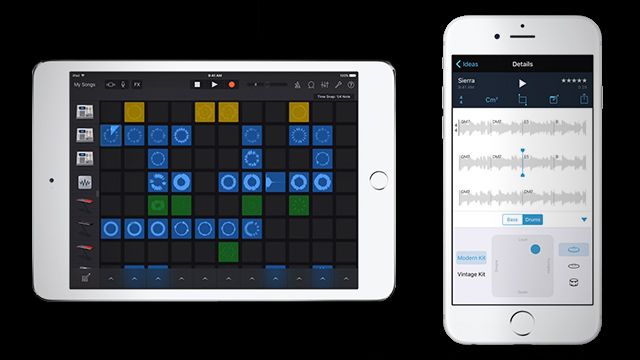
Traditionally the GarageBand experience has been designed around a workflow that’s built for, unsurprisingly, live bands looking for a simple recording and production app to collaborate and learn with. The core feature for this is a new Live Loops layout that feels like a the Session View in Ableton mixed with the popular classic iOS looping app Loopy (the interface is very similar, with circular waveforms)

http://djtechtools.com/wp-content/uploads/2016/01/LIVELOOPS-GARAGEBAND.mp4

Instead of linear tracks of audio, there are self-contained loops of audio on each deck, which can be triggered and tweaked endlessly, and potentially even used for live performance. There are also Live FX XY pads for filters, repeaters, echoes, and vinyl scratches that can be manipulated onscreen, or by tilting the iOS device in any direction.
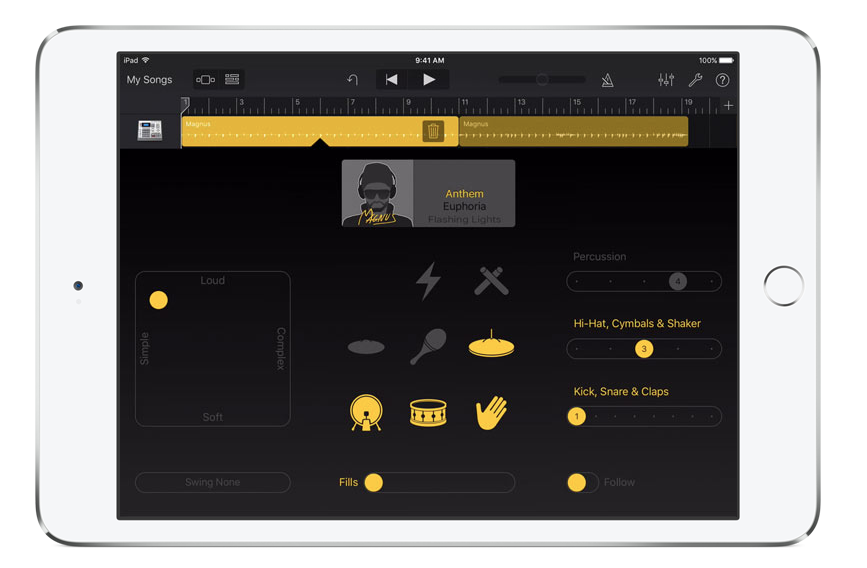
Garageband for iOS drummer

Apple has also included auto-accompaniment in GarageBand’s update, specifically the Drummer performers that were first introduced in Logic Pro just over a year ago. These are session drummers who can be tweaked to play in different styles and complexities, each with their own drumming “personality” that makes the drums sound live and unique.

One more bonus feature in the new version of GarageBand is support for Audio Units, meaning you can now use third-party plugins inside of the app- this makes it way more likely that hobbiest producers who want serious tools might use GarageBand.

GarageBand is a free app for anyone who gets a new iOS device, or $4.99 on the iTunes App Store if you don’t already have it preinstalled.

Music Memos: A Much Better Recording App
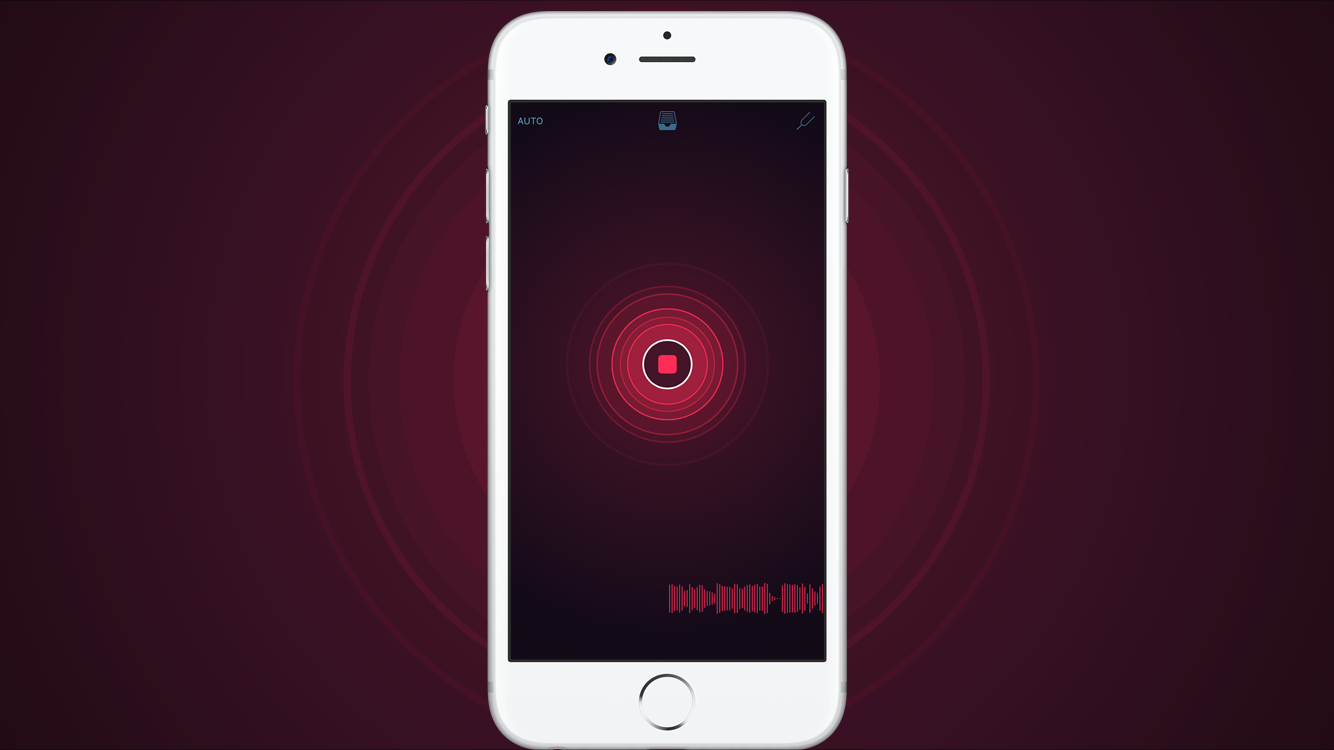
iOS Music Memos

If you’re like most musically inclined people with an iOS device, odds are pretty good you’ve got a few recordings of song ideas that you hastily recorded on the built-in Voice Memos app. But using that app has always been out of necessity for any simple recording program in the moment.

Music Memos is touted as recording app that falls somewhere between Voice Memos and GarageBand. Here’s the basic workflow:

  • Launch the app and you’re presented with a dead simple record button – you can either hit this, or start playing, as the app will detect when you start playing an instrument, singing, or almost any type of noise
  • When finished, tap the app again to finish out the take.
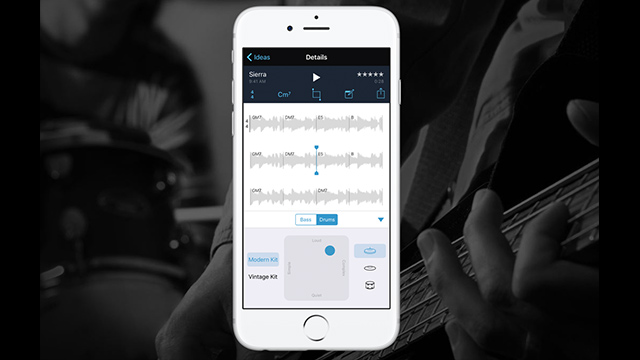
music-notes-detected-key

  • Some magical analysis happens in Music Memos – Apple quickly tries to determine the BPM, time signature, and chords/notes that you played during the recording. (We haven’t had a chance to try this out with a real instrument yet, but will later today)
  • You can go in and edit the detected elements
  • You can quickly add drums or bass accompaniment (similar to Logic’s live drummers, there’s some basic customization)
  • Add more tracks of audio alongside what has been recorded, or start a new recording.

Thats about the entire workflow – there’s no overdub recording in the app. Instead Apple has integrated the Music Memos app seamlessly with the new version of GarageBand, so you can quickly pass the final product into there to modify it and turn it into a full track.

Music Memos is available on the iTunes App Store now for free.

We’ll take a closer look at the Apple’s offerings at NAMM 2016 in the coming days. You can see all the NAMM articles here, or follow us on Twitter or Instagram for up-to-the-minute updates and unique insights. 

Tags: appleGarageBandIOSiOS production appIphonemusic memos
Share2Tweet2Share
Previous Post

Reloop MIXTOUR: Sleek Controller for Djay 2 + Pro

Next Post

NAMM 2016: Numark Dashboard, Heads-Up Display For Serato DJs

Related Posts

How I Play (at home): SHADED gear walkthrough
Artist Features

How I Play (at home): SHADED gear walkthrough

July 8, 2020
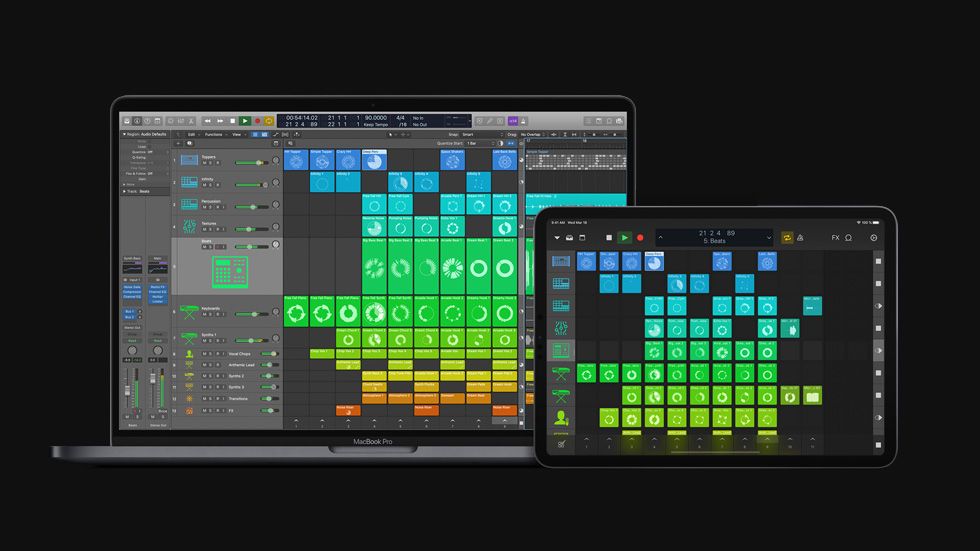
Apple releases major Logic Pro X update with Live Loops, Step Sequencer
DJ Software

Apple releases major Logic Pro X update with Live Loops, Step Sequencer

May 12, 2020
Endlesss Tim Exile app
News

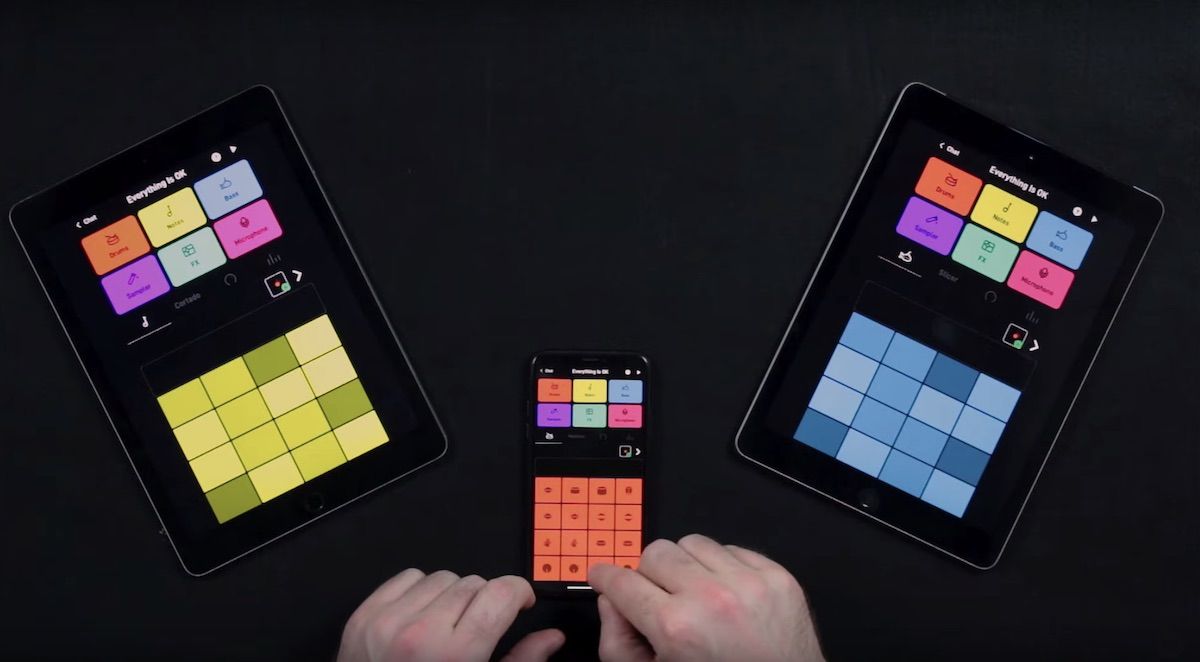
Meet Endlesss, the iOS app for collaborative music making

April 2, 2020
Load More
Next Post
Numark Dashboard

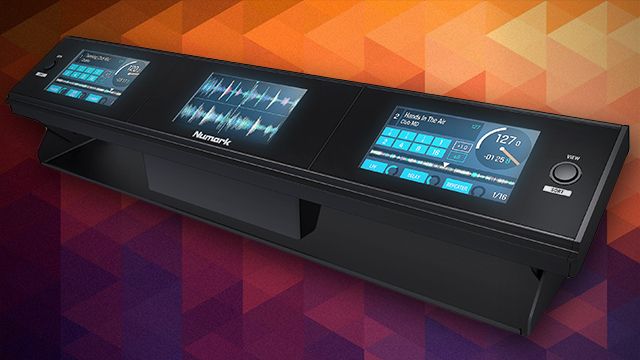
NAMM 2016: Numark Dashboard, Heads-Up Display For Serato DJs

Want to reach DJTT's audience here?

Shoot an email to advertising@djtechtools.com

DJTT ads
DJTT newsletter
Midi Fighter
Chat with us
  • ABOUT DJTT
  • CONTACT
  • PRIVACY
  • MIDI FIGHTER HELP
  • ABOUT DJTT
  • JOBS
  • CONTACT US
  • ADVERTISE
  • PRIVACY POLICY
  • ACCESSIBILITY STATEMENT

© 2024 DJ Techtools all rights reserved by DJ TechTools on all content unless otherwise noted.

No Result
View All Result
  • Blog
    • DJ Gear
      • DIY Projects
      • Gear Reviews
      • New Products
      • Controllerism
    • Techniques + Tips
      • Beginner DJ
      • Advanced DJ
      • Producer
      • Finger Drummer
    • News + Culture
      • Editorials + Opinions
      • Artist Interviews
      • Performances + Routines
      • How I Play
    • DJ Software Tutorials
      • Serato Tips
      • CDJ Tips
      • Ableton Live Tips
  • Store
    • Run by real DJs, not a corporation
    • DJ Controllers
      • Midi Fighter Twister
      • Midi Fighter Spectra
      • Midi Fighter 64
      • View All
    • Accessories
      • Chroma USB Drive for DJs
      • Chroma Caps
      • Chroma Cables Audio
      • Chroma Cables USB-A
      • Chroma Cables: USB-C
      • DJTT Gift Card
      • Midi Fighter T-Shirt
      • Keyboard Covers
      • Earplugs by V-Moda
    • Production Gear
    • Soundcards & Mixers
  • Community
    • Popular Forums
      • General Discussion
      • Buy & Sell
      • Reviews
      • Mixes
      • Music Production
      • Show Your Setup
      • Off Topic
    • Handy Links
      • New Posts
      • Private Messages
      • Register
      • Search
    • Midi Maps
      • Traktor
      • Ableton
      • Serato DJ
      • Midi Fighter 3D
      • Midi Fighter Twister
      • Midi Fighter Spectra
  • Midi Fighter
  • Chroma

© 2024 DJ Techtools all rights reserved by DJ TechTools on all content unless otherwise noted.

This website uses cookies. By continuing to use this website you are giving consent to cookies being used. Visit our Privacy and Cookie Policy.