DJ TechTools
  • Blog
    • DJ Gear
      • DIY Projects
      • Gear Reviews
      • New Products
      • Controllerism
    • Techniques + Tips
      • Beginner DJ
      • Advanced DJ
      • Producer
      • Finger Drummer
    • News + Culture
      • Editorials + Opinions
      • Artist Interviews
      • Performances + Routines
      • How I Play
    • DJ Software Tutorials
      • Serato Tips
        • Traktor Tips
      • CDJ Tips
      • Ableton Live Tips
  • Store
    • Run by real DJs, not a corporation
    • DJ Controllers
      • Midi Fighter Twister
      • Midi Fighter Spectra
      • Midi Fighter 64
      • View All
    • Accessories
      • Chroma USB Drive for DJs
      • Chroma Caps
      • Chroma Cables Audio
      • Chroma Cables USB-A
      • Chroma Cables: USB-C
      • DJTT Gift Card
      • Midi Fighter T-Shirt
      • Keyboard Covers
      • Earplugs by V-Moda
    • Production Gear
    • Soundcards & Mixers
  • Community
    • Popular Forums
      • General Discussion
      • Buy & Sell
      • Reviews
      • Mixes
      • Music Production
      • Show Your Setup
      • Off Topic
    • Handy Links
      • New Posts
      • Private Messages
      • Register
      • Search
    • Midi Maps
      • Traktor
      • Ableton
      • Serato DJ
      • Midi Fighter 3D
      • Midi Fighter Twister
      • Midi Fighter Spectra
  • Midi Fighter
  • Chroma
No Result
View All Result
DJ TechTools
  • Blog
    • DJ Gear
      • DIY Projects
      • Gear Reviews
      • New Products
      • Controllerism
    • Techniques + Tips
      • Beginner DJ
      • Advanced DJ
      • Producer
      • Finger Drummer
    • News + Culture
      • Editorials + Opinions
      • Artist Interviews
      • Performances + Routines
      • How I Play
    • DJ Software Tutorials
      • Serato Tips
        • Traktor Tips
      • CDJ Tips
      • Ableton Live Tips
  • Store
    • Run by real DJs, not a corporation
    • DJ Controllers
      • Midi Fighter Twister
      • Midi Fighter Spectra
      • Midi Fighter 64
      • View All
    • Accessories
      • Chroma USB Drive for DJs
      • Chroma Caps
      • Chroma Cables Audio
      • Chroma Cables USB-A
      • Chroma Cables: USB-C
      • DJTT Gift Card
      • Midi Fighter T-Shirt
      • Keyboard Covers
      • Earplugs by V-Moda
    • Production Gear
    • Soundcards & Mixers
  • Community
    • Popular Forums
      • General Discussion
      • Buy & Sell
      • Reviews
      • Mixes
      • Music Production
      • Show Your Setup
      • Off Topic
    • Handy Links
      • New Posts
      • Private Messages
      • Register
      • Search
    • Midi Maps
      • Traktor
      • Ableton
      • Serato DJ
      • Midi Fighter 3D
      • Midi Fighter Twister
      • Midi Fighter Spectra
  • Midi Fighter
  • Chroma
No Result
View All Result
DJ TechTools

5 Incredibly-Useful Features In The Serato DJ 1.9.2 Beta

Marc Santaromana by Marc Santaromana
June 30, 2016
in Serato Tips
Reading Time: 3 mins read
0
5 Incredibly-Useful Features In The Serato DJ 1.9.2 Beta
150
VIEWS
Post on FacebookTweet thisUpvote on Reddit

Last week, Serato released the Serato DJ 1.9.2 beta, filled with bug and stability fixes along with a few “not flashy” but very useful features. Today, guest contributor DJ PDot shares insight into which features make the beta a boon for power users of Serato.

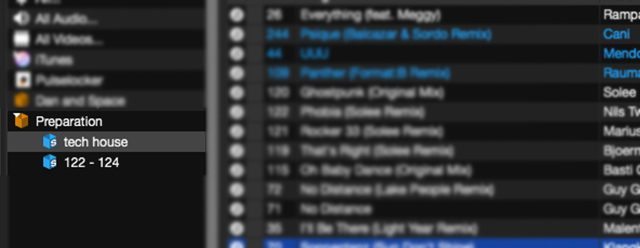
Smart Crates As Sub-Crates

When Serato added the ability to make Smart Crates (one of the final features added to Scratch Live) it was a huge step forward for library organization nuts like myself. It gave Serato users the ability to make crates similar to iTunes smart playlists without having to use the iTunes ecosystem.
Smart Subcrates
Filter your crates with intelligent sub-playlists. This is very useful for finding songs that mix in well on-the-fly!

Why it’s great: Now Smart Crates can have an extra level of organization that was before missing. Smart filters inside other crates allows users to tidy up their crate lists making them easier to sort through. You can also give new life to some of your older crates this way!

Secondary Sort
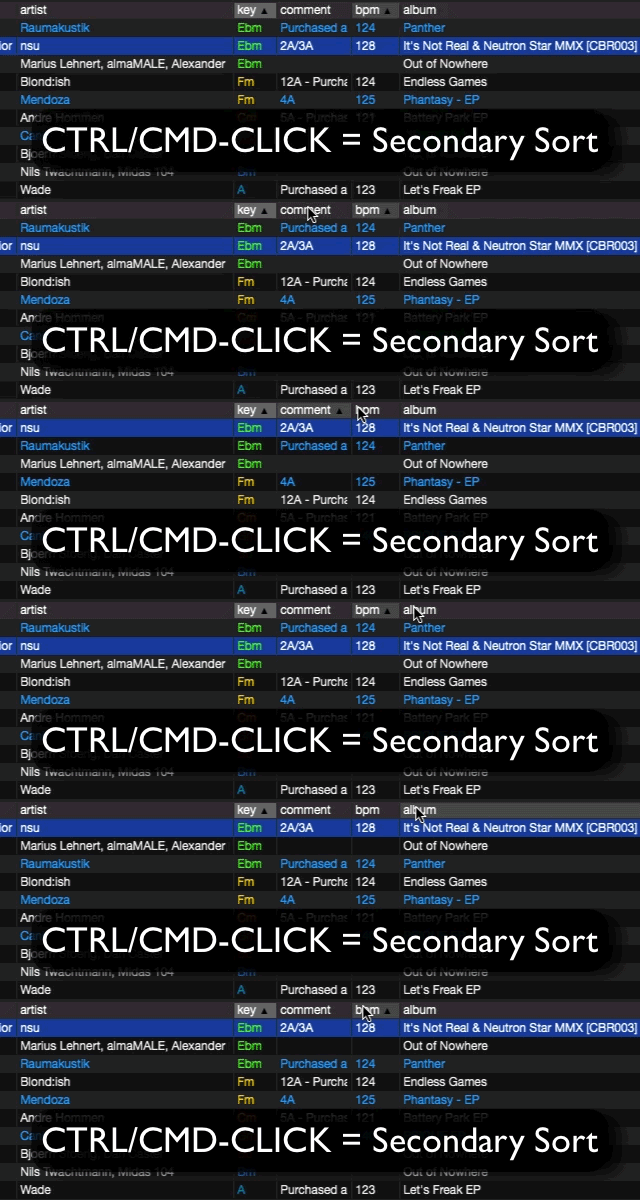
subfilter

Sorting tracks quickly and effectively is key to playing a great set. Serato DJ now gives us the ability to sort by more than one column. This is a feature I never really considered but now can’t understand why it wasn’t already in the software.

Why it’s great: For example, sorting by artist, then by BPM from slowest to fastest can come in handy when you have a particular song in mind and you know the tempo but might not remember the song title. Especially great for quick mixing open format DJs like myself.

Label Saved Loops
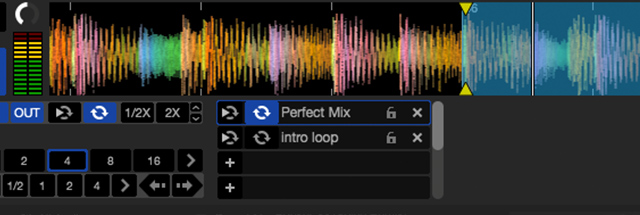
Labels for loops: seems basic, right?

Serato DJ already let DJs label your cue points, but the obvious next step, labeled loops, has been missing.

Why it’s great: Being able to label saved loops can be extremely useful performance routines or specifically planned mixes. In the middle of a routine, having another visual marker like a label can help avoid mistakes. This also gives users the ability to label how long a saved loop is, which can be helpful if you have a loop saved later in the track.

Reset Played Tracks On Exit

One thing I do every time I open Serato DJ is to resetting the played tracks. This helps me make sure that I don’t play the same song over in a set.
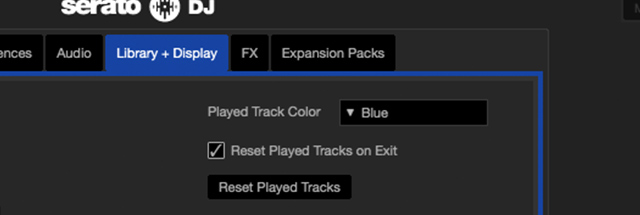
reset-tracks-ext
A simple tick box in preferences for resetting tracks!

Serato DJ now makes this easier by giving the option to have your played tracks automatically reset when you close the software. I’m sure there are plenty of DJs out there that will appreciate this addition as it will save us all a step when getting ready to start a set.

Serato DJ Subscription Plans

The most surprising addition to 1.9.2 is the announcement of a new subscription service. A subscription model is something we’ve seen added to Pioneer Rekordbox with their new Rekordbox DJ product.
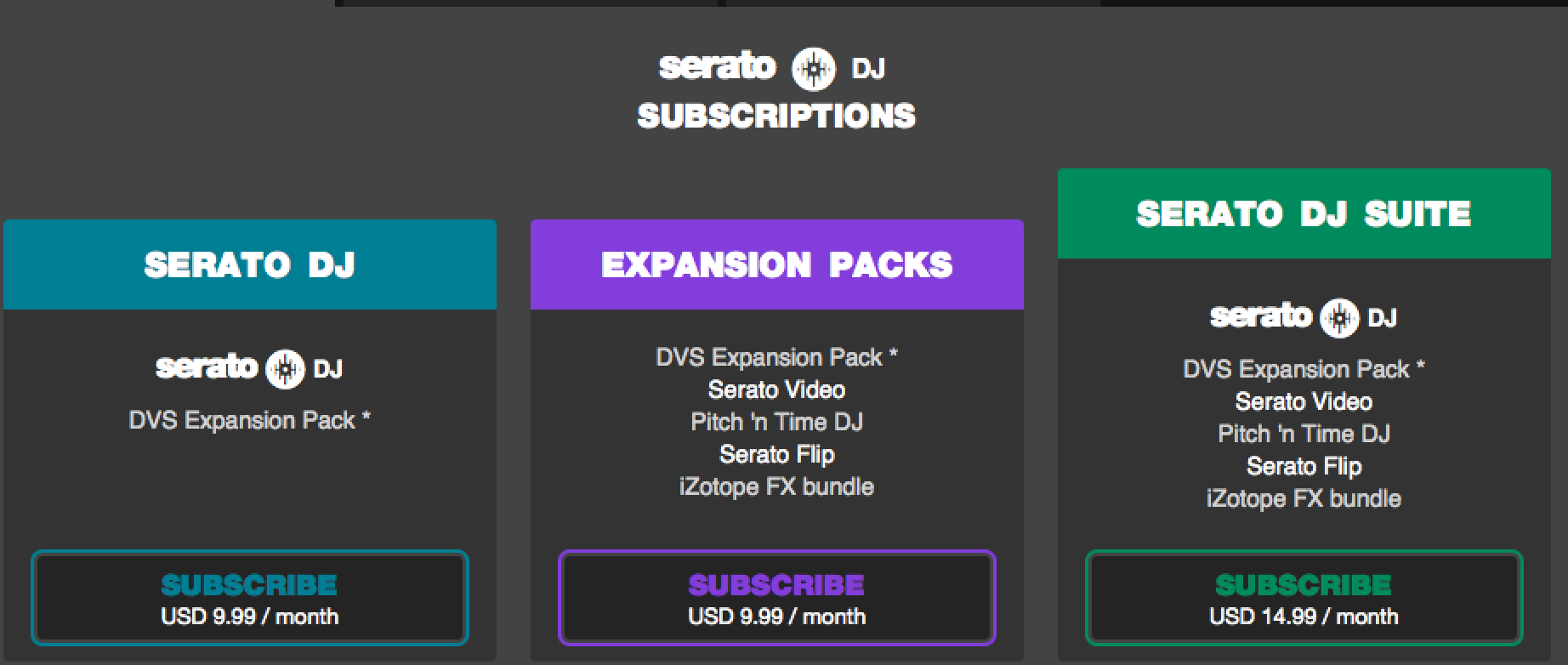
serato-subs

Being able to try out all the features that Serato DJ has to offer without having to commit to spending the full amount of money will give more DJs a chance to try the software. I could also see this being useful if you are a Serato user and show up to a gig that doesn’t have a Serato box but has a DVS compatible mixer. You could pay the $9.99 and get access to the DVS expansion and avoid losing out on a gig.

Want a walkthrough? Check out PDot’s video below:

More important than these new features is the laundry list of bug fixes included in this beta. It shows Serato is continuing to making an effort to make Serato DJ as loved as Scratch Live was, especially in the stability department – something that other DJ softwares haven’t quite done so well with recently.

Go ahead and download this beta and give these new features a try, they’re all great additions to a DJ’s workflow during a set.
Tags: betaserato 1.9.2serato DJsmart crates
Share1Tweet1Share
Previous Post

Xone:PX5 – Is Allen & Heath Teasing A DJ Mixer/Controller?

Next Post

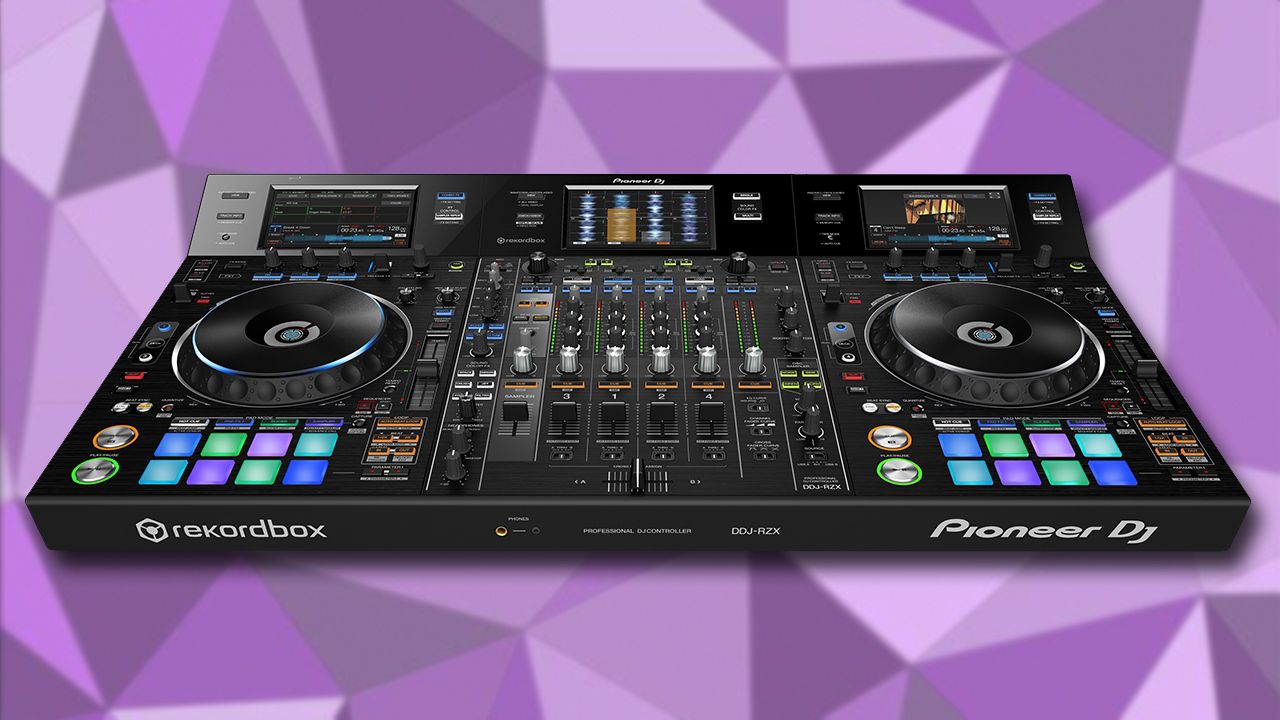
DDJ-RZX: Rekordbox DJ Video Controller

Related Posts

“No Deal”: New Zealand’s ComCom denies clearance for AlphaTheta’s Serato acquisition
Breaking News

“No Deal”: New Zealand’s ComCom denies clearance for AlphaTheta’s Serato acquisition

July 17, 2024
TIDAL blocked DJs from using Stems – but the next generation of DJ gear will likely make that irrelevant
DJ Gear

TIDAL blocked DJs from using Stems – but the next generation of DJ gear will likely make that irrelevant

January 18, 2024
Serato DJ 3.1 adds integrated accessory control of Serato Stems
Serato

Serato DJ 3.1 adds integrated accessory control of Serato Stems

December 5, 2023
Load More
Next Post
DDJ-RZX

DDJ-RZX: Rekordbox DJ Video Controller

Want to reach DJTT's audience here?

Shoot an email to advertising@djtechtools.com

DJTT ads
DJTT newsletter
Midi Fighter
Chat with us
  • ABOUT DJTT
  • CONTACT
  • PRIVACY
  • MIDI FIGHTER HELP
  • ABOUT DJTT
  • JOBS
  • CONTACT US
  • ADVERTISE
  • PRIVACY POLICY
  • ACCESSIBILITY STATEMENT

© 2024 DJ Techtools all rights reserved by DJ TechTools on all content unless otherwise noted.

No Result
View All Result
  • Blog
    • DJ Gear
      • DIY Projects
      • Gear Reviews
      • New Products
      • Controllerism
    • Techniques + Tips
      • Beginner DJ
      • Advanced DJ
      • Producer
      • Finger Drummer
    • News + Culture
      • Editorials + Opinions
      • Artist Interviews
      • Performances + Routines
      • How I Play
    • DJ Software Tutorials
      • Serato Tips
      • CDJ Tips
      • Ableton Live Tips
  • Store
    • Run by real DJs, not a corporation
    • DJ Controllers
      • Midi Fighter Twister
      • Midi Fighter Spectra
      • Midi Fighter 64
      • View All
    • Accessories
      • Chroma USB Drive for DJs
      • Chroma Caps
      • Chroma Cables Audio
      • Chroma Cables USB-A
      • Chroma Cables: USB-C
      • DJTT Gift Card
      • Midi Fighter T-Shirt
      • Keyboard Covers
      • Earplugs by V-Moda
    • Production Gear
    • Soundcards & Mixers
  • Community
    • Popular Forums
      • General Discussion
      • Buy & Sell
      • Reviews
      • Mixes
      • Music Production
      • Show Your Setup
      • Off Topic
    • Handy Links
      • New Posts
      • Private Messages
      • Register
      • Search
    • Midi Maps
      • Traktor
      • Ableton
      • Serato DJ
      • Midi Fighter 3D
      • Midi Fighter Twister
      • Midi Fighter Spectra
  • Midi Fighter
  • Chroma

© 2024 DJ Techtools all rights reserved by DJ TechTools on all content unless otherwise noted.

This website uses cookies. By continuing to use this website you are giving consent to cookies being used. Visit our Privacy and Cookie Policy.