DJ TechTools
  • Blog
    • DJ Gear
      • DIY Projects
      • Gear Reviews
      • New Products
      • Controllerism
    • Techniques + Tips
      • Beginner DJ
      • Advanced DJ
      • Producer
      • Finger Drummer
    • News + Culture
      • Editorials + Opinions
      • Artist Interviews
      • Performances + Routines
      • How I Play
    • DJ Software Tutorials
      • Serato Tips
        • Traktor Tips
      • CDJ Tips
      • Ableton Live Tips
  • Store
    • Run by real DJs, not a corporation
    • DJ Controllers
      • Midi Fighter Twister
      • Midi Fighter Spectra
      • Midi Fighter 64
      • View All
    • Accessories
      • Chroma USB Drive for DJs
      • Chroma Caps
      • Chroma Cables Audio
      • Chroma Cables USB-A
      • Chroma Cables: USB-C
      • DJTT Gift Card
      • Midi Fighter T-Shirt
      • Keyboard Covers
      • Earplugs by V-Moda
    • Production Gear
    • Soundcards & Mixers
  • Community
    • Popular Forums
      • General Discussion
      • Buy & Sell
      • Reviews
      • Mixes
      • Music Production
      • Show Your Setup
      • Off Topic
    • Handy Links
      • New Posts
      • Private Messages
      • Register
      • Search
    • Midi Maps
      • Traktor
      • Ableton
      • Serato DJ
      • Midi Fighter 3D
      • Midi Fighter Twister
      • Midi Fighter Spectra
  • Midi Fighter
  • Chroma
No Result
View All Result
DJ TechTools
  • Blog
    • DJ Gear
      • DIY Projects
      • Gear Reviews
      • New Products
      • Controllerism
    • Techniques + Tips
      • Beginner DJ
      • Advanced DJ
      • Producer
      • Finger Drummer
    • News + Culture
      • Editorials + Opinions
      • Artist Interviews
      • Performances + Routines
      • How I Play
    • DJ Software Tutorials
      • Serato Tips
        • Traktor Tips
      • CDJ Tips
      • Ableton Live Tips
  • Store
    • Run by real DJs, not a corporation
    • DJ Controllers
      • Midi Fighter Twister
      • Midi Fighter Spectra
      • Midi Fighter 64
      • View All
    • Accessories
      • Chroma USB Drive for DJs
      • Chroma Caps
      • Chroma Cables Audio
      • Chroma Cables USB-A
      • Chroma Cables: USB-C
      • DJTT Gift Card
      • Midi Fighter T-Shirt
      • Keyboard Covers
      • Earplugs by V-Moda
    • Production Gear
    • Soundcards & Mixers
  • Community
    • Popular Forums
      • General Discussion
      • Buy & Sell
      • Reviews
      • Mixes
      • Music Production
      • Show Your Setup
      • Off Topic
    • Handy Links
      • New Posts
      • Private Messages
      • Register
      • Search
    • Midi Maps
      • Traktor
      • Ableton
      • Serato DJ
      • Midi Fighter 3D
      • Midi Fighter Twister
      • Midi Fighter Spectra
  • Midi Fighter
  • Chroma
No Result
View All Result
DJ TechTools

Maschine Jam: Sequencing + Performance Controller For Maschine

Dan White by Dan White
September 8, 2016
in Controllerism, Maschine, Native Instruments
Reading Time: 3 mins read
0
Maschine Jam: Sequencing + Performance Controller For Maschine
230
VIEWS
Post on FacebookTweet thisUpvote on Reddit

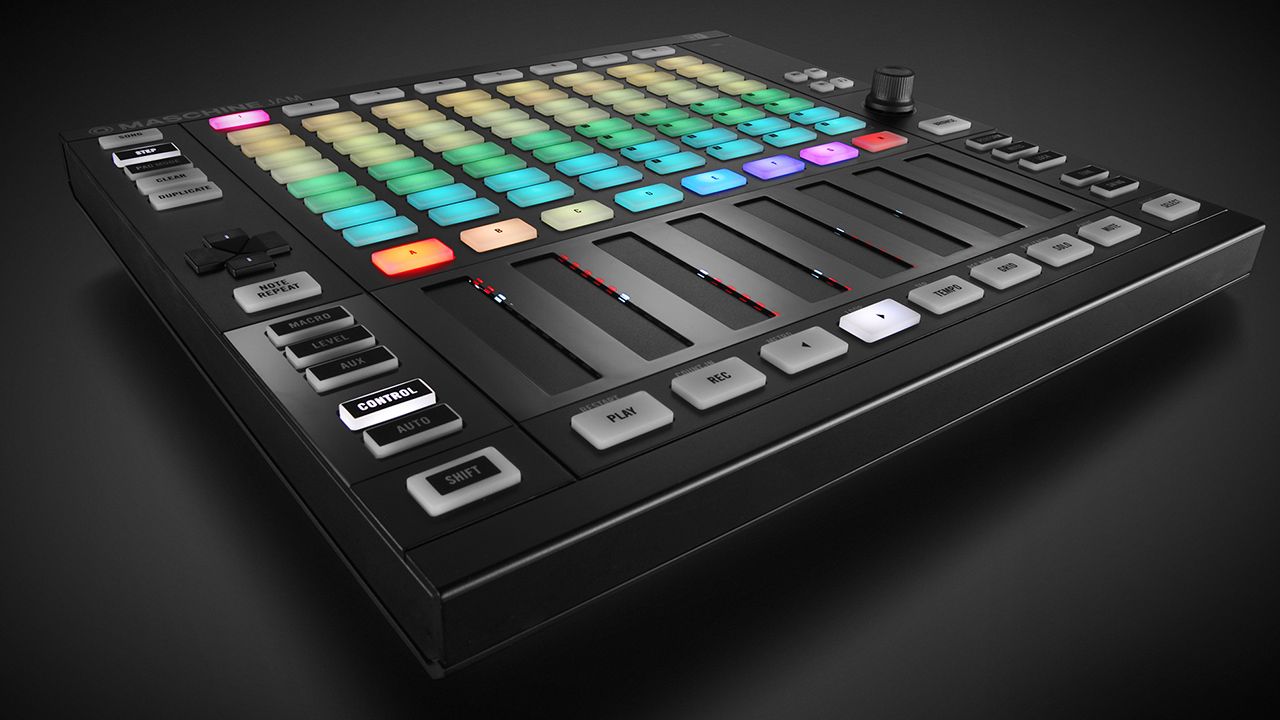
Big news from Native Instruments – they’re launching a brand new production controller called Maschine Jam. Jam takes elements of Maschine controllers and Kontrol S-Series keyboards and combines them with arrangement workflows found on the Push or Launchpad. Build a track on the fly and perform it live with the Maschine Jam.

  • Gear: Maschine Jam controller
  • Manufacturer: Native Instruments
  • Price: $399
  • Availability: September 29th, 2016 in the DJ TechTools Store

Maschine Jam: Maschine’s Missing Production Controller?
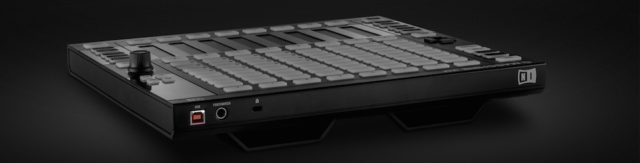
maschine-jam-rear

As production software, Maschine has always been about emulation of the classic groovebox-style production workflow. With this new controller, Native Instruments is clearly trying to add some of the dynamic modern workflow elements that producers have come to expect out of Ableton (with Push and Launchpad controllers) into Maschine.

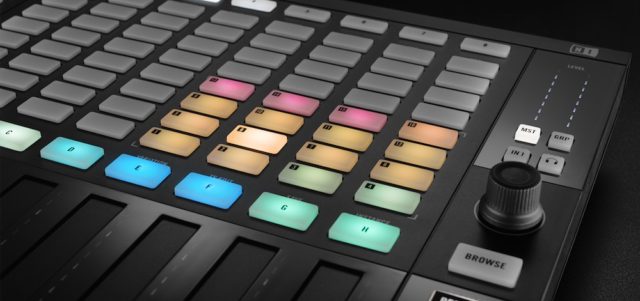
Maschine Jam’s Pad Grid
jam-pads

The actual hardware of the Maschine Jam is fairly easy to understand. The focal point is the 8×8 multicolored pad section that allows the arrangement of pads and scenes. NI’s press release details the functions of the pad section:

  • In Step Mode, the matrix becomes a powerful multi-track step-sequencer for one, four, or eight sounds simultaneously.
  • In Pad Mode, sounds are entered in real-time, while Piano Roll Mode makes step-sequencing melodies in a wide variety of available scales possible.
  • When the Variation Engine is enabled, inspirational beats and melodies are randomly generated based on customizable values and then modified on the matrix. A built-in humanizer adds natural rhythmic fluctuations to programmed sequences.

While the product video at the top of this article does show a quick glimpse into finger drumming with the Maschine Jam’s pads in Pad Mode, based on the price, you won’t be using these pads to bang out beats on the fly regularly. That’s best suited for high-quality pads or arcade buttons that give you a solid physical response – not these basic push-button pads.

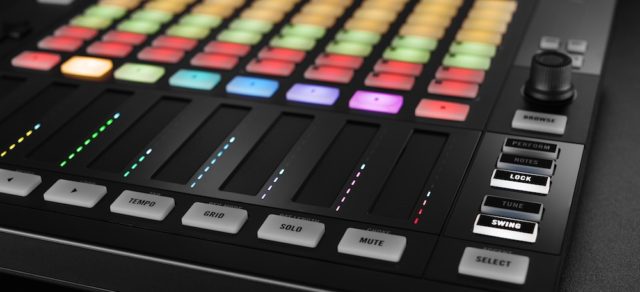
Maschine Jam Smart Strips: For Performance
lock-mode

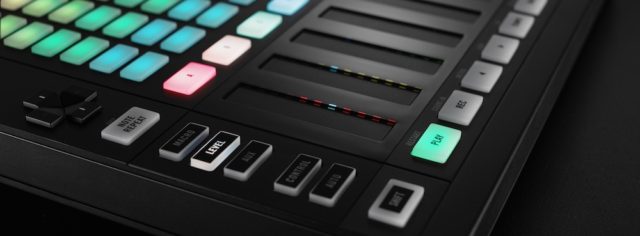
Native Instruments has continued to add touch strips to their controllers, and the Maschine Jam is no exception with eight two-touch Smart Strips (once for each “channel strip”). The strips are mapped to new performance FX that come in a new update to the Maschine software, version 2.5 – and can be used to “alter the motion, space, and dynamics of sounds in real time”.

“The Smart Strips each feature multi-color LED meters to monitor the level of the assigned function, and can be used to alter macros, key instrument parameters, and even play melodies and chords with the unique Notes function. A powerful Lock function stores parameter snapshots that can revert back to their original settings or morph between multiple lock states.”
strips2

We’ve seen the Notes function in action – it’s like taking the Scale mode of an Ableton Push and combining it with the playability of an autoharp or Omnichord – incredibly fun and easy to quickly add melodic flourishes to a track.

Software + What’s Included
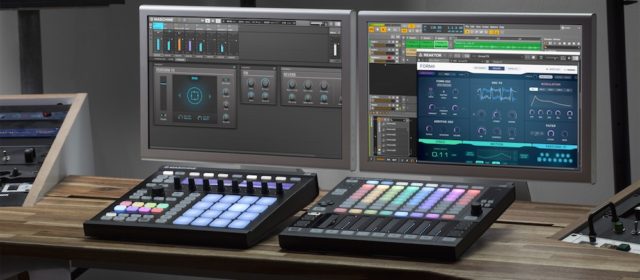
Maschine Jam Studio

The Maschine Jam is targeted at on-the-go producers who want a highly portable controller to sequence ideas and built tracks on the fly. These producers might own Maschine already, but if not, NI is including the full software with a revised 9GB audio library, as well as the Komplete 11 Select package that includes Massive and Monark.

For the launch, there’s also a special offer of two free Maschine Expansions (out of twenty) when you register a Maschine Jam – clearly an opportunity to beef up a production library.

Not Only For Maschine: Ableton Jam?

Everyone who sees the Maschine Jam and the $399 price tag quickly starts to wonder – is NI going to lock this controller to Maschine software only? Thankfully, it seems that clearer minds have prevailed.

The Maschine Jam will not only work when running Maschine as a plugin inside of other DAW software, but it also can be used in MIDI mode as a dedicated controller for any DAW. They’ve even built an advanced template for Ableton Live with many of the performance and step-sequencing features.

DJ Techtools is getting an up-close-and-personal look at the Maschine Jam – stay tuned in the coming days for an exclusive walkthrough of the hardware and associated software updates. 

Signup here to get notified once these are in-stock and shipping

Tags: maschinemaschine jamnative insturments
Share2Tweet1Share
Previous Post

Pioneer DJ Announces DJM-450 Two Channel Mixer

Next Post

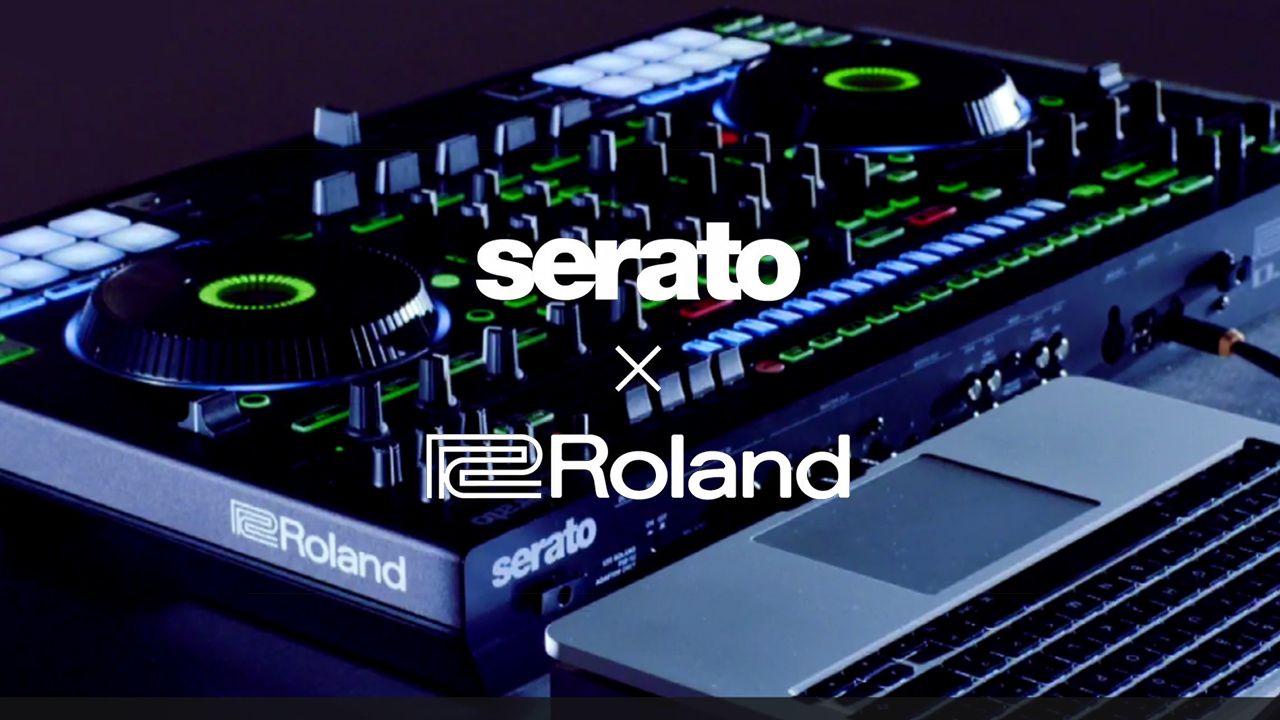
Roland + Serato Reveals DJ-808 DJ Controller In Live Stream

Related Posts

A Prime 4+ and a Kontrol S3 intercut against eachother over a black background
Breaking News

InMusic just bought Native Instruments. So what now for Traktor?

May 8, 2026
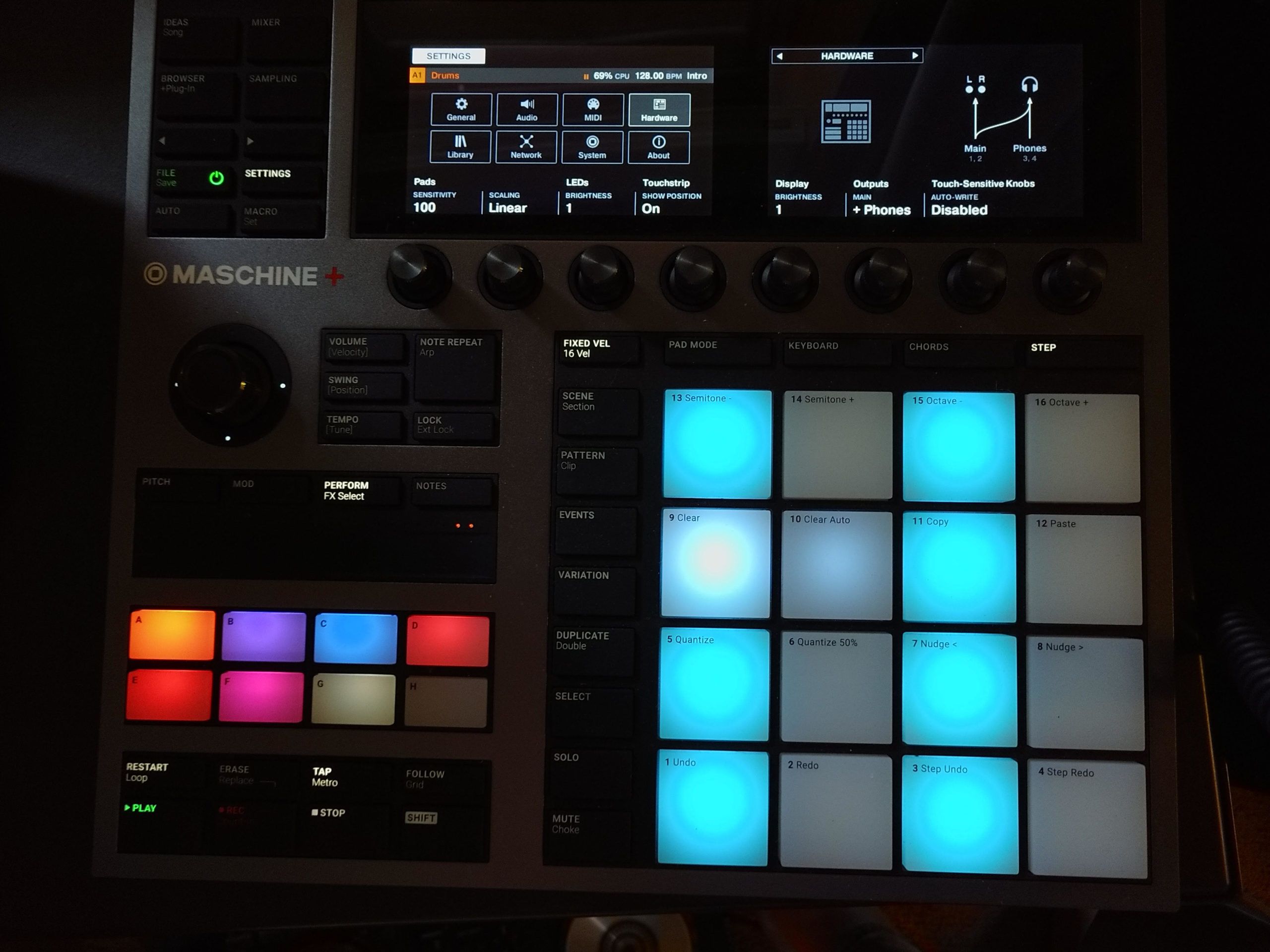
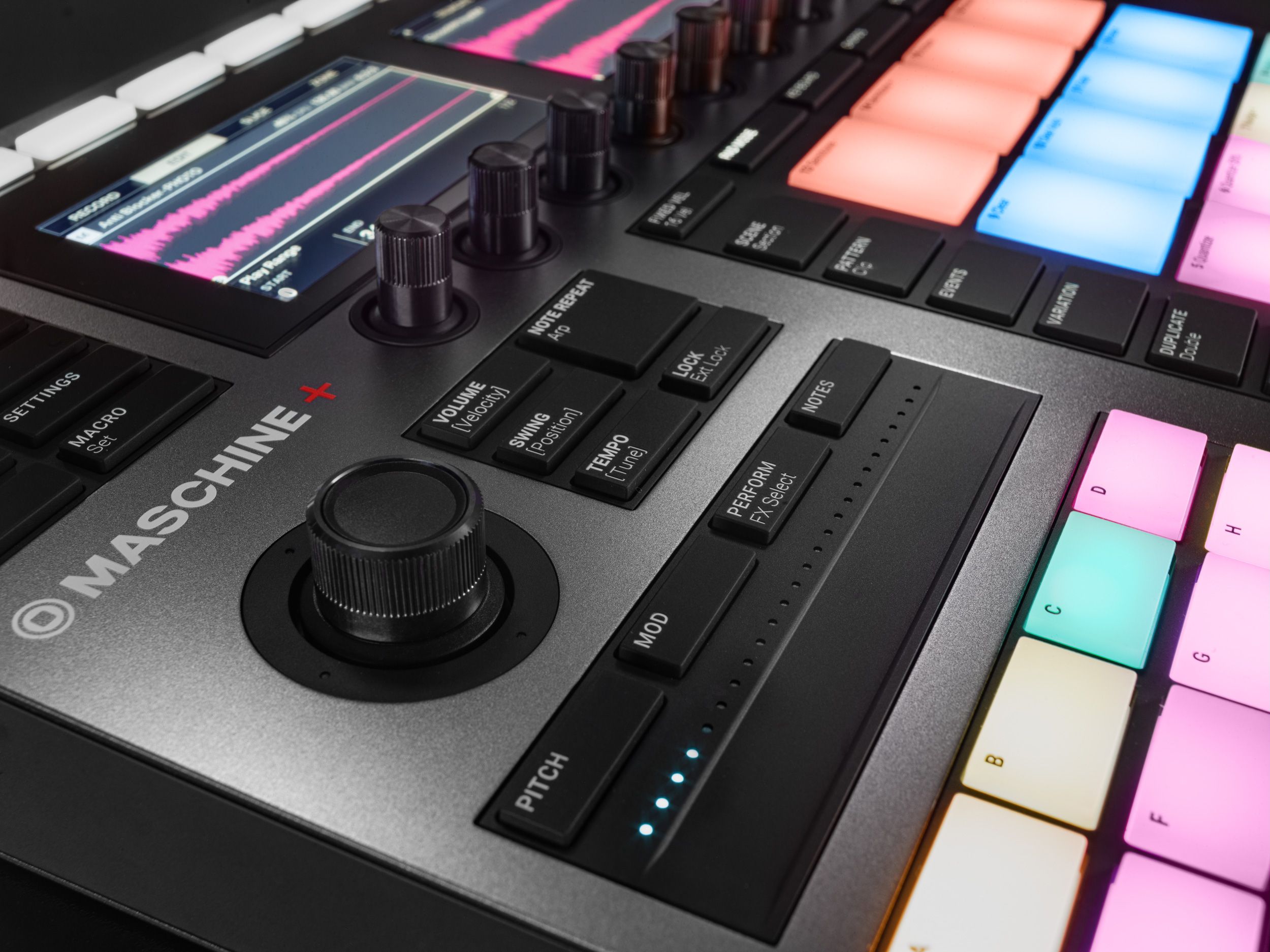
MASCHINE+ Review: Finally, a standalone Maschine, albeit with a $1,400 pricetag
DJ Gear

MASCHINE+ Review: Finally, a standalone Maschine, albeit with a $1,400 pricetag

December 16, 2020
Standalone Maschine+ announced: perform and produce without a computer
DJ Gear Announcements

Standalone Maschine+ announced: perform and produce without a computer

September 8, 2020
Load More
Next Post
Roland + Serato Reveals DJ-808 DJ Controller In Live Stream

Roland + Serato Reveals DJ-808 DJ Controller In Live Stream

Want to reach DJTT's audience here?

Shoot an email to advertising@djtechtools.com

DJTT ads
DJTT newsletter
Midi Fighter
Chat with us
  • ABOUT DJTT
  • CONTACT
  • PRIVACY
  • MIDI FIGHTER HELP
  • ABOUT DJTT
  • JOBS
  • CONTACT US
  • ADVERTISE
  • PRIVACY POLICY
  • ACCESSIBILITY STATEMENT

© 2024 DJ Techtools all rights reserved by DJ TechTools on all content unless otherwise noted.

No Result
View All Result
  • Blog
    • DJ Gear
      • DIY Projects
      • Gear Reviews
      • New Products
      • Controllerism
    • Techniques + Tips
      • Beginner DJ
      • Advanced DJ
      • Producer
      • Finger Drummer
    • News + Culture
      • Editorials + Opinions
      • Artist Interviews
      • Performances + Routines
      • How I Play
    • DJ Software Tutorials
      • Serato Tips
      • CDJ Tips
      • Ableton Live Tips
  • Store
    • Run by real DJs, not a corporation
    • DJ Controllers
      • Midi Fighter Twister
      • Midi Fighter Spectra
      • Midi Fighter 64
      • View All
    • Accessories
      • Chroma USB Drive for DJs
      • Chroma Caps
      • Chroma Cables Audio
      • Chroma Cables USB-A
      • Chroma Cables: USB-C
      • DJTT Gift Card
      • Midi Fighter T-Shirt
      • Keyboard Covers
      • Earplugs by V-Moda
    • Production Gear
    • Soundcards & Mixers
  • Community
    • Popular Forums
      • General Discussion
      • Buy & Sell
      • Reviews
      • Mixes
      • Music Production
      • Show Your Setup
      • Off Topic
    • Handy Links
      • New Posts
      • Private Messages
      • Register
      • Search
    • Midi Maps
      • Traktor
      • Ableton
      • Serato DJ
      • Midi Fighter 3D
      • Midi Fighter Twister
      • Midi Fighter Spectra
  • Midi Fighter
  • Chroma

© 2024 DJ Techtools all rights reserved by DJ TechTools on all content unless otherwise noted.

This website uses cookies. By continuing to use this website you are giving consent to cookies being used. Visit our Privacy and Cookie Policy.