DJ TechTools
  • Blog
    • DJ Gear
      • DIY Projects
      • Gear Reviews
      • New Products
      • Controllerism
    • Techniques + Tips
      • Beginner DJ
      • Advanced DJ
      • Producer
      • Finger Drummer
    • News + Culture
      • Editorials + Opinions
      • Artist Interviews
      • Performances + Routines
      • How I Play
    • DJ Software Tutorials
      • Serato Tips
        • Traktor Tips
      • CDJ Tips
      • Ableton Live Tips
  • Store
    • Run by real DJs, not a corporation
    • DJ Controllers
      • Midi Fighter Twister
      • Midi Fighter Spectra
      • Midi Fighter 64
      • View All
    • Accessories
      • Chroma USB Drive for DJs
      • Chroma Caps
      • Chroma Cables Audio
      • Chroma Cables USB-A
      • Chroma Cables: USB-C
      • DJTT Gift Card
      • Midi Fighter T-Shirt
      • Keyboard Covers
      • Earplugs by V-Moda
    • Production Gear
    • Soundcards & Mixers
  • Community
    • Popular Forums
      • General Discussion
      • Buy & Sell
      • Reviews
      • Mixes
      • Music Production
      • Show Your Setup
      • Off Topic
    • Handy Links
      • New Posts
      • Private Messages
      • Register
      • Search
    • Midi Maps
      • Traktor
      • Ableton
      • Serato DJ
      • Midi Fighter 3D
      • Midi Fighter Twister
      • Midi Fighter Spectra
  • Midi Fighter
  • Chroma
No Result
View All Result
DJ TechTools
  • Blog
    • DJ Gear
      • DIY Projects
      • Gear Reviews
      • New Products
      • Controllerism
    • Techniques + Tips
      • Beginner DJ
      • Advanced DJ
      • Producer
      • Finger Drummer
    • News + Culture
      • Editorials + Opinions
      • Artist Interviews
      • Performances + Routines
      • How I Play
    • DJ Software Tutorials
      • Serato Tips
        • Traktor Tips
      • CDJ Tips
      • Ableton Live Tips
  • Store
    • Run by real DJs, not a corporation
    • DJ Controllers
      • Midi Fighter Twister
      • Midi Fighter Spectra
      • Midi Fighter 64
      • View All
    • Accessories
      • Chroma USB Drive for DJs
      • Chroma Caps
      • Chroma Cables Audio
      • Chroma Cables USB-A
      • Chroma Cables: USB-C
      • DJTT Gift Card
      • Midi Fighter T-Shirt
      • Keyboard Covers
      • Earplugs by V-Moda
    • Production Gear
    • Soundcards & Mixers
  • Community
    • Popular Forums
      • General Discussion
      • Buy & Sell
      • Reviews
      • Mixes
      • Music Production
      • Show Your Setup
      • Off Topic
    • Handy Links
      • New Posts
      • Private Messages
      • Register
      • Search
    • Midi Maps
      • Traktor
      • Ableton
      • Serato DJ
      • Midi Fighter 3D
      • Midi Fighter Twister
      • Midi Fighter Spectra
  • Midi Fighter
  • Chroma
No Result
View All Result
DJ TechTools

Serato DJ 1.9.3 Beta: Ableton Link Tempo Sync

Dan White by Dan White
September 14, 2016
in Ableton Live Tips, Serato Tips
Reading Time: 2 mins read
0
Serato DJ 1.9.3 Beta: Ableton Link Tempo Sync
107
VIEWS
Post on FacebookTweet thisUpvote on Reddit

Ableton launched Link, a technology for syncing tempos between softwares, last year. Since then, many iOS apps have jumped on the bandwagon – but major desktop apps have lagged behind. Today, Ableton is announcing that Serato DJ, Propellerhead Reason, and Cycling 74’s Max are all integrating Ableton Link.

What Is Ableton Link?

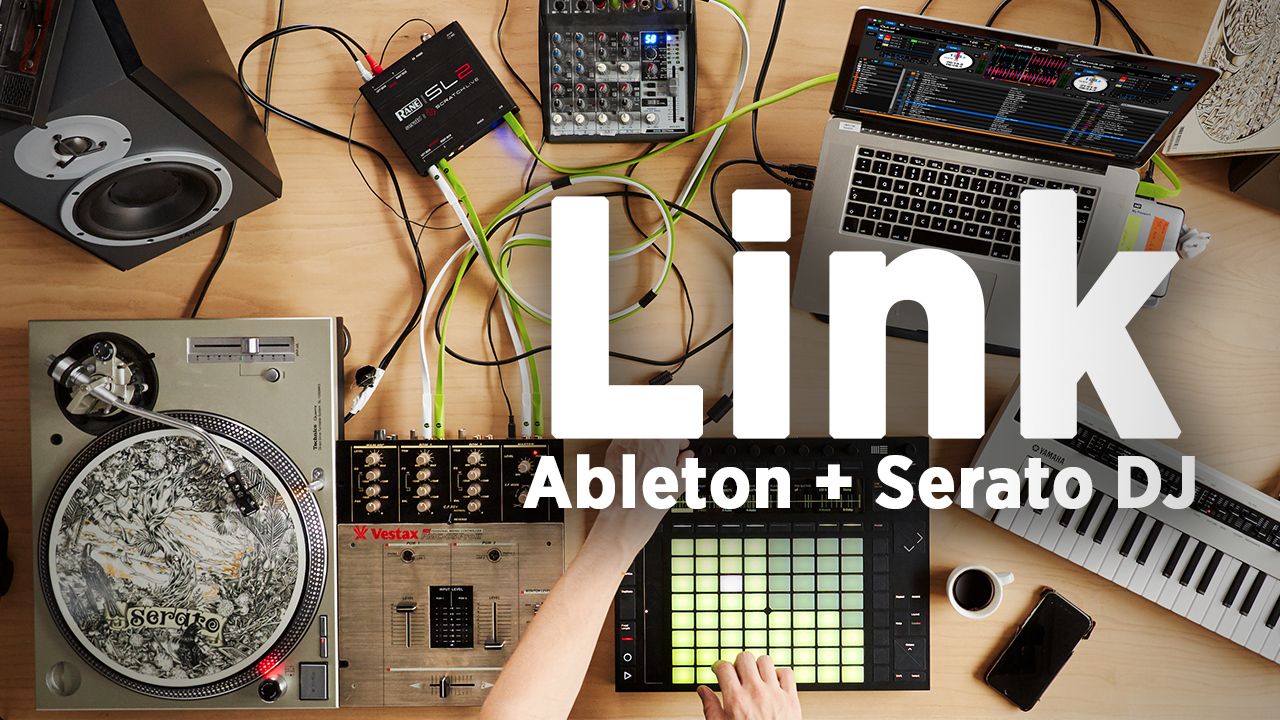
Link is a software protocol that works on local area networks. In order for it to work, an app needs to have Link built into it, and then you simply join the same network as the other apps you want to synchronize and activate the Link. Until now, this largely has been between iOS apps and Ableton live:

You don’t need Ableton to be the central hub, either – so other apps can sync together without Live being used. A ton of applications can be all linked together, or many instances of Ableton Live. It’s a standard that we hope will continue to get adopted across a lot of software applications, and that’s why this next bit is so exciting:

What Softwares Will Now Have Link?
ableton-link-beyond-ios_1_web

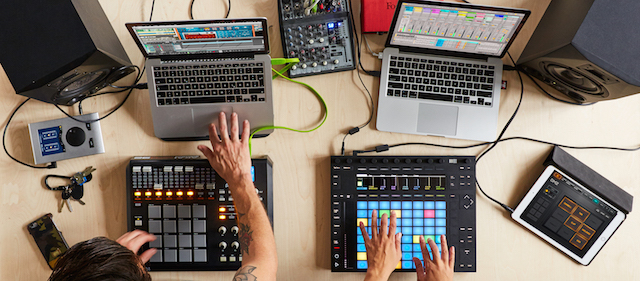
Popular iOS apps like Figure, Funk Drummer, Launchpad for iOS, Looptunes, iMaschine, and Reactable have had Link integrated into them for a while now. But today’s announcement goes further than iOS: Serato DJ, Propellerhead’s Reason, and Cycling 74’s Max all are integrating Link into their desktop softwares.

For Serato DJ users, this means that finally there’s a level of syncing between Ableton and Serato that was broken years ago when The Bridge stopped working. Now users will again be able to apply effects and trigger Ableton clips in time with decks in Serato DJ, and vice versa.

We suspect that this will likely work between copies of the same software as well (as it does now with Ableton) and you’ll be able to sync up multiple instances of Serato DJ. Handy if you’re really starting to layer things together – and even better if you’re step sequencing with something like the Roland DJ-808.

At the same time, Ableton has made Link open source. This will make it even easier for developers of any app to use the Link technology in their own software – and we’re really hoping that it becomes an industry standard.

We’re still waiting on more details from the software companies about how Link will be specifically integrated into their software. Stay tuned for details – and here’s hoping that future Traktor releases will have Link integrated. 
Tags: Ableton Linkcycling 74maxreasonserato DJtempo sync
Share1Tweet1Share
Previous Post

Mixed In Key 8: X-Ray Waveforms, Auto Cue Points, Tag Editing

Next Post

Underused DJ Techniques: Beat Jump

Related Posts

“No Deal”: New Zealand’s ComCom denies clearance for AlphaTheta’s Serato acquisition
Breaking News

“No Deal”: New Zealand’s ComCom denies clearance for AlphaTheta’s Serato acquisition

July 17, 2024
TIDAL blocked DJs from using Stems – but the next generation of DJ gear will likely make that irrelevant
DJ Gear

TIDAL blocked DJs from using Stems – but the next generation of DJ gear will likely make that irrelevant

January 18, 2024
Serato DJ 3.1 adds integrated accessory control of Serato Stems
Serato

Serato DJ 3.1 adds integrated accessory control of Serato Stems

December 5, 2023
Load More
Next Post
Underused DJ Techniques: Beat Jump

Underused DJ Techniques: Beat Jump

Want to reach DJTT's audience here?

Shoot an email to advertising@djtechtools.com

DJTT ads
DJTT newsletter
Midi Fighter
Chat with us
  • ABOUT DJTT
  • CONTACT
  • PRIVACY
  • MIDI FIGHTER HELP
  • ABOUT DJTT
  • JOBS
  • CONTACT US
  • ADVERTISE
  • PRIVACY POLICY
  • ACCESSIBILITY STATEMENT

© 2024 DJ Techtools all rights reserved by DJ TechTools on all content unless otherwise noted.

No Result
View All Result
  • Blog
    • DJ Gear
      • DIY Projects
      • Gear Reviews
      • New Products
      • Controllerism
    • Techniques + Tips
      • Beginner DJ
      • Advanced DJ
      • Producer
      • Finger Drummer
    • News + Culture
      • Editorials + Opinions
      • Artist Interviews
      • Performances + Routines
      • How I Play
    • DJ Software Tutorials
      • Serato Tips
      • CDJ Tips
      • Ableton Live Tips
  • Store
    • Run by real DJs, not a corporation
    • DJ Controllers
      • Midi Fighter Twister
      • Midi Fighter Spectra
      • Midi Fighter 64
      • View All
    • Accessories
      • Chroma USB Drive for DJs
      • Chroma Caps
      • Chroma Cables Audio
      • Chroma Cables USB-A
      • Chroma Cables: USB-C
      • DJTT Gift Card
      • Midi Fighter T-Shirt
      • Keyboard Covers
      • Earplugs by V-Moda
    • Production Gear
    • Soundcards & Mixers
  • Community
    • Popular Forums
      • General Discussion
      • Buy & Sell
      • Reviews
      • Mixes
      • Music Production
      • Show Your Setup
      • Off Topic
    • Handy Links
      • New Posts
      • Private Messages
      • Register
      • Search
    • Midi Maps
      • Traktor
      • Ableton
      • Serato DJ
      • Midi Fighter 3D
      • Midi Fighter Twister
      • Midi Fighter Spectra
  • Midi Fighter
  • Chroma

© 2024 DJ Techtools all rights reserved by DJ TechTools on all content unless otherwise noted.

This website uses cookies. By continuing to use this website you are giving consent to cookies being used. Visit our Privacy and Cookie Policy.