DJ TechTools
  • Blog
    • DJ Gear
      • DIY Projects
      • Gear Reviews
      • New Products
      • Controllerism
    • Techniques + Tips
      • Beginner DJ
      • Advanced DJ
      • Producer
      • Finger Drummer
    • News + Culture
      • Editorials + Opinions
      • Artist Interviews
      • Performances + Routines
      • How I Play
    • DJ Software Tutorials
      • Serato Tips
        • Traktor Tips
      • CDJ Tips
      • Ableton Live Tips
  • Store
    • Run by real DJs, not a corporation
    • DJ Controllers
      • Midi Fighter Twister
      • Midi Fighter Spectra
      • Midi Fighter 64
      • View All
    • Accessories
      • Chroma USB Drive for DJs
      • Chroma Caps
      • Chroma Cables Audio
      • Chroma Cables USB-A
      • Chroma Cables: USB-C
      • DJTT Gift Card
      • Midi Fighter T-Shirt
      • Keyboard Covers
      • Earplugs by V-Moda
    • Production Gear
    • Soundcards & Mixers
  • Community
    • Popular Forums
      • General Discussion
      • Buy & Sell
      • Reviews
      • Mixes
      • Music Production
      • Show Your Setup
      • Off Topic
    • Handy Links
      • New Posts
      • Private Messages
      • Register
      • Search
    • Midi Maps
      • Traktor
      • Ableton
      • Serato DJ
      • Midi Fighter 3D
      • Midi Fighter Twister
      • Midi Fighter Spectra
  • Midi Fighter
  • Chroma
No Result
View All Result
DJ TechTools
  • Blog
    • DJ Gear
      • DIY Projects
      • Gear Reviews
      • New Products
      • Controllerism
    • Techniques + Tips
      • Beginner DJ
      • Advanced DJ
      • Producer
      • Finger Drummer
    • News + Culture
      • Editorials + Opinions
      • Artist Interviews
      • Performances + Routines
      • How I Play
    • DJ Software Tutorials
      • Serato Tips
        • Traktor Tips
      • CDJ Tips
      • Ableton Live Tips
  • Store
    • Run by real DJs, not a corporation
    • DJ Controllers
      • Midi Fighter Twister
      • Midi Fighter Spectra
      • Midi Fighter 64
      • View All
    • Accessories
      • Chroma USB Drive for DJs
      • Chroma Caps
      • Chroma Cables Audio
      • Chroma Cables USB-A
      • Chroma Cables: USB-C
      • DJTT Gift Card
      • Midi Fighter T-Shirt
      • Keyboard Covers
      • Earplugs by V-Moda
    • Production Gear
    • Soundcards & Mixers
  • Community
    • Popular Forums
      • General Discussion
      • Buy & Sell
      • Reviews
      • Mixes
      • Music Production
      • Show Your Setup
      • Off Topic
    • Handy Links
      • New Posts
      • Private Messages
      • Register
      • Search
    • Midi Maps
      • Traktor
      • Ableton
      • Serato DJ
      • Midi Fighter 3D
      • Midi Fighter Twister
      • Midi Fighter Spectra
  • Midi Fighter
  • Chroma
No Result
View All Result
DJ TechTools

Bitwig Gets Updated: Studio 2 Coming Soon

Matías Padilla by Matías Padilla
January 12, 2017
in Bitwig, DJ Software, NAMM 2017, News + Culture
Reading Time: 4 mins read
0
bitwig studio 2
86
VIEWS
Post on FacebookTweet thisUpvote on Reddit

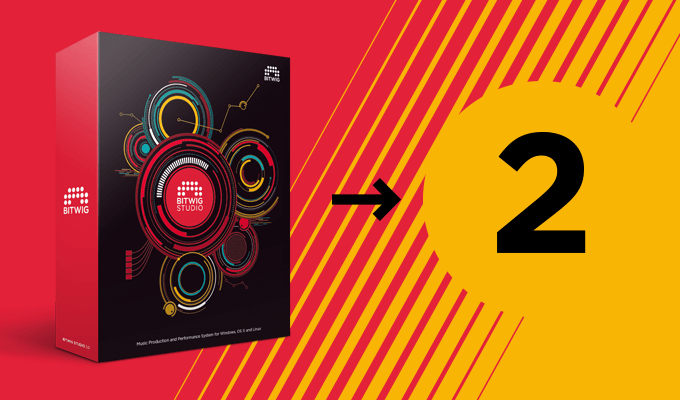
Bitwig has proved to be a really worthy alternative to Ableton Live which not only managed to hear out and implement features some people have been asking in their DAW of choice for ages but also add an arsenal of cool new ones in a reliable package. Bitwig Studio 2 is just around the corner and below you’ll find the exiting new features and changes.

BITWIG STUDIO 2

Price: $399/€379 (the upgrade from Bitwig Studio 1 to Bitwig Studio 2 is priced at $169/€159 and is  free for anyone who purchased Bitwig Studio 1 on, or after, December 10th, 2016).
Available: February 28th (Bitwig Studio license holders can apply for a beta license here)
Supported Audio Formats: WAV, MP3, Ogg, AAC, WMA, FLAC (audio export is WAV-only).
Platforms: Windows, OSX/macOS & Linux

MODULATORS

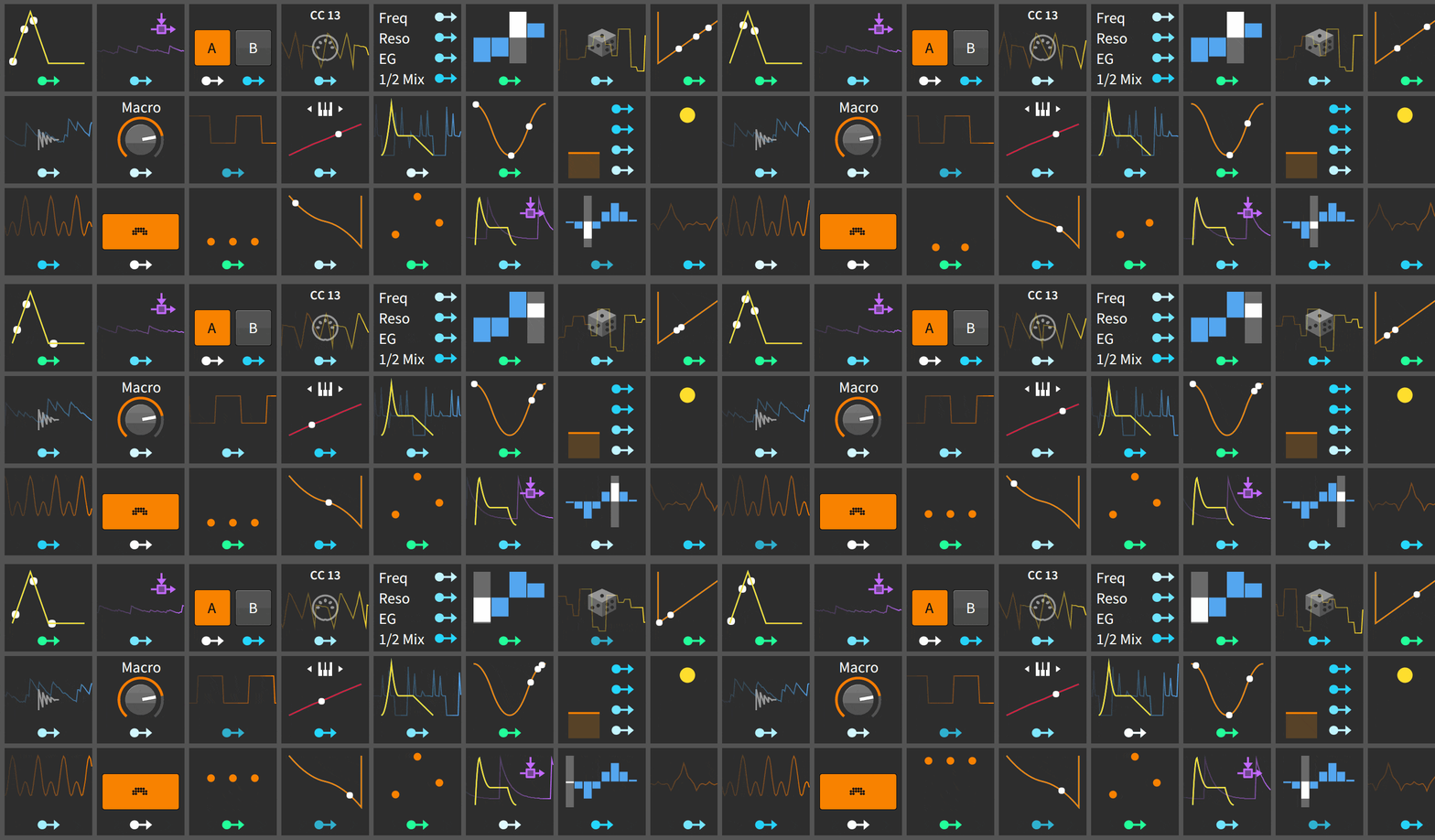
Bitwig offers one of the industry’s most flexible and powerful modulation systems and the upcoming update takes it to the next level with 24 new modulators. Each device in Bitwig Studio 2 has modulation slots where you can load individual modulators An unlimited number of them can be added to a device by simply clicking an empty Modulator slot and choosing the one you want from the browser. Assign the modulator to any number of parameters and interconnect them for truly dynamic and expressive sound design possibilities.

When using internal Bitwig instruments, many modulators can be set to polyphonic mode – enabling per-voice modulation – something previously only seen in closed systems.
NEW DEVICES

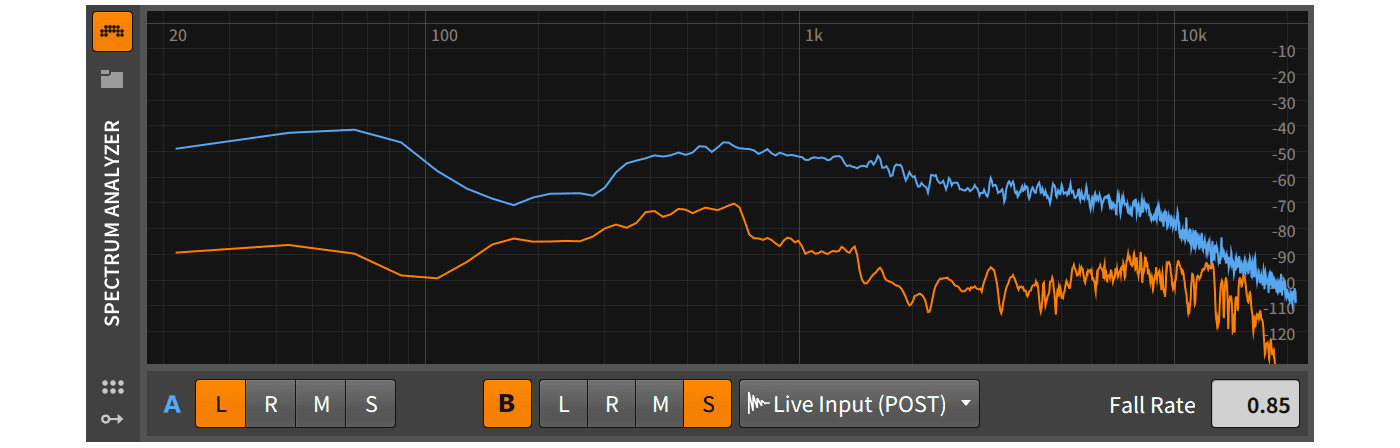
  • Spectrum Analyzer –  Simply put, it gives you a visual representation of the audio material you feed it. It allows for a freely selectable secondary input, so you can directly compare the frequency graph of two separate audio sources.
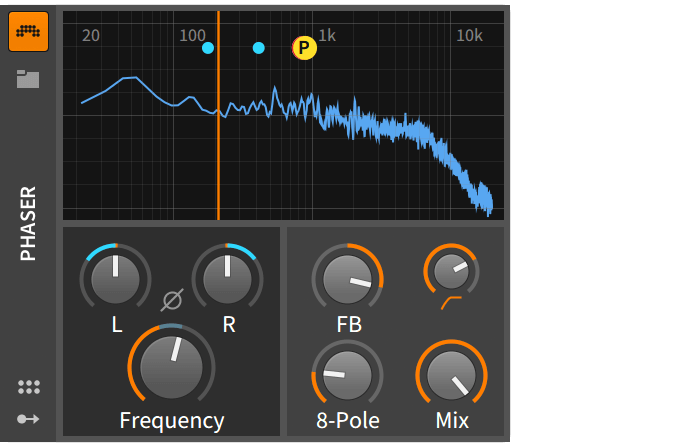
  • Phaser – Pretty self explanatory.
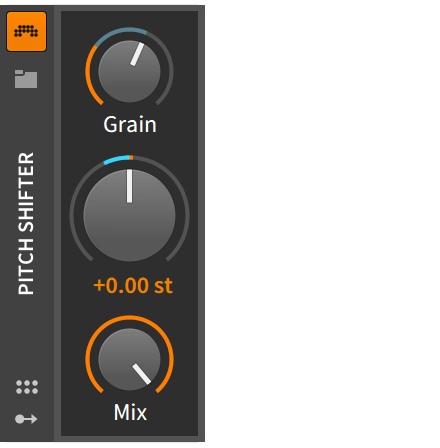
  • Pitch Shifter – This pitch shifter shifts your pitch up or down one octave, with precise fine-tune and grain control.
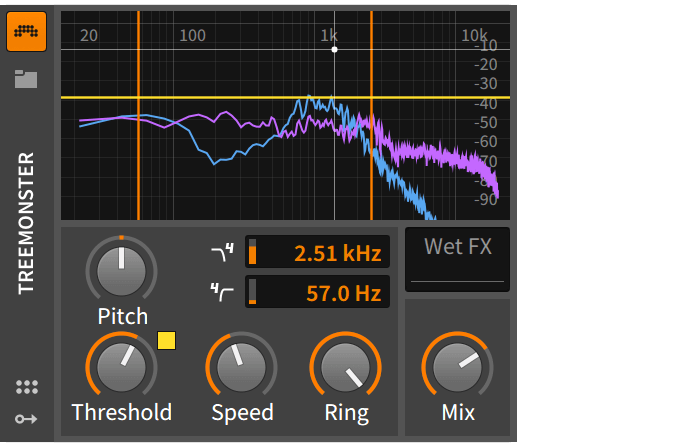
  • Treemonster – Zero-crossing amplitude controlled ring modulator with a life of its own (should be interesting to give this a spin)
  • Multi Note – Basically a chord plugin which can generate up to 7 notes based on the note you send into it, with pitch and velocity settings.
  • Note Harmonizer – This plugin will transpose notes in real-time to harmonize with a chord playing on another track.
  • Note Length – Transforms all notes to a defined length and velocity. In its second mode it can generate a fixed-length note when the key is released.
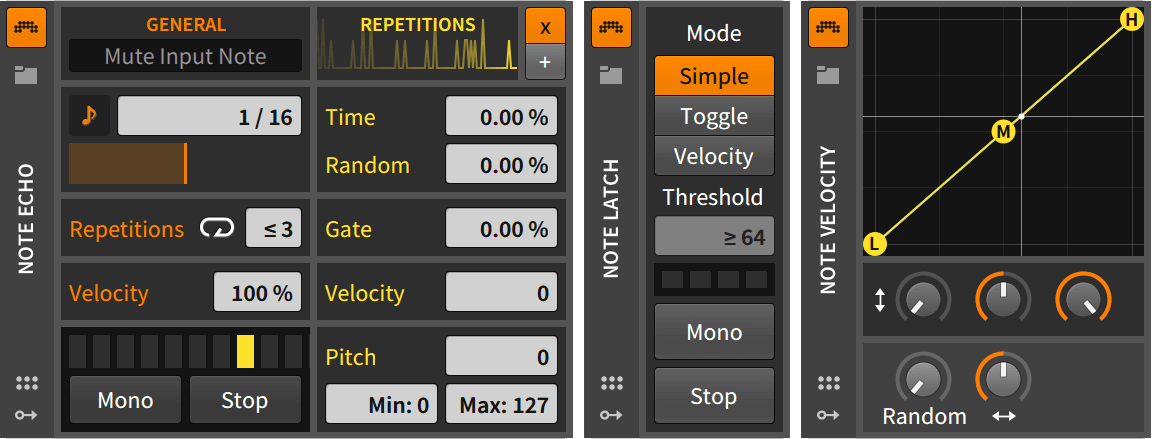
  • Note Echo – Rather than affecting the audio signal this device allows you to work directly on the incoming MIDI notes.
  • Note Latch – Holds the last note until a new one is sent or the unit turned off.
  • Note Velocity – Transform velocity on incoming notes using a curve – or go ahead and use modulators for some dynamic velocity effects.
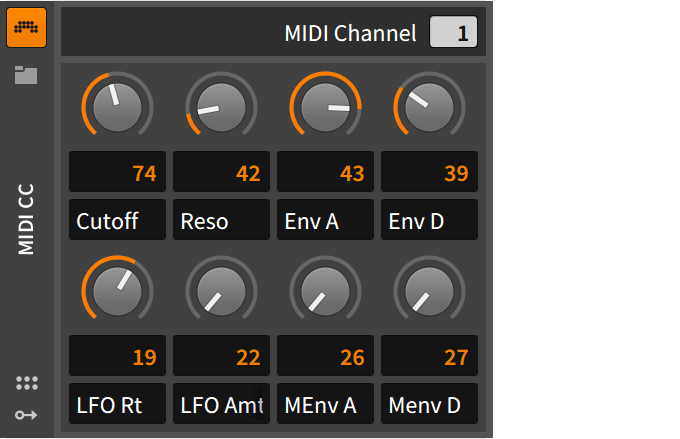
  • MIDI CC – This device can be used to send CC data to external hardware or plug-ins. Add it to a Hardware Instrument device and you have instant access to your hardware’s parameters directly from Bitwig Studio.
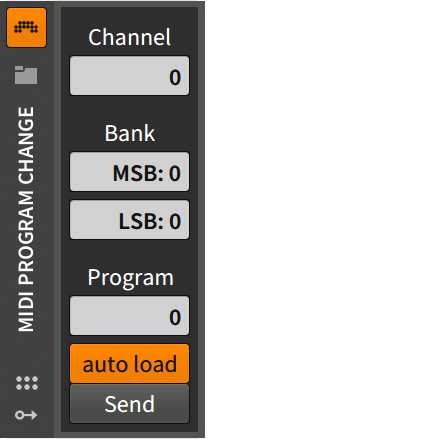
  • MIDI Program Change – As the name implies, this device allows you to control program changes of your hardware or VST plug-ins from Bitwig Studio.
  • HW CV Clock Out – Allows you to send CV clock to audio outputs, with individual time settings.
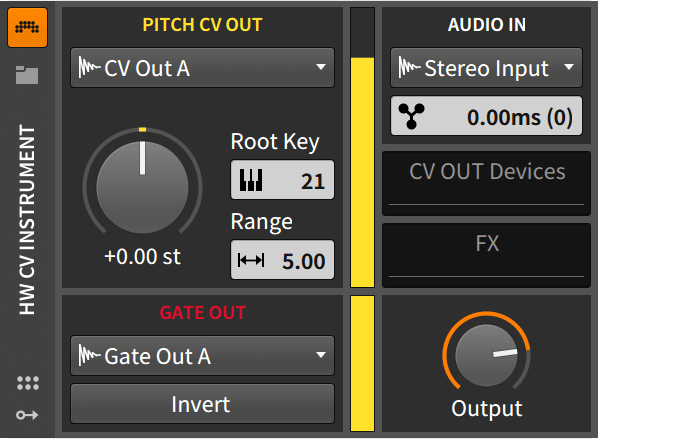
  • HW CV Instrument – Sends notes as CV and gate to an output on your audio interface, to control analog synths, eurorack modules and other hardware.
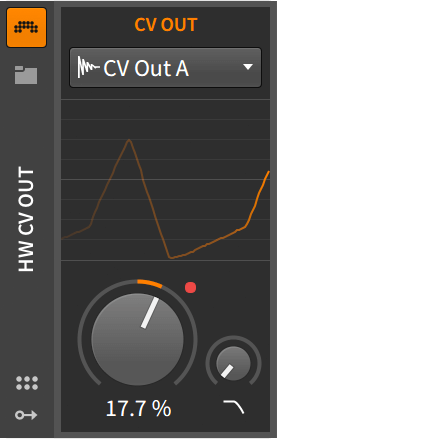
  • HW CV Out – This is a simple device to send a CV signal to an output on your audio interface.

General workflow improvements and device updates are also part of Bitwig Studio 2 along VST3 support which is another welcome addition.
Spectrum Analyzer
Phaser
Pitch Shifter
Treemonster
Note Effects
Note Effects
MIDI CC
MIDI Program Change
HW CV Instrument
HW CV Out
HW Clock Out

NEW LICENSE MODEL?

By the looks of it they have decided to move on to a 12 month free update model in favor of getting new features out as soon as possible rather than holding them until the next major release. This reduces time a feature is added to the software until it’s available for use. You’ll need to shell out $169/€159 yearly if you want in on the new stuff. You’ll still be able to use your software normally if you choose to stay away from this upgrade plan and there are no subscriptions so you can leave your plan expire and only grab it once again if a new feature catches your attention.

Wondering why there’s so much new gear news on DJTT right now? Companies are rolling out their new products ahead of the NAMM 2017 industry convention. We’re giving DJTT readers the first coverage and insights into what’s coming out:  See all of our NAMM 2017 coverage here.

About the Author

matias

  • Who? Matias
  • Years experience: DJing since 2005 and producing since 2008
  • Why he’s helpful: Matias has used nearly every DJ software out there and has helped create tons of DJTT’s best mappings (with over 25k downloads). He’s our lead DJTT product expert and can answer pretty much any gear question too. Think of him as the super helpful guy behind the counter at the record store who has lots of great suggestions on what gear is perfect for your unique tastes. You can chat with Matias on live chat in the DJTT store (he gets nearly 100% positive feedback ratings).

 

Tags: Abletonableton alternativeableton competitionbitwigbitwig studio
Share1Tweet1Share
Previous Post

Ill Gates’ Top 5 Tips For Midi Fighter Twister and 3D

Next Post

Twister + Guitar + Launchpad = Future Guitar!

Related Posts

Ableton launches Live 12 Suite rent-to-own plan – and it’s not a subscription
Ableton

Ableton launches Live 12 Suite rent-to-own plan – and it’s not a subscription

October 1, 2025
Control an entire studio with Midi Fighter Spectra (like Mad Zach)
Finger Drumming

Control an entire studio with Midi Fighter Spectra (like Mad Zach)

May 9, 2025
How I Play: Hybrasil’s DAWless live techno setup
How I Play

How I Play: Hybrasil’s DAWless live techno setup

October 3, 2024
Load More
Next Post
Jacob Orr's future guitar

Twister + Guitar + Launchpad = Future Guitar!

Want to reach DJTT's audience here?

Shoot an email to advertising@djtechtools.com

DJTT ads
DJTT newsletter
Midi Fighter
Chat with us
  • ABOUT DJTT
  • CONTACT
  • PRIVACY
  • MIDI FIGHTER HELP
  • ABOUT DJTT
  • JOBS
  • CONTACT US
  • ADVERTISE
  • PRIVACY POLICY
  • ACCESSIBILITY STATEMENT

© 2024 DJ Techtools all rights reserved by DJ TechTools on all content unless otherwise noted.

No Result
View All Result
  • Blog
    • DJ Gear
      • DIY Projects
      • Gear Reviews
      • New Products
      • Controllerism
    • Techniques + Tips
      • Beginner DJ
      • Advanced DJ
      • Producer
      • Finger Drummer
    • News + Culture
      • Editorials + Opinions
      • Artist Interviews
      • Performances + Routines
      • How I Play
    • DJ Software Tutorials
      • Serato Tips
      • CDJ Tips
      • Ableton Live Tips
  • Store
    • Run by real DJs, not a corporation
    • DJ Controllers
      • Midi Fighter Twister
      • Midi Fighter Spectra
      • Midi Fighter 64
      • View All
    • Accessories
      • Chroma USB Drive for DJs
      • Chroma Caps
      • Chroma Cables Audio
      • Chroma Cables USB-A
      • Chroma Cables: USB-C
      • DJTT Gift Card
      • Midi Fighter T-Shirt
      • Keyboard Covers
      • Earplugs by V-Moda
    • Production Gear
    • Soundcards & Mixers
  • Community
    • Popular Forums
      • General Discussion
      • Buy & Sell
      • Reviews
      • Mixes
      • Music Production
      • Show Your Setup
      • Off Topic
    • Handy Links
      • New Posts
      • Private Messages
      • Register
      • Search
    • Midi Maps
      • Traktor
      • Ableton
      • Serato DJ
      • Midi Fighter 3D
      • Midi Fighter Twister
      • Midi Fighter Spectra
  • Midi Fighter
  • Chroma

© 2024 DJ Techtools all rights reserved by DJ TechTools on all content unless otherwise noted.

This website uses cookies. By continuing to use this website you are giving consent to cookies being used. Visit our Privacy and Cookie Policy.