DJ TechTools
  • Blog
    • DJ Gear
      • DIY Projects
      • Gear Reviews
      • New Products
      • Controllerism
    • Techniques + Tips
      • Beginner DJ
      • Advanced DJ
      • Producer
      • Finger Drummer
    • News + Culture
      • Editorials + Opinions
      • Artist Interviews
      • Performances + Routines
      • How I Play
    • DJ Software Tutorials
      • Serato Tips
        • Traktor Tips
      • CDJ Tips
      • Ableton Live Tips
  • Store
    • Run by real DJs, not a corporation
    • DJ Controllers
      • Midi Fighter Twister
      • Midi Fighter Spectra
      • Midi Fighter 64
      • View All
    • Accessories
      • Chroma USB Drive for DJs
      • Chroma Caps
      • Chroma Cables Audio
      • Chroma Cables USB-A
      • Chroma Cables: USB-C
      • DJTT Gift Card
      • Midi Fighter T-Shirt
      • Keyboard Covers
      • Earplugs by V-Moda
    • Production Gear
    • Soundcards & Mixers
  • Community
    • Popular Forums
      • General Discussion
      • Buy & Sell
      • Reviews
      • Mixes
      • Music Production
      • Show Your Setup
      • Off Topic
    • Handy Links
      • New Posts
      • Private Messages
      • Register
      • Search
    • Midi Maps
      • Traktor
      • Ableton
      • Serato DJ
      • Midi Fighter 3D
      • Midi Fighter Twister
      • Midi Fighter Spectra
  • Midi Fighter
  • Chroma
No Result
View All Result
DJ TechTools
  • Blog
    • DJ Gear
      • DIY Projects
      • Gear Reviews
      • New Products
      • Controllerism
    • Techniques + Tips
      • Beginner DJ
      • Advanced DJ
      • Producer
      • Finger Drummer
    • News + Culture
      • Editorials + Opinions
      • Artist Interviews
      • Performances + Routines
      • How I Play
    • DJ Software Tutorials
      • Serato Tips
        • Traktor Tips
      • CDJ Tips
      • Ableton Live Tips
  • Store
    • Run by real DJs, not a corporation
    • DJ Controllers
      • Midi Fighter Twister
      • Midi Fighter Spectra
      • Midi Fighter 64
      • View All
    • Accessories
      • Chroma USB Drive for DJs
      • Chroma Caps
      • Chroma Cables Audio
      • Chroma Cables USB-A
      • Chroma Cables: USB-C
      • DJTT Gift Card
      • Midi Fighter T-Shirt
      • Keyboard Covers
      • Earplugs by V-Moda
    • Production Gear
    • Soundcards & Mixers
  • Community
    • Popular Forums
      • General Discussion
      • Buy & Sell
      • Reviews
      • Mixes
      • Music Production
      • Show Your Setup
      • Off Topic
    • Handy Links
      • New Posts
      • Private Messages
      • Register
      • Search
    • Midi Maps
      • Traktor
      • Ableton
      • Serato DJ
      • Midi Fighter 3D
      • Midi Fighter Twister
      • Midi Fighter Spectra
  • Midi Fighter
  • Chroma
No Result
View All Result
DJ TechTools

iTunes Power Tips For DJs: Part 1

mikecharles by mikecharles
December 5, 2008
in Basic DJ Tips
Reading Time: 4 mins read
0
iTunes Power Tips For DJs: Part 1
189
VIEWS
Post on FacebookTweet thisUpvote on Reddit

by Mike Charles

In the “old days” I would head over to my record shelves, pull down 60 to 80 pieces of vinyl, toss em in my record bag, and go spin records. I hated this, because it limited me to only that one crate of records and many times the perfect tune had been left at home. You try to prepare, but vibes shift in a nightclub, and a good DJ should cater to that shift, keeping people entertained. Today my record “shelf” is my MacBook Pro, which solves that problem nicely but has posed some new challenges. Managing a collection of 500 to 1000 tunes and finding the right one on the fly can be pretty difficult so here are some tips that might help you in the digital age of multiple artists, sub-genres, and sub-sub-micro genres.

1. Tag Early, Tag Often, Tag Correctly

How many times have you bought a track, loaded it into iTunes and had it tagged correctly? The answer is usually never so the first thing I do is edit the tags. The three must have areas are: Name, Artist, and Genre. Remixes can complicate the “Artist” part of equation but you might consider handling that problem in this fashion:

Name: Black Gold [Marlow Vocal Mix]

Artist: Stereo MCs

Genre: Dubstep

2. Rename the file

After editing the file tags, you might consider using a program called iTag which renames the file based on the ID3 tags, saving the extra step of typing everything twice. iTag is a Mac program, but you can easily find a windows equivalent out there. A common method of file naming is: Artist – Track Name.mp3. Some people throw genre into the mix but it’s a personal preference. If you happened to include the remix artist in brackets [ ] it is included in the renaming as well and your file will now look like this:

Stereo MCs – Black Gold [Marlow Vocal Mix].mp3

3. Folder Structure

Its important that you organize you files so that you can find them later. The example above for example would look like this:

~Music Archive\\Dupstep\\Stereo MCs – Black Gold [Marlow Vocal Mix].mp3

So as you can see we have folders for each genre, and they contain each corresponding set of files. At this stage we have not delved into sub-genres, more on that later.

4. Sub – Genres

Alright, now that we’ve got well structured, tagged, and named files we can really get down to business. How many possible sub-genres of House Music can there be? The answer is more than any of us care to know, but there is obviously a need to separate the Disco House from the Electro House or whatever applies to your genres of choice.

5. Playlist Folders and Smart Playlists

iTunes gives you these 2 things and I use them extensively. First I set up a playlist folder named “House” and then I create a smart playlist named “All House”. The criteria for the playlist is: Genre – Contains – House. What this does is pull all tunes in our library that contain the word “House” in the genre, so tracks from “House – Electro”, “House – Disco”, and “House – Whatever” are all pulled, hence the name of the playlist being “All House”

Now lets get into the real meat, and create a sub-folder inside “House” called “Styles”. Inside “Styles” I have created a bunch of smart playlists like “Electro” and “Disco” and as you may have guessed the selection criteria for these smart playlists is Genre – Is – XXX where XXX equals the sub-genre you wish to create a playlist for [e.g. House – Electro]

6. Ratings

Were almost home. Many djs span multiple genres and/or sub-genres in every set. So while its good to have playlists for every sub-genre of house, sometimes its more efficient to browse by priority ranking, than genre label. Inside the playlist folder “House” create another sub-folder called “Priority”. Then inside “Priority” create a smart playlist called “Favorites”. The selection criteria for “Favorites” is Rating – Is – 4 stars. Then in similar fashion I like to add a playlist for “Seconds” where Rating – Is – 3 Stars, and so on down the line. Now it’s a simple matter of going through my house tracks and adding a star rating to each, and because we used smart playlists instead of regular playlists they update automatically.


So what is the lesson today? An ounce of prevention is worth a pound of cure. It might take a little time to set things up properly, but in the long run you will put yourself in a much better position to find the perfect track, at the right moment, with a little organization. This is my personal method, which may or may not work for you, but it should hopefully spark a few original ideas that you might find use full.

iTunes Power Tips Continued

The iTunes Power Tips series spans four articles, check out the other articles in the series here!

iTunes Power Tips Part 1 | iTunes Power Tips Part 2 |iTunes Power Tips Part 3 | iTunes Power Tips Part 4


editor’s note: props to Mike who submitted this great story, Check out his blog “Room 211”.

Tags: itunes tutorialsMp3TipsTIPS FROM THE PROS
Share2Tweet1Share
Previous Post

Get Paid to Travel and DJ

Next Post

Times Are Changing

Related Posts

Meet the Koala sampler app: a mobile production powerhouse, now with stems
DJ Gear

Meet the Koala sampler app: a mobile production powerhouse, now with stems

February 7, 2023
Tips for DJing in Extreme Cold: DJTT readers share their advice
DJ Techniques / Tips

Tips for DJing in Extreme Cold: DJTT readers share their advice

January 30, 2023
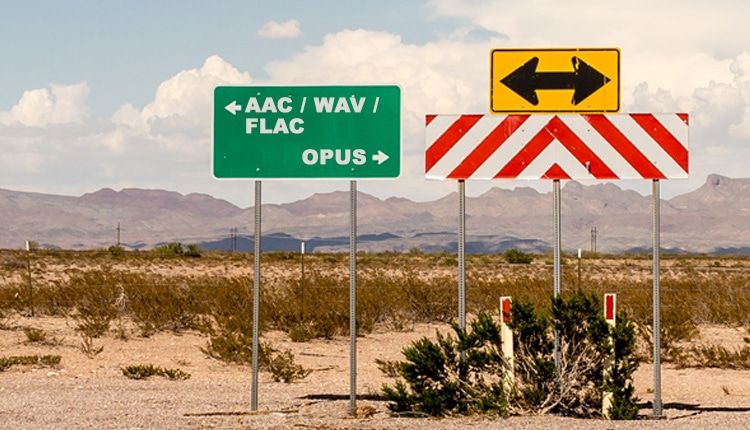
Replacing MP3: Is A New Format Likely For DJs + Listeners?
Editorials and Opinions

Replacing MP3: Is A New Format Likely For DJs + Listeners?

May 26, 2017
Load More
Next Post
Times Are Changing

Times Are Changing

Want to reach DJTT's audience here?

Shoot an email to advertising@djtechtools.com

DJTT ads
DJTT newsletter
Midi Fighter
Chat with us
  • ABOUT DJTT
  • CONTACT
  • PRIVACY
  • MIDI FIGHTER HELP
  • ABOUT DJTT
  • JOBS
  • CONTACT US
  • ADVERTISE
  • PRIVACY POLICY
  • ACCESSIBILITY STATEMENT

© 2024 DJ Techtools all rights reserved by DJ TechTools on all content unless otherwise noted.

No Result
View All Result
  • Blog
    • DJ Gear
      • DIY Projects
      • Gear Reviews
      • New Products
      • Controllerism
    • Techniques + Tips
      • Beginner DJ
      • Advanced DJ
      • Producer
      • Finger Drummer
    • News + Culture
      • Editorials + Opinions
      • Artist Interviews
      • Performances + Routines
      • How I Play
    • DJ Software Tutorials
      • Serato Tips
      • CDJ Tips
      • Ableton Live Tips
  • Store
    • Run by real DJs, not a corporation
    • DJ Controllers
      • Midi Fighter Twister
      • Midi Fighter Spectra
      • Midi Fighter 64
      • View All
    • Accessories
      • Chroma USB Drive for DJs
      • Chroma Caps
      • Chroma Cables Audio
      • Chroma Cables USB-A
      • Chroma Cables: USB-C
      • DJTT Gift Card
      • Midi Fighter T-Shirt
      • Keyboard Covers
      • Earplugs by V-Moda
    • Production Gear
    • Soundcards & Mixers
  • Community
    • Popular Forums
      • General Discussion
      • Buy & Sell
      • Reviews
      • Mixes
      • Music Production
      • Show Your Setup
      • Off Topic
    • Handy Links
      • New Posts
      • Private Messages
      • Register
      • Search
    • Midi Maps
      • Traktor
      • Ableton
      • Serato DJ
      • Midi Fighter 3D
      • Midi Fighter Twister
      • Midi Fighter Spectra
  • Midi Fighter
  • Chroma

© 2024 DJ Techtools all rights reserved by DJ TechTools on all content unless otherwise noted.

This website uses cookies. By continuing to use this website you are giving consent to cookies being used. Visit our Privacy and Cookie Policy.